

Here I will explain how to open a second from using a first form in Windows Forms. Before that I will explain group boxes and picture boxes in Windows Forms.
Step 1: Login form
There is a login from when I enter a password and username and then the page goes directly to another page named form2.
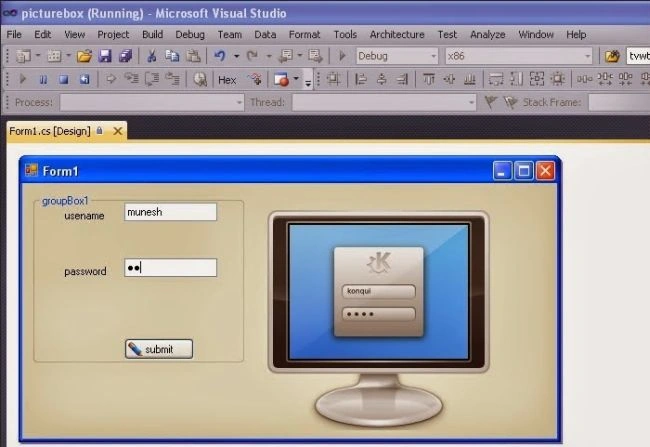
Step 2: Add a new form
Now go to Solution Explorer and select your project and right-click on it and select a new Windows Forms form and provide the name for it as form2.
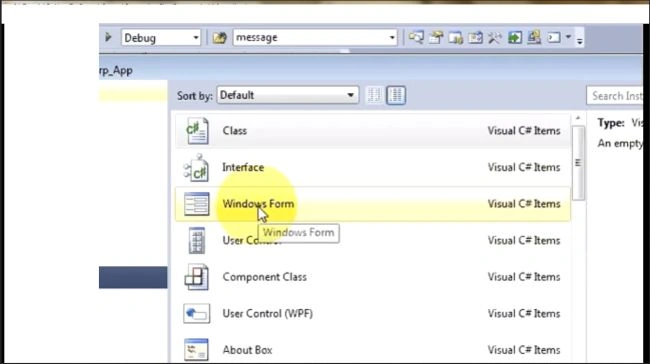
And the new form is:
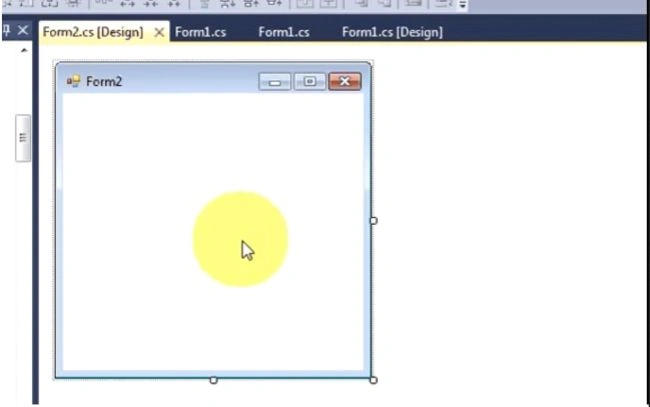
Step 3: Coding
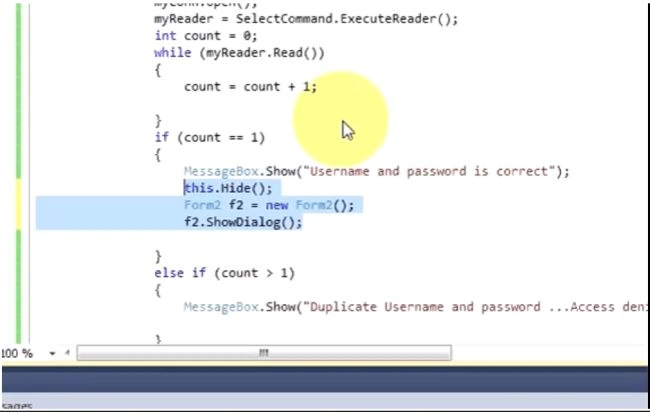
Now click the submit button and write the code.
- using System;
- using System.Collections.Generic;
- using System.ComponentModel;
- using System.Data;
- using System.Drawing;
- using System.Text;
- using System.Windows.Forms;
- using System.Data.SqlClient;
- namespace First_Csharp_app
- {
- public partial class Form1 : Form
- {
- public Form1()
- {
- InitializeComponent();
- }
- private void button1_Click(object sender, EventArgs e)
- {
- try
- {
- if (!(usertxt.Text == string.Empty))
- {
- if (!(passtxt.Text == string.Empty))
- {
- String str = "server=MUNESH-PC;database=windowapp;UID=sa;password=123";
- String query = "select * from data where username = '" + usertxt.Text + "'and password = '" + this.passtxt.Text + "'";
- SqlConnection con = new SqlConnection(str);
- SqlCommand cmd = new SqlCommand(query, con);
- SqlDataReader dbr;
- con.Open();
- dbr = cmd.ExecuteReader();
- int count = 0;
- while (dbr.Read())
- {
- count = count + 1;
- }
- if (count == 1)
- {
- this.hide();
- Form2 f2 = new form2(); //this is the change, code for redirect
- f2.ShowDialog();
- }
- else if (count > 1)
- {
- MessageBox.Show("Duplicate username and password", "login page");
- }
- else
- {
- MessageBox.Show(" username and password incorrect", "login page");
- }
- }
- else
- {
- MessageBox.Show(" password empty", "login page");
- }
- }
- else
- {
- MessageBox.Show(" username empty", "login page");
- }
- // con.Close();
- }
- catch (Exception es)
- {
- MessageBox.Show(es.Message);
- }
- }
- }
- }
When you click on the submit button a new form will be opened named form2.
Mikael ThomasPosted Mar 4, 2021, 4:12 PM
How come using Visual Studio 2019 and the language C# when attempting to show the second form form2.ShowDialog doesn't work but form2.Show does. Sorry just had to post this because I need quicker and simpler answers to my questions and this threw me off a little. Only (form).Show works and not ShowDialog? Unless it is different for you and it must be and if it is then why is it that way? If you could explain it to me I would really appreciate it
Rashmi RansinghPosted Sep 7, 2020, 4:16 AM
At the Program.cs file add - Application.Run(new Form1()); it could be Form2() or Form3() whichever you want to start.
Rashmi RansinghPosted Sep 7, 2020, 4:16 AM
Application.Run(new Form1());
Sr KarthigaPosted May 3, 2016, 8:44 PM
Good one