

Introduction
Of course, we are missing the Start button in Windows 8 and that means, there is no simple way to restart Windows 8.
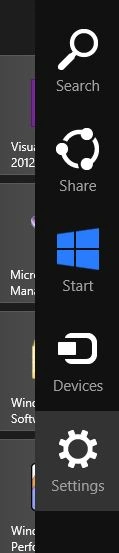
To restart a Windows 8, we open Charms bar by hitting WIN+C and select Settings.
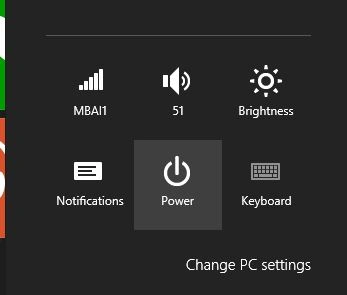
Then select the Power button.
It will launch a menu bar with Sleep, Shut down, and Restart menu items.
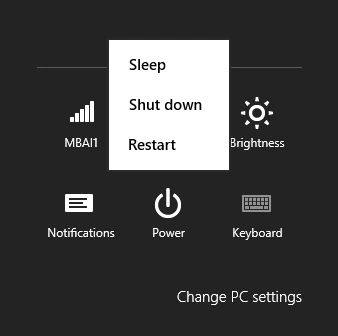
Select on Restart to restart Windows 8.
Summary
In this article, we learned about How to Restart Windows 8.
Join the conversation! Your thoughts help the community grow.