

Introduction
Let's get started by creating the simplest Node.js Express application, "Let's Start with Node.js".
Why Node.js?
- Node.js is free.
- Node.js Platform independent
- Node.js Uses asynchronous programming.
Open Command Prompt-> Go To MyFirstProject by command cd like
D:\Workspace\Clients\dev-parveen\node_projects>cd MyFirstProject
D:\Workspace\Clients\dev-parveen\node_projects\MyFirstProject>npm init
D:\Workspace\Clients\dev-parveen\node_projects\MyFirstProject>npm init ->Press Enter
license: (ISC) =>(Optional), default set ISC, Press enter key to continue.
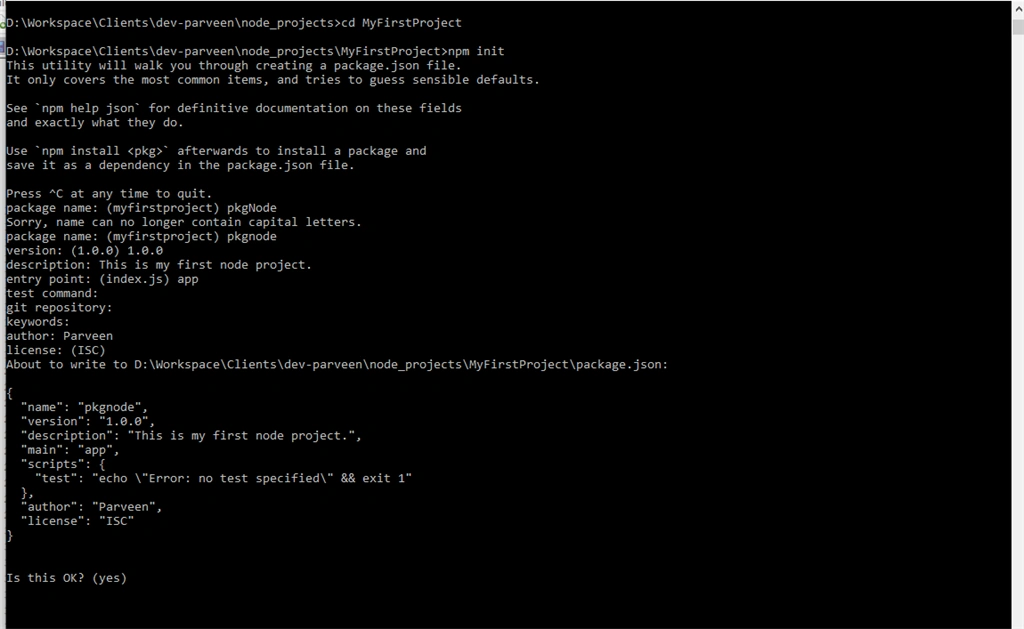
Figure: NPM init Node.js
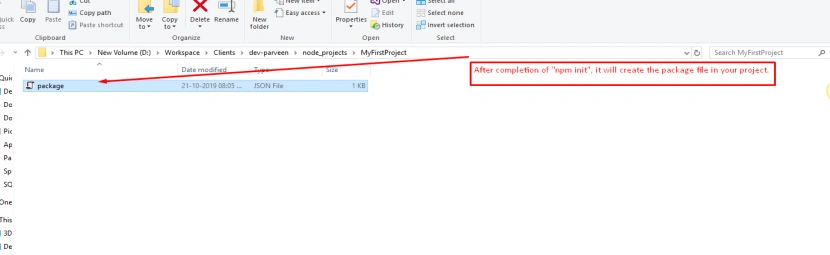
Figure: Displaying package.json added to project.
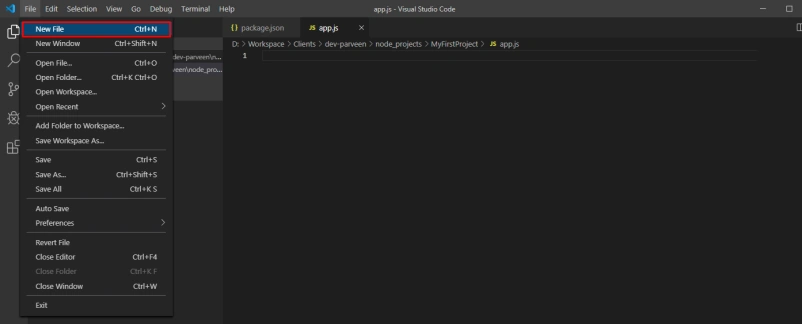
In VSCode, add a Java script file namely app.js and write code,
We are going to create express application using Node.js. Let’s install the express to your project. So now let’s open VSCode PowerShell command terminal:
Go To Menu bar => Terminal => New Terminal
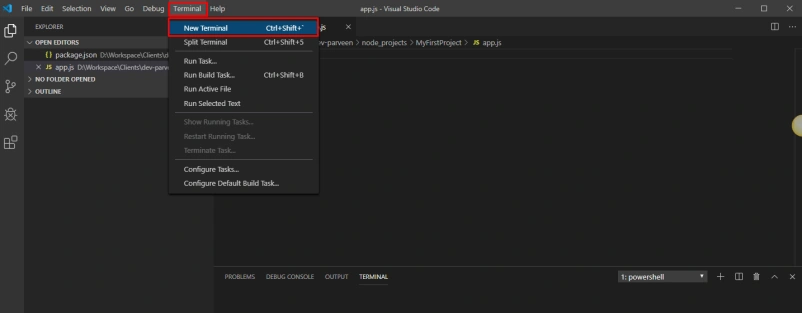
Now install the express using npm: npm –i express ↵

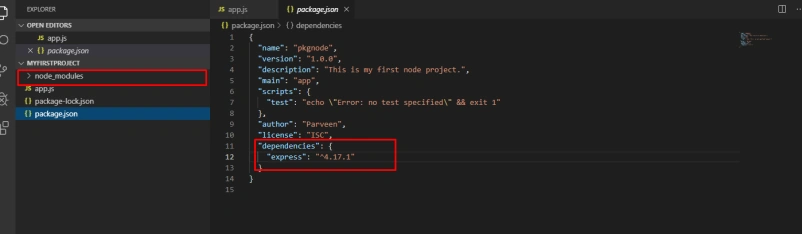
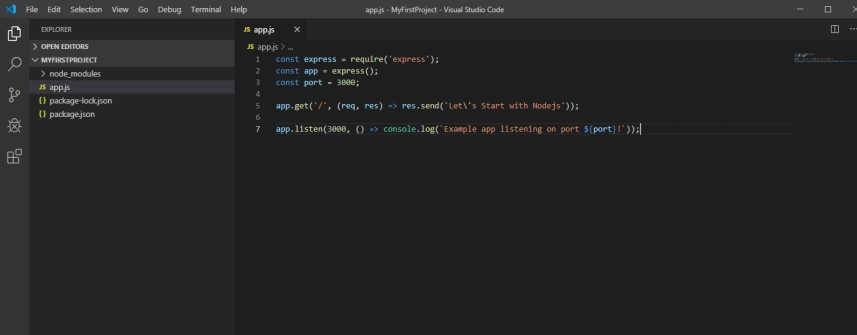

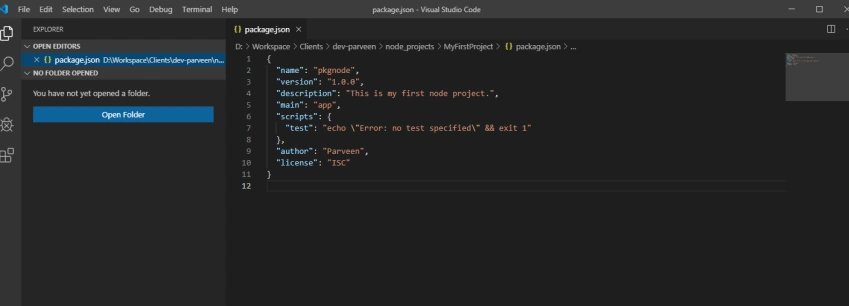
It will install the express module to your project and you can check package.json file in your project and can see express package detail.
Now write the following code sample to your app.js file,
- const express = require('express');
- const app = express();
- const port = 3000;
- app.get('/', (req, res) => res.send('Welcome To Nodejs!'));
- app.listen(3000, () => console.log(`Example app listening on port ${port}!`));
Now run the Node.js app using NPM start or node app.js in terminal
You have successfully created your first Node app. Don’t stop here, keep exploring the wonderful world of Node.js, as it has much more to offer.
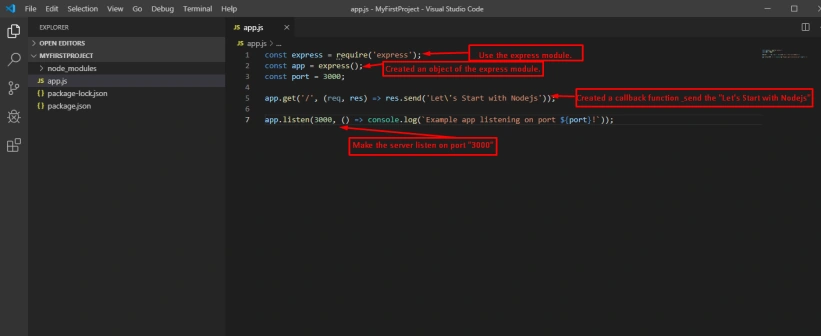
This app starts a server and listens on port 3000 for connections. The app responds with “Let's Start with Node.js” for requests to the root URL (/) or route. For every other path, it will respond with a 404 Not Found.
P KPosted Oct 28, 2020, 9:44 AM
Easy explanation
Dev .NetPosted Feb 3, 2020, 11:28 PM
It looks great!
Sourav Kumar DasPosted Nov 11, 2019, 4:55 AM
Nice Article.