

The Google+ API provides an interface to fetch information to other websites and also in Android apps. Here is the link to start with using the API.
Create Project
Click on Create Project.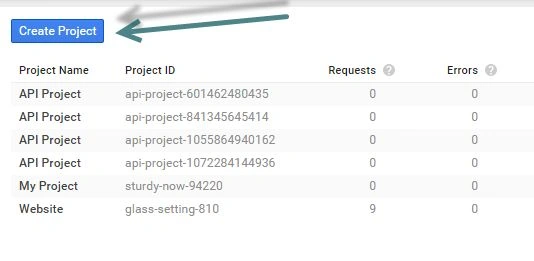
After creating the project, you will see the Project Dashboard. Go to the Credentials menu from the left side.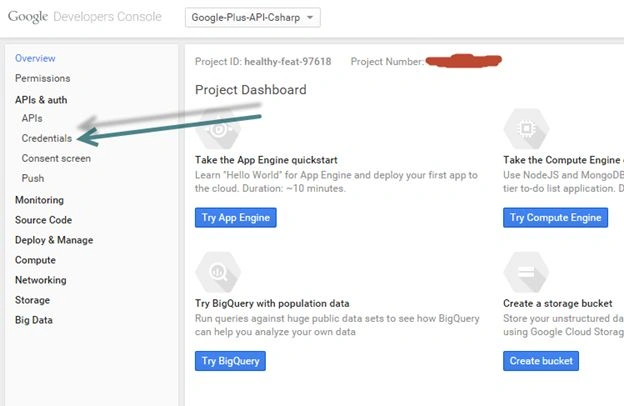
Create New Client ID
Now create a new Client ID. Choose Application Type “Web Application”, but when you will click on the button “Configure Consent Screen”, it will ask for some information about your Web Application.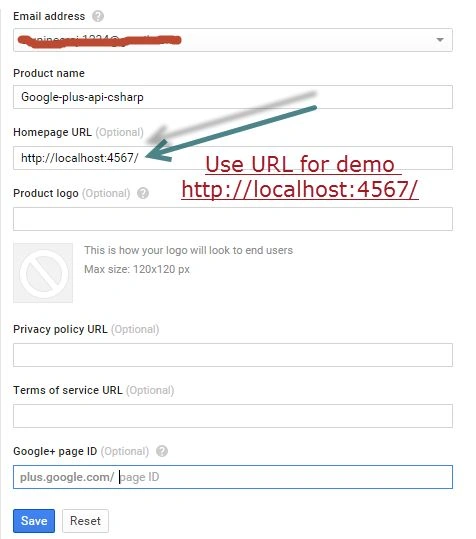
Save it.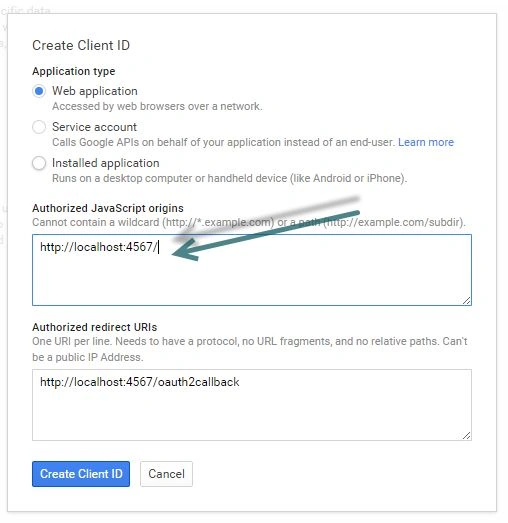
For demo puroses use the URL http://localhost:4567.
Then click on Create Client ID.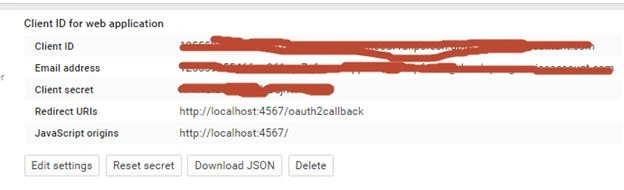
Keep this information safe and secure. The Client ID and Client Secret will be used in your project.
Download the application directly.
Extract it and open the gplus-quickstart-csharp.sln file in Visual Studio, then go to the Solution Explorer and open the signin.ashx.cs file.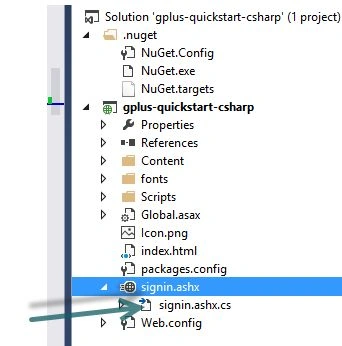
In this file you will find the following.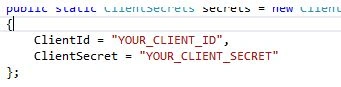
Then replace “your Client ID” from “Client ID for Web project”. Also replace “Your Client Secret” from “Client Secret”. Right-click on the project and select Enable NuGet Package Restore. Run this project.
You can see the Google Sign in button on the Web page.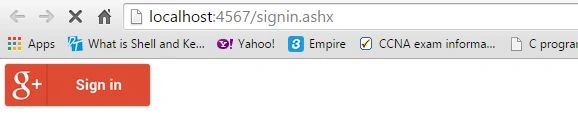
Click Sign in and a new window will open, then Sign in using your Gmail account and click on the Accept button. Now wait a minute.
Then you can see your profile.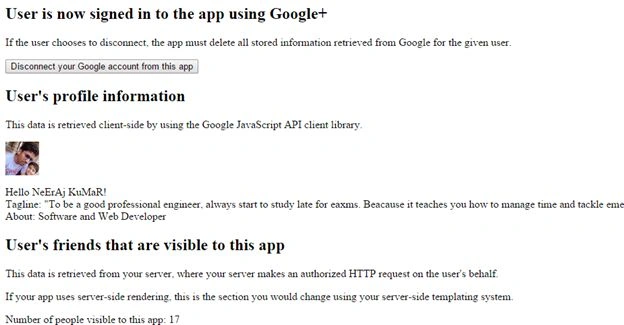
You can also change the design of this page using HTML, CSS and JavaScript. This depends on you and you can attach bootstrap directly to your project. Right-click on gplus-quickstart-csharp, then choose Manage NuGet Package.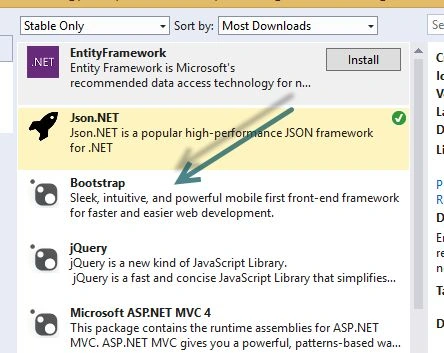
Install it, attach the JavaScript and CSS files to your project and design it.
SharadPosted Jul 6, 2015, 3:09 AM
Nice Article...
Debasis SahaPosted Jun 15, 2015, 3:20 PM
good one
Santhakumar MunuswamyPosted Jun 15, 2015, 2:25 PM
Thanks for nice article:)
Neeraj KumarPosted Jun 15, 2015, 1:27 PM
No
Afzaal Ahmad ZeeshanPosted Jun 15, 2015, 1:22 PM
Good link that you have shared for Google Developers Console, one more thing, does it charge money?
NitinPosted Jun 15, 2015, 10:26 AM
good one
Jaipal ReddyPosted Jun 15, 2015, 7:31 AM
nice one Neeraj.
Manoj KulkarniPosted Jun 15, 2015, 6:51 AM
Nice article
Sibeesh VenuPosted Jun 15, 2015, 5:12 AM
Good one.
Rajeesh MenothPosted Jun 15, 2015, 2:46 AM
Good article.
Gopi ChandPosted Jun 15, 2015, 2:41 AM
Great