

What is Microsoft Translator?
The Text Translation AI model in Power Apps allows developers to translate text from one language to another using prebuilt AI capabilities. It leverages cloud-based intelligence to detect the source language and convert it into a target language of your choice.
This feature is especially useful for:
Multilingual business applications
Customer support tools
Global collaboration platforms
Data entry apps with diverse users
In Power Apps, this service is exposed as an AI model that you can easily use without complex coding.
AI Model Overview
Output Fields Explained:
Text → Final translated text
DetectedLanguage → Language detected automatically
DetectedLanguageConfidence → Confidence score (0–1)
Step-by-Step Implementation in Power Apps
Step 1: Create a Canvas App
Go to: https://make.powerapps.com/
Create a Blank Canvas App
Step 2: Add AI Model
Click Data → Add data → AI models
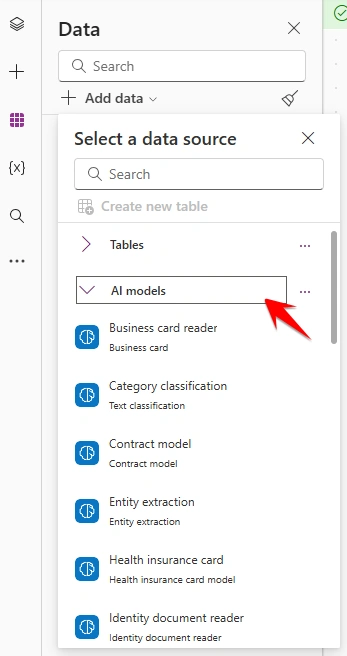
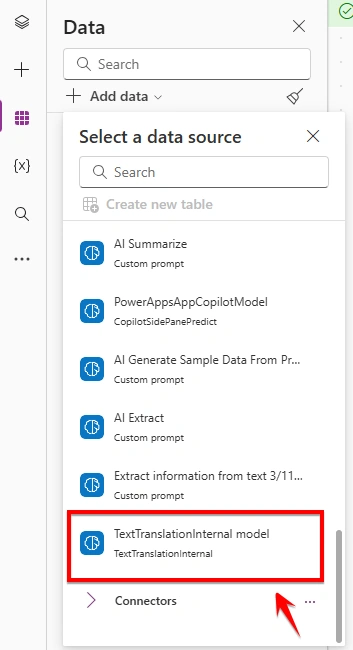
Select:
TextTranslationInternal model
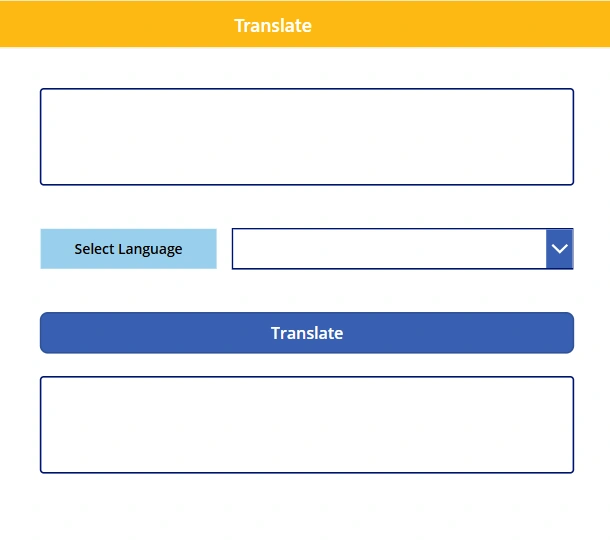
Step 3: Add UI Controls
Insert the following controls:
Label → for instructions
Text Input → user enters text
Dropdown → select language
Button → trigger translation
Label → show output
Step 4: Configure Controls
Label (Instruction)
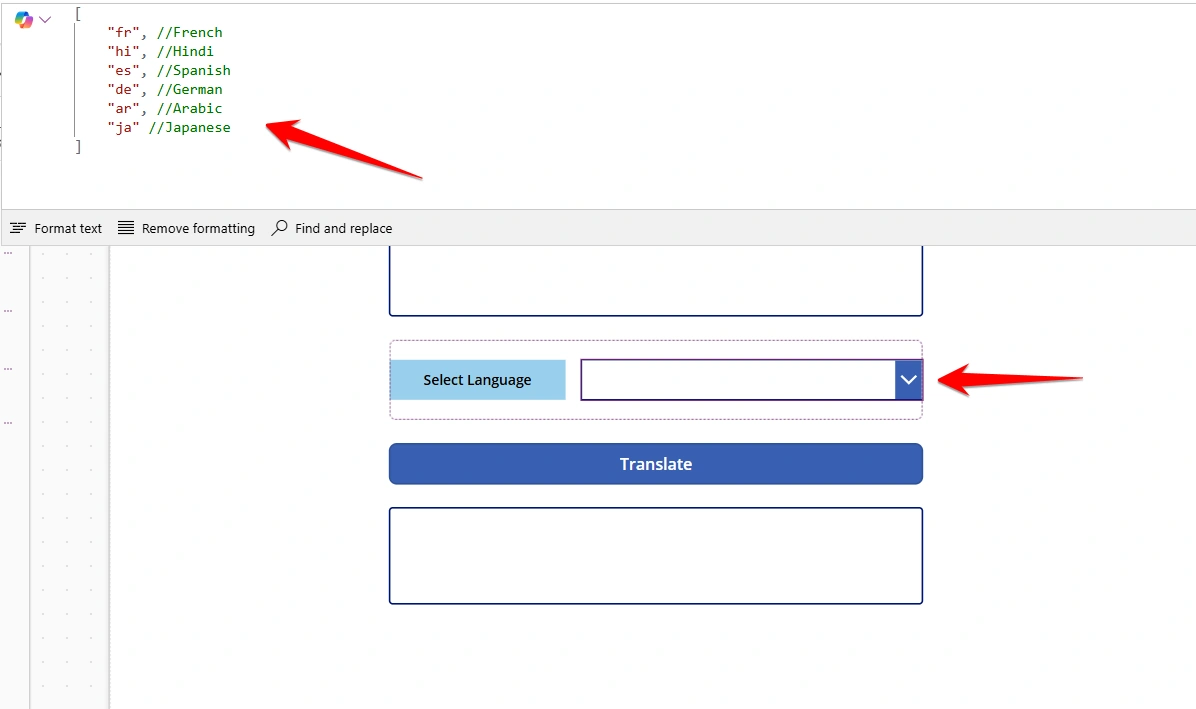
Text = "Select Language"Dropdown (Languages)
Set Items property:
[
    "en",
    "hi",
    "fr",
    "es",
    "de",
   "hi",
    "ar",
    "tr"
]
These are language codes:
en = English
hi = Hindi
fr = French
hi = Hindi, etc.
Step 5: Button Setup
Set Text property:
"Translate"Set OnSelect property:
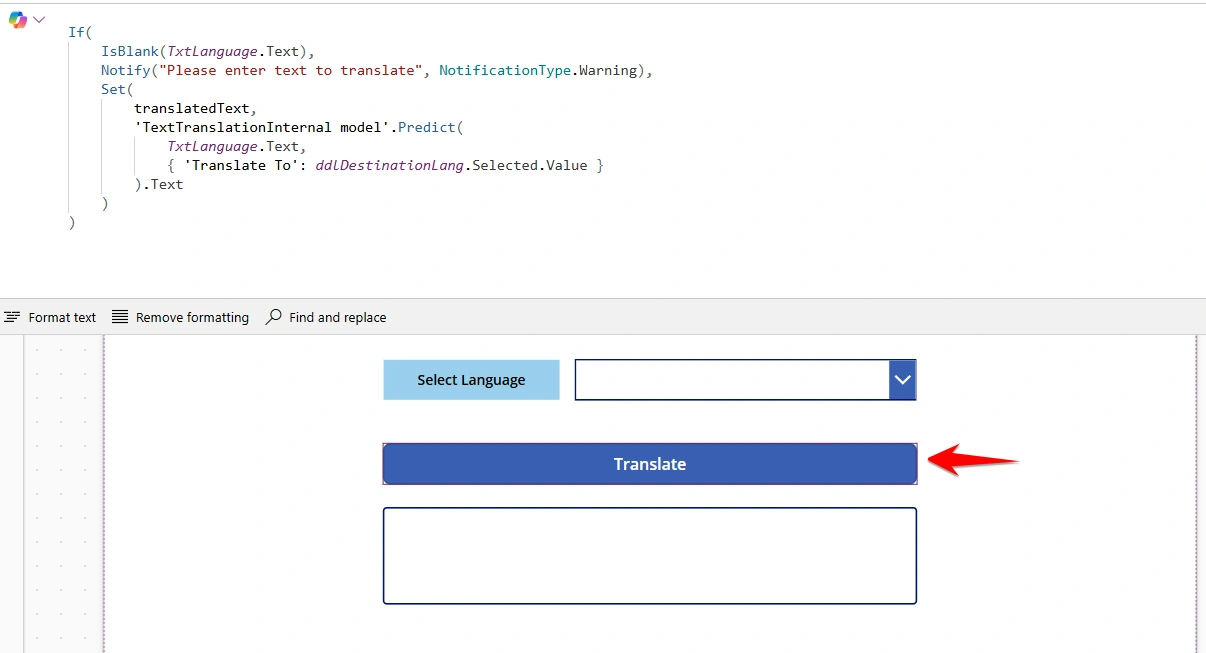
If(
    IsBlank(TxtLanguage.Text),
    Notify("Please enter text to translate", NotificationType.Warning),
    Set(
        translatedText,
        'TextTranslationInternal model'.Predict(
            TxtLanguage.Text,
            { 'Translate To': ddlDestinationLang.Selected.Value }
        ).Text
    )
)
Step 6: Display Output
Add a label and set:
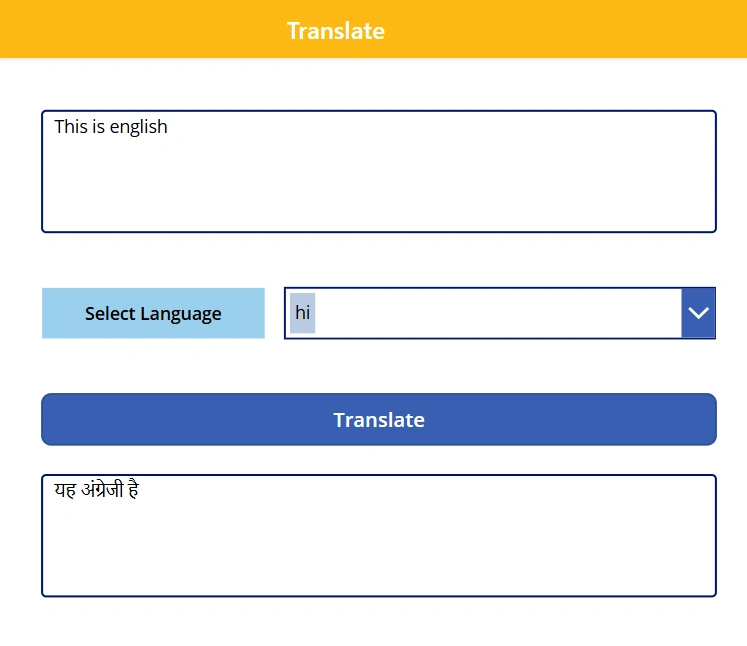
Text = translatedTextHow It Works
User enters text
Selects target language
Clicks Translate
AI model processes the text
Translated result is displayed instantly
Additional Outputs (Advanced Usage)
You can also extract more information:
📌 Get Translated Text
'TextTranslationInternal model'.Predict(...).Text📌 Get Detected Language
'TextTranslationInternal model'.Predict(...).DetectedLanguage📌 Get Confidence Score
'TextTranslationInternal model'.Predict(...).DetectedLanguageConfidenceReal-World Use Cases
This feature is extremely useful in:
Customer Service Apps → communicate with global users
Employee Apps → multilingual workforce
Education Platforms → language learning tools
Business Apps → global customer interaction
Key Benefits
Real-time translation
Easy integration (no complex coding)
Supports multiple languages
Enhances accessibility and user experience
Conclusion
Using the Text Translation AI model in Power Apps allows you to build smart, multilingual applications quickly. By leveraging Azure Cognitive Services, you can deliver seamless communication across languages, making your apps more inclusive and globally accessible.
Join the conversation! Your thoughts help the community grow.