

Introduction
Before reading this article please visit the following links:
- HTML For Beginners: Part 1
- HTML For Beginners: Part 2
- HTML For Beginners: Part 3
- HTML For Beginners: Part 4
- HTML For Beginners: Part 5
- HTML For Beginners: Part 6
HTML Links and Images
HTML Link: Hyperlink
- Links are found in nearly all web pages. Links allow the user to click their way from page to page.
- Images are of various types.
HTML Link: Hyperlink

- HTML links are hyperlinks.
- A hyperlink is a text or an image you can click on and jump to another document.
In HTML, links are defined with <a> tag as in the following:
- <a herf= “url” >Link text </a>
Example
- <a herf= www.c-sharpcorner.com> c#corner </a>
- The href attribute specifies the destination address (http://www.c-sharpcorner.com).
- The link text is the visible part (c#corner).
- Clicking on the link text will send you to the specified address.
The example above uses an absolute URL (a full web address). A local link (link to the same web site) is specified with a relative URL (without http://www....).
Example
- <a href="htmlimages.gif">HTML Images</a>
When you move the mouse cursor over a link, two things will normally happen:
- The mouse arrow will turn into a little hand.
- The color of the link element will change.
- An unvisited link is underlined and Blue.
- A visited link is underlined and Purple.
- An active link is underlined and Red.
The target attribute specifies where to open the linked document. This example will open the linked document in a new browser window or in a new tab.
Example
- <a href="http://www.c-sharpcorner.com/" target="_blank">Visit c#corner</a>
HTML Images
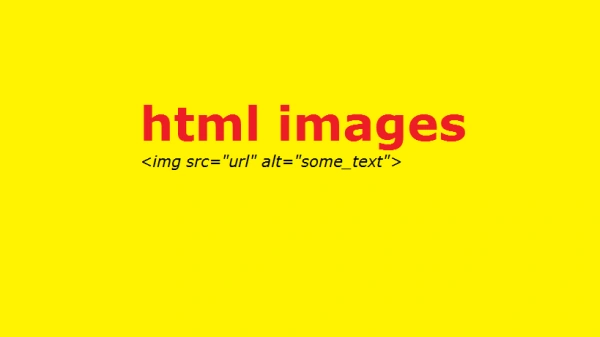
HTML Images Syntax
- In HTML, images are defined with the <img> tag.
- If the <img> tag is empty, it contains attributes only and does not have a closing tag.
- The src attribute defines the URL (web address) of the image as in the following:
- <img src="url" alt="some_text">
- <img src="url" alt="some_text">
- The alt attribute specifies an alternate text for the image if it cannot be displayed.
- The value of the alt attribute should describe the image in words.
Example
- <img src="html5.gif" alt="The official HTML5 Icon">
- The alt attribute is required. A web page will not validate correctly without it.
- Screen readers are software programs that can read what is displayed on a screen.
- Used on the web, screen readers can "reproduce" HTML as text-to-speech, sound icons, or braille output.
- Screen readers are used by people who are blind, visually impaired or learning disabled.
- You can use the style attribute to specify the width and height of an image.
- The values are specified in pixels (use px after the value).
Example
- <img src="html5.gif" alt="HTML5 Icon" style="width:128px;height:128px">
- Alternatively, you can use width and height attributes.
- The values are specified in pixels (without px after the value).
Example
- <img src="html5.gif" alt="HTML5 Icon" width="128" height="128">
- Both the width, the height, and the style attributes are valid in the latest HTML5 standard.
- We suggest you use the style attribute. It prevents style sheets from changing the default size of images.
Example
Shresthi JaiswalPosted Sep 23, 2016, 2:59 AM
Thanks Sir :)
SubashPosted Sep 23, 2016, 12:42 AM
Nice explanation keep it up
Shresthi JaiswalPosted Apr 24, 2015, 3:36 PM
Thankeq !! :)
Karthik Muthu KaruppanPosted Apr 23, 2015, 11:23 AM
good
Shresthi JaiswalPosted Apr 22, 2015, 4:10 PM
Thankeq !!! :-D ; D
RakeshPosted Apr 22, 2015, 2:45 AM
Nice..Helpful..Keep it up
NitinPosted Apr 21, 2015, 2:00 AM
Nice
Shubham KumarPosted Apr 21, 2015, 1:21 AM
Good explanation