

HTML5 Canvas Gradient
A gradient is a smooth transition between two or more colors. They can be used to fill rectangles, circles, lines, text, etc.
There are two types of gradients.
createLinearGradient(x0, y0, x1, y1)
x0: The x-coordinate, in pixels, of the start point of the gradient.
y0: The y-coordinate, in pixels, of the start point of the gradient.
x1: The x-coordinate, in pixels, of the endpoint of the gradient.
y1: The y-coordinate, in pixels, of the endpoint of the gradient.
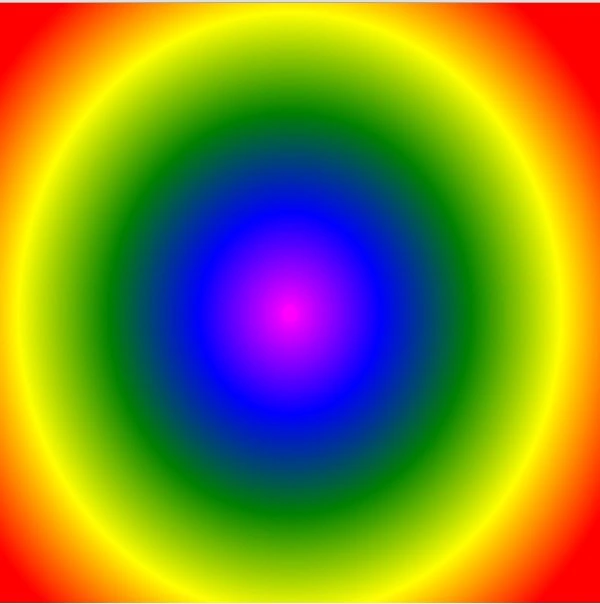
createRadialGradient(x0, y0, r0, x1, y1, r1)
x0: The x-coordinate of the starting circle of the gradient.
y0: The y-coordinate of the starting circle of the gradient.
r0: The radius of the starting circle.
x1: The x-coordinate of the ending circle of the gradient.
y1: The y-coordinate of the ending circle of the gradient.
r1: The radius of the ending circle.
The first three parameters represent the start circle, with origin (x0, y0) and radius r0. The last three parameters represent the end circle, with origin (x1, y1) and radius r1.
Linear Gradient
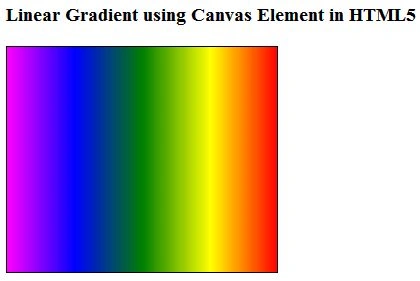
gradient = ctx.createLinearGradient(0, 0, canvas.width, 0)
The y values (the 2nd and 4th parameters) are both 0, this gradient will shade evenly from left to right.
Once we have a gradient object, we must add two or more color stops. To add a color stop, you need to specify its position along the gradient. Gradient positions can be anywhere between 0 and 1.
- gradient.addColorStop("0", "magenta");
- gradient.addColorStop(".25", "blue");
- gradient.addColorStop(".50", "green");
- gradient.addColorStop(".75", "yellow");
- gradient.addColorStop("1.0", "red");
Defining a gradient doesn't draw anything on the canvas. To draw a gradient, you set your fillStyleto the gradient and draw a shape.
- ctx.fillStyle = gradient;
- ctx.fillRect(0, 0, 300, 250);
- ctx.fillRect(250, 300, 500, 450);
Example of Linear Gradient
- <!DOCTYPE html>
- <html lang="en" xmlns="http://www.w3.org/1999/xhtml">
- <head>
- <meta charset="utf-8" />
- <title>AddColorStop Example</title>
- <style type="text/css">
- #MyCanvas {
- border: 1px solid black;
- }
- </style>
- <script type="text/javascript">
- function draw()
- {
- var canvas = document.getElementById("MyCanvas");
- if (canvas.getContext)
- {
- var ctx = canvas.getContext("2d");
- gradient = ctx.createLinearGradient(0, 0, canvas.width, 0);
- gradient.addColorStop("0", "magenta");
- gradient.addColorStop(".25", "blue");
- gradient.addColorStop(".50", "green");
- gradient.addColorStop(".75", "yellow");
- gradient.addColorStop("1.0", "red");
- ctx.fillStyle = gradient;
- ctx.fillRect(0, 0, 300, 250);
- ctx.fillRect(250, 300, 500, 450);
- }
- }
- </script>
- </head>
- <body onload="draw();">
- <h3>Linear Gradient using Canvas Element in HTML5</h3>
- <canvas id="MyCanvas" width="270" height="225">This browser or document mode doesn't support canvas</canvas>
- </body>
- </html>
Join the conversation! Your thoughts help the community grow.