

This is the next article of the 'How to make Image editing tool' project. In first article we have learnt how to show or open image file in our vb.net application with very professionally look.
Image Editing Tool in VB.Net: Part 1
Now in this article we will learn about resizing
of the image
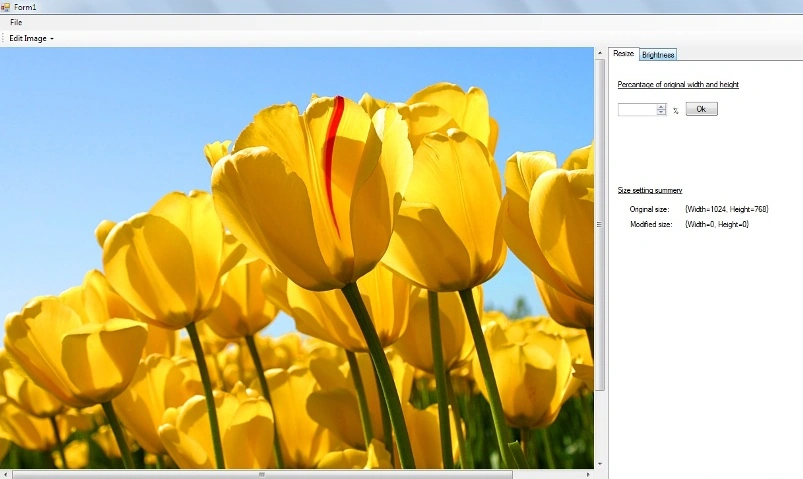
Design Right panel with the help of tabcontrol, and DomainUpDown control, so
that user can input percentage of original size of image
Put the values 1 to 1000 in domainupdown control
Private Sub BindDomainIUpDown()
For i As Integer = 1 To 999
DomainUpDown1.Items.Add(i)
Next
DomainUpDown1.Text = 100
End Sub
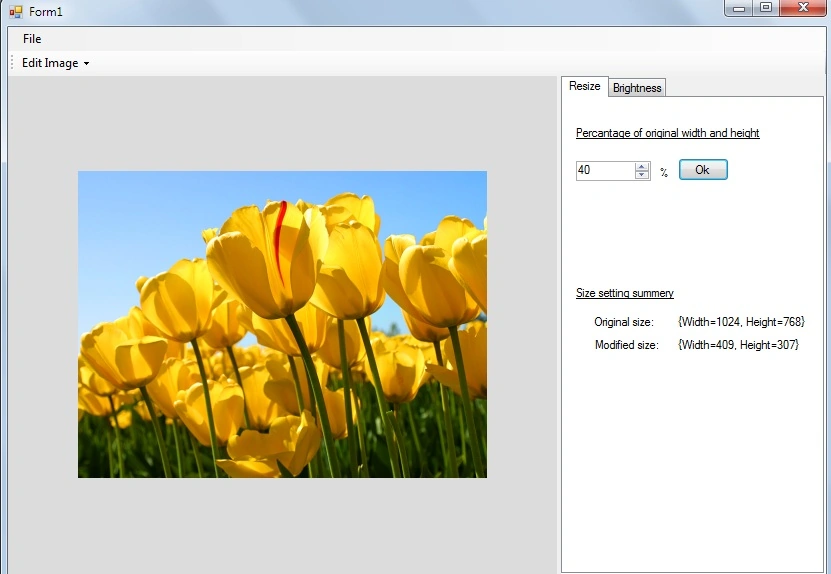
We declare two another variables modifiedSize and originalSize, OriginalSize refers to original width and height of image and modifiedSize refers to width and height of image after DomainUpDown control's value selection.
Private OriginalImageSize As Size
Private ModifiedImageSize As Size
We can calulate original size of the image like this
Dim imgWidth As Integer = Img.Width
Dim imghieght As Integer = Img.Height
OriginalImageSize = New Size(imgWidth, imghieght)
And modifiedSize:
Private Sub DomainUpDown1_SelectedItemChanged(ByVal sender As System.Object, ByVal e As System.EventArgs) Handles DomainUpDown1.SelectedItemChanged
Join the conversation! Your thoughts help the community grow.