

Introduction
In this article, you can learn various image operations using a Word document in C# programming. Images are more attractive for reading the document. Images are related to the contents. Sometimes, an image can describe some content more clearly, like using a chart to show data changes in a period.
Spire.Doc for .NET
It is a professional .NET Word component to quickly generate, open, modify, and save Word documents without using Microsoft Office Automation and enables users to insert an image into Word and set its size depending on the page using C#. This guide introduces an easy method for inserting an image via Spire.Doc for .NET.
The following are the operations we are learning.
- Insert an image into a Word Document.
- Extract images from a Word Document.
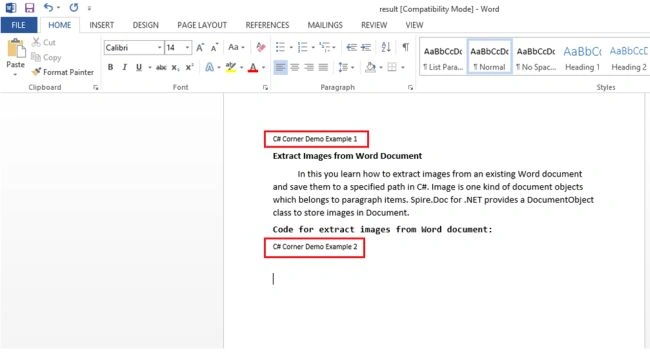
- Replace images with texts in a Word Document.
To do these operations, you need to create a Word document. Here I used Spire.Doc to create the document and perform the preceding operations.
Create a ConsoleApplication for the demo. Use the following procedure.
- Open Visual Studio
- "File" -> "New" -> "Project..."
- Select C# Language, then select ConsoleApplication and name it “ImageOperationInWord”
- Click OK.
How to Insert Image in Word Document?
First, create a new Word document and add a section and page for this document. Then, use the p.AppendPicture(Image) method to insert an image into the new paragraph. Set the height and width property for the image to format its size. Use the following code to insert the image into Word by using C#.
Namespaces used
using Spire.Doc;
using Spire.Doc.Documents;
using Spire.Doc.Fields;
using System.Drawing;
Example
private static void InsertImage()
{
    //Create Document
    Document document = new Document();
    Section s = document.AddSection();
    Paragraph p = s.AddParagraph();

    //Insert Image and Set Its Size
    DocPicture Pic = p.AppendPicture(Image.FromFile(@"D:\C# Corner.png"));
    Pic.Width = 500;
    Pic.Height = 500;

    //Save and Launch
    document.SaveToFile("Image.docx", FileFormat.Docx);
    System.Diagnostics.Process.Start("Image.docx");
}
Output

Extract Images from Word Document
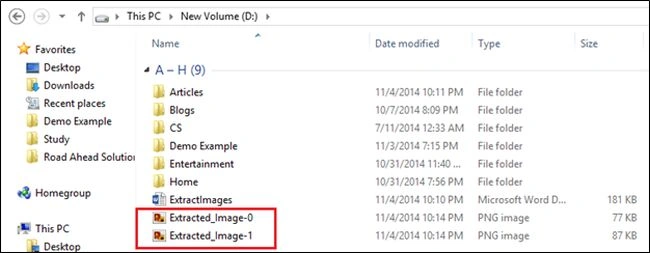
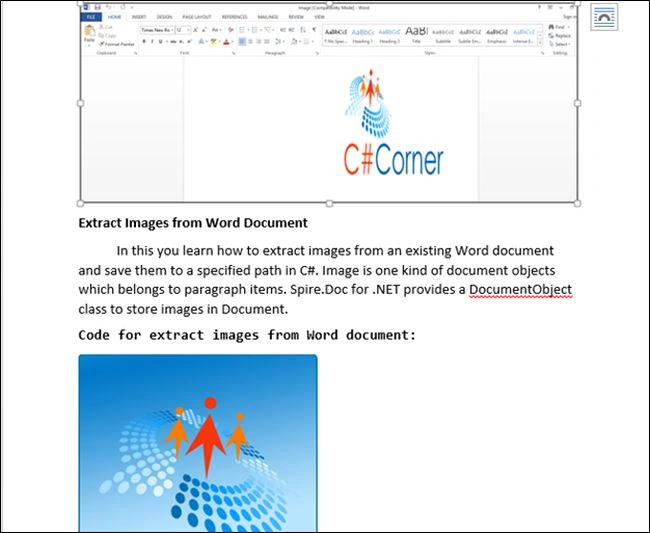
In this, you learn how to extract images from an existing Word document and save them to a specified path in C#. An image is one kind of document object that belongs to paragraph items. Spire.Doc for .NET provides a DocumentObject class to store images in a Document and provides a DocPicture class to get and set images of a document. Here I used ExtractImages.docx, and in it, I saved two images. In the output image, you can see the Red color box. There are two images from the Word document.
Muhammadyusuf ZokirovPosted Apr 24, 2018, 8:41 AM
Hello, is it possible to extract pictures from word document tables?
Vithal WadjePosted Nov 5, 2014, 12:47 PM
good keep it up