

This is another very important application
in the series of database applications using JSP. In this article, I am going to
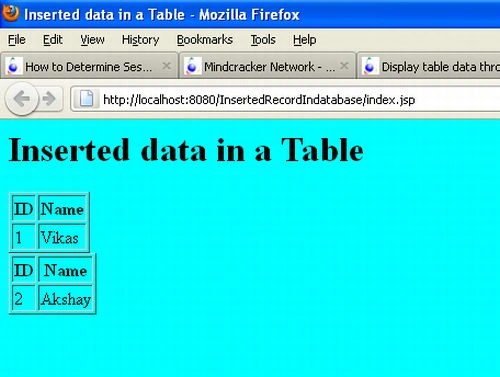
develop an application that shows how to insert data into a table through JSP. In this
application we are filling the data through JSP coding.
Step 1: Create a new database
In the first step we click on the blank database option and click on the create.
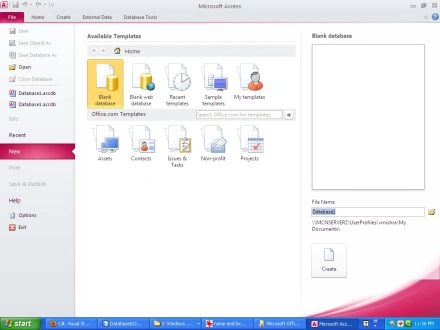
Step 2: Design the database
In this step we select a field name and data type for the those fields. In this
application we select five fields (id, name).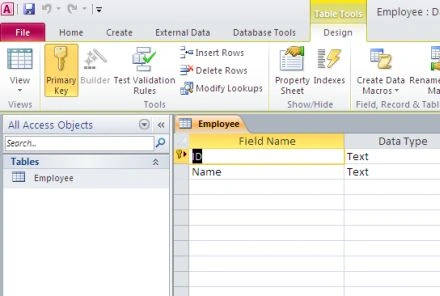
Step 3: Make DSN
In this step we make a DSN using the following process.
First we select the control panel option from start.
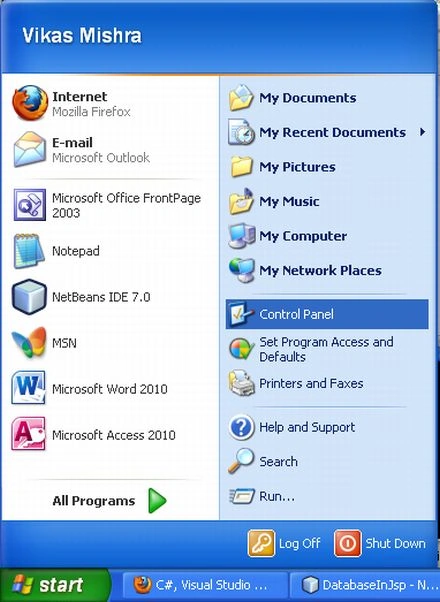
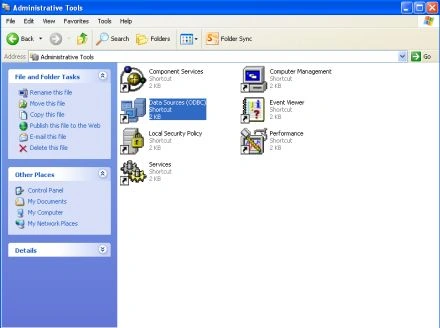
Then click on the administrative tools
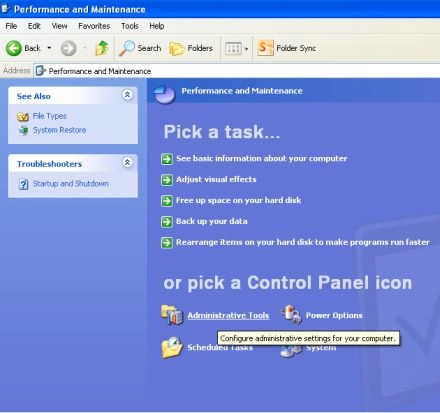
Select Data Sources option
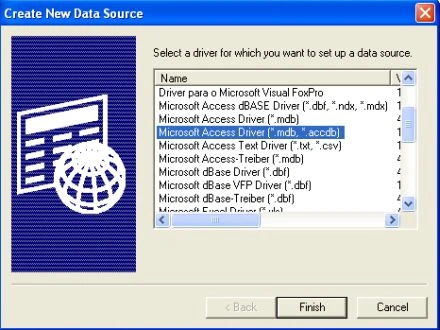
Then select Microsoft Access Driver(*.mdb,*.accdb), and click on the finish
button.
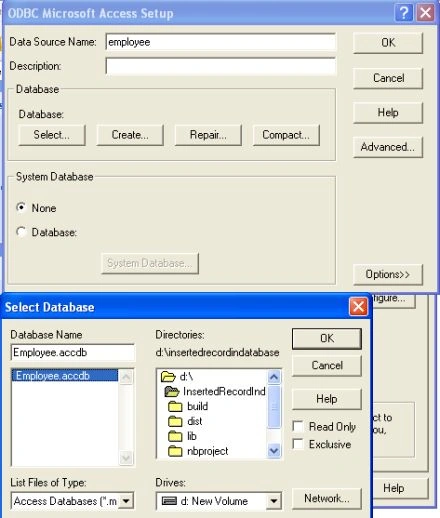
Then select database from the computer and give it a specific name; now the DSN
is created.
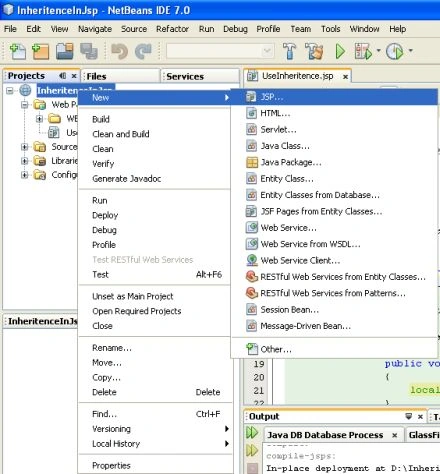
Step 4: Create a New Project
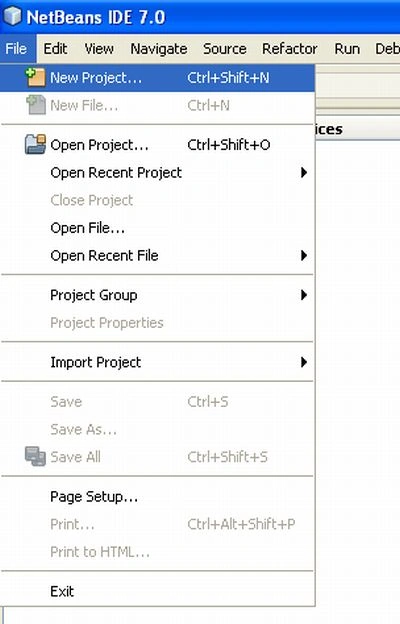
In this step we select New Project option from the file menu.
Step 5: Choose Project
In this step we select web application from Java web option and then click on
the next button.
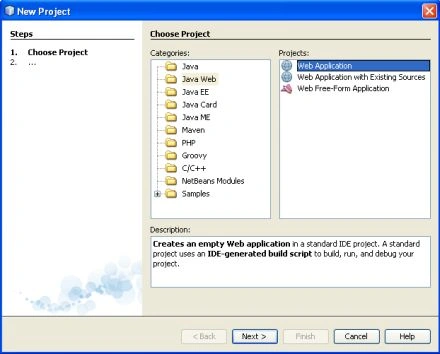
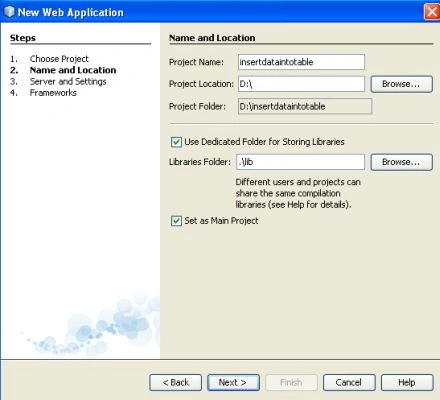
Step 6: Name and Location
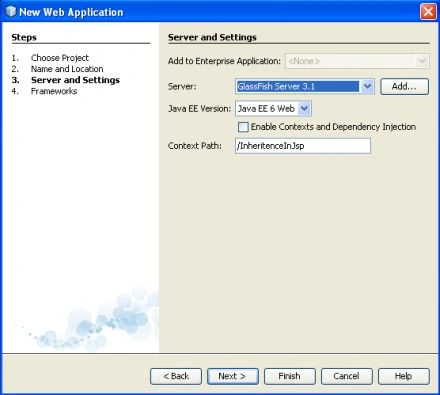
In this step we given it a specific name and set a specific location and click
on the next button.
neil rathodPosted Apr 30, 2013, 7:39 AM
plz upload edit or update database in jsp..plz its urgent
vishal koradiyaPosted Mar 4, 2013, 6:39 AM
quite helpful..thanks