

In this article I will tell you how to install and use a very simple image gallery in Joomla. First of all you will download an image gallery plugin from this link: http://extensions.joomla.org/extensions/photos-a-images/galleries/content-photo-gallery/6301
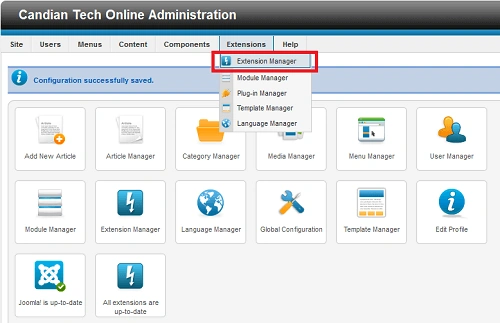
Step 1. Go to the administrator part of your Joomla site. Then go to Extension -> Extension Manager.
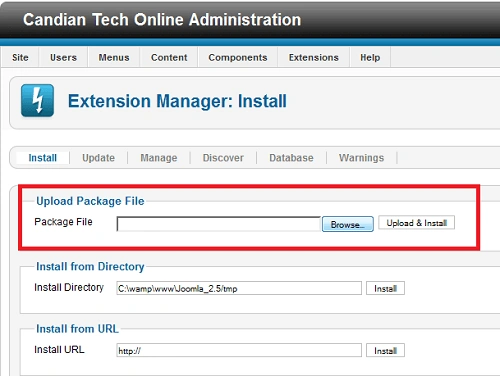
Step 2. Now browse the plugin, then upload and install the versimpleimagegallery.zip file from your computer.
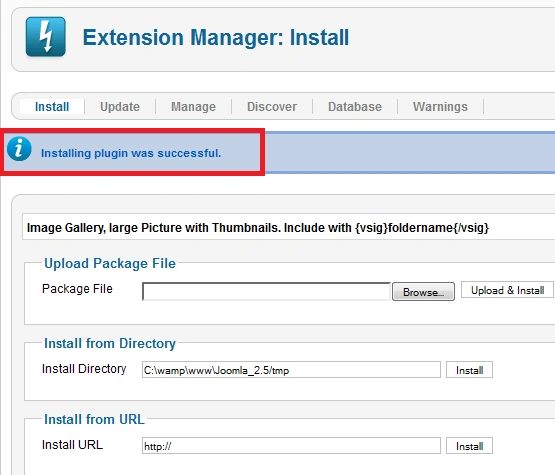
Step 3. When the plugin has been uploaded and installed then you will get a message i.e. installing plugin was successful.
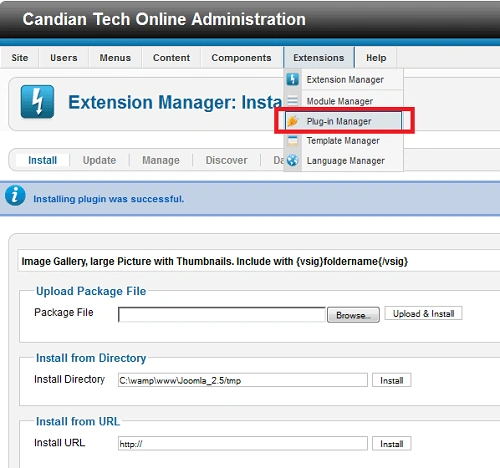
Step 4. Now go to Extension -> Plug-in-Manager.
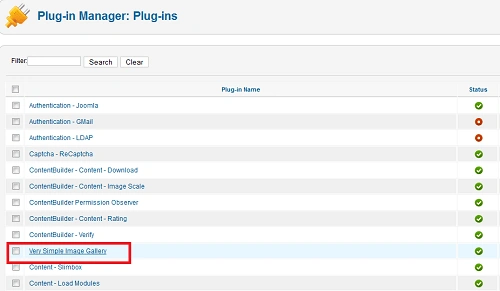
Step 5. Select very simple image gallery plugin, then edit or double-click on this plugin.
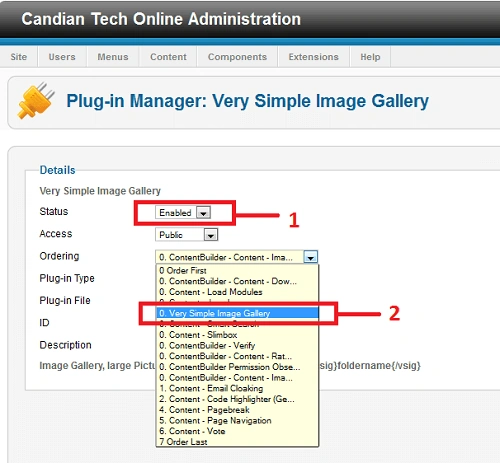
Step 6. Now you will do status will be enabled and select ordering very simple image gallery then save.
Vineet Kumar SainiPosted Jun 20, 2012, 1:04 AM
Thanks Sir !!
Rohatash KumarPosted Jun 19, 2012, 10:54 PM
Good article