

Introduction
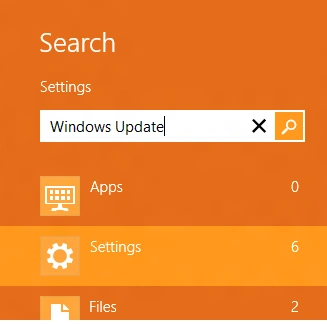
Go to the search bar (PRESS WIN+Q)
Type Windows Update in the search bar and make sure Settings is selected.
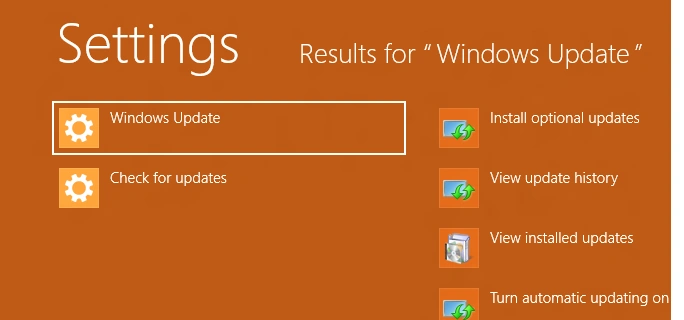
You will see the Windows Update option. Select it or touch it.
You will move to the Windows Update screen. If you do have any pending updates, you will see the list.
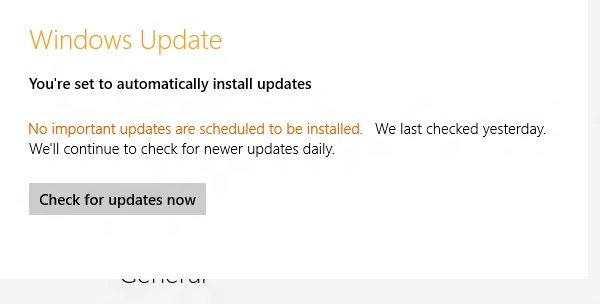
Click on Check for updates now button to see if you have any pending updates.
Summary
In this article, we learned about Install latest Windows Updates on Windows 8.
Join the conversation! Your thoughts help the community grow.