

Introduction
Continuous Integration and Continuous Deployment (CI/CD) pipelines are critical for accelerating software delivery while ensuring code quality. When paired with automation testing, they help catch bugs early, reduce manual effort, and streamline the release process. In this article, we’ll explore how to integrate automation testing into CI/CD using GitHub Actions, one of the most popular CI/CD tools.
What is CI/CD?
- CI (Continuous Integration): Developers frequently merge code into a shared repository. Automated builds and tests run to validate each change.
- CD (Continuous Deployment/Delivery): After passing tests, the code is automatically deployed to staging or production.
Why Integrate Automation Testing into CI/CD?
- Ensures consistent testing on every commit or pull request.
- Detects regressions and bugs early in the pipeline.
- Reduces manual QA cycles.
- Improves team confidence in frequent releases.
Using GitHub Actions for Automation Testing
Sample Test Code
1. These bring in external libraries required for the test
Purpose: Allows access to WebDriver for browser automation and TestNG for annotations

2. Class Definition
Purpose: Acts as a container for the test logic. The driver is declared at the class level so it can be accessed in all methods.

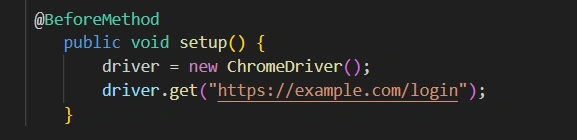
3. Setup Method (@BeforeMethod): Runs before each test to initialize the browser.
Purpose: Launches the browser and navigates to the login page before each test.
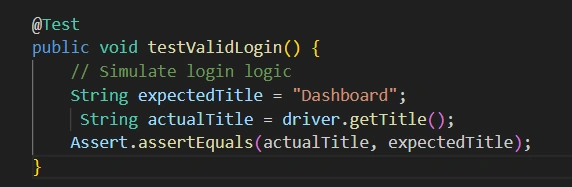
4. Test Method (@Test): The actual test that validates login functionality.
Purpose: Performs the test in this case, checking if the title after login is as expected.
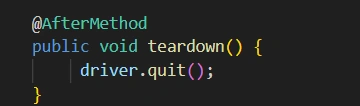
5. Teardown Method (@AfterMethod): Runs after each test to close the browser.
Purpose: Ensures that the browser is closed after the test completes to avoid resource leaks.
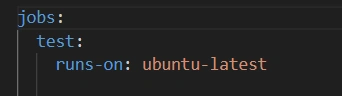
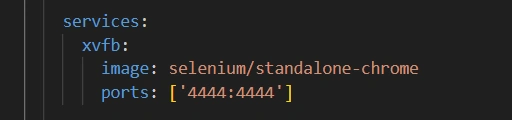
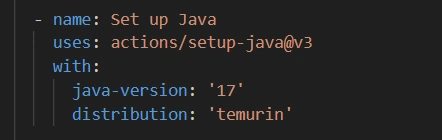
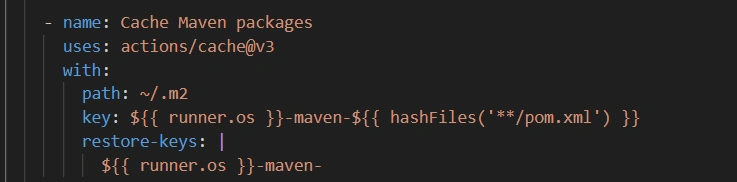
GitHub Actions Workflow
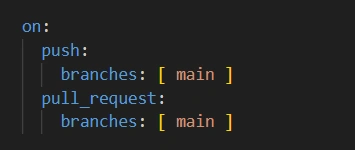
1. Workflow Name



Join the conversation! Your thoughts help the community grow.