

Introduction
Do you want to learn about MongoDB? Want to know what MongoDB is and how to get started with MongoDB? In this article, we will discuss what NoSQL and document database are. We will also discuss the design and process of installing MongoDB to implement the structure of the data and related configuration of a MongoDB database. We will also see the key features of MongoDB and why and when you should use MongoDB.
If we talk about the core of most large and scalable applications or services, the best solutions always are the high-performance data storage solutions. So, every good application always requires the proper process or mechanism to store and retrieve data with accuracy, speed, and reliability. So, for the solution to this problem, there are several storage solutions available in the market which we can use. Out of them, the three main components are –
- Direct file systems in files
- RDBMS or Relational Database
- No SQL Database
The below sections describe the basic concept of NoSQL and MongoDB.
What is No-SQL Database?
The actual meaning of the NoSQL database is Not Only SQL. It means that NoSQL databases are actually an alternative to SQL Databases and can perform all types of query operations like Microsoft SQL Server. NoSQL contains all databases which are not a part of the traditional database management systems (RDBMS). The main objectives behind the NoSQL database are basically simple design, both horizontal and vertical scaling, and also easy control over the available data.
NoSQL database breaks the traditional structure of the relational database for the first time and also provide developers such an opportunity where they can implement models just like data as per their programming requirements. This means that NoSQL databases can be implemented and designed in such a way that traditional relational databases could not be structured.
In today’s development world, there are several different NoSQL database technologies, like HBase Column structure, the Redis key/value structure, etc. In this article series, we will discuss MongoDB since it is the most popular and well supported NoSQL database currently available. There are four types of NoSQL databases available currently:
- Document Databases
Document databases always apply a document-oriented approach to store data. The main idea behind this type of database is that all data for a single entity needs to be stored as a document and all documents can be stored together within a collection. This document can store the sub-document data, which in RDBMS are typically stored as an encoded string or within a separate table. Each and every document can be accessed by a unique key.
- Key-Value Database
In the NoSQL database category, key-value storage is the simplest one. These databases store the data in a schemeless way. A key can point to any type of data, like an object, string, or any other type of data. The main advantage of these databases is that they are easy to implement and add data into. Data can be fetched from these databases with the help of a key value. But the main drawback is that we can’t find any elements based on the stored value. We always need to find data on the basis of the key name.
- Column Store Database
These types of databases store data in columns within a keyspace. The keyspace is always defined on a unique name, value, and a timestamp. This is quite similar to key-value databases.
- Graph Store Database
These types of databases are mainly designed for data that can be easily represented as graph data. This means that data are interconnected with an undetermined number of data relations between them like family and social relations, etc.
What is a Document Database?
A document database is a special kind of database that is based on the principle of dealing with data or documents rather than strictly defined tables of information. These types of databases always play an important role in aggregating data from documents and getting them into a searchable, organized form.
In the document-oriented database, the concept of Row is replaced with a more flexible data model called documents. In this type, the database allows embedded documents and arrays in such a way that the document-oriented approach represents the more complex hierarchical data relationships in a single record. Basically, the document database always supports the semi-structured data model.
For example, suppose one document has two names, one address, and a list of the ages of a home’s occupants. A second document might have four names, two addresses, and no age information. A document-oriented database will take the data in both and store them according to type, able to handle non-fixed length data sets.
Advantages of Document Database over RDBMS
The main advantages of document-based databases are,
- It can store large volumes of structured, semi-structured, or unstructured data
- Each document in a collection is independent with respect to the other documents in the same collections
- The logic of the application is easy to write since there is no need for a conversation of objects between databases and applications like the SQL database.
- It supports strong indexing features. For this reason, searching of the data is very fast.
Key Features of MongoDB
MongoDB is not only a general-purpose database which can perform only insert, update, and delete data within it. Besides these, there are several important features that make MongoDB one of the most popular and enriched databases in the world of NoSQL databases. Some of the features are as below,
- MongoDB supports JSON data models with dynamic schemas.
- In MongoDB, we can perform a search on any field or any range query and also can use a regular expression for searching the data
- MongoDB supports secondary indexes which allow us to search a variety of data in a very small time span. It also provides us with different types of indexes like unique index, compound index, geospatial index, etc.
- MongoDB supports aggregation pipeline which helps us to build complex aggregations to optimize the database
- MongoDB supports Master-Slave replication
- MongoDB supports automatic load balancing features.
- MongoDB supports auto-sharding for horizontal scaling.
- MongoDB can store any type of file which can be any size without affecting our stack
- MongoDB basically uses JavaScript objects in place of the procedure.
- MongoDB supports special collection types like TTL (Time-To-Live) for data storage which expires at a certain time.
Why & where do we need to use Mongo DB?
In a normal scenario, MongoDB is always preferred by the developers or project managers when they need to fulfill high insert rates of the data into the database with high performance. If we need to load or save thousands of data with a low cost then MongoDB is one of the best choices for us. Also, if we need to partition and shard the database, then MongoDB also has an inbuilt solution for that. Also, horizontal scaling (adding new columns) is not very easy in the case of RDBMS systems. But in the case of MongoDB, since it is a schema-less database, adding new fields or removing existing ones is not so tough to do.
Also, one important thing is that for adding or removing columns we do not require any Database Administrator or DBA in the case of MongoDB. It automatically changes the schema structure when the application changes. Also, if you don’t want to normalize your data or don’t want to use joins for fetching data, then MongoDB is the perfect choice for you.
Perquisites of Mongo DB
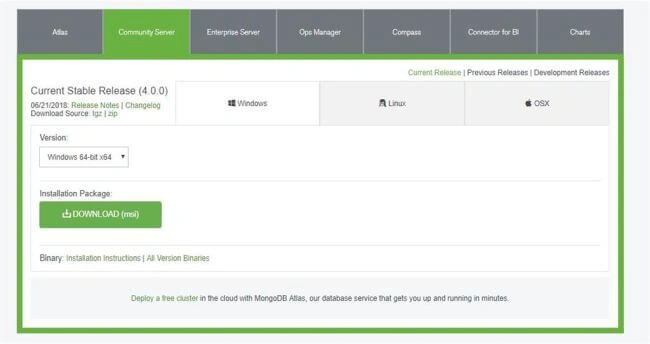
MongoDB supports all types of operating systems. MongoDB is available in two versions – Community Server Edition (Perfect of Self Use or Developer Mode) and Enterprise Server Edition (For Business Purpose Use with Proper Licensing). The MongoDB installer is available for all types of operating systems like Windows, Linux, or Mac OS. Installer for MongoDB can be downloaded from the MongoDB sites –
https://www.mongodb.com/download-center#community
How to Install Mongo DB
After downloading the MongoDB installer MSI as mentioned in the above section, we need to run the installer.
Step 1
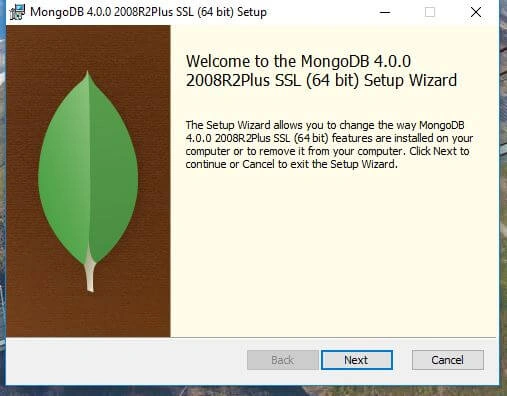
Now, click on the Next button and complete the Installation Features and then click "Next".
Step 2
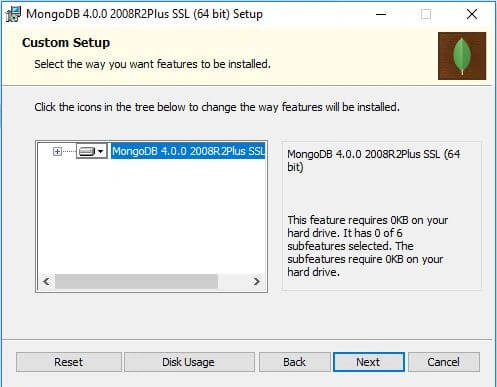
Step 3
Now, click on the "Next" button.
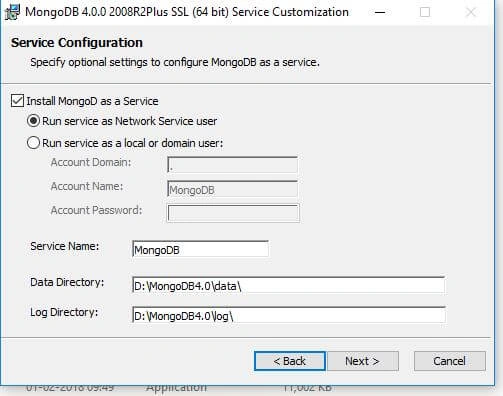
In this window, we need to provide the path for data and log directory which is required by MongoDB. Also, we can select which type of service instance we want to run for MongoDB, such as, if we say Network Service Instance or Local Service Instance.
What is MongoDB Compass?
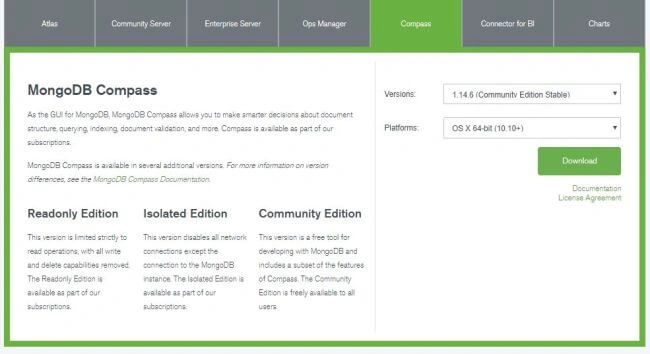
MongoDB Compass is a graphical interface tool that displays information about a MongoDB database and also can perform the query. It is basically a simple to use, sophisticated graphical tool that allows any user to visualize and explore the MongoDB data without knowing MongoDB related queries or commands. It can be downloaded from the MongoDB official site. We can install the community edition of the MongoDB Compass since it is free for any user from the below links.
https://www.mongodb.com/download-center#compass
How to Register for MongoDB Atlas
MongoDB not only provides the GUI tool like Compass. It also provides the MongoDB Database as a service. It is known as MongoDB Atlas. MongoDB Atlas delivers the MongoDB database for modern applications as a fully automated cloud service with all the operational and security best practices. So, using this as a service, we can easily deploy, operate and scale our database in any database platform. So, we can register for the MongoDB Atlas on the below links.
https://www.mongodb.com/download-center#atlas
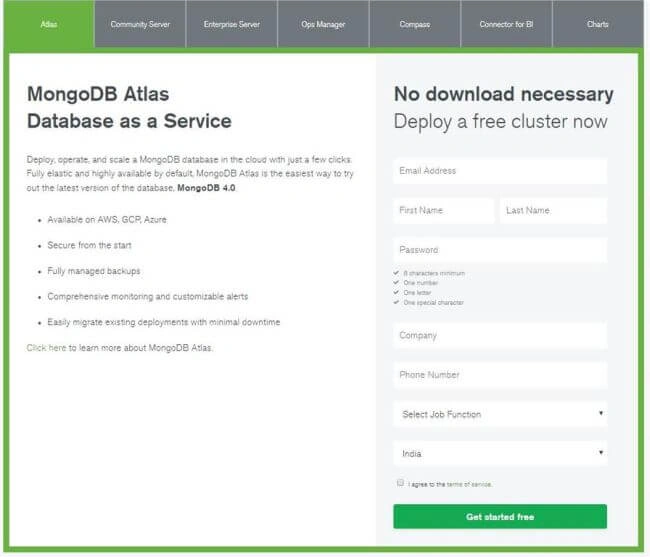
After registration is complete, we can log into the MongoDB Atlas service from the below locations and can create new MongoDB projects for the work in the sandbox.
https://www.mongodb.com/cloud/atlas
Conclusion
In this article, we discussed basic concepts of MongoDB. Also, we discussed how to install and configure MongoDB. I hope this article will help you. Any feedback or queries related to this article are most welcome. In the next article, we will discuss how to insert records into the MongoDB Database.
Next article >> Insert Update Delete Document in MongoDB - Part 2
Here are some more articles that you may be interested in:
- What Are Different Types of Database Management Systems
- What are Hierarchical Databases
- What are Relational Databases
- What are Graph Databases
- What are Network Databases
- What are Document Databases
- What are NoSQL Databases
- What are Column Store Databases
- What is SQL
- What are the Most Popular Databases in the World
Ramasagar PulidindiPosted Mar 1, 2014, 2:18 AM
@Sam Hobbs Thank you sir......will let you know briefly in my coming articles
Ramasagar PulidindiPosted Mar 1, 2014, 2:12 AM
@.Mahesh Chand Thank you sir.
Mahesh ChandPosted Feb 3, 2014, 12:36 PM
Well done Rama. NoSql databases are gaining popularity over traditional flat and relational databases. Look forward to see more on the same topic.
Sam HobbsPosted Feb 3, 2014, 12:17 PM
Thank you for explaining MongoDB for us. I believe you that it can be useful I however do not understand the necessity for "x" in your sample tables. Why not just use the tagid directly? I am very interested in seeing how the data is stored in MongoDB; does MongoDB also use a tagid? If not, then perhaps the "x" is not needed in relational tables too.