

Introduction
There are two influential books released by Steve Souders on Web Performance named High Performance Web Sites and Even Faster Web Sites. The conclusion of these books changed the face of the web development and have been codified into several performance analysis tools including Yahoo YSlow and Google PageSpeed.
In the web application development, most web developers follow the recommendations written by the Steve Souders to be implemented. Some are the following:
- You can enable the HTTP Caching and Content Compression easily via a few settings in the Web.Config file.
- Layout pages make it easy to put stylesheets at the top of the page and information about the scripts present at the bottom of the page in a very consistent manner.
- You can get the ability to blend and reduce the assets by the Microsoft.AspNet.Web.Optimization NuGet Package.
Overview
I am describing Flushing in the MVC. So, what is this Flushing? Let's simplify this: Flushing is when the server sends the initial part of the HTML doc to the client before the entire response is ready. Then all main browsers parse the partial response. When it is done successfully, flushing results in a page that loads and feels faster. The key is choosing the right point at which to flush the partial HTML document response. A flush should be done before database queries and web service calls.
What is the Conflict?
In the .NET Framework 1.1, you can use the mechanism to flush a response stream to the client with a simple call to the HttpResponse.Flush(). This works very fine when you start to build the response. The MVC architecture doesn't really allow this command pattern. You can use it in MVC as in the following:
- @{
- Response.Flush();
- }
You can do this because at first MVC executes the controller before the View execution.
Getting Started
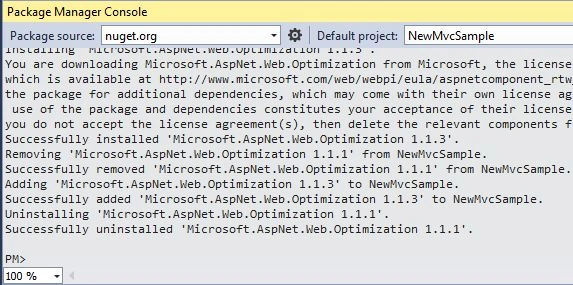
Instal the Optimization package in MVC using the following command in the Package Manager Console:
Install-Package Microsoft.AspNet.Web.Optimization
We can get it by manually executing and flushing the partial results:
Join the conversation! Your thoughts help the community grow.