

ASP.NET Identity is the membership system for authentication and authorization of the users by building an ASP.NET application. The ASP.NET Identity is a fresh look at what the membership system should be when you are building modern applications for the web, phone or tablet.
ASP.NET Identity allows you to add customized login/logout functionality and customized profile features that make it easy to customize the data about the logged-in user. Today there is a much broader array of data storage (which is increasing very quickly) options for web application and most of the developers want to enable their websites to use the social identity providers for Authentication and Authorization. Now what do the two terms Authentication and Authorization mean?
Authentication is used by the server to determine who is accessing their information or website. In authentication, the user or customer must prove their identity on a web server by log-in using email and word or using various social providers.
Authorization is a process by which a server determines if the client has permission to use a resource or access a file after the successful authentication.
Presently, users will login by entering their username and word for a website of which they have registered as in a traditional way of logging into a website. Now the web has become more social where users are interacting with each other in real time using social channel providers such as Facebook, Twitter, Google Account, Microsoft Account and many more. Developers as well as users want to be able to login using tese social channel identities to have a rich and dynamic experience on web sites, that must enable log-in based redirection using such providers.
The ASP.NET Identity can be used with all the frameworks such as ASP.NET MVC, Web Forms, Web Pages. By default the ASP.NET Identity will store the information of users in a database. Which is now also possible to store information on various storage providers based on the requirements of the application. The various data providers can be SharePoint, Azure table services and so on.
The Role based authorization also plays an important role in ASP.NET Identity. Now we can easily create roles such as "Admin", "Customer" and so on that allows us to add users to this role that also helps us to restrict the users to all the parts of the application. 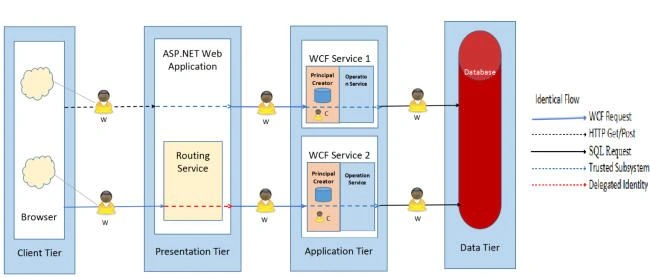
Figure: Flow of identities and the conceptual configuration of a three-tier, ASP.NET Internal zone.
The ASP.NET Identifier is a game changer by bringing more security to your web application by introducing Two-Factor Authentication. Now what does Two-Factor Authentication mean?
Features of ASP.NET Identity 2.0
- Two-Factor Authentication: The Two-Factor Authentication adds one more level of security to your web application. Earlier we were using only single-factor authentication by simply entering a username and word to the web application that makes our account less secure because the hackers can hack your word and can steal your private data. The two-factor authentication needs your username and word along with a One-Time word (OTP). The One-Time word can be a hardware token or your mobile phone or can be a PIN. Whenever the user logs into his/her account they need to go through 2FA, first your username and word and another is a hardware token that generates one-time words for the second stage of the login process. Every time the word generated by the token will be unique and changes for each short duration of time. The Two-Factor Authentication makes our website much stronger compared with single-factor authentication. You can use ASP.NET Identity to secure Web Apps as well as Web APIs.
- Account Lockout: If the user enters the word and two factor codes incorrectly after the specific number of invalid attempts that can be configured by the developer his or her account will be locked for a specific period of time. The developers can also disable this feature.
- Account Confirmation: ASP.NET Identity allows us to confirm the account by confirming the email of the user. This feature is used by most of the websites to confirm their email before accessing their accounts and services. It also prevents fictitious accounts from being created.
- word Reset: This feature enables users to reset their word if they have forgotten their word.
- Support IQueryable on Users and Roles: IQueryable on UsersStore and RolesStore helps to easily get the list of Users and Roles.
- Delete User account: You could not delete a user using UserManager in earlier versions of ASP.NET Identity 1.0 but in ASP.NET 2.0 we can easily delete the user using UserManager.
- Enhanced word Validator: In earlier versions of ASP.NET Identifier the word validator was only validating the minimum length of the word but now the word validator gives you more control over the complexity of the word.
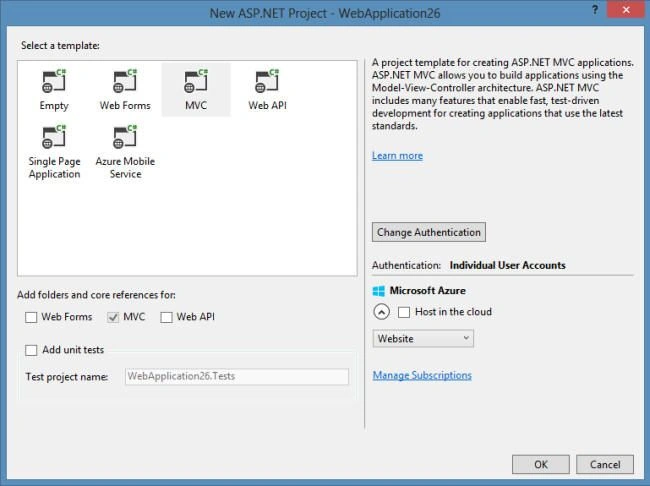
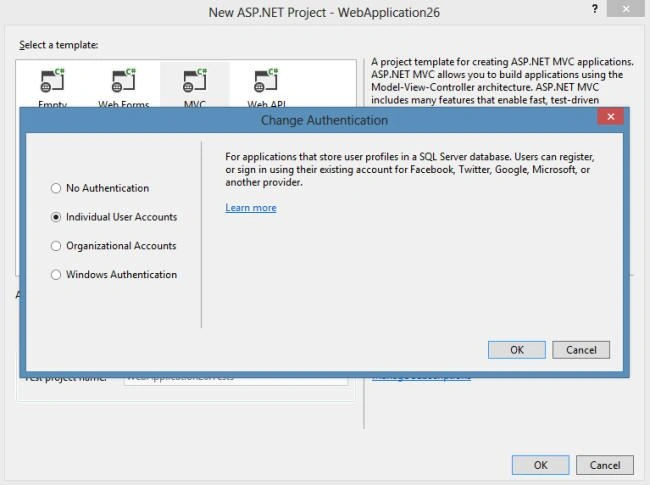
Gowtham RajamanickamPosted Apr 2, 2015, 1:14 AM
goood
Abhishek AroraPosted Dec 24, 2014, 12:21 PM
Thanks all..
Manish Kumar ChoudharyPosted Dec 22, 2014, 11:14 PM
Nice one..
Rizwan AliPosted Dec 22, 2014, 8:12 AM
nice article
Humayun Kabir MamunPosted Dec 22, 2014, 4:10 AM
Nice..
Vithal WadjePosted Dec 22, 2014, 12:50 AM
good one.thanks for sharing
Dinesh BeniwalPosted Dec 21, 2014, 11:15 PM
Good start abhishek, Welcome to C# Corner.