In this 22nd day of AngularJS article series, we are going to be learning next key players/concept of AngularJS, understanding the concept of ngMessage directive of AngularJS. Before moving to key players/concepts of AngularJS, please read my previous articles:
- Introduction to AngularJS – Day 1
- Introduction to AngularJS – Day 2
- Introduction to AngularJS – Day 3
- Introduction to AngularJS – Day 4
- Introduction to AngularJS – Day 5
- Introduction to AngularJS – Day 6
- Introduction to AngularJS – Day 7
- Introduction to AngularJS – Day 8
- Introduction to AngularJS – Day 9
- Introduction to AngularJS – Day 10
- Introduction to AngularJS – Day 11
- Introduction to AngularJS – Day 12
- Introduction to AngularJS – Day 13
- Introduction To AngularJS – Day 14
- Introduction To AngularJS – Day 15
- Introduction To AngularJS – Day 16
- Introduction to AngularJS – Day 17
- Introduction to AngularJS – Day 18
- Introduction to AngularJS – Day 19
- Introduction To AngularJS - Day 20
- Introduction To AngularJS – Day 21
In AngularJS – 1.3 defines new directive for us that is ‘ngMessage’. This directive is used for displaying messages or error messages to user. This messages are displayed order as they are listed. This directive is specially designed to show and hide messages based on their state.
A remote template or custom error message is also used for message reusability and messages can be overridden. It can be used in the following ways:
- As an attribute directive.
<!-- attribute-style usage -->
<div ng-messages="empForm.email.$error">...</div> - As an element directive.
<!-- element-style usage -->
<ng-messages for="empForm.email.$error">...</ng-messages>
Following are the list of directives added by AngularJS as follows, we are going to learn one by one:
ng-messages
This directive is designed to show and hide messages based on their states. It uses the ‘$error’ object for the states.
ng-message
This directive is used to show and hide particular messages. It determines which messages are visible or shown base on the state provided by ngMessages.
ng-message-include
This directive defines itself, means include other remote message on proper place. It is place in ngMessages directive container. Using this directive you can reuse the previously defined messages and you can override also that messages.
ng-message-exp
This directive works the same as ngMessage directive. You can show and hide messages with the help of passing expression to this message.
Steps to use this directive in your applications:
- Download or used CDN path of ‘angular.messages.js’ file in your application as follows:
- <script src="app/angular.min.js"></script>
- <script src="app/angular-messages.js"></script>
- Inject the ‘ngMessages’ module in your main module as follows:
- var app = angular.module('mainApp', ['ngMessages']);
Example:
In the following example we are going to see how we can use this directive to showing form validation messages as follows:
app.js
- /*Angular Modules take a name, best practice is lowerCamelCase, and a list of dependancies*/
- var app = angular.module('mainApp', ['ngMessages']);
- //Creating controller in general
- app.controller('SimpleCtrl', function ($scope) {
- $scope.name = 'Jeetendra Gund';
- });
- <!DOCTYPE html>
- <html xmlns="http://www.w3.org/1999/xhtml" ng-app="mainApp">
- <head>
- <title>Welcome to C# Corner</title>
- <script src="app/angular.min.js"></script>
- <script src="app/angular-messages.js"></script>
- <script src="app/mainApp.js"></script>
- </head>
- <body>
- <form name="jeetForm">
- <h2>ngMessage Directive of AngularJS</h2>
- <b2>Enter Name:</b2>
- <input type="text" ng-model="name" name="name" required ng-maxlength="15" ng-minlength="5" />
- <br />
- <div ng-messages="jeetForm.name.$error">
- <div ng-message="required"><br />Please enter the Name.</div>
- <div ng-message="maxlength"><br />Name is too long.</div>
- <div ng-message="minlength"><br />Name must be 3 characters long.</div>
- </div>
- </form>
- </body>
- </html>
- Required
- Minlength
- Maxlength
Output:

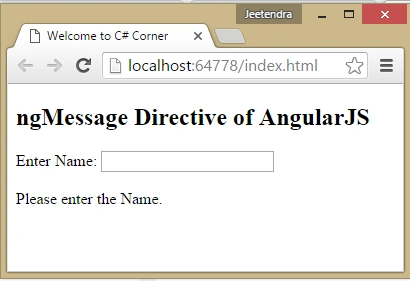
The above output you can see first validation the ‘required’, because we didn’t enter a text yet.

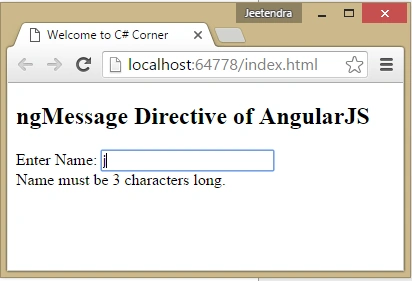
The above output you can see another validation for the ‘minlength’, because we just enter a single character.

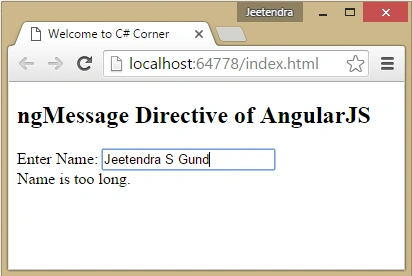
The above output you can see another validation for the ‘maxlength’.
Reusing Messages
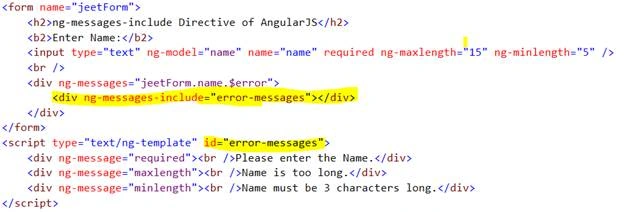
The name defines itself as reusing previously defined messages to avoid repetition of message in form validation. For that we used ‘ng-message-include’ directive as follows:
Syntax:

In the above screen shot you can see we created a ‘ng-template’ for messages and gives the id ‘error-messages’ and that id will be used in ‘ng-messages-include’ directive.
Example:
App.js
- /*Angular Modules take a name, best practice is lowerCamelCase, and a list of dependancies*/
- var app = angular.module('mainApp', ['ngMessages']);
- //Creating controller in general
- app.controller('SimpleCtrl', function ($scope) {
- $scope.name = 'Jeetendra Gund';
- });
- <!DOCTYPE html>
- <html xmlns="http://www.w3.org/1999/xhtml" ng-app="mainApp">
- <head>
- <title>Welcome to C# Corner</title>
- <script src="app/angular.min.js"></script>
- <script src="app/angular-messages.js"></script>
- <script src="app/mainApp.js"></script>
- </head>
- <body>
- <form name="jeetForm">
- <h2>ng-messages-include Directive of AngularJS</h2>
- <b2>Enter Name:</b2>
- <input type="text" ng-model="name" name="name" required ng-maxlength="15" ng-minlength="5" />
- <br />
- <div ng-messages="jeetForm.name.$error">
- <div ng-messages-include="error-messages"></div>
- </div>
- </form>
- <script type="text/ng-template" id="error-messages">
- <div ng-message="required"><br />Please enter the Name.</div>
- <div ng-message="maxlength"><br />Name is too long.</div>
- <div ng-message="minlength"><br />Name must be 3 characters long.</div>
- </script>
- </body>
- </html>

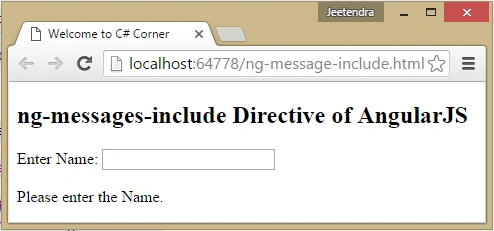
The above output you can see first validation the ‘required’, because we didn’t enter a text yet.

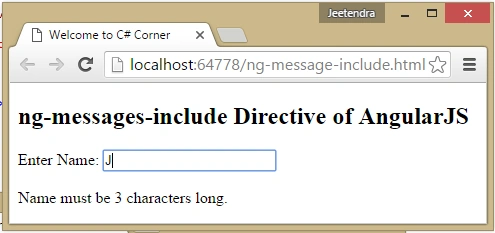
The above output you can see another validation for the ‘minlength’, because we just enter a single character.

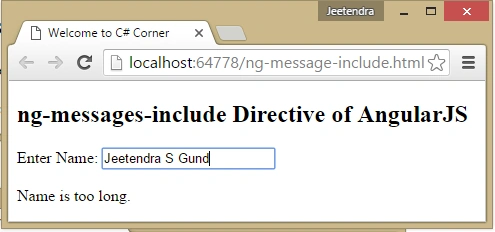
The above output you can see another validation for the ‘maxlength’.
Dynamic Messages
For showing dynamic messages based on the expression, AngularJS provides the ‘ng-message-exp’ directive. This directive can be used with the help of ‘ng-messages’ contain as follows:

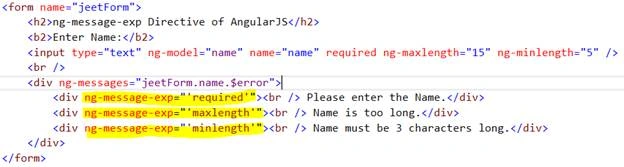
The above screen shot you can see, how we can use ‘ng-message-exp’ directive for displaying form validation messages.
Example:

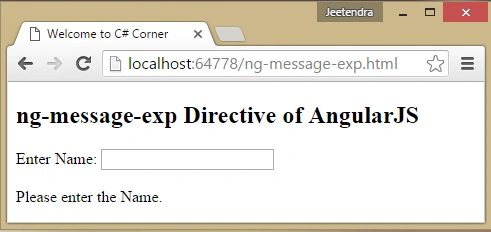
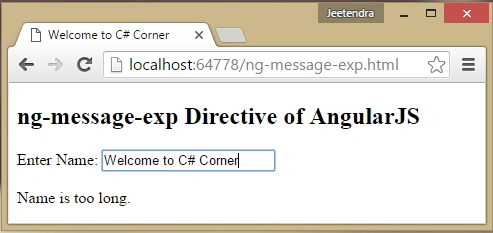
The above output you can see first validation the ‘required’, because we didn’t enter a text yet.

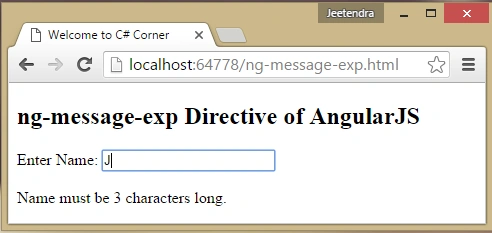
The above output you can see another validation for the ‘minlength’, because we just enter a single character.

The above output you can see another validation for the ‘maxlength’.
Great, ngMessage directive of AngularJS with example created successfully!
Summary
I hope that beginners as well as students understand the concept of ngMessage directive in AngularJS with Example. If you have any suggestions regarding this article, then please contact me. Stay tuned for other concepts of AngularJS coming soon.

Neeraj KumarPosted May 6, 2016, 1:43 PM
Good work
Sr KarthigaPosted May 6, 2016, 3:40 AM
good one
NitinPosted May 6, 2016, 3:26 AM
good one
Anbu ManiPosted May 6, 2016, 2:36 AM
Nice
Kuppurasu NagarajPosted May 5, 2016, 1:02 PM
Nice Sharing..
Debasis SahaPosted May 5, 2016, 9:41 AM
Good one..
Raja TPosted May 5, 2016, 9:19 AM
Nice, Thanks for sharing
Vignesh ManiPosted May 5, 2016, 8:23 AM
Good work
Thiruppathi RPosted May 5, 2016, 5:04 AM
Nice One...