

Introduction
This article explains the JAR format used in Java. It explains what a JAR is, its advantages, how to create them, how to view the components and how to extract files from JAR files.
What is JAR?
A JAR (Java ARchive) file is a compressed file that contains class, sound, image and textual files for a Java application in a single file. The JAR format is based on the popular zip file format and is somewhat comparable to the Unix tar file. When we are using the Java Development Kit (JDK) a JAR file included in it is provided by Sun Microsystems. A Java application can be started with a set of JAR files for use during execution. An off-the-shelf open-source package can be delivered as a JAR file and run with XML data.
Java classes are packaged and distributed in JAR format. It is a compression/decompression format provided by Sun Microsystems for compression and decompression of Java classes.
Sun Microsystems provides all the classes of the core Java library through a JAR file name "rt.jar" (it is contained in the "C:\Program Files\Java\jdk1.7.0_25\jre\lib" folder).
Advantages of using JAR files
The JAR File format provides the following benefits.
-
Security
By providing a digital signature in our JAR File, we enhance the security of Java files; as the authorized user who recognize our signature can access the files.
-
Portability
It is easy to handle, create, maintain, update, etcetera.
-
Compression
It is basically used to compress the size of the files. Suppose we are developing a software that contains many files so we need a tool to compress the size of this files
so the JAR tool is used to compress the size.
-
Decrease Download Time
If we are using a JAR file then we need to download only one single file hence it reduces the download time since we don't need to download multiple files.
-
Packaging
Using this tool, we bundled our various types of files (like text, audio, video, images, etcetera) in a single place. So in terms of development, it reduces the burden of storing multiple files in a single folder. The packaging is a very good factor for software developers since we have a single JAR file that is authenticated using a signature. So JARs makes it efficient in storage as well as increases its security.
-
Etcetera
For creating and managing JAR files Sun, Microsystems provides tools called JAR as part of the JDK.
To view the commands of the JAR tools open a command prompt and type:
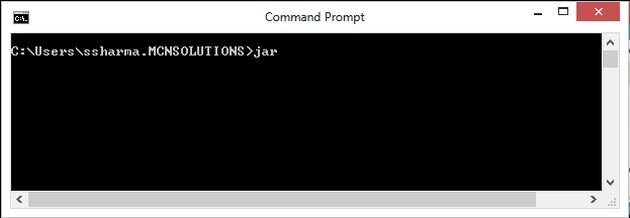
Now press Enter and see the commands of the JAR tools as in the following:
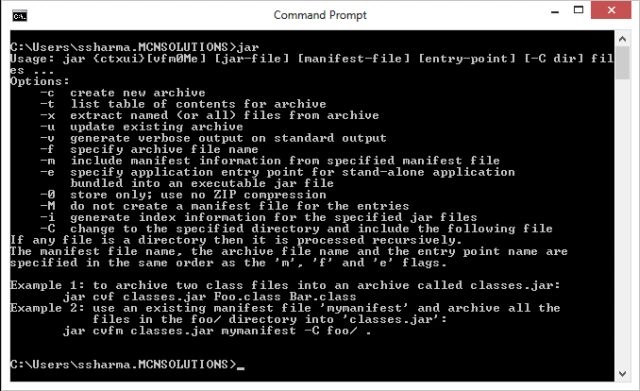
Now to perform several operations using JAR Tools.
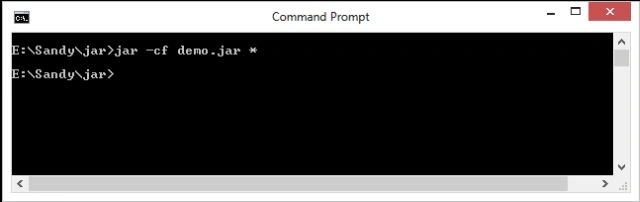
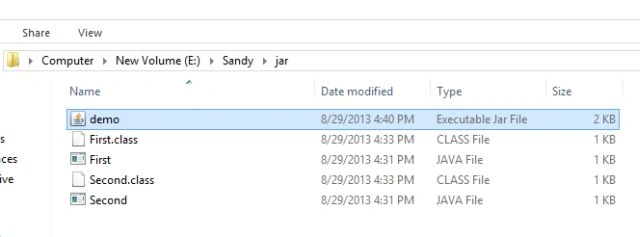
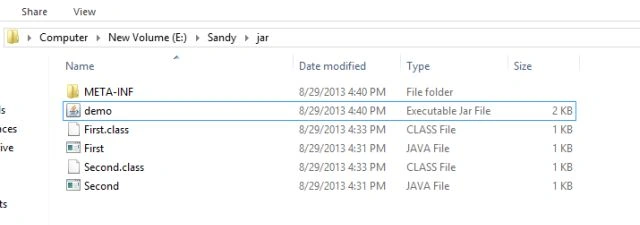
For a sample test, add some files in a folder. Let's create a new folder; I created a new folder in the "E:\Sandy" location named "jar" and added a file in it. The following Java files are added.
We create two Java files named First.java and Second.java.
First.java
Join the conversation! Your thoughts help the community grow.