

Introduction
This article explains the Mouse Listener class in Java.
What the Mouse Listener is?
When a user interacts with a component using the mouse an event is generated called a mouse event since it is generated by the mouse. It is generated when we are working with the mouse, like clicking somewhere or releasing or pressing the mouse, etcetera. For tracking the mouse cursor Java provides another separate interface called MOuseMotionListener. For tracking the wheel position of the mouse Java provides MouseWheel Listener.
Mouse Event Methods
There are five public methods in this class that are:
- void mouseClicked(MouseEvent mevnt)
It is called when the user clicks somewhere in the window.
- void mouseEntered(MouseEvent mevnt)
It is called when the cursor is inside the region of the window.
- void mouseExited(MouseEvent mevnt)
It is called when the cursor leaves the region of the window.
- void mousePressed(MouseEvent mevnt)
It is called when the user clicks or presses a mouse button.
- void mouseReleased(MouseEvent mevnt)
It is called when the user releases a mouse button.
Examples
1.MouseEventEx1.java
In this example; we create a Java class that shows the MouseEvent functionality, such as it shows the location of the mouse when clicked, moved, dragged and when the mouse is moved outside it shows that the mouse has gone outside of the window. In this class we implement two listeners, MouseMotionListener and MouseListener. MouseMotionListener shows the location of a movable mouse pointer and the other interface shows the other events of the mouse.
- import javax.swing.*;
- import java.awt.event.*;
- import java.awt.*;
- public class MouseEventEx1 extends JFrame implements MouseMotionListener, MouseListener
- {
- private JLabel jlabl;
- public MouseEventEx1()
- {
- super("Mouse Tracker In Java");
- jlabl = new JLabel();
- jlabl.setBackground(Color.gray);
- jlabl.setForeground(Color.blue);
- jlabl.setFont(new Font("Segoe UI", Font.BOLD, 18));
- getContentPane().add(jlabl, BorderLayout.SOUTH);
- setSize(600, 350);
- setLocation(250, 250);
- addMouseMotionListener(this);
- addMouseListener(this);
- show();
- }
- public void mouseClicked(MouseEvent menvt)
- {
- jlabl.setText("Clicked at following location [" + menvt.getX() + ", " + menvt.getY() + "]");
- }
- public void mousePressed(MouseEvent menvt)
- {
- jlabl.setText("Pressed at following location [" + menvt.getX() + ", " + menvt.getY() + "]");
- }
- public void mouseReleased(MouseEvent menvt)
- {
- jlabl.setText("Released at following location [" + menvt.getX() + ", " + menvt.getY() + "]");
- }
- public void mouseEntered(MouseEvent menvt)
- {
- jlabl.setText("Mouse still inside window");
- }
- public void mouseExited(MouseEvent menvt)
- {
- jlabl.setText("Mouse went outside window");
- }
- public void mouseDragged(MouseEvent menvt)
- {
- jlabl.setText("Dragged at following location [" + menvt.getX() + ", " + menvt.getY() + "]");
- }
- public void mouseMoved(MouseEvent menvt)
- {
- jlabl.setText("Moved at following location [" + menvt.getX() + ", " + menvt.getY() + "]");
- }
- public static void main(String args[])
- {
- MouseEventEx1 applcn = new MouseEventEx1();
- applcn.addWindowListener(new WindowAdapter()
- {
- public void windowClosing(WindowEvent menvt)
- {
- System.exit(0);
- }
- });
- }
- }
Output

When we press Enter we get a new window and the following figure shows the location of the movable mouse's current position.

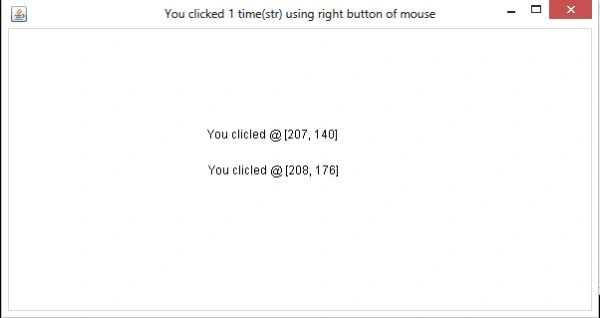
When we press the mouse somewhere in a new window it shows the location as in the following. Similarly, we can do another event also, like mouse dragging.


Join the conversation! Your thoughts help the community grow.