

We have seen many Applications use Relational Database Management System (RDBMS) like SQL Server, Oracle, MYSQL etc. as data repositories to applications. Almost all the relational databases support:
- Huge data storage
- Support transactions (ACID)
- Provide SQL to communicate to data
- Vertical Scalability
- Security
- Fragmentation, replication , clustering etc
There are some problems in RDBMS, which many systems have experienced.
- Relational Databases need a schema; we cannot add records to a database which have not been defined in the schema earlier.
- We can’t add a record which does not fit the schema; for example, we cannot insert an integer data type to a DateTime data type in SQL Server.
- We cannot add multiple items into a field.
- We need to add nulls to unused columns in a row, which gives a performance hit.
- Expensive regarding product cost, hardware, and maintenance; and there are a lot of problems with speed and availability
- The overhead of writing complex SQL queries.
To avoid all these problems, the industry has come up/is coming up with the concept of NO SQL, which has the features given below:.
- No Overhead of transactions.
- No complex SQL queries.
- No burden of upfront schema design.
- Provides easy and frequent changes to DB.
- Fast development.
- Performance improvement.
- No single point of failure.
To accomplish all these features, some of the industry leaders have come up with a new NO SQL database, and some of the leading NO SQL database providers are Cassandra, Couchbase, Amazon DynamoDB, MongoDB, Oracle No SQL Database, Clustrix, memSQL etc.
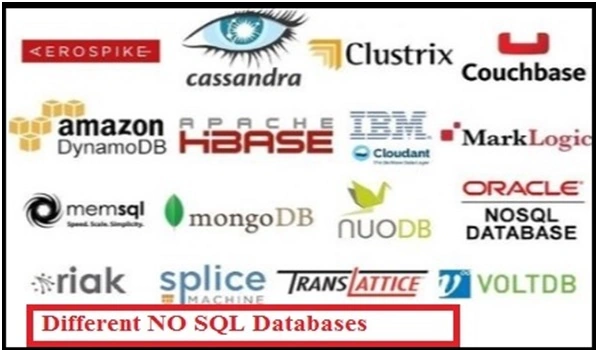
MongoDB is the most widely used NO SQL database because it manages high volumes of structured or non structured data and is faster in terms of processing, as well as efficient and scalable in nature.
Where NO SQL can be
used
Consider an application -- when it goes to production, it works fine. After a few years down the line, the data keeps on growing and lots of performance issues come up. A lot of effort is required by the DBA and developers as to where to partition the data, rearrange the index, implement master and slave data, etc. Some portions of the system data are static (read only), and we can put in MongoDB like Master Database records. (Dropdown values in some cases).
The Product information and product catalog, which is static, can be kept in MongoDB.
There are some external systems where we are not aware of what would be the nature of the data, such as XML, JSON, String, and binary information (Basically unstructured data).These record values can be kept in MongoDB.
We will learn here how to get MongoDB, how to store the data in MongoDB, and how to do some operations in MongoDB.
MongoDB is an open source NO SQL Database. The official website for MongoDB is here. To download MongoDB, go to the below URL and download the appropriate version of the operating system you have in your machine.
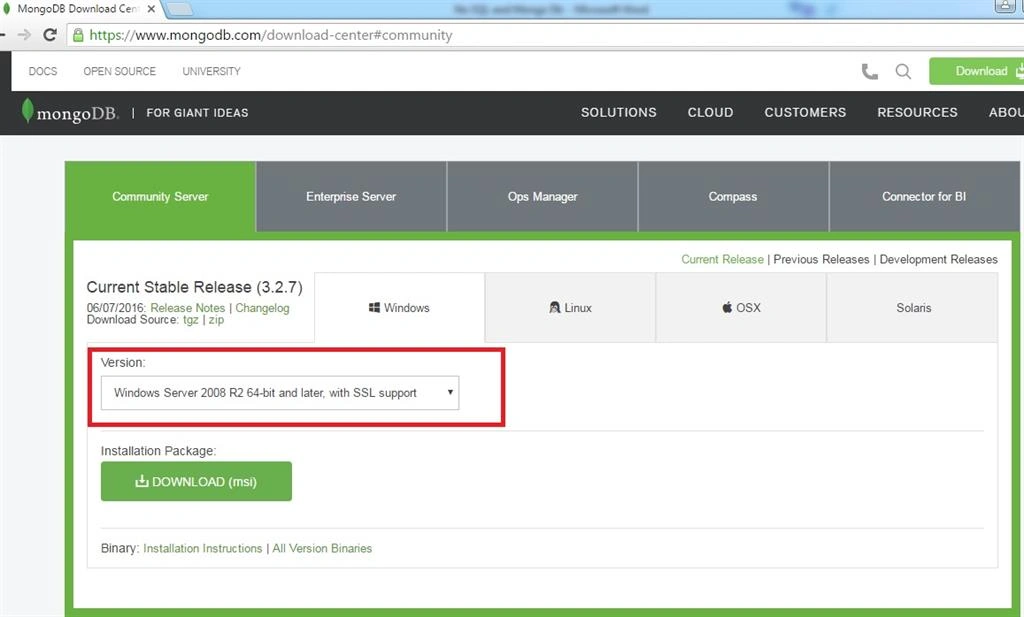
I have downloaded the highlighted version here.
The installation steps are very easy, just download the exe and click “next” and follow the screenshots, given below:
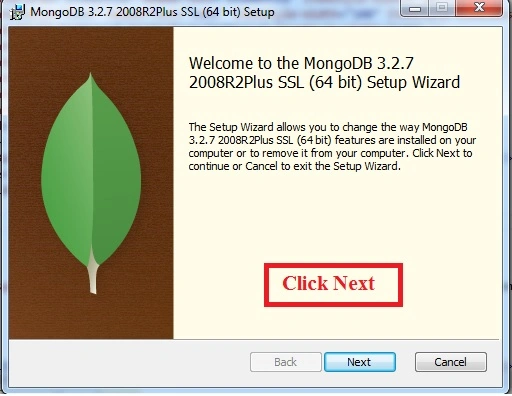
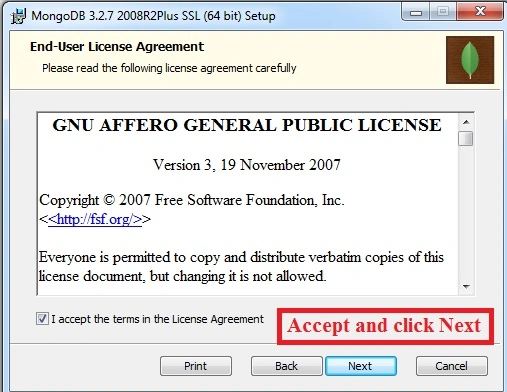
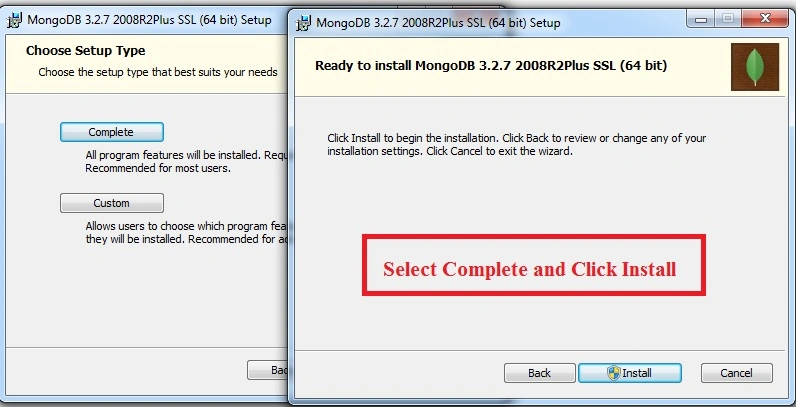
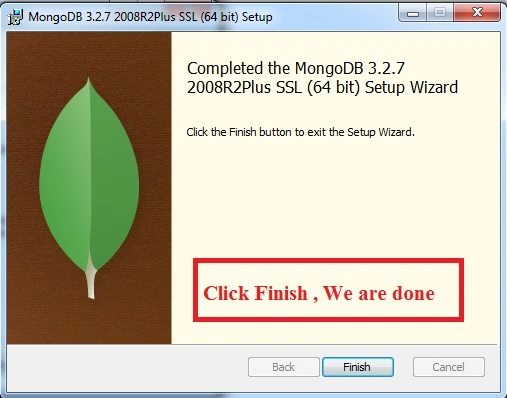
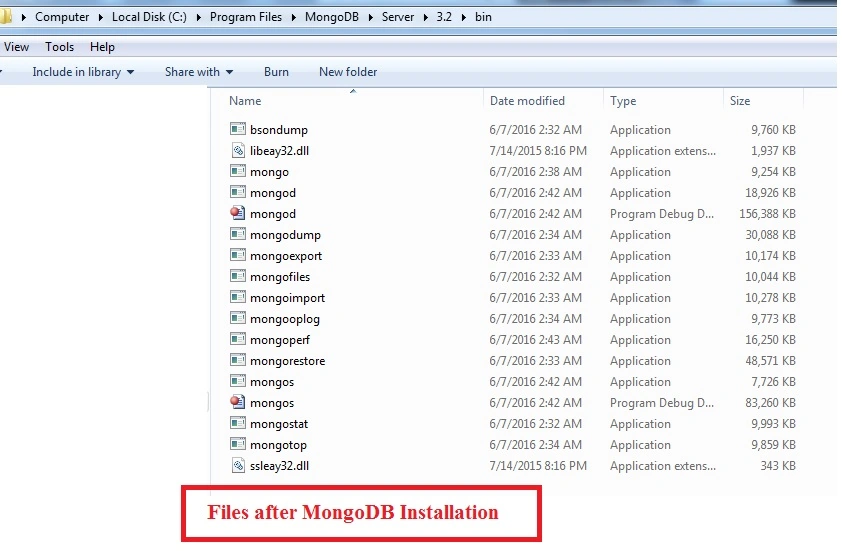
Once you install MongoDB, the folders with the path must have the files, given below:
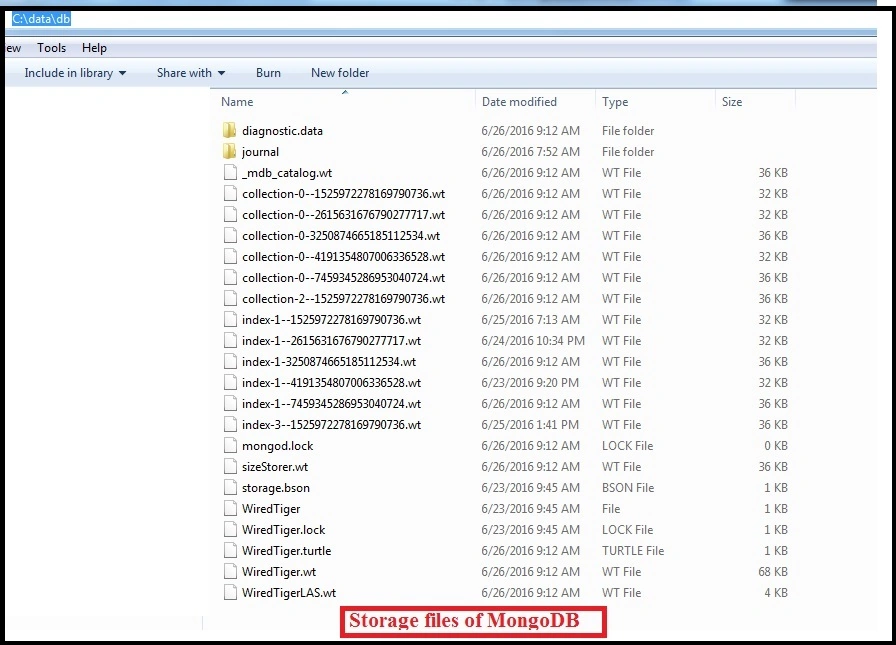
In the root folder of installation, create a folder C:\data\db. In this path, MongoDB stores the data.
After the installation, go to the command prompt and go to the path “C:\Program Files\MongoDB\Server\3.2\bin”,
Type mongod command to start the database.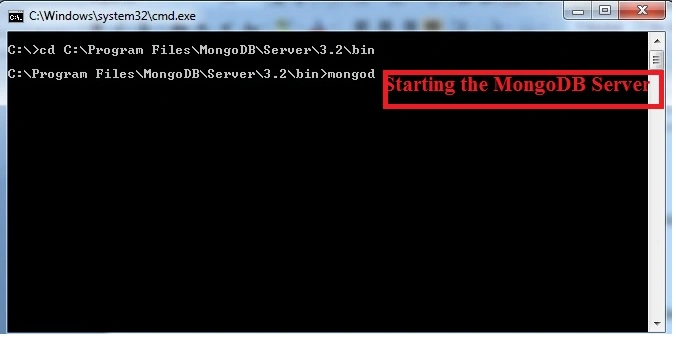
MongoDB has started now.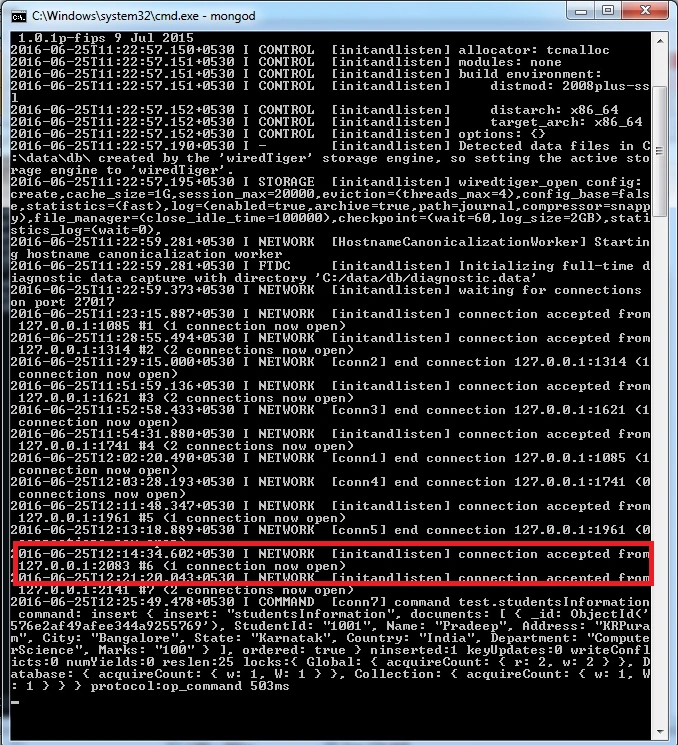
Basic Commands in MongoDB
Go to the command prompt and go to the path C:\Program Files\MongoDB\Server\3.2\bin
C:\Program Files\MongoDB\Server\3.2\bin>mongo
Now the screen will be shown, as given below: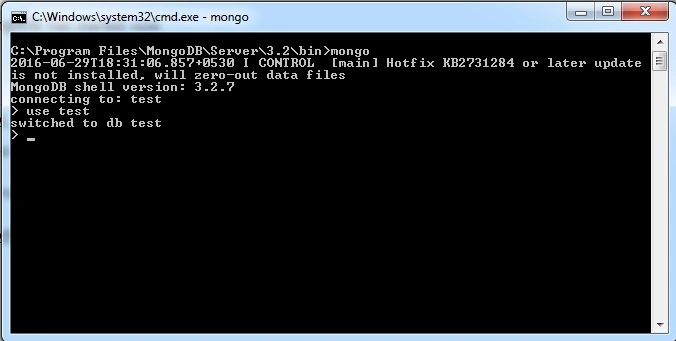
In the test DB, I want to store some information into studentsInformation collection. The insert statement will be as follows:.
- db.studentsInformation.insert({StudentId : "1002",Name:"SMIT",Address:"45 Main st",City:"Compton", State:"LA",Country:"USA", Department:"CIVIL ENGINEERING", Marks:"90"})
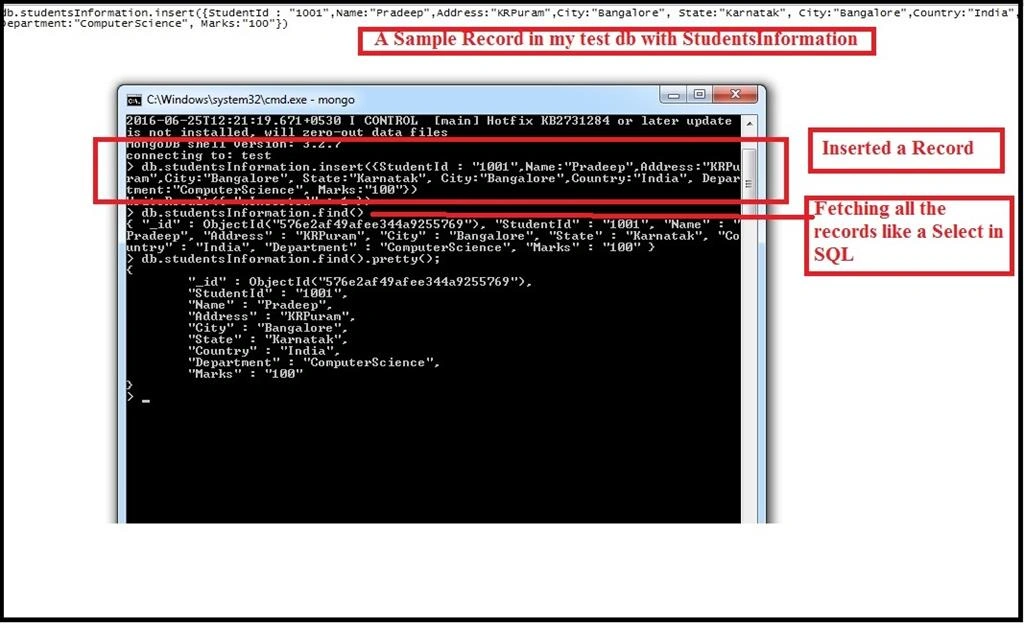
We have createda MongoDB database and inserted some data into it. Let’s create an ASP.NET Web page and see how to do some operations in it.
Go to Visual Studio, create an ASP.NET Web Application.
Add a dummy page named MongoDBOperation.aspx.
Go to Tool and then go to NuGet Package Manager Console and type “Install-Package mongocsharpdriver -Version 1.8.3”, given in the screenshot, below:
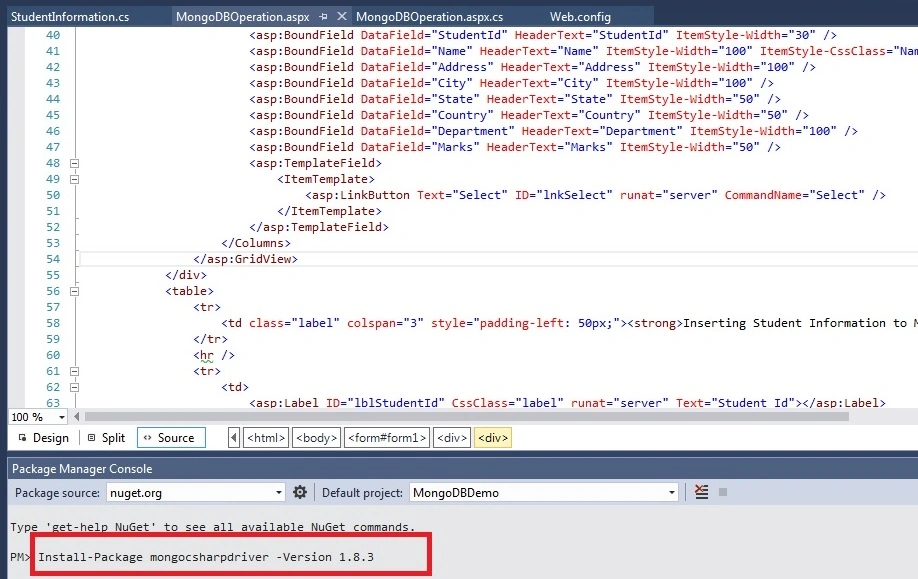
Once we install MongoDB Driver for C#, the required Dlls will be referred to in the project.
Fetching the data from MongoDB is as follows:
- <%@ Page Language="C#" AutoEventWireup="true" CodeBehind="MongoDBOperation.aspx.cs" Inherits="MongoDBDemo.MongoDBOperation" %>
- <!DOCTYPE html>
- <html xmlns="http://www.w3.org/1999/xhtml">
- <head runat="server">
- <title></title>
- <style type="text/css">
- .label {
- font-weight: bold;
- font-size: 15px;
- }
- .Namecss {
- padding-left: 30px;
- }
- </style>
- </head>
- <body>
- <form id="form1" runat="server">
- <div style="border: 2px solid gray; width: 900px;">
- <div>
- <b>Student Information- Communicating to Mongo DB</b>
- <hr />
- <asp:GridView ID="grdStudentInformation" runat="server" CellPadding="4" ForeColor="#333333" GridLines="None" Width="900px" AutoGenerateColumns="false" OnSelectedIndexChanged="OnSelectedIndexChanged">
- <AlternatingRowStyle BackColor="White" />
- <FooterStyle BackColor="#990000" Font-Bold="True" ForeColor="White" />
- <HeaderStyle BackColor="#990000" Font-Bold="True" ForeColor="White" />
- <PagerStyle BackColor="#FFCC66" ForeColor="#333333" HorizontalAlign="Center" />
- <RowStyle BackColor="#FFFBD6" ForeColor="#333333" />
- <SelectedRowStyle BackColor="#FFCC66" Font-Bold="True" ForeColor="Navy" />
- <SortedAscendingCellStyle BackColor="#FDF5AC" />
- <SortedAscendingHeaderStyle BackColor="#4D0000" />
- <SortedDescendingCellStyle BackColor="#FCF6C0" />
- <SortedDescendingHeaderStyle BackColor="#820000" />
- <Columns>
- <asp:BoundField DataField="_id" HeaderText="_id" ItemStyle-Width="30" />
- <asp:BoundField DataField="StudentId" HeaderText="StudentId" ItemStyle-Width="30" />
- <asp:BoundField DataField="Name" HeaderText="Name" ItemStyle-Width="100" ItemStyle-CssClass="Namecss" />
- <asp:BoundField DataField="Address" HeaderText="Address" ItemStyle-Width="100" />
- <asp:BoundField DataField="City" HeaderText="City" ItemStyle-Width="100" />
- <asp:BoundField DataField="State" HeaderText="State" ItemStyle-Width="50" />
- <asp:BoundField DataField="Country" HeaderText="Country" ItemStyle-Width="50" />
- <asp:BoundField DataField="Department" HeaderText="Department" ItemStyle-Width="100" />
- <asp:BoundField DataField="Marks" HeaderText="Marks" ItemStyle-Width="50" />
- <asp:TemplateField>
- <ItemTemplate>
- <asp:LinkButton Text="Select" ID="lnkSelect" runat="server" CommandName="Select" />
- </ItemTemplate>
- </asp:TemplateField>
- </Columns>
- </asp:GridView>
- </div>
- <table>
- <tr>
- <td class="label" colspan="3" style="padding-left: 50px;"><strong>Inserting Student Information to Mongo DB </strong></td>
- </tr>
- <hr />
- <tr>
- <td>
- <asp:Label ID="lblStudentId" CssClass="label" runat="server" Text="Student Id"></asp:Label>
- :</td>
- <td>
- <asp:TextBox ID="txtStudentId" runat="server" Width="151px"></asp:TextBox>
- </td>
- <td> </td>
- </tr>
- <tr>
- <td>
- <asp:Label ID="lblName" CssClass="label" runat="server" Text="Name"></asp:Label>
- :</td>
- <td>
- <asp:TextBox ID="txtStudentName" runat="server" Width="151px"></asp:TextBox>
- </td>
- <td> </td>
- </tr>
- <tr>
- <td>
- <asp:Label ID="lblAddress" runat="server" CssClass="label" Text="Address"></asp:Label>
- :</td>
- <td>
- <asp:TextBox ID="txtAddress" runat="server" Width="151px"></asp:TextBox>
- </td>
- <td> </td>
- </tr>
- <tr>
- <td>
- <asp:Label ID="lblcity" CssClass="label" runat="server" Text="City"></asp:Label>
- :</td>
- <td>
- <asp:TextBox ID="txtCity" runat="server" Width="151px"></asp:TextBox>
- </td>
- <td> </td>
- </tr>
- <tr>
- <td>
- <asp:Label ID="lblState" runat="server" CssClass="label" Text="State"></asp:Label>
- :</td>
- <td>
- <asp:TextBox ID="txtState" runat="server" Width="151px"></asp:TextBox>
- </td>
- <td> </td>
- </tr>
- <tr>
- <td>
- <asp:Label ID="lblCountry" runat="server" CssClass="label" Text="Country"></asp:Label>
- :</td>
- <td>
- <asp:TextBox ID="txtCountry" runat="server" Width="151px"></asp:TextBox>
- </td>
- <td> </td>
- </tr>
- <tr>
- <td>
- <asp:Label ID="lblDepartment" runat="server" CssClass="label" Text="Department"></asp:Label>
- :</td>
- <td>
- <asp:TextBox ID="txtDepartment" runat="server" Width="151px"></asp:TextBox>
- </td>
- <td> </td>
- </tr>
- <tr>
- <td>
- <asp:Label ID="lblMarks" runat="server" CssClass="label" Text="Marks"></asp:Label>
- :</td>
- <td>
- <asp:TextBox ID="txtMarks" runat="server" Width="151px"></asp:TextBox>
- </td>
- <td> </td>
- </tr>
- <tr>
- <td></td>
- <td>
- <asp:Button ID="btnSave" runat="server" OnClick="btnSave_Click" Text="Save " Width="128px" />
- </td>
- <td>
- <asp:Button ID="btnUpdate" runat="server" OnClick="btnUpdate_Click" Text="Update " Width="128px" /></td>
- </tr>
- </table>
- </div>
- </form>
- </body>
- </html>
MongoDBOperation.aspx.cs
- using MongoDBDemo.Model;
- using MongoDB.Bson;
- using MongoDB.Driver;
- using System;
- using System.Configuration;
- using System.Web.UI.WebControls;
- namespace MongoDBDemo
- {///
- public partial class MongoDBOperation : System.Web.UI.Page
- {
- protected void Page_Load(object sender, EventArgs e)
- {
- string con = ConfigurationManager.ConnectionStrings["con"].ConnectionString; // Get the connection string
- MongoServer server = MongoServer.Create(con); // Create the connection In MongoDB
- MongoDatabase myDB = server.GetDatabase("test"); // Get the Database where data ios there.
- MongoCollection<studentsInformation> Students = myDB.GetCollection<studentsInformation>("studentsInformation");// Get the Database collection where data is present.
- grdStudentInformation.DataSource = Students.FindAll();// Gettting the records using FindAll() method.
- grdStudentInformation.DataBind(); // Bind it to the grid.
- }
- protected void btnSave_Click(object sender, EventArgs e)
- {
- string con = ConfigurationManager.ConnectionStrings["con"].ConnectionString;
- MongoServer server = MongoServer.Create(con);
- MongoDatabase myDB = server.GetDatabase("test");
- MongoCollection<studentsInformation> collection = myDB.GetCollection<studentsInformation>("studentsInformation");
- //Adding the element to the BsonDocument after reading from UI Element.
- BsonDocument newstudentInfo = new BsonDocument{
- {"StudentId",txtStudentId.Text.ToString()},
- {"Name",txtStudentName.Text.ToString()},
- {"Address",txtAddress.Text.ToString()},
- {"City",txtCity.Text.ToString()},
- {"State",txtState.Text.ToString()},
- {"Country",txtCountry.Text.ToString()},
- {"Department",txtDepartment.Text.ToString()},
- {"Marks",txtMarks.Text.ToString()},
- };
- collection.Insert(newstudentInfo);// Collection.Insert() is used to inset the records.
- }
- protected void OnSelectedIndexChanged(object sender, EventArgs e)
- {
- GridViewRow row = grdStudentInformation.SelectedRow;
- ViewState["Idval"] = row.Cells[0].Text;
- txtStudentId.Text = row.Cells[1].Text;
- txtStudentName.Text = row.Cells[2].Text;
- txtAddress.Text = row.Cells[3].Text;
- txtCity.Text = row.Cells[4].Text;
- txtState.Text = row.Cells[5].Text;
- txtCountry.Text = row.Cells[6].Text;
- txtDepartment.Text = row.Cells[7].Text;
- txtMarks.Text = row.Cells[8].Text;
- }
- protected void btnUpdate_Click(object sender, EventArgs e)
- {
- string con = ConfigurationManager.ConnectionStrings["con"].ConnectionString;
- MongoServer server = MongoServer.Create(con);
- MongoDatabase myDB = server.GetDatabase("test");
- MongoCollection<studentsInformation> collection = myDB.GetCollection<studentsInformation>("studentsInformation");
- //Getting the Id where the BSONDocument will be updated.
- IMongoQuery query = MongoDB.Driver.Builders.Query.EQ("_id", ViewState["Idval"].ToString());
- IMongoUpdate update = MongoDB.Driver.Builders.Update.Set("StudentId", txtStudentId.Text.ToString())
- .Set("Name", txtStudentName.Text.ToString())
- .Set("Address", txtAddress.Text.ToString())
- .Set("City", txtCity.Text.ToString())
- .Set("State", txtState.Text.ToString())
- .Set("Country", txtCountry.Text.ToString())
- .Set("Department", txtDepartment.Text.ToString())
- .Set("Marks", txtMarks.Text.ToString());
- collection.Update(query, update); // Collection.Update() is used to update the record.
- }
- }
- }

We saw MongoDB data interaction from an ASP.NET UI Page.
I hope you understood the basic concepts of NO SQL and how to use Mongo DB in an ASP.NET page. Thanks for your valuable time for reading it.
NehaPosted Dec 29, 2016, 8:52 AM
Nice one................................................
pralaya ranjanPosted Nov 4, 2016, 2:36 AM
Pradeep thanks for such a lovely article...
Kumar SPosted Oct 31, 2016, 2:56 AM
In one of my project I need to implement monogDB , I read the article and was very very useful , Thank you so much ....
Prasanna MuraliPosted Sep 5, 2016, 11:12 AM
Nice post......
Anu VPosted Jul 28, 2016, 8:08 AM
Nice
Manas MohapatraPosted Jul 22, 2016, 2:29 AM
Nicely explained
Ravi KandelPosted Jul 14, 2016, 12:06 PM
Thanks for sharing.
Naveen BishtPosted Jul 8, 2016, 8:11 AM
Cool that's i am looking same..
Tk MahantaPosted Jul 6, 2016, 5:32 AM
Very Nice Articles....
Muhammad Aqib ShehzadPosted Jul 4, 2016, 9:54 AM
Very nice article
RajaPosted Jul 4, 2016, 12:41 AM
Good One..
Praveen SreeramPosted Jul 3, 2016, 11:06 PM
Could you please also share the disadvantages of NoSql so that it is helpful?
Pradeep SahooPosted Jul 3, 2016, 11:14 AM
Thank you Sumit for reading the article and putting your comment . We can use schema based design when we need and managing queries is little different as the data is not structured. It is purely a design decision when to go RDBMS when to go NOSQL Database ,Each has pros and cons .It is the application business need & design consideration where to go for which type of database .MongoDB has no support for JSON but we can convert JSON to BSON Data document from UI to storage .
Guest UserPosted Jul 2, 2016, 9:16 PM
Secondly, MongoDB is good storage for XML , JSON data in our application
Guest UserPosted Jul 2, 2016, 9:15 PM
My takeaway is pain of RDBMS like schema, managing queries etc which is not there in noSQL databases.
DyansmithPosted Jul 2, 2016, 8:30 PM
Well Explained , Liked the article .Can you please put more insight of security , Data storage internal, in Mongo DB, Thank you very much for writting.
Vignesh ManiPosted Jul 2, 2016, 11:56 AM
Nice
kalu singh raoPosted Jul 1, 2016, 2:27 PM
Nice...