

Introduction
From the current context, we have various Mobile Operating System Options. Since it starts from Java phone. So, since then we have the concept of Isolated Storage or you can say External Storage, in other words SD Card.
Background
In Windows Phone, we have two types of Storage in Isolated Memory.
- Isolated Storage File
- Isolated Storage Setting
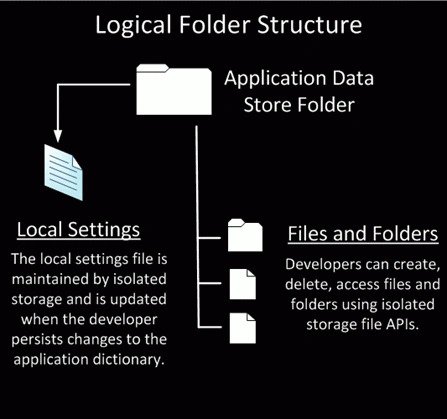
In the case of a file, we have a directory and the files themselves. But, in Settings there is a System Setting that exists for the application all the time.
So, let's start with Isolated Storage Settings.
Since it is just like a Key/Value Pair data type. This means, for every key there must be a value.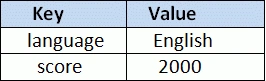
So, we will code according to this table.
Hence, a user's preferred language is English and the score is 2000.
Procedure
Step 1: Add a "using System.IO.IsolatedStorage;" for the namespace in your project.
Then, create an instance (object) for the IsolatedStorageSetting class. 
Note: In fact, the setting is not an Object.
Step 2: Design a UI that looks as: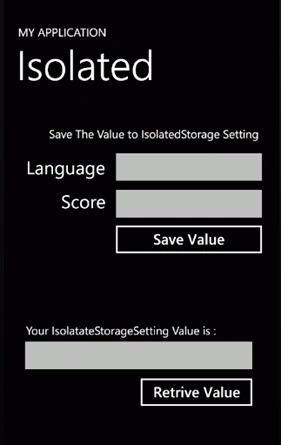
Step 3: We will now program the "Save Value" Button (its event).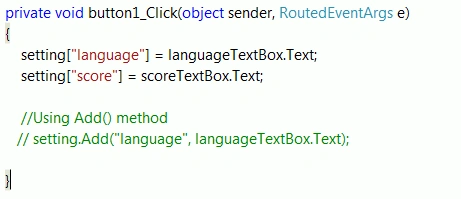
We are ing the languageTextBox.Text to setting["language"] where language is a User Defined Key and the language Textbox's value is the actual value.
Again, repeat the process for the score key.
Using the Add Method, you can do this, but we have tried a simple one.
Step 4: Next to be done is the Retrieve Button's event.
Until now, we have saved the value of the respective key, now we will try to fetch their value: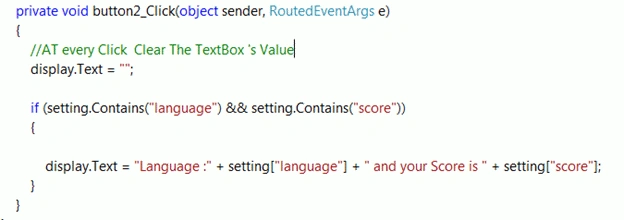
In the first If statement, we will check first if there is any value in our settings or not. So, Setting.Contains() will return a BOOL value for that If.
Inside the If, we append setting ["language"] and setting ["score"] with some text.
It's as simple as any string.
Conclusion
First, we need to create a reference for the IsolatedSetting, then assign a value to their setting Key (in other words setting ["KeyName"] =Value).
While retrieving their Value, use the Contains() Method, to check whether they are available in their box or not. If yes, then retrieve using setting ["KeyName"].
Now we will try using IsolatedStorageFile.
Step 1: Before starting, add a "using System.IO;" for that namespace in your project.
Then, create a reference for IsolatedStorageFile, in other words:
After that, create a UI that looks like: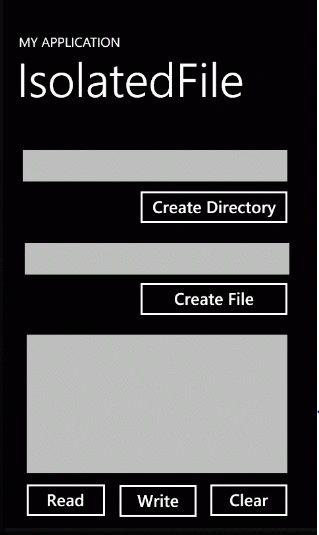
Step 2: So, we begin with a Create Directory Button.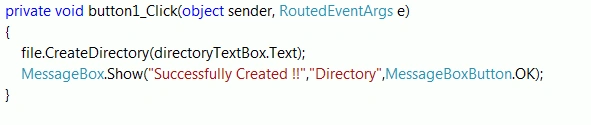
Here, we used the CreateDirectory() method create Directory.
Step 3: Now a Create File Button.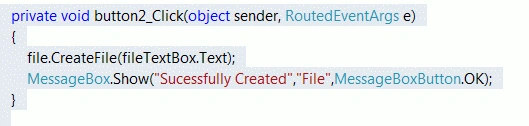
It's the same as the last one, except the CreateFile() method.
Step 4: For the Write Button: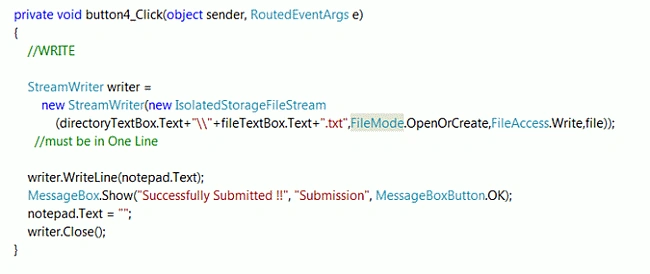
Since we will write something in the Text File, we need a Stream object and for this we will use StreamWriter class.
So, first we created an object for that and in an IsolatedStorageFileStream Object.
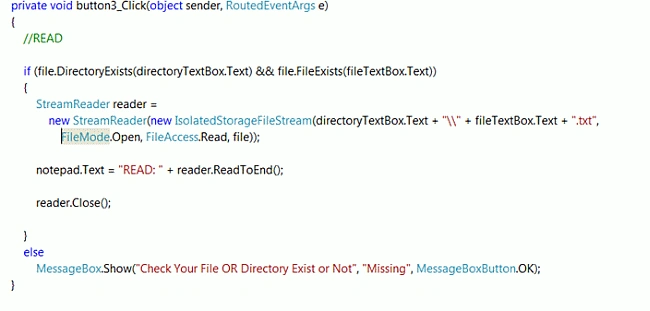

viral vajaniPosted May 29, 2014, 3:32 AM
Very Helpful Article.