

Introduction
This article explains the jsp:include action tag in Java. The NetBeans IDE is used for the sample example.
jsp:include Action Tag
This tag is used to include resources of other pages; it may be JSP, HTML, or another resource. This is a very important tag because it provides code reusability and saves programmer's time and reduces extra coding.
Syntax
1. Without Parameter
<jsp:include page="relativeURL | <%= some-expression %>" />
2. With Parameter
<jsp:include page="relativeURL | <%= some-expression %>">
<jsp:param name="nameOfParameter" value="valueOfParameter" | <%=expression%>"/>
</jsp:include>
Advantages
There are many advantages of this tag, some are listed below.
- Reduce coding
- Save time and reduce extra overhead
- Provide code reusability
Example: 1
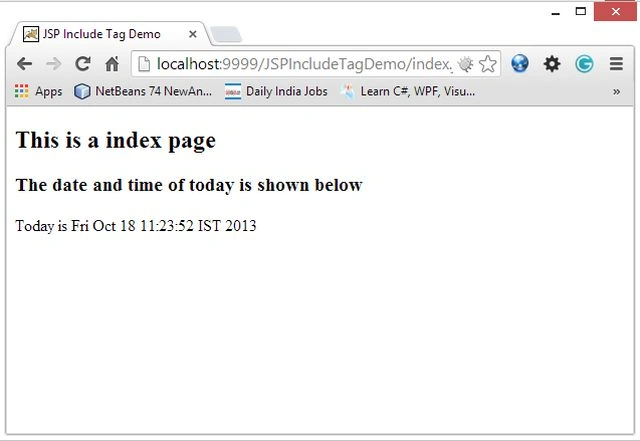
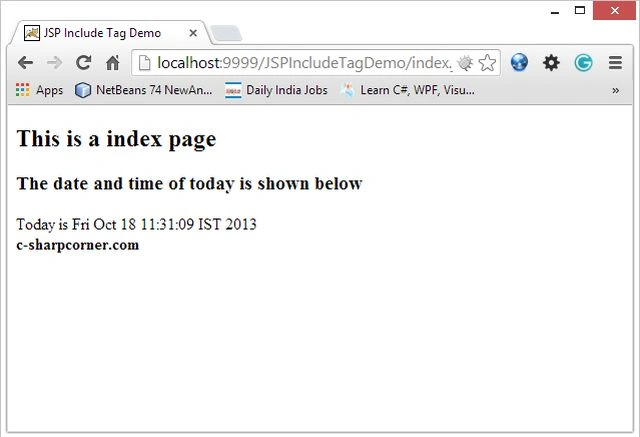
We use two examples. In the first example: we create two JSP pages named "index.jsp" and "ShowDate.jsp". In the index.jsp page we include another JSP page without using an attribute property to print date and time on the browser.
Use the following procedure to create this example in the NetBeans IDE.
Step 1
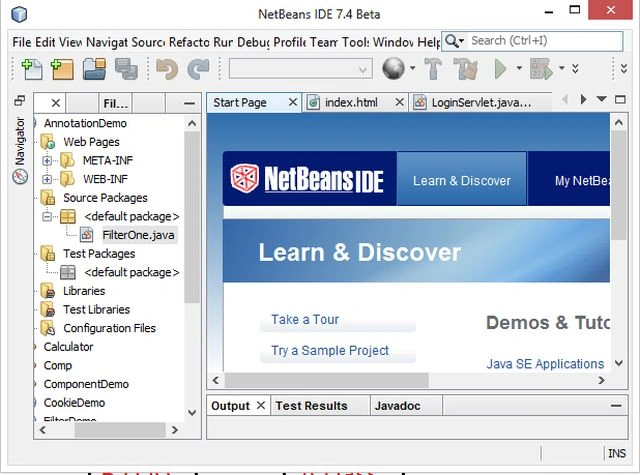
Open the NetBeans IDE.
Step 2
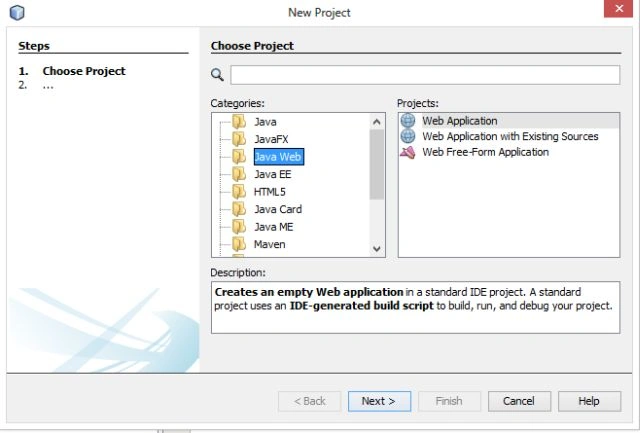
Choose "Java web" -> "Web application" as in the following.
Step 3
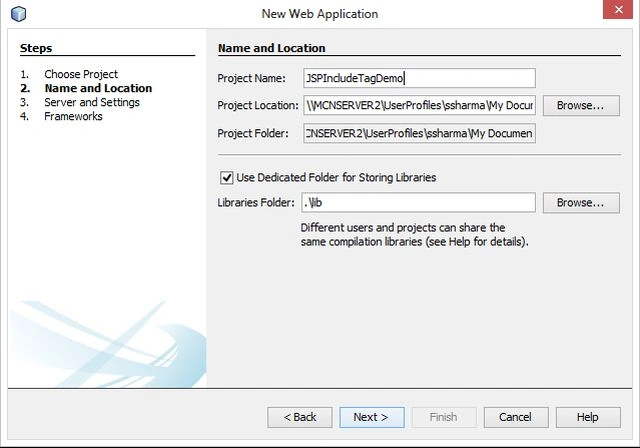
Provide the project name as "JSPIncludeTagDemo" as in the following.
Step 4
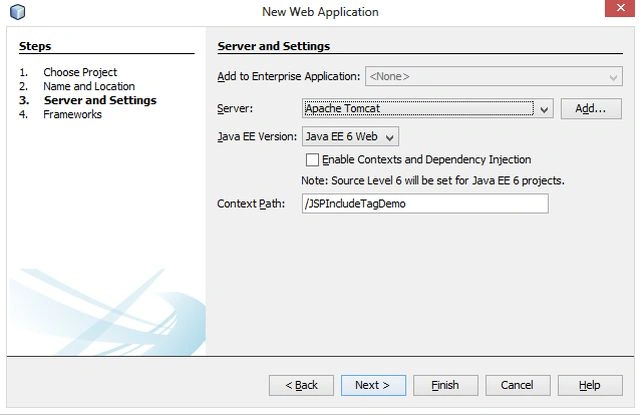
Select the Java version and server wizard as in the following.
Step 5
Now replace the code of "index.jsp" with the following code.
index.jsp
<%@page contentType="text/html" pageEncoding="UTF-8"%>
<!DOCTYPE html>
<html>
<head>
<meta http-equiv="Content-Type" content="text/html; charset=UTF-8">
<title>JSP Include Tag Demo</title>
</head>
<body>
<h2>This is a index page</h2>
<jsp:include page="ShowDate.jsp" />
</body>
</html>Step 6
Now create another JSP file named "ShowDate.jsp" with the following code.
ShowDate.jsp
<%@page contentType="text/html" pageEncoding="UTF-8"%>
<!DOCTYPE html>
<html>
Join the conversation! Your thoughts help the community grow.