
Introduction
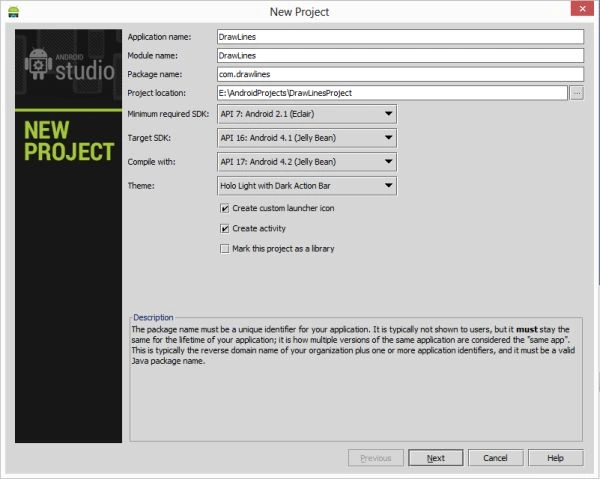
Step 1
Create the project like this:
 Step 2
XML file:
- <RelativeLayout xmlns:android="http://schemas.android.com/apk/res/android"
- xmlns:tools="http://schemas.android.com/tools"
- android:layout_width="match_parent"
- android:layout_height="match_parent"
- android:paddingLeft="@dimen/activity_horizontal_margin"
- android:paddingRight="@dimen/activity_horizontal_margin"
- android:paddingTop="@dimen/activity_vertical_margin"
- android:paddingBottom="@dimen/activity_vertical_margin"
- tools:context=".MainActivity">
- <TextView
- android:layout_width="wrap_content"
- android:layout_height="wrap_content"
- android:text="Draw Lines"
- android:layout_centerHorizontal="true"
- android:textSize="20dp"
- android:textStyle="bold"/>
- </RelativeLayout>
Step 3
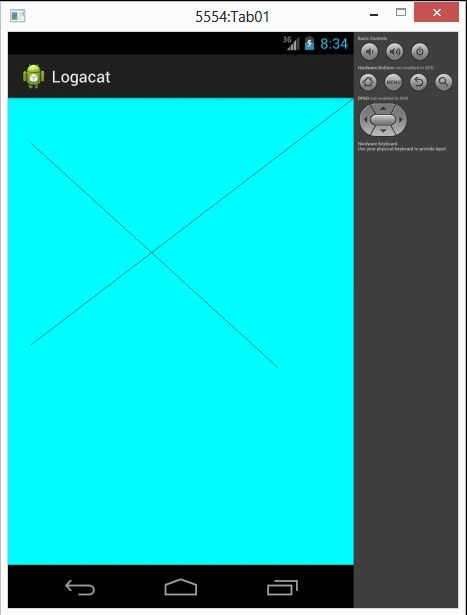
Create a Java class file and write this:
- package com.logacat;
- import android.os.Bundle;
- import android.app.Activity;
- import android.util.Log;
- import android.view.Menu;
- import android.app.Activity;
- import android.graphics.Color;
- import android.os.Bundle;
- public class MainActivity extends Activity {
- DrawLine drawLine;
- @Override
- public void onCreate(Bundle savedInstanceState) {
- super.onCreate(savedInstanceState);
- drawLine = new DrawLine(this);
- drawLine.setBackgroundColor(Color.CYAN);
- setContentView(drawLine);
- }
- }
Join the conversation! Your thoughts help the community grow.