

About Docker
Docker is a platform that helps developers to build, test, and deploy applications quickly. It uses OS-level virtualization to package software into standardized units called containers. These containers include everything the software needs to run, such as libraries, code, system tools, and runtime. Docker containers are portable and can be moved to different servers or environments.
Technical Terms
- Images: Read-only templates that contain instructions for creating a container, including application code, libraries, tools, dependencies, and other files. Images are similar to snapshots in virtual machine (VM) environments.
- Container: Containers are self-contained units of software that package code and all its dependencies together. These containers include everything the software needs to run, such as libraries, code, system tools, and runtime.
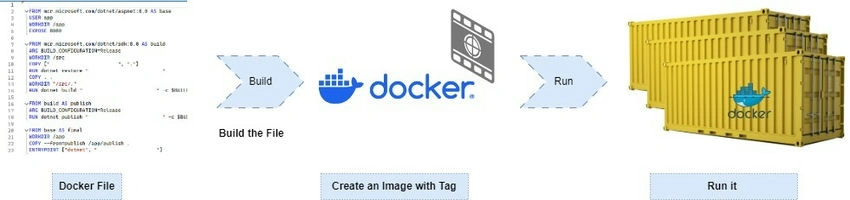
Real-time example MySql Install with Docker
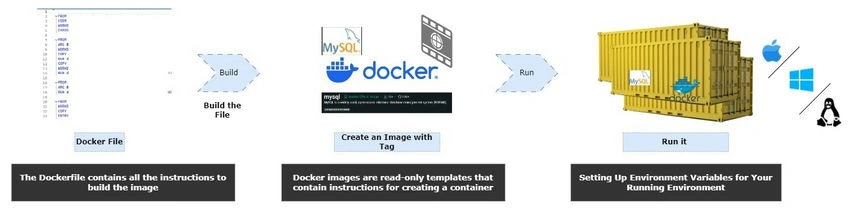
Docker images vs Docker containers
| Docker image | Docker container | ||
| What? | A reusable, shareable template for creating containers. | A self-contained, running instance of the software. | |
| Created from | software code, dependencies, libraries, and instructions defined in a Dockerfile. | A Docker image. | |
| Composition | Read-only layers. | Read-only layers with an additional read-write layer on top. (ex: setting up environment variables) | |
| Mutability | Immutable. If there are changes, you have to build a new file. | Mutable; you can change it at runtime as required. | |
| When to use | To store application configuration details as a template. | To run the application. |
Docker CLI Command
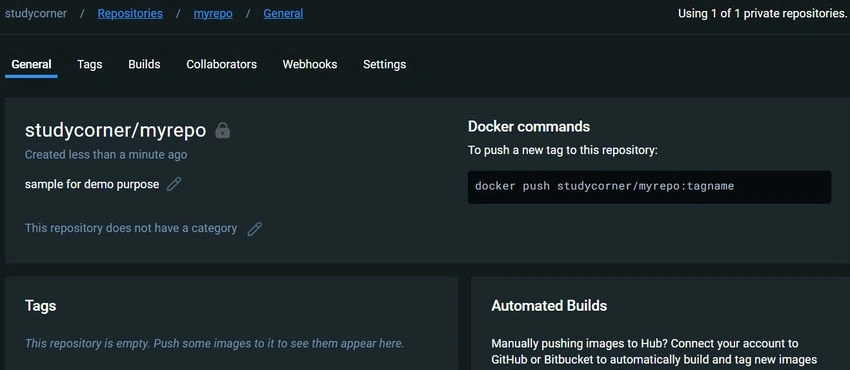
Docker Hub
| Login into Docker | docker login -u <username> | |
| Publish an image to Docker Hub | docker push <username>/<image_name> | |
| Search Hub for an image | docker search <image_name> | |
| Pull an image from a Docker Hub | docker pull <image_name> |
Join the conversation! Your thoughts help the community grow.