
Previous lesson: https://www.c-sharpcorner.com/article/lesson-2e-implementing-controllers-api-layer/
🚀 Introduction
Integrating MySQL (First Database)
Welcome to Lesson 3! Today, we’ll set up our first MySQL database using Docker. If you don’t yet have Docker Desktop installed, I can make a separate mini-lecture for that—comment below if you want it. For now, we’ll assume Docker Desktop is already installed.
Step 1: Pull MySQL Image from Docker Hub
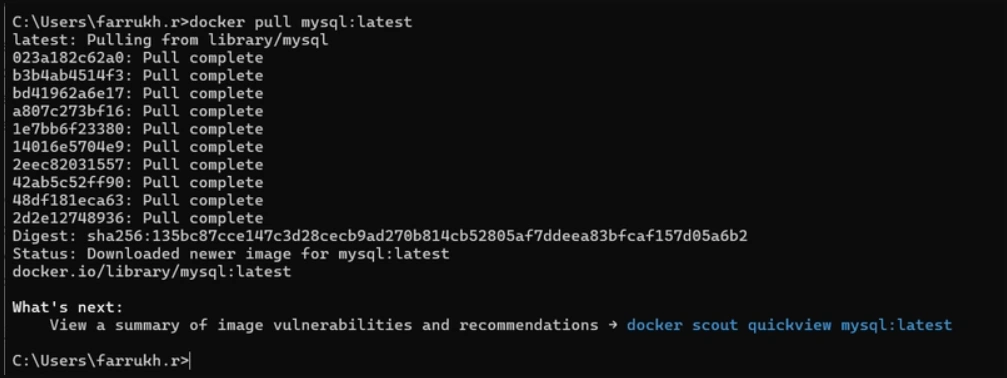
Docker Hub has ready-to-use MySQL images. To pull the latest official MySQL image:
docker pull mysql:latestif you are getting this error make sure your docker is running.

Run MySQL Container
docker run -d --name ecommerce-mysql -e MYSQL_ROOT_PASSWORD=Admin123! -p 3306:3306 mysql:latest

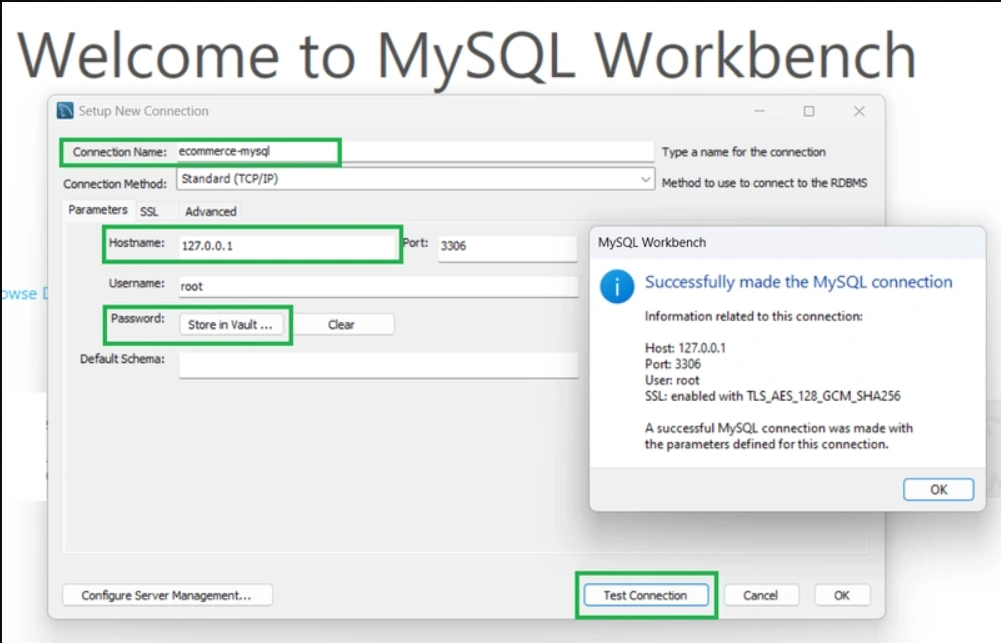
Lets Start Configuring in Project
dotnet add ECommerce.Infrastructure package Pomelo.EntityFrameworkCore.MySql --version 8.0.3
dotnet add ECommerce.API package Microsoft.EntityFrameworkCore.Design --version 8.0.21
dotnet tool update --global dotnet-ef --version 8.0.21
Create Your DbContext
Path : ECommerce.Infrastructure/Data/AppDbContext.cs
using ECommerce.Domain.Entities;
using Microsoft.EntityFrameworkCore;

namespace ECommerce.Infrastructure.Data
{
    public class AppDbContext : DbContext
    {
        public AppDbContext(DbContextOptions<AppDbContext> options)
            : base(options)
        {
        }

        // DbSets
        public DbSet<Product> Products { get; set; } = null!;
        public DbSet<Customer> Customers { get; set; } = null!;
        public DbSet<Order> Orders { get; set; } = null!;
        public DbSet<OrderItem> OrderItems { get; set; } = null!;

        protected override void OnModelCreating(ModelBuilder modelBuilder)
        {
            base.OnModelCreating(modelBuilder);

            // Product
            modelBuilder.Entity<Product>(b =>
            {
                b.ToTable("Products");
                b.HasKey(p => p.Id);
                b.Property(p => p.Name).IsRequired().HasMaxLength(200);
                b.Property(p => p.Price).HasColumnType("decimal(18,2)");
            });

            // Customer
            modelBuilder.Entity<Customer>(b =>
            {
                b.ToTable("Customers");
                b.HasKey(c => c.Id);
                b.Property(c => c.FirstName).IsRequired().HasMaxLength(200);
                b.Property(c => c.Email).IsRequired().HasMaxLength(256);
                b.HasMany(c => c.Orders)
                 .WithOne(o => o.Customer)
                 .HasForeignKey(o => o.CustomerId)
                 .OnDelete(DeleteBehavior.Cascade);
            });

            // Order
            modelBuilder.Entity<Order>(b =>
            {
                b.ToTable("Orders");
                b.HasKey(o => o.Id);
                b.Property(o => o.OrderDate).IsRequired();
                b.Property(o => o.TotalAmount).HasColumnType("decimal(18,2)");
                b.HasMany(o => o.Items)
                 .WithOne(oi => oi.Order)
                 .HasForeignKey(oi => oi.OrderId)
                 .OnDelete(DeleteBehavior.Cascade);
            });

            // OrderItem
            modelBuilder.Entity<OrderItem>(b =>
            {
                b.ToTable("OrderItems");
                b.HasKey(oi => oi.Id);
                b.Property(oi => oi.ProductName).IsRequired().HasMaxLength(200);
                b.Property(oi => oi.UnitPrice).HasColumnType("decimal(18,2)");
                b.Property(oi => oi.Quantity).IsRequired();
            });

            // If you want to seed or add indexes later, do it here.
        }
    }
}
Install Configuration Packages
dotnet add ECommerce.Infrastructure package Microsoft.Extensions.Configuration
dotnet add ECommerce.Infrastructure package Microsoft.Extensions.Configuration.FileExtensions
dotnet add ECommerce.Infrastructure package Microsoft.Extensions.Configuration.Json
IConfiguration in the Factory
Path : ECommerce.Infrastructure/Data/DesignTimeDbContextFactory.cs
using Microsoft.EntityFrameworkCore;
using Microsoft.EntityFrameworkCore.Design;
using Microsoft.Extensions.Configuration;

namespace ECommerce.Infrastructure.Data;

public class DesignTimeDbContextFactory : IDesignTimeDbContextFactory<AppDbContext>
{
    public AppDbContext CreateDbContext(string[] args)
    {
        // Locate the API project's appsettings.json
        var basePath = Path.Combine(Directory.GetCurrentDirectory(), "../ECommerce.API");
        var configuration = new ConfigurationBuilder()
            .SetBasePath(basePath)
            .AddJsonFile("appsettings.json", optional: false)
            .AddJsonFile("appsettings.Development.json", optional: true)
            .Build();

        var connectionString = configuration.GetConnectionString("DefaultConnection");

        var optionsBuilder = new DbContextOptionsBuilder<AppDbContext>();
        optionsBuilder.UseMySql(
            connectionString,
            new MySqlServerVersion(new Version(8, 0, 36))
        );

        return new AppDbContext(optionsBuilder.Options);
    }
}
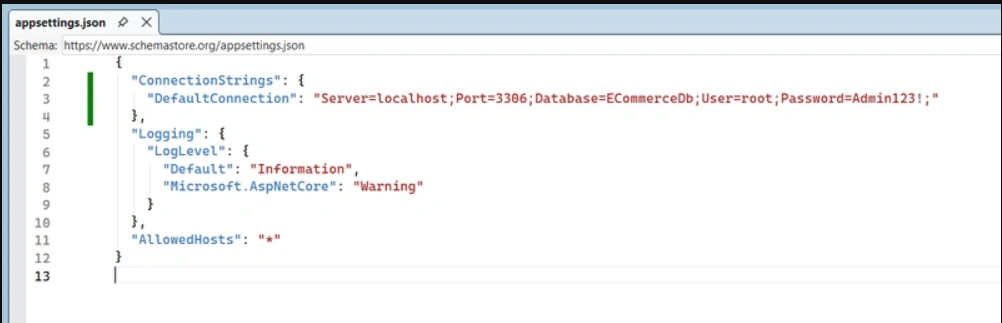
Add Connection String
Path : ECommerce.API/appsettings.json
{
  "ConnectionStrings": {
    "DefaultConnection": "Server=localhost;Port=3306;Database=ECommerceDb;User=root;Password=Admin123!;"
  },
  "Logging": {
    "LogLevel": {
      "Default": "Information",
      "Microsoft.AspNetCore": "Warning"
    }
  },
  "AllowedHosts": "*"
}
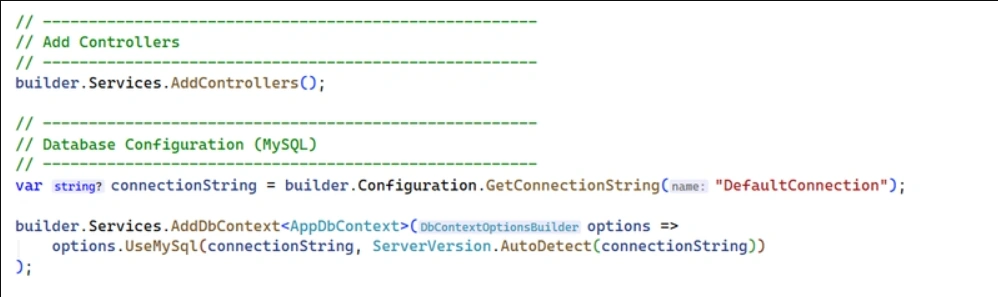
Register DbContext in Program.cs
Path : ECommerce.API/Program.cs
// ------------------------------------------------------
// Database Configuration (MySQL)
// ------------------------------------------------------
var connectionString = builder.Configuration.GetConnectionString("DefaultConnection");

builder.Services.AddDbContext<AppDbContext>(options =>
    options.UseMySql(connectionString, ServerVersion.AutoDetect(connectionString))
);
Add Migrations & Update Database
dotnet ef migrations add InitialCreate -p ECommerce.Infrastructure -s ECommerce.API --context AppDbContext
dotnet ef database update -p ECommerce.Infrastructure -s ECommerce.API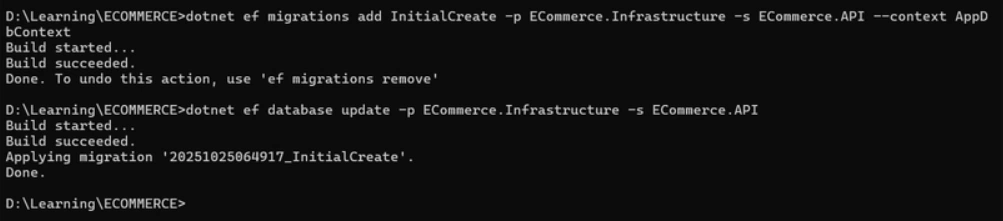
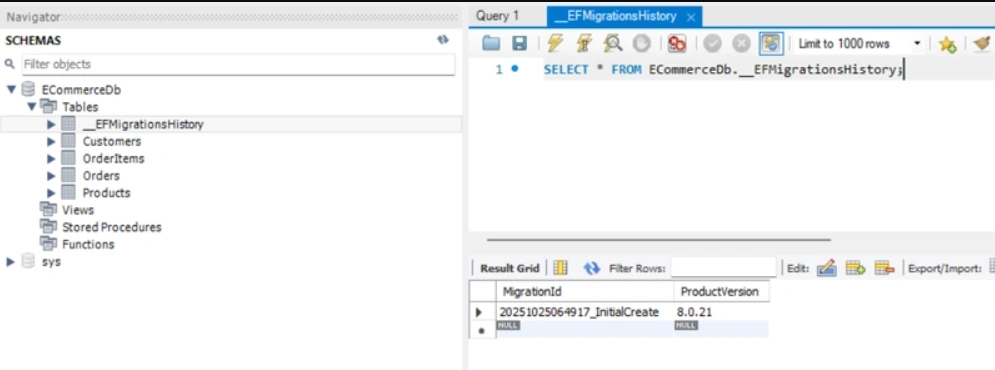
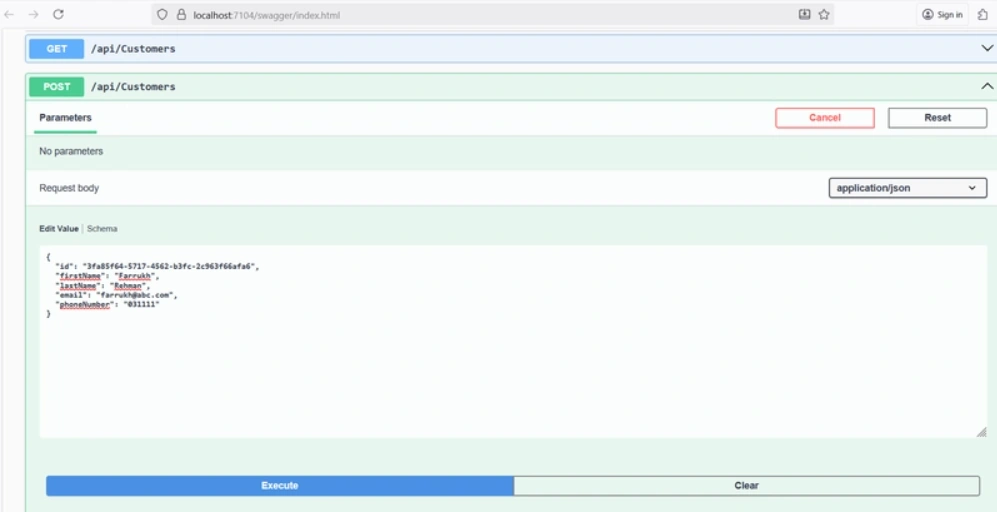
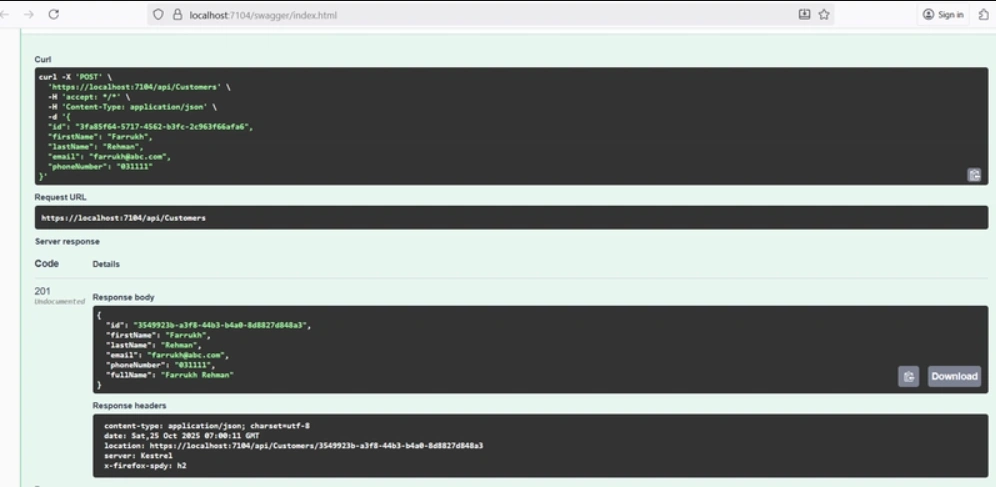
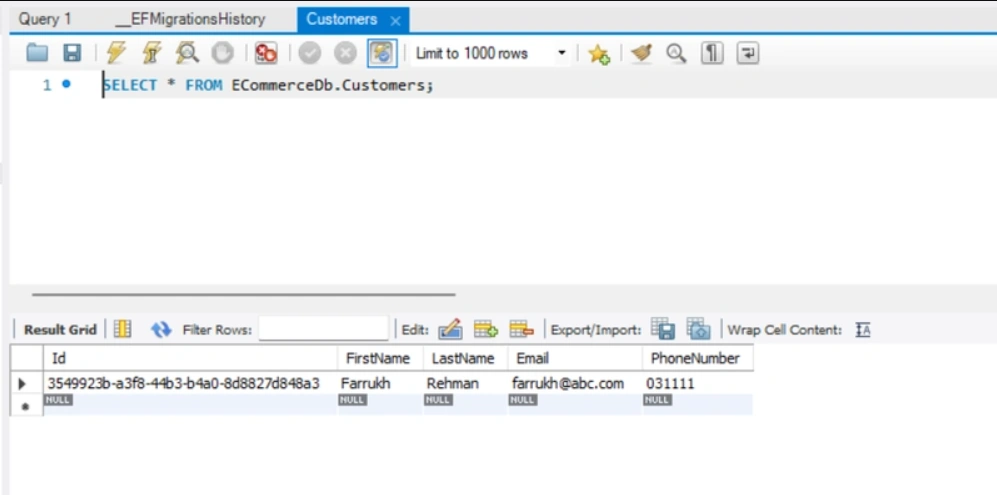
Lets Test API End Points
Source Code Backend: https://github.com/farrukh1212cs/ECommerce-Backend.git
Source Code Frontend: https://github.com/farrukh1212cs/ECommerce-Frontend.git
Next Lecture Preview
Lecture 4 : Adding SQL Server Support (Multi-Database Setup)
Configuring Entity Framework Core for multiple providers and supporting SQL Server alongside MySQL.
Join the conversation! Your thoughts help the community grow.