

Previous lesson: 🧱 Lesson 7 - Message Queues with RabbitMQ
🎯 Introduction
Add secure user authentication (JWT) and role-based authorization. We'll use patterns that fit your Clean Architecture: interfaces in Application, implementations in Infrastructure, DI wiring in DependencyInjection, and usage in the API.
🔐 What you'll learn (brief)
JWT-based auth (register / login / issue token)
Role-based auth and policy-based authorization.
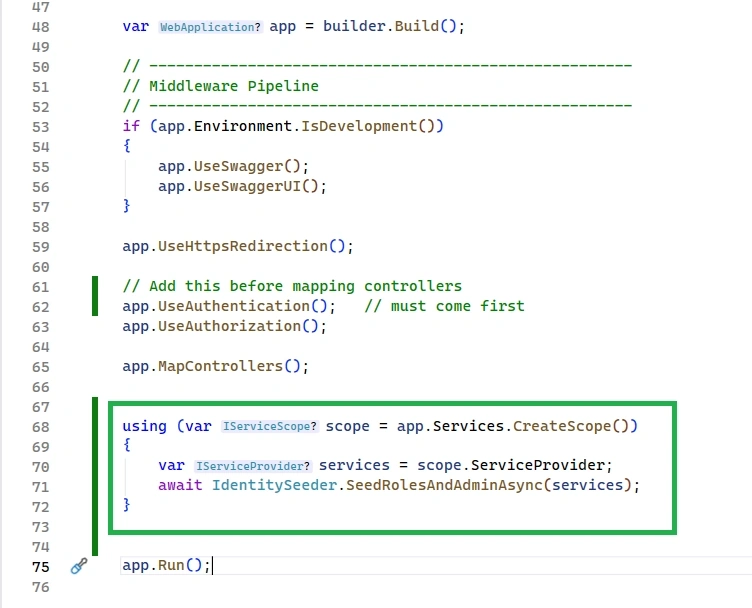
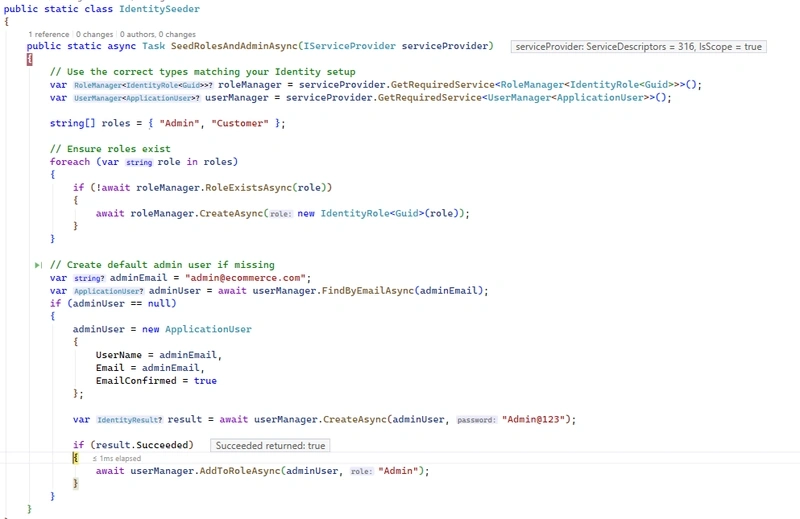
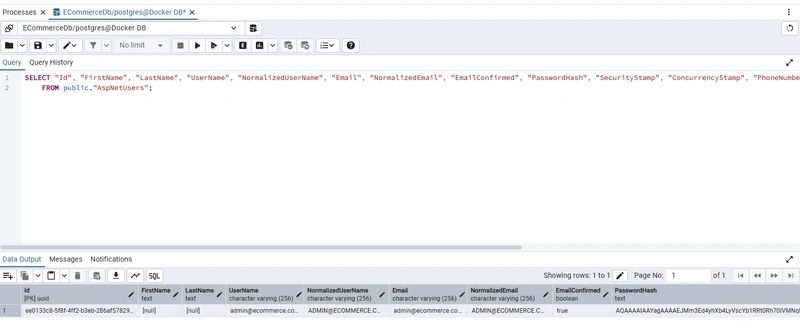
Seeding admin/user roles
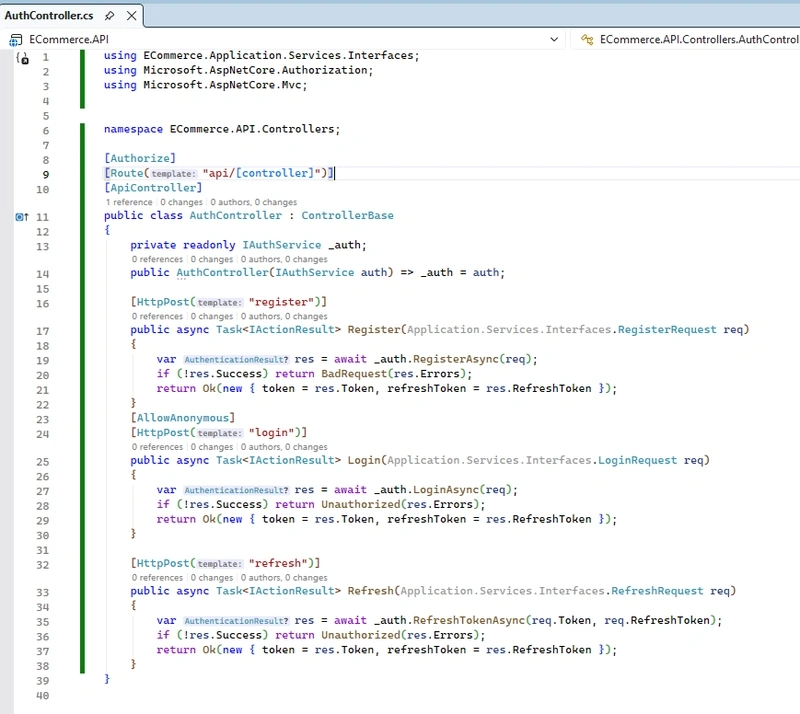
Protecting controllers/endpoints with [Authorize]
Refresh token strategy (overview + simple approach)
Optional: integrate Azure AD or IdentityServer (high-level steps)
📦 Packages to install
(choose versions compatible with .NET 8; run from solution root)
dotnet add ECommerce.Infrastructure package Microsoft.AspNetCore.Authentication.JwtBearer --version 8.0.21
dotnet add ECommerce.Infrastructure package Microsoft.AspNetCore.Identity.EntityFrameworkCore --version 8.0.21
dotnet add ECommerce.Domain package Microsoft.AspNetCore.Identity.EntityFrameworkCore --version 8.0.21
dotnet add ECommerce.Infrastructure package Microsoft.IdentityModel.Tokens
dotnet add ECommerce.Application package System.IdentityModel.Tokens.Jwt
🧱 High-level architecture
Identity stores (users/roles) live in your DB (via EF stores).
IAuthService in Application defines operations (Register, Login, Validate).
AuthService in Infrastructure implements token generation and uses UserManager/RoleManager.
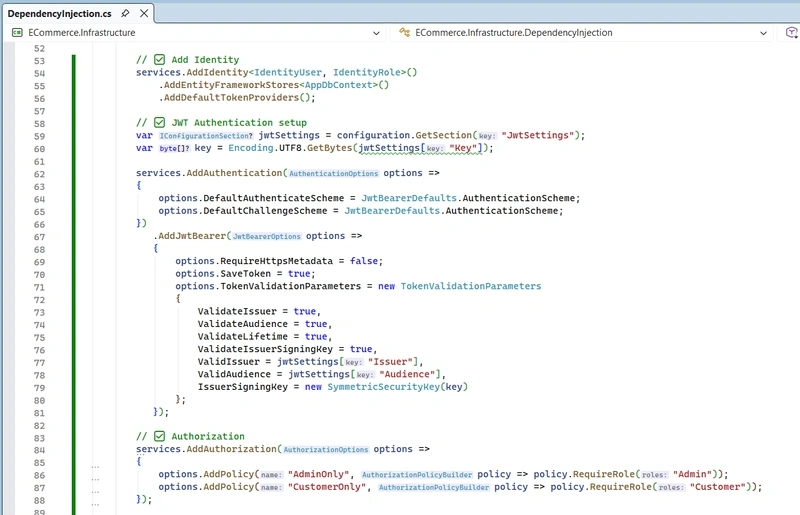
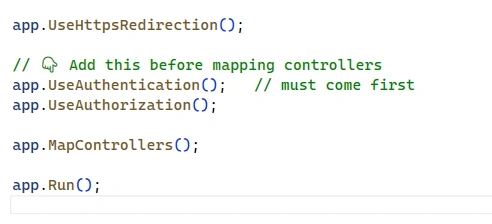
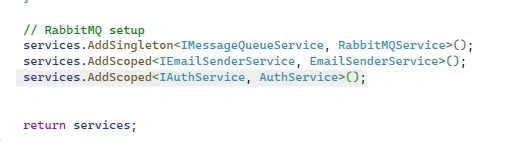
Program.cs / DependencyInjection wires Identity + JwtBearer authentication + role seeding.
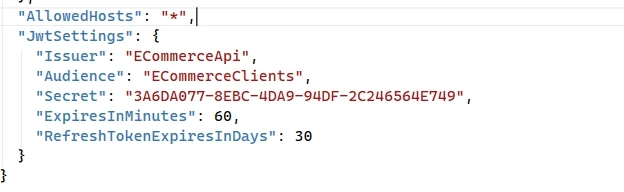
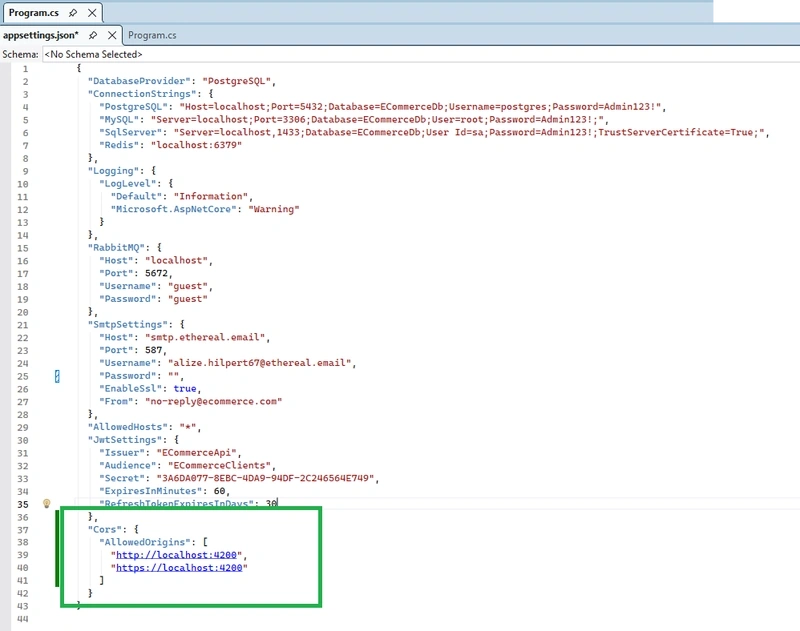
🔧 appsettings.json (JWT config example)
"JwtSettings": {
"Issuer": "ECommerceApi",
"Audience": "ECommerceClients",
"Secret": "3A6DA077-8EBC-4DA9-94DF-2C246564E749",
"ExpiresInMinutes": 60,
"RefreshTokenExpiresInDays": 30
}
Keep Secret in secure store (Key Vault / environment variables) in production.
✅ Step 1 — Create Application User Entity
Path: ECommerce.Domain/Entities/ApplicationUser.cs
using Microsoft.AspNetCore.Identity;

namespace ECommerce.Domain.Entities;

public class ApplicationUser : IdentityUser<Guid>
{
    // Add extra properties if needed (FirstName, LastName)
    public string? FirstName { get; set; }
    public string? LastName { get; set; }
}
✅ Step 2 — Add Identity entities & DbContext
we already have AppDbContext derived from DbContext, extend it to use Identity:

using ECommerce.Domain.Entities;
using Microsoft.AspNetCore.Identity;
using Microsoft.AspNetCore.Identity.EntityFrameworkCore;
using Microsoft.EntityFrameworkCore;

namespace ECommerce.Infrastructure.Data;

public abstract class AppDbContext : IdentityDbContext<ApplicationUser, IdentityRole<Guid>, Guid>
{
    public AppDbContext(DbContextOptions<AppDbContext> options) : base(options) { }

    // DbSets
    public DbSet<Product> Products { get; set; } = null!;
    public DbSet<Customer> Customers { get; set; } = null!;
    public DbSet<Order> Orders { get; set; } = null!;
    public DbSet<OrderItem> OrderItems { get; set; } = null!;
    public DbSet<ApplicationUser> ApplicationUser { get; set; } = null!;

    protected override void OnModelCreating(ModelBuilder modelBuilder)
    {
        base.OnModelCreating(modelBuilder);

        // Product
        modelBuilder.Entity<Product>(b =>
        {
            b.ToTable("Products");
            b.HasKey(p => p.Id);
            b.Property(p => p.Name).IsRequired().HasMaxLength(200);
            b.Property(p => p.Price).HasColumnType("decimal(18,2)");
        });

        // Customer
        modelBuilder.Entity<Customer>(b =>
        {
            b.ToTable("Customers");
            b.HasKey(c => c.Id);
            b.Property(c => c.FirstName).IsRequired().HasMaxLength(200);
            b.Property(c => c.Email).IsRequired().HasMaxLength(256);
            b.HasMany(c => c.Orders)
             .WithOne(o => o.Customer)
             .HasForeignKey(o => o.CustomerId)
             .OnDelete(DeleteBehavior.Cascade);
        });

        // Order
        modelBuilder.Entity<Order>(b =>
        {
            b.ToTable("Orders");
            b.HasKey(o => o.Id);
            b.Property(o => o.OrderDate).IsRequired();
            b.Property(o => o.TotalAmount).HasColumnType("decimal(18,2)");
            b.HasMany(o => o.Items)
             .WithOne(oi => oi.Order)
             .HasForeignKey(oi => oi.OrderId)
             .OnDelete(DeleteBehavior.Cascade);
        });

        // OrderItem
        modelBuilder.Entity<OrderItem>(b =>
        {
            b.ToTable("OrderItems");
            b.HasKey(oi => oi.Id);
            b.Property(oi => oi.ProductName).IsRequired().HasMaxLength(200);
            b.Property(oi => oi.UnitPrice).HasColumnType("decimal(18,2)");
            b.Property(oi => oi.Quantity).IsRequired();
        });

        // If you want to seed or add indexes later, do it here.
    }
}
✅ Step 3 — Define IAuthService (Application layer)
Path: ECommerce.Application/Services/Interfaces/IAuthService.cs
namespace ECommerce.Application.Services.Interfaces;

public interface IAuthService
{
    Task<AuthenticationResult> RegisterAsync(RegisterRequest request);
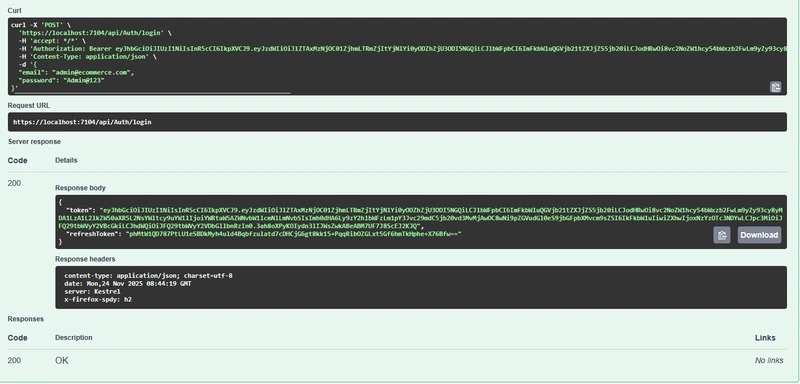
    Task<AuthenticationResult> LoginAsync(LoginRequest request);
    Task<AuthenticationResult> RefreshTokenAsync(string token, string refreshToken);
}

public record RegisterRequest(string Email, string Password, string? FirstName = null, string? LastName = null);
public record LoginRequest(string Email, string Password);
public record AuthenticationResult(bool Success, string? Token, string? RefreshToken, IEnumerable<string>? Errors);
public record RefreshRequest(string Token, string RefreshToken);
✅ Step 4 — Implement AuthService (Infrastructure)
Path: ECommerce.Application/Services/Implementations/AuthService.cs
using ECommerce.Application.Services.Interfaces;
using ECommerce.Domain.Entities;
using Microsoft.AspNetCore.Identity;
using Microsoft.Extensions.Configuration;
using Microsoft.IdentityModel.Tokens;
using System;
using System.Collections.Generic;
using System.IdentityModel.Tokens.Jwt;
using System.Linq;
using System.Security.Claims;
using System.Security.Cryptography;
using System.Text;
using System.Threading.Tasks;

namespace ECommerce.Application.Services.Implementations;

public class AuthService : IAuthService
{
    private readonly UserManager<ApplicationUser> _userManager;
    private readonly IConfiguration _config;
    private readonly RoleManager<IdentityRole<Guid>> _roleManager;

    public AuthService(UserManager<ApplicationUser> userManager, RoleManager<IdentityRole<Guid>> roleManager, IConfiguration config)
    {
        _userManager = userManager;
        _roleManager = roleManager;
        _config = config;
    }

    public async Task<AuthenticationResult> RegisterAsync(RegisterRequest request)
    {
        var existing = await _userManager.FindByEmailAsync(request.Email);
        if (existing != null)
            return new AuthenticationResult(false, null, null, new[] { "User already exists" });

        var user = new ApplicationUser { Email = request.Email, UserName = request.Email, FirstName = request.FirstName, LastName = request.LastName };
        var result = await _userManager.CreateAsync(user, request.Password);
        if (!result.Succeeded)
            return new AuthenticationResult(false, null, null, result.Errors.Select(e => e.Description));

        // Optionally add default role
        await _userManager.AddToRoleAsync(user, "User");

        // generate tokens
        var token = await GenerateJwtToken(user);
        var refreshToken = GenerateRefreshToken(); // implement secure random token and store it

        // persist refresh token with user (e.g., in DB)
        // ...

        return new AuthenticationResult(true, token, refreshToken, null);
    }

    public async Task<AuthenticationResult> LoginAsync(LoginRequest request)
    {
        var user = await _userManager.FindByEmailAsync(request.Email);
        if (user == null) return new AuthenticationResult(false, null, null, new[] { "Invalid credentials" });

        if (!await _userManager.CheckPasswordAsync(user, request.Password))
            return new AuthenticationResult(false, null, null, new[] { "Invalid credentials" });

        var token = await GenerateJwtToken(user);
        var refreshToken = GenerateRefreshToken();
        // store refresh token...

        return new AuthenticationResult(true, token, refreshToken, null);
    }

    public Task<AuthenticationResult> RefreshTokenAsync(string token, string refreshToken)
    {
        // validate existing refresh token stored in DB, expiration, rotation, etc.
        throw new NotImplementedException();
    }

    private async Task<string> GenerateJwtToken(ApplicationUser user)
    {
        var jwt = _config.GetSection("JwtSettings");
        var secret = jwt["Secret"]!;
        var key = new SymmetricSecurityKey(Encoding.UTF8.GetBytes(secret));
        var creds = new SigningCredentials(key, SecurityAlgorithms.HmacSha256);

        var claims = new List<Claim>
        {
            new Claim(JwtRegisteredClaimNames.Sub, user.Id.ToString()),
            new Claim(JwtRegisteredClaimNames.Email, user.Email!),
            new Claim(ClaimTypes.Name, user.UserName!)
        };

        var userRoles = await _userManager.GetRolesAsync(user);
        claims.AddRange(userRoles.Select(r => new Claim(ClaimTypes.Role, r)));

        var token = new JwtSecurityToken(
            issuer: jwt["Issuer"],
            audience: jwt["Audience"],
            claims: claims,
            expires: DateTime.UtcNow.AddMinutes(double.Parse(jwt["ExpiresInMinutes"] ?? "60")),
            signingCredentials: creds);

        return new JwtSecurityTokenHandler().WriteToken(token);
    }

    private static string GenerateRefreshToken()
    {
        return Convert.ToBase64String(RandomNumberGenerator.GetBytes(64));
    }
}
Join the conversation! Your thoughts help the community grow.