

Introduction
In my previous article, we have discussed Gitignore with its uses to ignore files without committing to Git or Github. Also, we have discussed the steps to customize the .gitignore file of the GitHub repo and steps to add .gitignore file manually to GitHub.
In this article, I will describe the below-mentioned points in detail,
- What is git default branch
- Use of default branch
- How to change the default branch
- Check default branch using Git Bash
Note
Before going through this session, please visit my below-mentioned sessions related to Git and GitHub,
- Introduction To Git
- Steps For Configuring Git With Details
- Let's Know About Git Add, Git Commit, Git Status And Git Push In Details
- Let's Understand How Git Maintains History Of Version Or Commit Ids With Details
- Steps To Initialize A Git Repository And Push The Changes To GitHub In Details
- Let's Know About Git Branches And How To Implement It
- Let's Understand About Git Branches And Its Real Time Uses
- Let's Learn About Merging The Git Branches And Create Pull Request In Details
- Steps To Ignore Files Using Gitignore In Details
Learn About Git Default Branch
When we create a new repository on GitHub, there is a branch created by default as shown below,
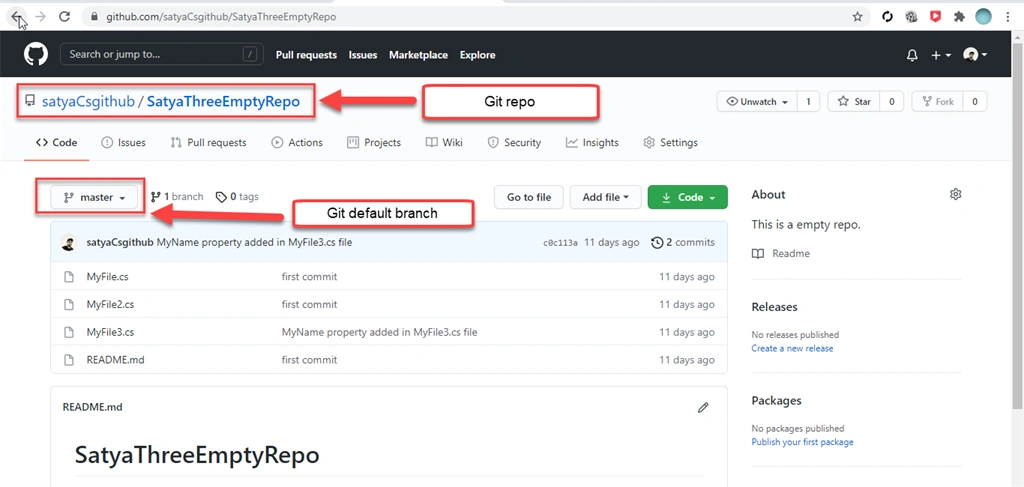
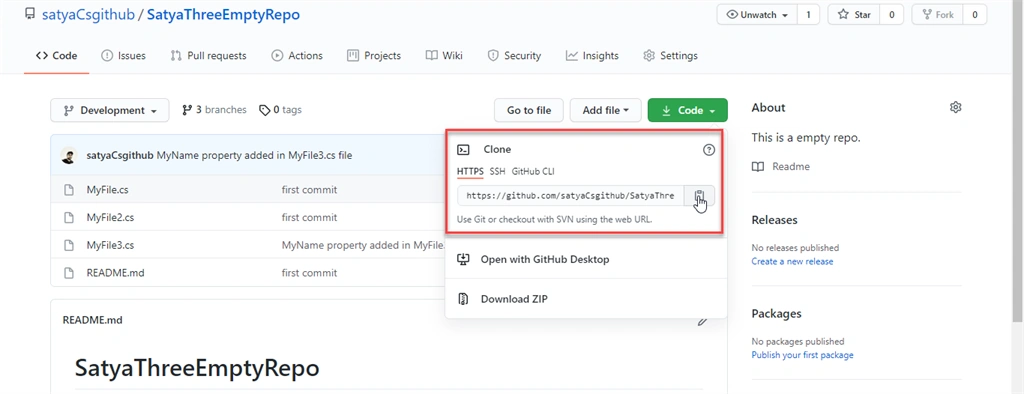
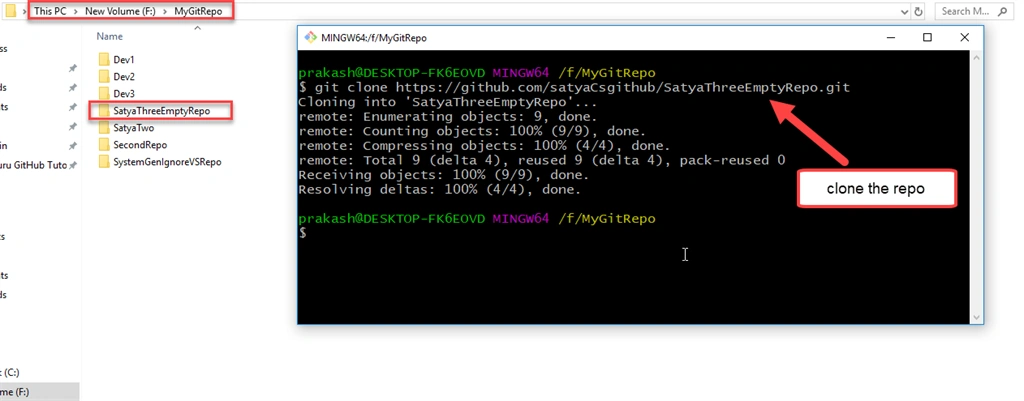
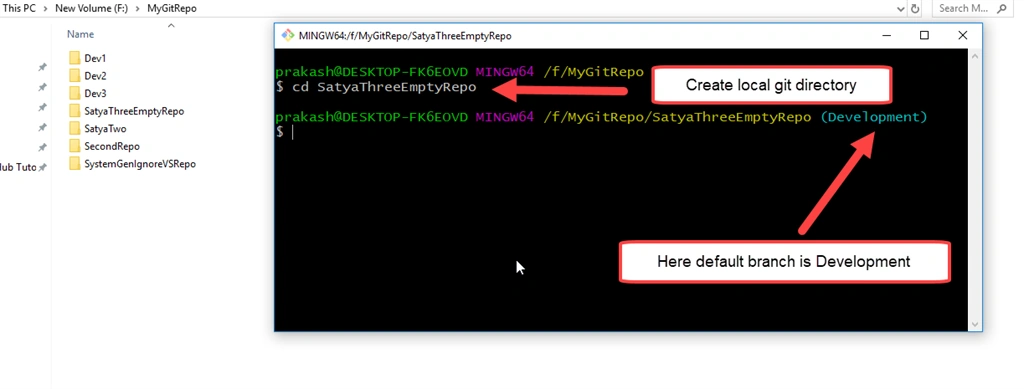
So, all the developers clone this repository as shown in the above image. They will be connected to the master branch and whatever modifications they do those changes will be committed to this master branch also. In my previous article, I have described the steps to create and manage the Git branch in detail. If I will create a new branch named Satya and after refresh the repository, the branch will be selected as master by default as shown below,
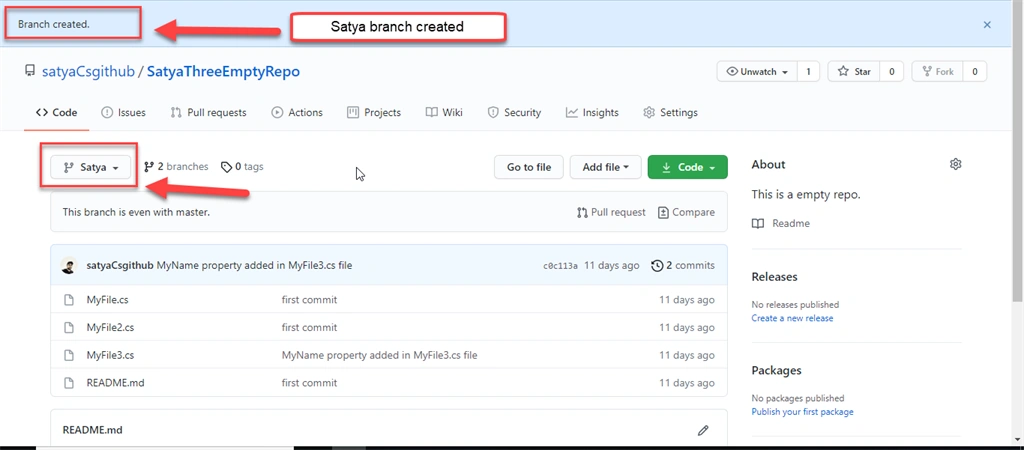
Let's see what happens after refreshing the GitHub repository as shown below,
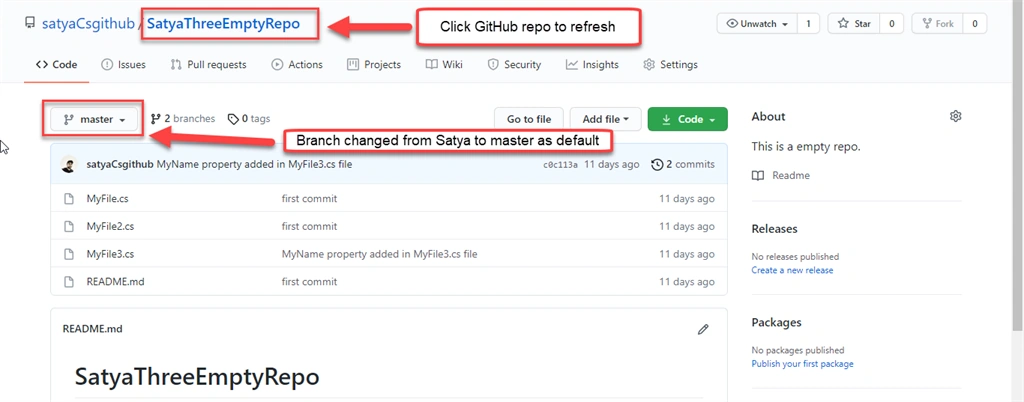
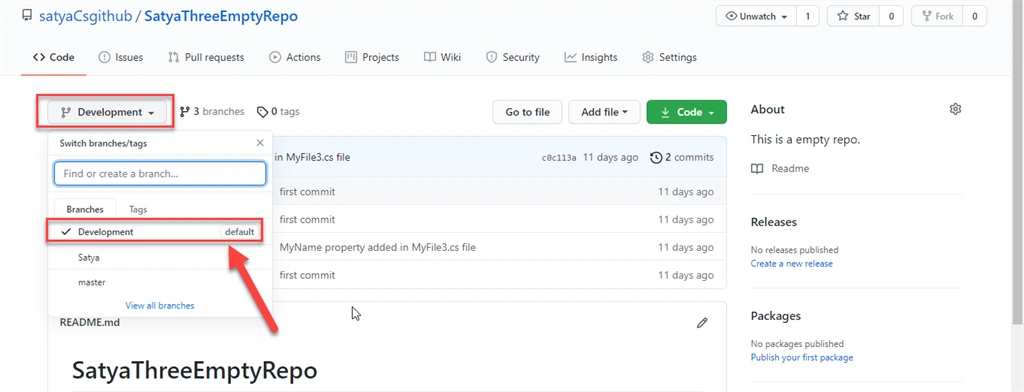
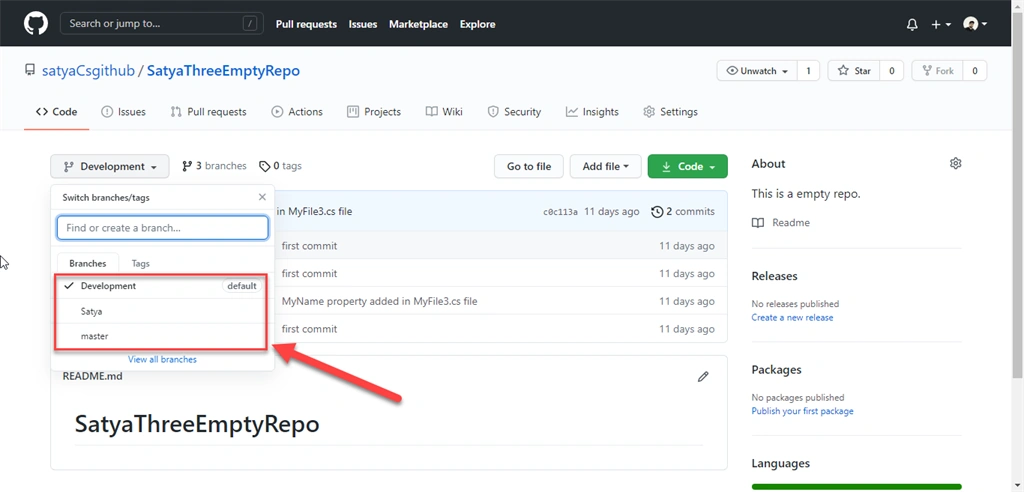
Here we can see the master branch is selected as the default branch instead of a new branch called Satya after refreshing the SatyaThreeEmptyRepo GitHub repository. It happens because the master branch is the default branch.
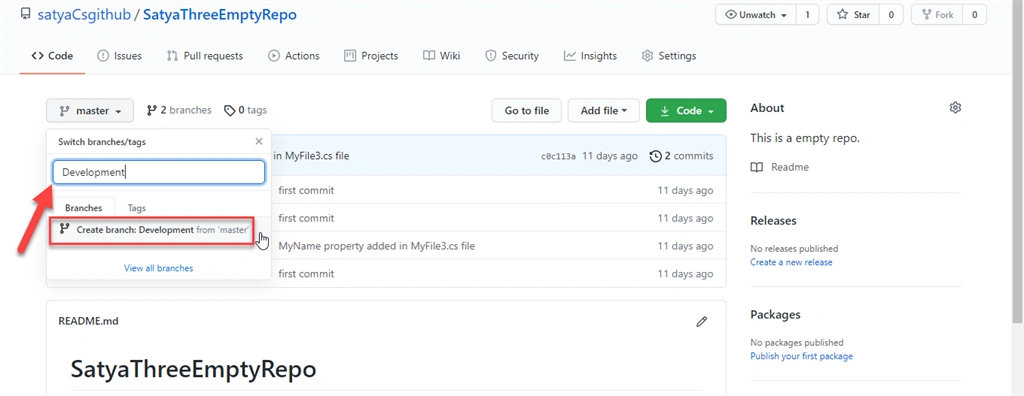
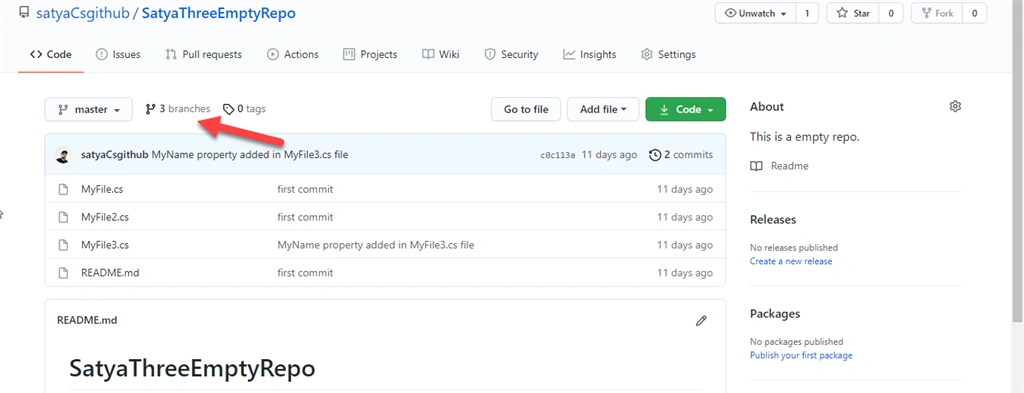
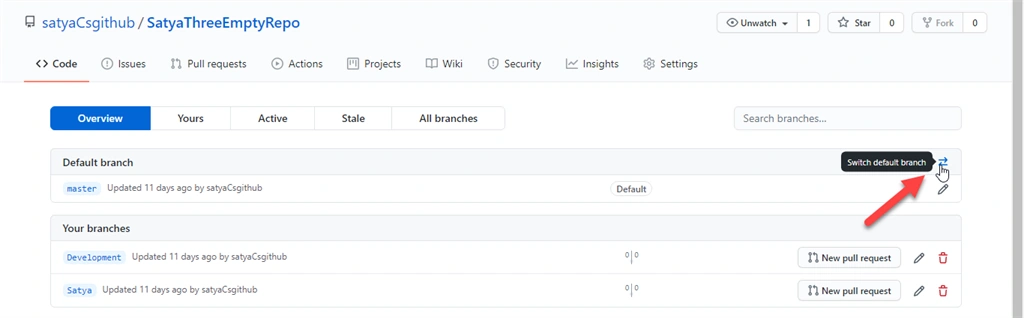
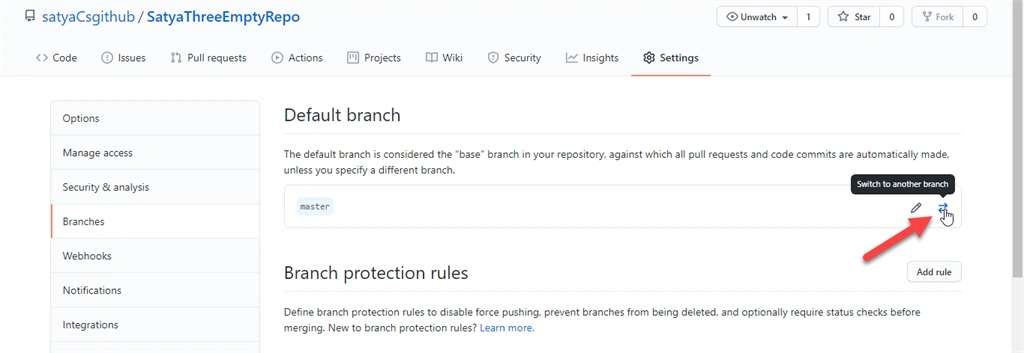
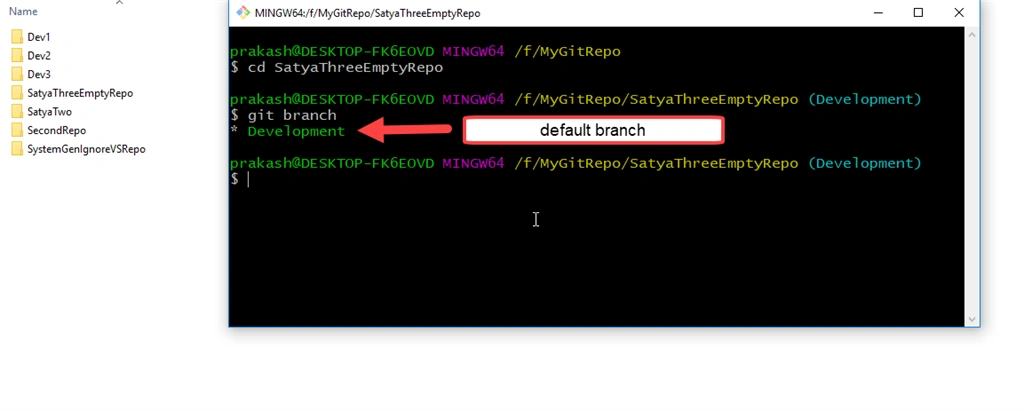
Now we check these branch details that I have created along with the default branch master as shown below,
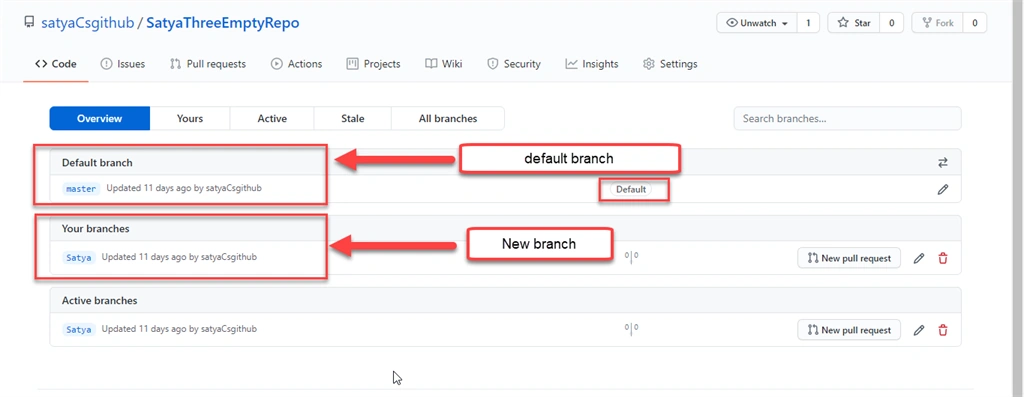
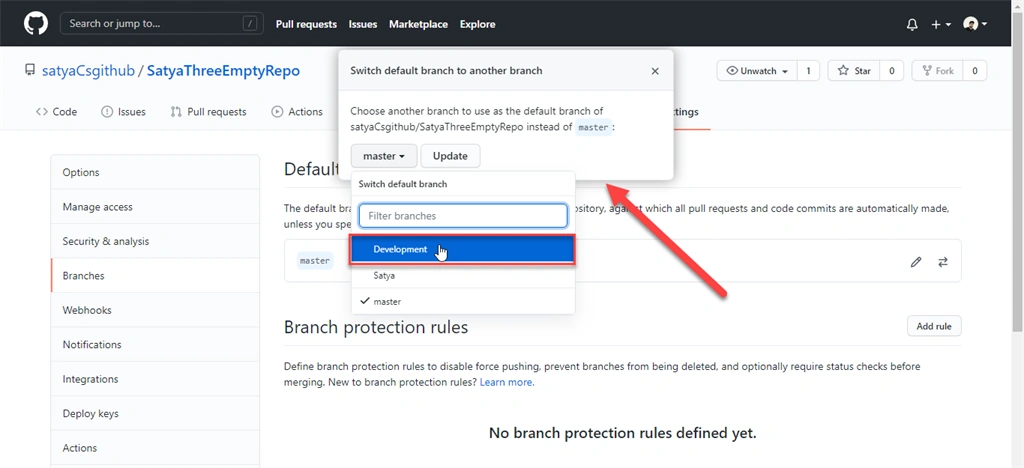
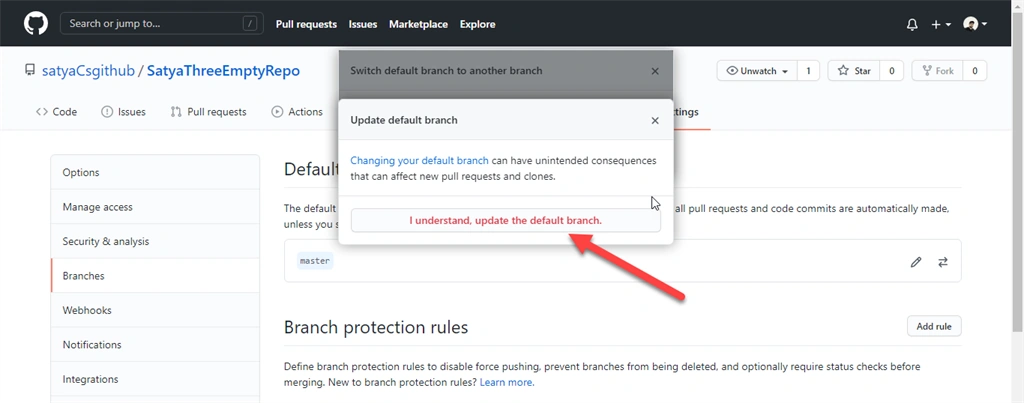
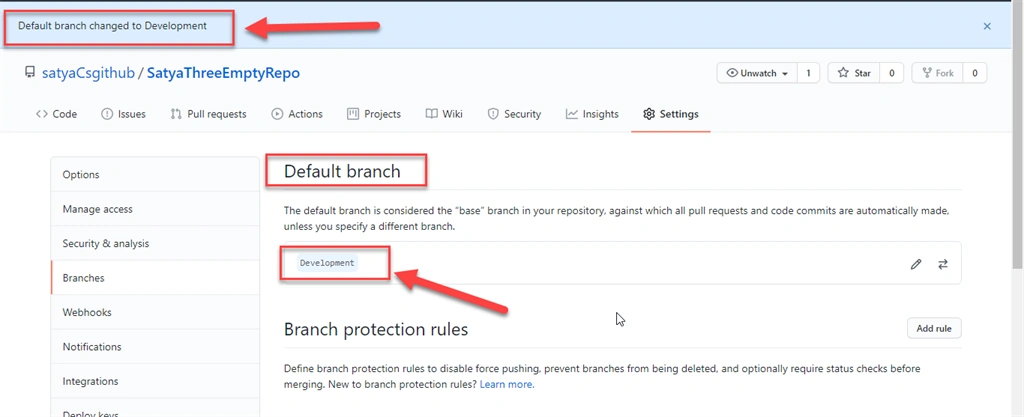
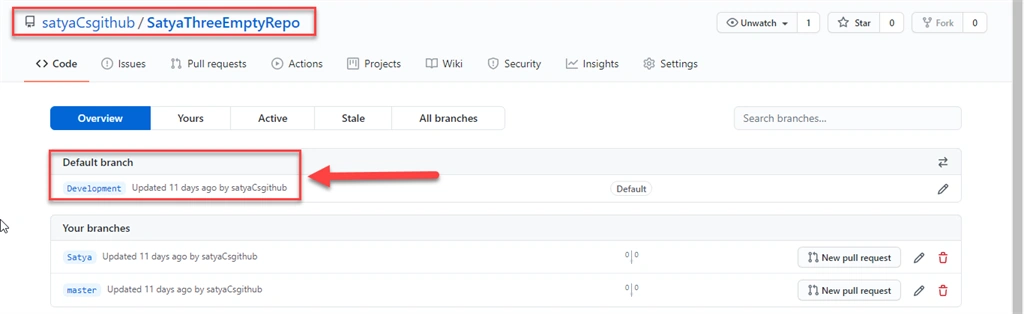
Join the conversation! Your thoughts help the community grow.