

In my previous article we've learned about the authentication modes available in SQL Server. Here's the link:
So let's get started.
A login in SQL Server is something that is used for authentication. A login is a security entity that can be authenticated by SQL Server or any Secure System. When we create a user, he needs a login to connect to SQL Server. This login is required when you connect to SQL Server via "SQL Server Authentication" mode.
The process of verifying any specific login by SQL Server or any system is called authentication.
In SQL Server a Login and a User are different from each other, they're not the same. A Login in SQL Server is a server-level security principal whereas a User in SQL Server is a database-level security principal.
Logins: Server Level
Users: Database Level
A login in SQL Server can be mapped to multiple databases but users can only be mapped as one user in each database.
Login details are stored in the master database whereas User details are stored in the database where it's mapped.
The scope of the login is one entire server and the scope of a user is one of the mapped databases. If the user wants to connect to the instance of SQL Server, a login must be mapped to the user.
We can grant and deny permission inside a database to the user not to the login.
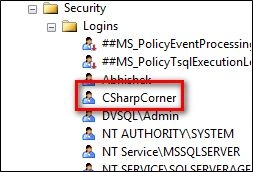
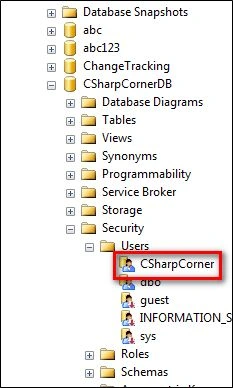
Logins are stored under sys.syslogins whereas users are stored under sys.sysusers of the mapped database as shown below.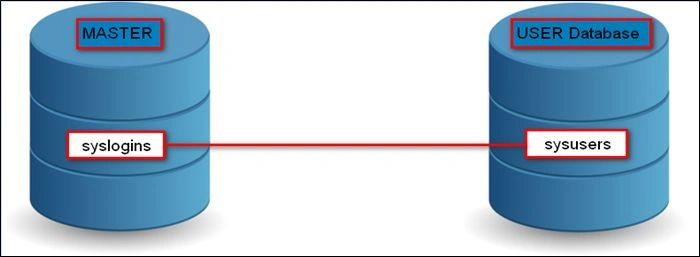
Note that both of the tables from both of the databases are linked. Both of the tables have the same column named SID as in the following screenshot: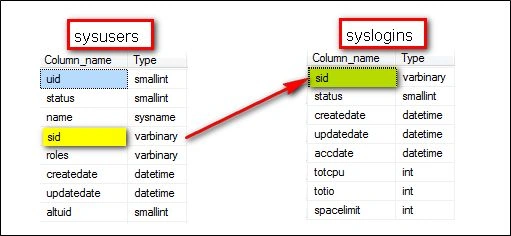
I hope until here you've understood the difference between logins and users. Now let's create a new login.
To create a new login, we've two ways, they are:
- SSMS GUI
- T-SQL
First we'll see from SSMS HUI, then we'll go through T-SQL.
To create a new Login from GUI, go to Object Explorer, Expand folders of Server and Expand Security Folder. Right-click on Logins as in the following .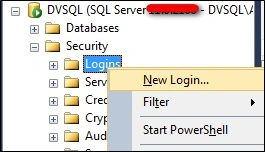
This will open new Login Window as in the following: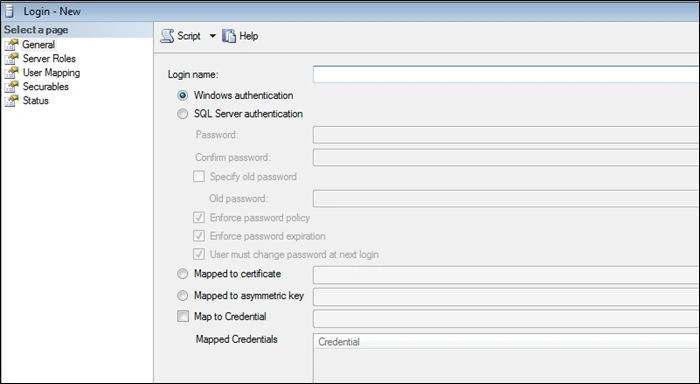
Here, you've to enter your login Name and types of authentication. If you select authentication type as "Windows authentication", SQL Server will use Windows login that means you don't need to create additional password or any username. If you use "SQL Server Authentication", your login name will be your username and you've set your password in password field as shown below.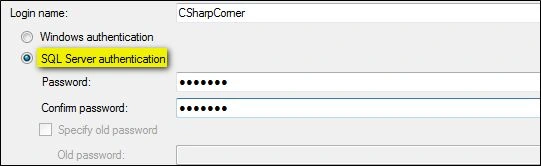
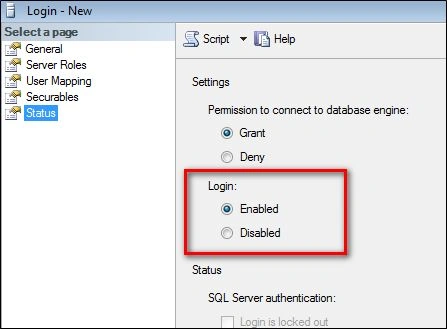
When you select "SQL Server authentication" as authentication mode, you'll see SQL Server enables 3 options with checkboxes as shown below.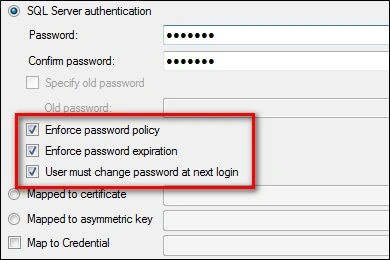

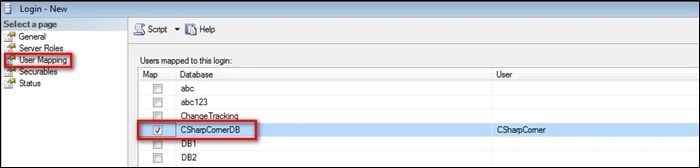
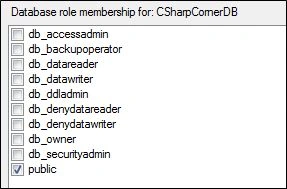
Rijwan AhmadPosted Mar 22, 2016, 10:15 PM
Nice and helpful
Santhakumar MunuswamyPosted Jul 19, 2015, 8:14 AM
Good one
Rajeesh MenothPosted Jul 16, 2015, 5:10 AM
Good One
Nilesh JadavPosted Jul 16, 2015, 1:59 AM
Nice article sir
Jaipal ReddyPosted Jul 16, 2015, 1:10 AM
nice one
Yashwant VishwakarmaPosted Jul 16, 2015, 1:04 AM
Awesome explanation :)
Pankaj Kumar ChoudharyPosted Jul 15, 2015, 7:40 PM
Nice Explain...........
Gopi ChandPosted Jul 15, 2015, 12:56 PM
Its nice
Debendra DashPosted Jul 15, 2015, 11:24 AM
good one.........
Sibeesh VenuPosted Jul 15, 2015, 9:29 AM
Nice Share
RakeshPosted Jul 15, 2015, 9:04 AM
Good one
Nilesh JadavPosted Jul 15, 2015, 8:55 AM
Nice one sir
Sujeet SumanPosted Jul 15, 2015, 7:58 AM
Good explanation.