

Introduction
In the past few days, I have developed apps for Windows 8. I have developed many apps and many of them are Windows Store apps. So I thought I should share my knowledge about developing a grid app for Windows 8. So to begin we will need a Windows 8 OS and Visual Studio 2012. We will be doing our coding in C#.
Step 1
Open Visual Studio 2012 and click on start a new project. Then give the name of the project.
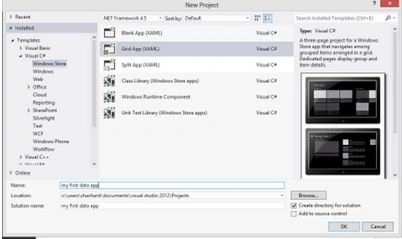
Step 2
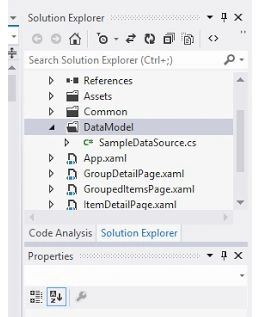
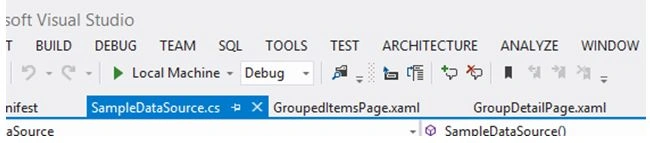
Then go to Solution Explorer and open GroupDeatailPage.xaml, GroupedItemPage.xaml and ItemDetailPage.xaml. Now go to the data model in Solution Explorer and open C#sampleDataSource.cs.
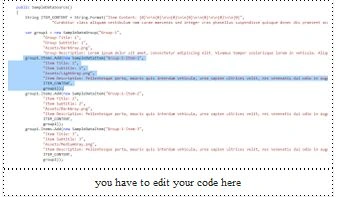
Now start coding in sampleDataSource.cs. What you have to do is just edit in sampleDataSource.cs; see:
- var group1 = new SampleDataGroup("Group-1",
- "grid app","windows 8 ","Assets/DarkGray.png",
- "this is a simple data app"
Step 4
Now start editing in the group items of the grid app; see:
- group1.Items.Add(new SampleDataItem("Group-1-Item-1",
- "your first Item","first Item's subtitle","Assets/LightGray.png",
- "description of first Item","content of first Item ",
- group1));
Step 5
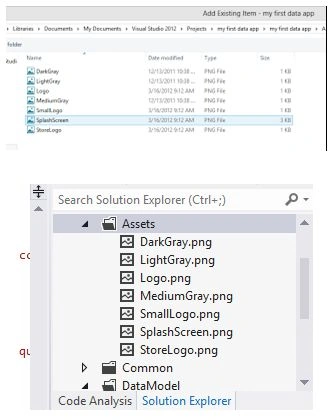
How to add images. Adding images is also simple. You have to add images in assets. Just click on "assets" in the Solution Explorer and click on "add from existing images".
Step 6
When you are all done, then click on "local machine" in debug mode.
Step 1
Open the page you want to change the color; for example, if you want to change the background of GroupDeatailPage.xaml then click on the GroupDeatailPage.xaml in Solution Explorer and click on open in the blend.
Step 2
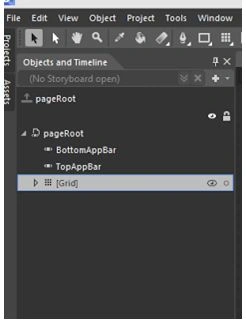
After the blend is open then click on "grid" in the left part in "objects and timeline".
Step 3
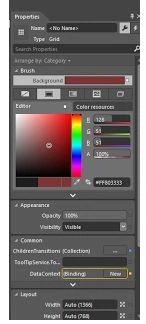
A properties block will appear on the right side. This block will contain many colors. Choose any color from these colors.
Debug your code.
In this way, you can make your own data app for Windows 8 and can publish it in the Windows Store.
Summary
In this article, we learned about Making a Grid App For Windows 8.
Akshay ViswanathanPosted Mar 2, 2013, 6:02 AM
Hi, I am new to C# and windows 8 development. There were a couple of things I wanted to know. I am developing an app where I want the start screen to be a grid layout. And when I click on any tile on the grid I should be taken to the next screen which will again be a grid layout. On the second grid layout I want to use tiles like buttons, i.e to perform operations like play back a sound on clicking a tile. Would you have an idea how I can feed a grid layout screen to the action of pressing a tile on the first screen? Thanks in advance! Akshay
NarmathaPosted Jan 19, 2013, 1:50 AM
How the contents of this grid app will be shared?