

Introduction
Unit testing plays a crucial role in software development by ensuring code quality and reducing bugs. Unit tests are automated tests that verify the behavior of individual units of code, typically at the function or method level. Developers may quickly detect and fix bugs by running unit tests regularly throughout development, resulting in more robust and maintainable code.
Check this article to learn more about unit testing and how it can benefit you.
Here, we will explore the advantages of unit testing, the tools and frameworks commonly used for writing and running unit tests, and some best practices for effective unit testing.
What is Karma?
Karma is a popular test runner used for running unit tests in Angular. It is a tool that allows developers to test their code in a browser environment, which makes it easier to simulate user interactions and test complex functionality.
It provides a range of useful features, such as code coverage and test debugging.
What is Jasmine?
Jasmine is a popular open-source testing framework for JavaScript that provides a clean and easy-to-use syntax for writing unit tests. It provides a suite of functions for writing assertions, mocking objects, and organizing tests into logical groups.
Jasmine is often combined with other tools, such as Karma. Jasmine and Karma work together to provide a powerful and flexible platform for writing and executing unit tests in Angular applications.
Getting started
I initialized a usual angular application using the command: ng new <<name of your app>>
Once completed. I opened it in my IDE, in my case WebStorm and run the npm install command.
If the readme.md file is not opened, open it. You will see the following:
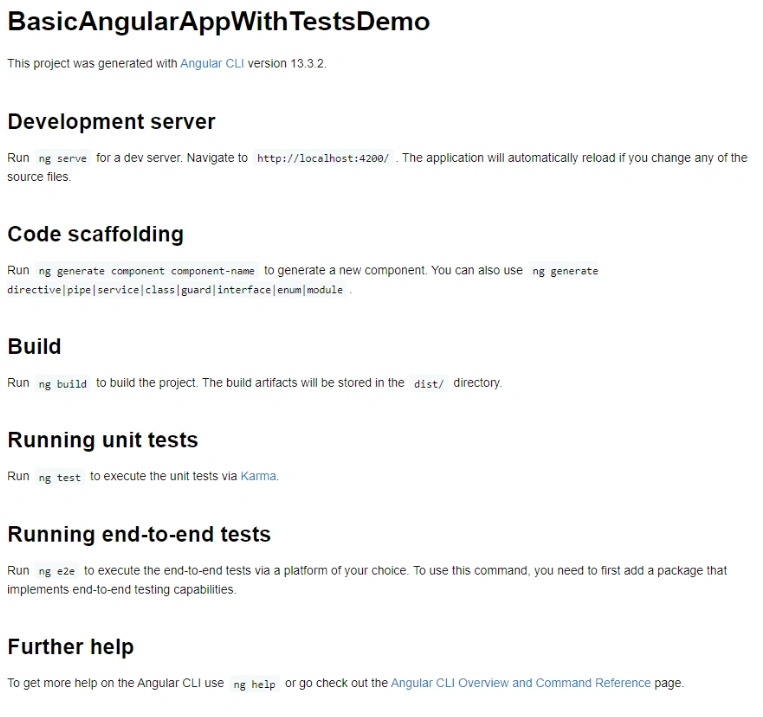
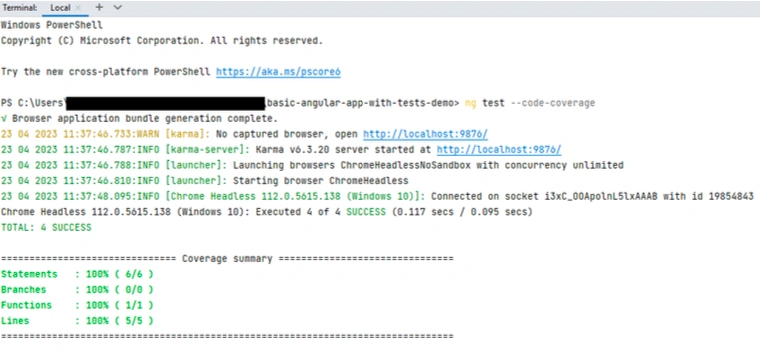
Note the section: 'Running unit tests'. It provides the command you need to run to execute the test in Karma.
Expand the project structure as follows: src > app
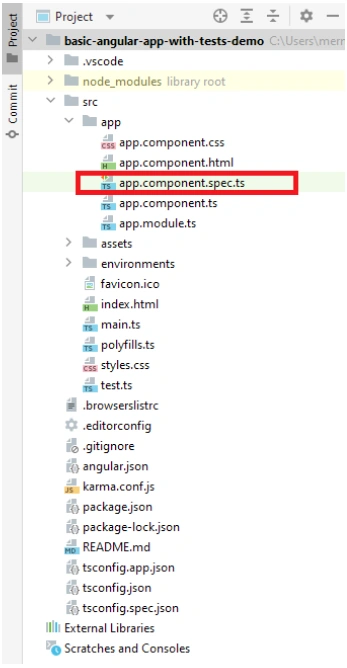
The app.component.spec.ts will contain the unit tests for the app component. As a rule of thumb, each component created will have a 'component.spec.ts' containing some basic test. Its naming is as follows: <<name of the component>>. component.spec.ts.
When you open the 'spec.ts' file, you will see the following:
import { TestBed } from '@angular/core/testing';
import { AppComponent } from './app.component';

describe('AppComponent', () => {
 beforeEach(async () => {
    await TestBed.configureTestingModule({
      declarations: [
        AppComponent
      ],
    }).compileComponents();
 });

 it('should create the app', () => {
  const fixture = TestBed.createComponent(AppComponent);
  const app = fixture.componentInstance;
  expect(app).toBeTruthy();
 });

 it(`should have as title 'basic-angular-app-with-tests-demo'`, () => {
  const fixture = TestBed.createComponent(AppComponent);
  const app = fixture.componentInstance;
  expect(app.title).toEqual('basic-angular-app-with-tests-demo');
 });

 it('should render title', () => {
  const fixture = TestBed.createComponent(AppComponent);
  fixture.detectChanges();
  const compiled = fixture.nativeElement as HTMLElement;
  expect(compiled.querySelector('.content span')?.textContent).toContain('basic-angular-app-with-tests-demo app is running!');
 });
});
-
On line 4, you will see 'describe'. It can be considered as a container regrouping test for the same function. The tests provided by default are used to test the creation of the component. It is good to keep them.
-
On line 5, there is the 'beforeEach' function. These are some shared codes/setup that need to be run before each test in the 'describe' part.
-
On lines 13, 19, and 25, we see the 'it'. It is the actual unit test that tests a specific scenario. It is often referred to as a spec. We see that there are 3 'it'/spec in this describe. It means there are 3 unit tests covering 3 specific scenarios in this function.
Each spec has 2 parameters. The first is the expection, which is what we expect the test to do. It is simply a string describing what is expected from the test; for example, 'should return the text xyz'. The second parameter is a function which is for instance initializes some mock variables or do some set up to call an 'instance' of the real function that does the actual processing. What is inside this function depends on your function in your JavaScript file and its use case. -
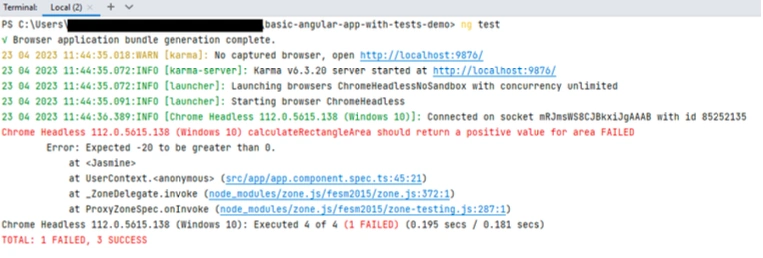
On lines 16, 22, and 29, we see 'expect'. After the test is run in the function of the 'it', the 'expect' checks if the result of the test matches the expectation(its expected value). For example, on line 22, the line 'expect(app.title).toEqual('basic-angular-app-with-tests-demo');' check if the app.title obtained as a result of the test matches the value' basic-angular-app- with-tests-demo'. If it does match this expectation, the test is successful. Else the test is a failure and is marked as so.
The karma.conf.js file
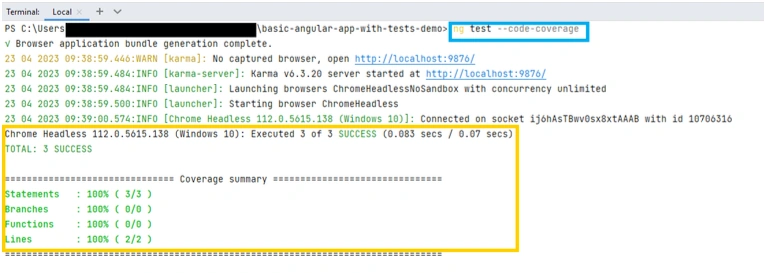
This file contains all the configurations required to run unit tests and tests with coverage. It is generated automatically when you create an Angular project.
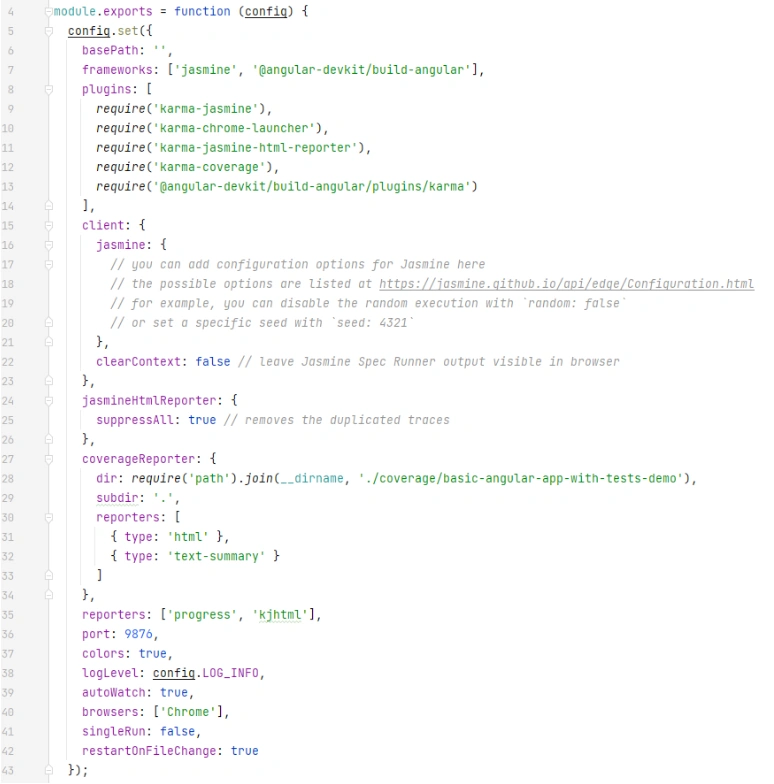
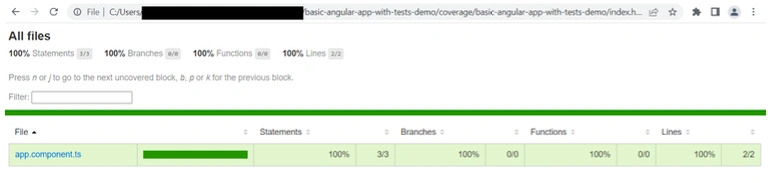
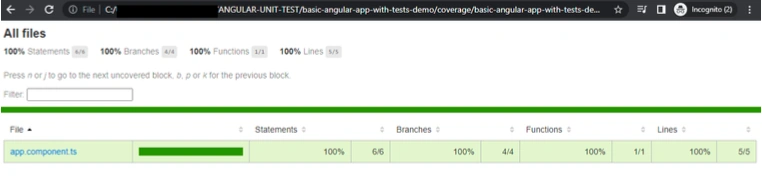
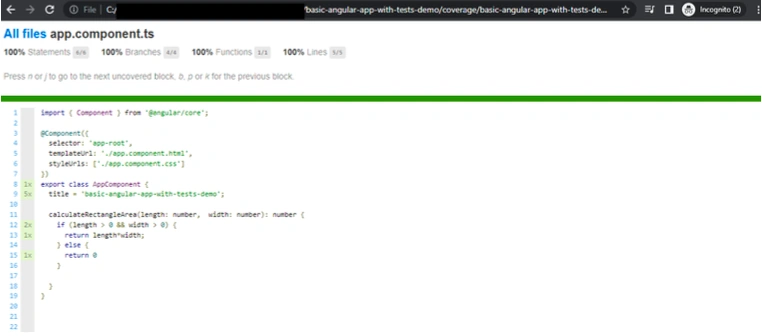
One important line is line 28. It shows where the coverage report is stored when you run the tests with coverage.
If you do not want any browser window to open when the tests are run, change the config on line 40 from 'Chrome' to 'ChromeHeadless'. The line will be as follows:
browsers: ['ChromeHeadlessNoSandbox'],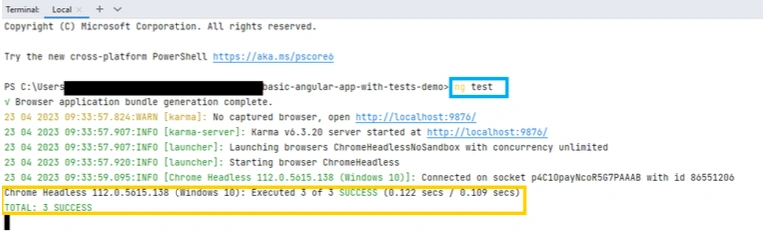
Join the conversation! Your thoughts help the community grow.