

In this article I'll share my Media Type formatting in the WebApi.
From the ASP.NET Web API perspective, serialization is the process of translating a .NET Common Language Runtime (CLR) type into a format that can be transmitted over HTTP. The default format can be either JSON or XML
A media type formatter that is an object of type MediaTypeFormatter, performs the serialization in the ASP.NET Web API pipeline. Consider a simple action method handling GET in an ApiController:

This method returns a CLR object of type Employee. In order for the data contained in this object to be returned to the client in the HTTP response message, the object must be serialized. The MediaTypeFormatter object in the ASP.NET Web API pipeline performs this serialization. It serializes the object returned by the action method into JSON or XML, that is then written into the response message body. The out-of-box media formatters that produce JSON and XML are respectively JsonMediaTypeFormatter and XmlMediaTypeFormatter, both deriving from MediaTypeFormatter. The process through which the MediaTypeFormatter is chosen is called content negotiation, also known as conneg.
A resource can have one or more representations. When you issue a GET to retrieve a resource, such as the employee with ID 12345, the response message contains the representation of the resource for example any value that specific action returns. The Web API indicates how the resource is represented in the response through the Content-Type response header. The Accept request header can be used by a client to indicate the set of preferred representations for the resource in the response.
By default the ASP.NET Web API framework supports two media or content types: JSON and XML.If you send a request with Accept: application/json, the response message will be JSON and Content-Type will be application/json. Similarly, if you send a request with Accept: application/xml, the response message will be XML. You can also specify a quality value indicating the relative preference. The range is 0–1, with 0 being unacceptable and 1 being the most preferred. The default value is 1. For example, if you send the request header Accept:
application/json; q=0.8, application/xml;q=0.9
Then the response message will be XML, because application/xml has a quality value of 0.9, that is higher than the quality value of 0.8 specified for application/json.
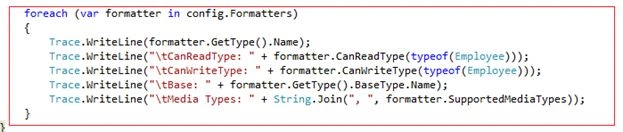
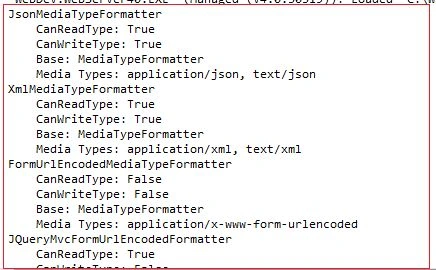
Now we use an example and list out the default MediaTypeFormatters.
Kindly also visit these links to learn more about the WebApi.
Now we use an example and list out the default MediaTypeFormatters.
Kindly also visit these links to learn more about the WebApi.
- WEBAPI: EXECUTION OF RPCSTYLE ACTION METHOD IN WEBAPI USING MVC4
- WEBAPI PATCH UPDATE USING FROMBODY PARAMETER IN WEBAPI USING MVC4 TEMPLATE
- WebApi Configuration over Convention using MVC4 template
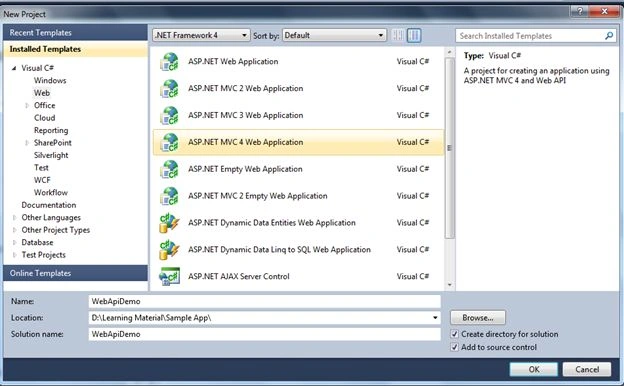
Use the following procedure to create a sample application.
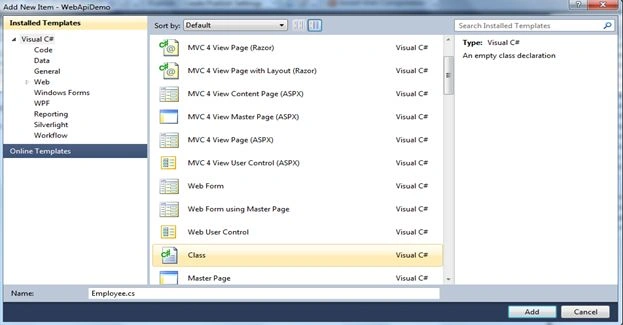
Step 1: Let's first create a sample web application using an ASP.NET MVC 4 Web Application and name it as you choose; I used WebApiDemo as shown in the image below:
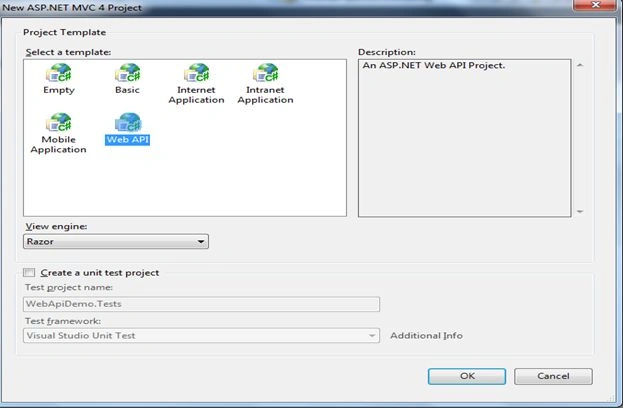
Step 2: Click "OK" and choose the Web API option from the templates shown in the wizard window.
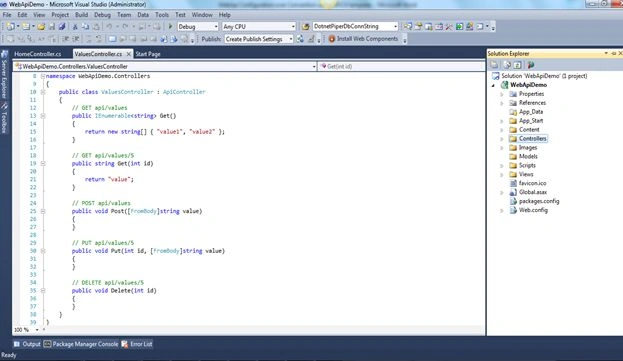
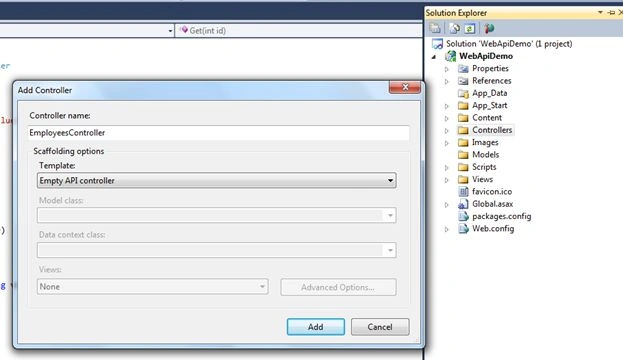
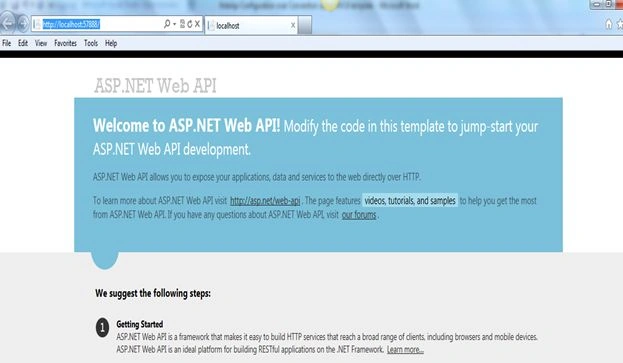
Step 3: You'll find the application structure as shown below at first sight.
kethireddy dharmatejareddyPosted Aug 23, 2018, 1:04 PM
Hi sir, I did not find anything in output window. Could you please tell me How can i see output window with the following mention above.