

Introduction
Microsoft is a popular platform for devices and provides an innovative learning platform from the beginner's level to advanced. Let's begin this new article with Microsoft Artificial Intelligence. Today, we have more power at our fingertips than the entire generation before us. The great thing about this AI is the possibility, adaptability, and capability. Just imagine a person without a hammer, a person without a paper; it's not the technology, but it's us behind all this automation. It's our voice, but AI is a microphone, we are the artist but AI is a paintbrush. We are always thinking about the future and dreams. Within this Mixed Reality world, AI is the best tool to empower us.
Microsoft AI Learn
We will explore Artificial Intelligence in the topics regarding AI Business School, AI School, AI Lab, and Experienced AI.
AI Business School
Business uses some crucial terms like strategy, responsibility, and confidence.
- Defining an AI Strategy in your organization establishes a framework for thinking strategically.
- Drives the key changes that are necessary to become an AI-ready organization with solutions for finance, marketing, sales, and customer services to enable AI-Ready Culture.
- Responsible AI in business explores the implications of AI in business. It develops guidelines to develop a governance model with resources, best practices, and tools.
- Confidence gets the leading power in the business. For business leaders, AI technologies dive into the latest advancements in AI tools, products, and services that can be leveraged by organizations.
To create real business value and realize the true transformational power of AI in the enterprise, leaders need to have a deep understanding of all the strategic components.
Manufacturing, Retail, Healthcare, Financial Services, Government, and Education.
AI School
If you are completely new or a professional who dreams of reaching your goals, then AI school is the best place to find information, learning materials, and platforms to build an intellectual empire towards the future. There are numerous resources to learn AI, let's explore these ones by one.
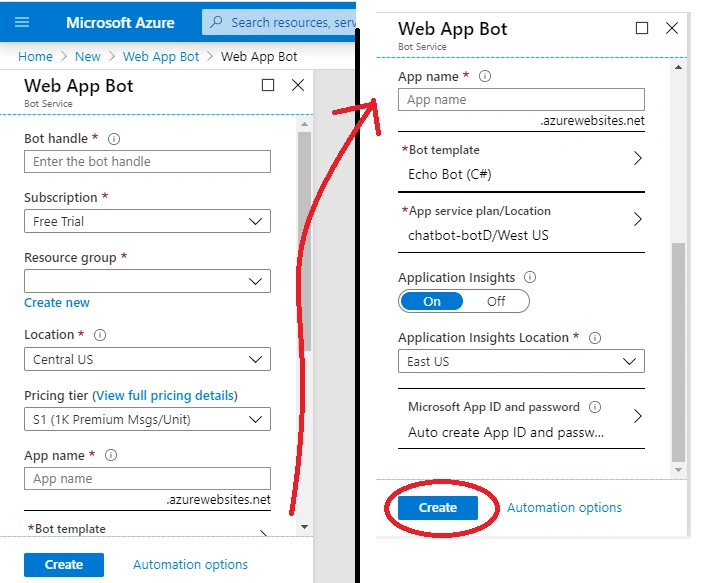
Conversational AI: this is used to create delightful bot interactions in your apps and other channels. Either choosing an industrial bot or intelligent bot, we can build a chatbot according to our needs and purposes with the available resources and requirements. I personally like to go with an intelligent bot. Let's create a quick and simple bot using Microsoft Azure.
Create a Bot resource in Microsoft Azure
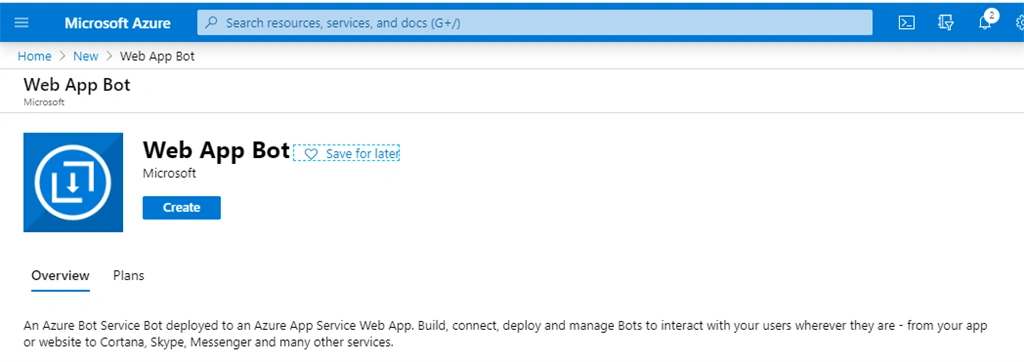
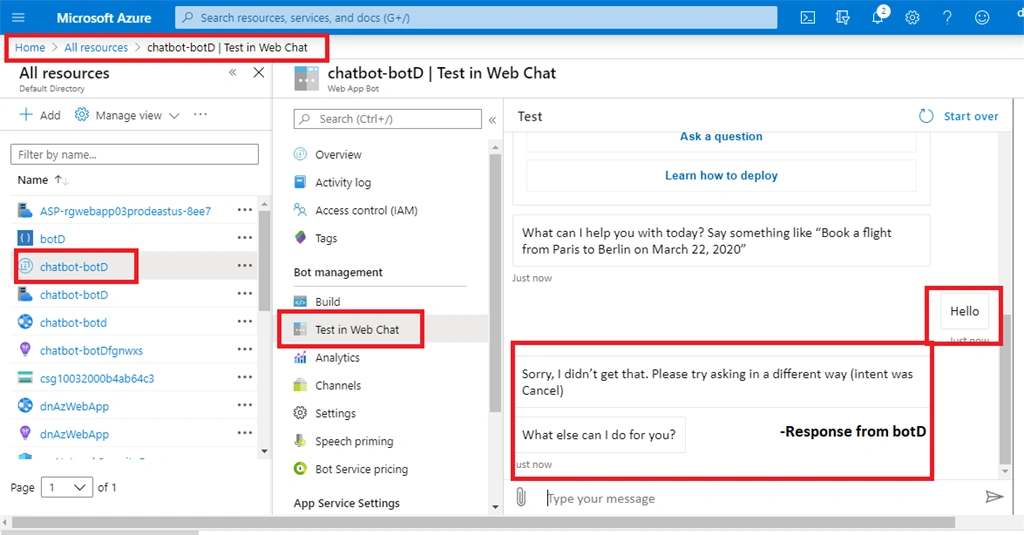
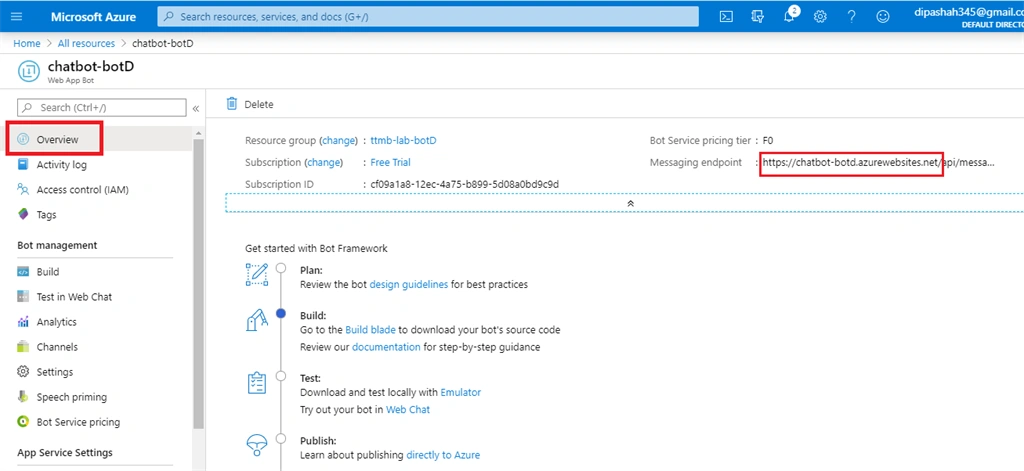
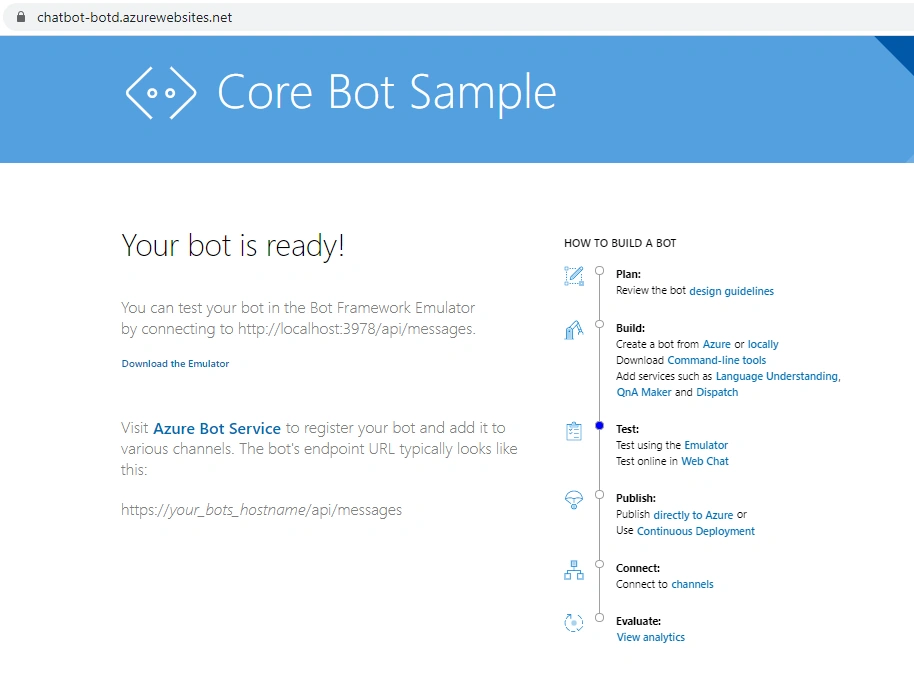
Microsoft Azure has a Bot Service that is connected with the building and hosting bots. It fetches the Microsoft Bot Framework for the basic functions and Azure Web Apps to host these bots. Here, we will see how to host our bot using Azure Web App and by using Direct Line Channel to integrate the Web Chat with the bot service.
Follow these steps,
Step-1
Log into the Azure Portal.
Jay Krishna ReddyPosted Aug 2, 2020, 4:39 PM
well informative article
Aakash MauryaPosted May 11, 2020, 11:26 PM
That's really great start. Waiting for more ...
Rushi MehtaPosted May 11, 2020, 1:16 AM
The article is very useful and it will good to learn.
Onkar SharmaPosted May 8, 2020, 2:56 AM
An informative article on trending and latest platform that gives the right path, I will definitely try it...
Vijayakumar SPosted May 6, 2020, 7:33 PM
Hi mam, This article is very useful.
Aktham MahmoudPosted May 6, 2020, 11:20 AM
Thanks Dipa, Actually am very intresting in AI, specially how to apply that field with others secctors data mining , CBIR. . I know that fiels very huge and required to be cleaver and patient..