

Introduction
In the previous article, we have learned about the multiple-reducer concept in Redux along with its implementation using the combineReducer() method. Now, in this article, we will be learning about the concept of Middleware along with its usage and Async actions in Redux.
Middleware
In Redux, middleware provides a third-party extension point between dispatching an action and handling the action off the reducer.
Action <-> Middleware <-> Dispatcher
Middleware provides a way to extend Redux with custom functionality. It is mainly used for logging, crash reporting, asynchronous requests, route handling, and many more.
The best feature of middleware is that it can be composed in a chain. You can use multiple independent third-party middlewares in a single project.
Let’s start with the implementation of Middleware using redux-logger.
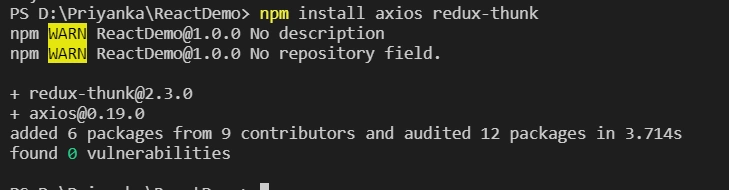
So, implement it by installing it in Visual Studio Code.
- npm i --save redux-logger

Now, we will be updating the previous code as below.
First, import the redux-logger after installation.
- const reduxLogger = require('redux-logger')
Now, create a variable for applyMiddleware function from the Redux library.
- const applyMiddleware = redux.applyMiddleware
- const logger = reduxLogger.createLogger()
After that, update it in createStore as the second argument.
- const store = createStore(rootReducer,applyMiddleware(logger))
The overall code looks like below.
- const redux = require('redux')
- const reduxLogger = require('redux-logger')
- console.log("Index js in redux app")
- const createStore = redux.createStore
- const combineReducer = redux.combineReducers
- const applyMiddleware = redux.applyMiddleware
- const logger = reduxLogger.createLogger()
- const LOGIN = 'LOGIN'
- const USER_DETAIL = 'USER_DETAIL'
- // action
- function loggedIn(user, pwd) {
- return {
- type: LOGIN,
- username: user,
- password: pwd,
- loggedInStatus: ""
- }
- }
- function updateUserName(FirstName, LastName, UserName) {
- return {
- type: USER_DETAIL,
- FirstName: FirstName,
- LastName: LastName,
- UserName: UserName
- }
- }
- function callLoginApi(username, password) {
- if (username === 'admin' && password === 'admin') {
- return "Login Success";
- } else {
- return 'Invalid email and password';
- }
- }
- const initialLoginState = {
- username: "test",
- password: "test",
- loggedInStatus: ""
- }
- const initialUserState = {
- FirstName: "",
- LastName: "",
- UserName: ""
- }
- const loginReducer = (state = initialLoginState, action) => {
- switch (action.type) {
- case LOGIN:
- return {
- ...state,
- username: action.username,
- password: action.password,
- loggedInStatus: callLoginApi(action.username, action.password)
- }
- default:
- return state
- }
- }
- const UserReducer = (state = initialUserState, action) => {
- switch (action.type) {
- case USER_DETAIL:
- return {
- ...state,
- FirstName: action.FirstName,
- LastName: action.LastName,
- UserName: action.UserName
- }
- default:
- return state
- }
- }
- const rootReducer = combineReducer({
- login : loginReducer,
- userDetail : UserReducer
- })
- const store = createStore(rootReducer,applyMiddleware(logger))
- console.log("Initial State", store.getState())
- const unsubscribe = store.subscribe(() => {})
- store.dispatch(loggedIn("user", "user"))
- store.dispatch(loggedIn("admin", "admin"))
- store.dispatch(updateUserName("priyanka", "jain", "[email protected]"))
- store.dispatch(updateUserName("test", "test", "[email protected]"))
- unsubscribe()
This will display the output as below.
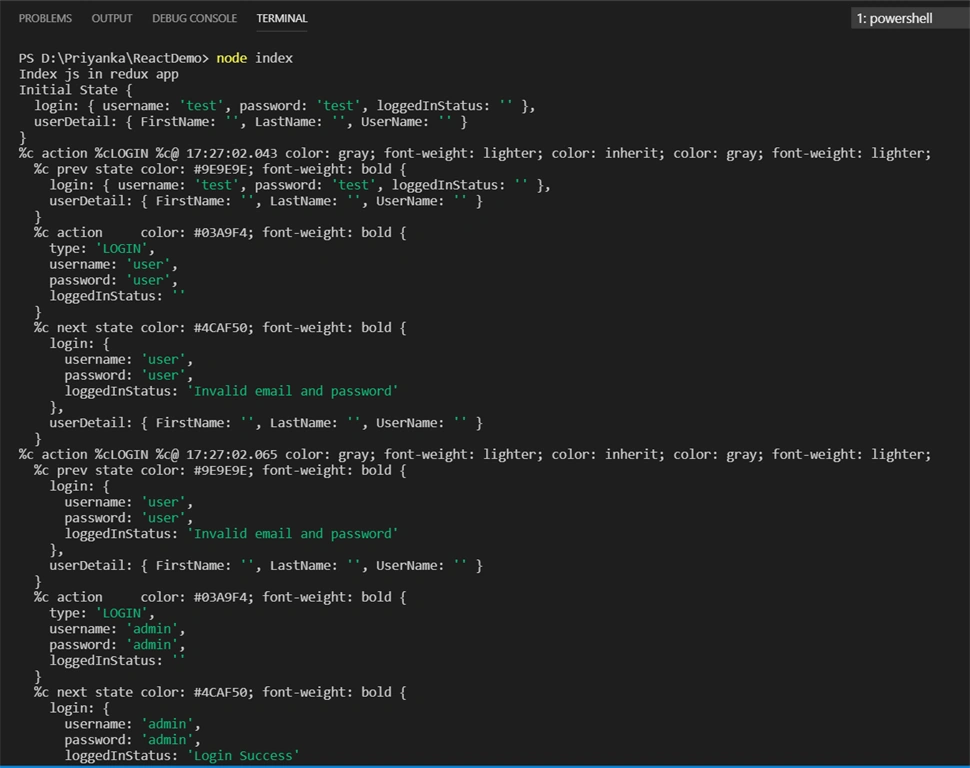
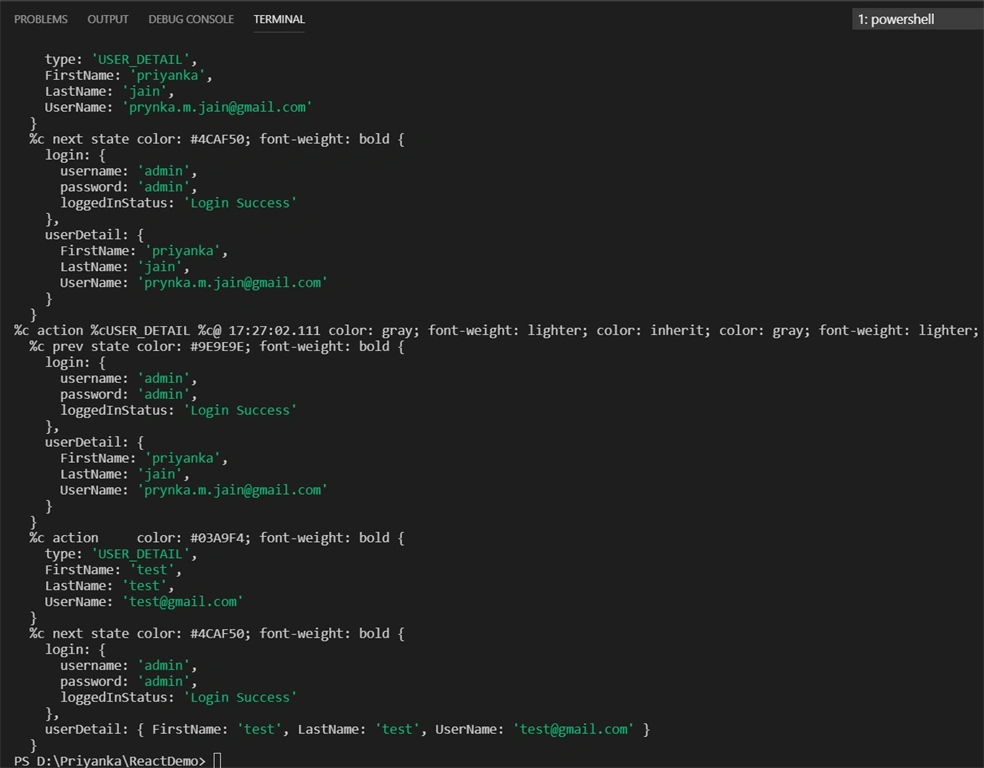
In the image, the output is displaying the log, stating which action is performing after the % sign.
Now, we are going to learn about Asynchronous action along with middleware.
Async Actions
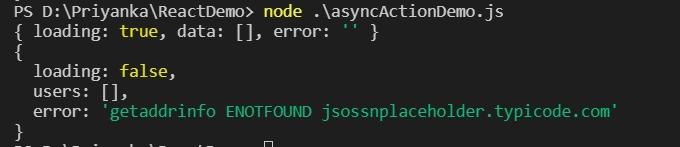
In the previous article, we have seen about synchronous action, i.e., as soon as the action is dispatched, the state gets updated. But there are some scenarios when we need to update the state based on some API calls or something that takes time to execute. Then, we need to use Async Actions.
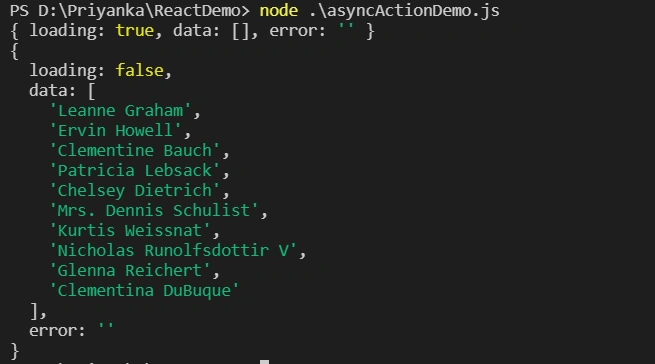
Let’s look at the demo which fetches data from API using the Redux application.
Now, for fetching data from API, we will see how to write code in the Redux application.
First of all, our state should go like this:
- State = {
- loading : true, // display till data load
- data : [], // once data loaded it will be displayed in it
- error:’’ // While calling API if any error occurs here it will be stored
- }
Secondly, these actions need to be performed.
FETCH_DATA_REQUEST – Retrieve a list of data from API
FETCH_DATA_SUCCESS – When data retrieval is done successfully
FETCH_DATA_FAILURE – When there is an error while retrieving data
At last, Reducer will perform an evaluation based on actions.
- CASE FETCH_DATA_REQUEST:
- loading: true
- CASE FETCH_DATA_SUCCESS:
- loading: false,
- users:data, // data returned from API
- CASE FETCH_DATA_FAILURE:
- loading : false,
- error : error // if any error occurred by API
Now, let’s create a new JavaScript file as - asyncActionDemo.js.
Mageshwaran RPosted Nov 16, 2019, 6:29 AM
Nice Article..