

Why This Migration Is Different From a Typical Upgrade
Moving from ASP.NET Web API 2 on .NET Framework to ASP.NET Core Web API is not a TargetFramework change. The old stack is built on System.Web, Global.asax, and HttpConfiguration, while ASP.NET Core uses a middleware pipeline, built in dependency injection, and endpoint routing. Microsoft’s migration guide treats this as a deliberate migration with architectural changes, not a simple retarget.
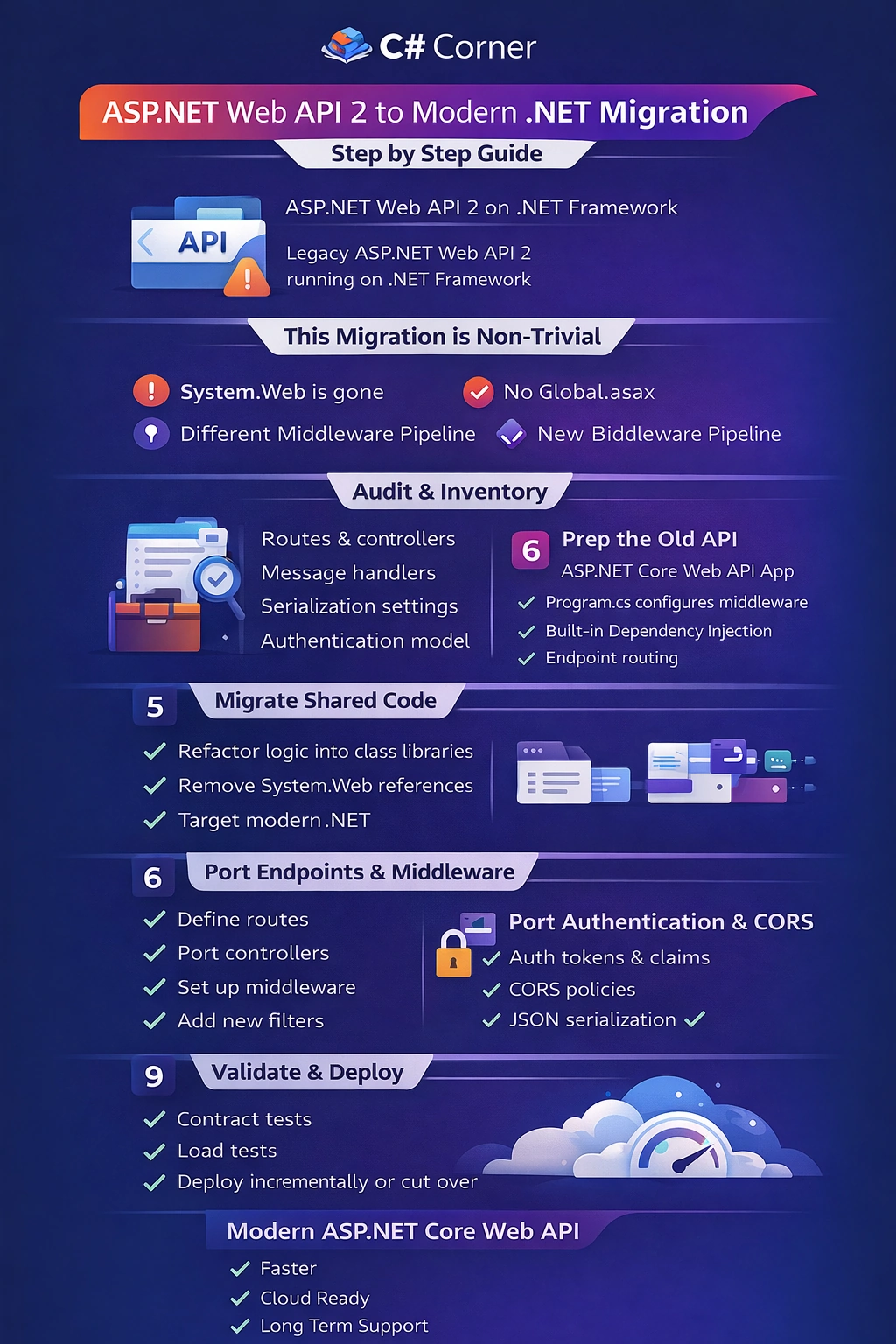
Step 1 Audit Your Web API 2 Application Like a Production Engineer
Before you create a new ASP.NET Core API, map the current system so you know what must be reproduced.
Inventory checklist
Controllers and route templates, including attribute routing
Message handlers, filters, and global exception handling
Formatters and serialization settings, including JSON settings
Authentication, authorization, and custom claims logic
CORS settings
Dependency injection container, if any
NuGet packages that depend on System.Web or Microsoft.AspNet.WebApi
This step is essential because many Web API behaviors were implemented through HttpConfiguration, message handlers, and WebApiConfig, which do not exist the same way in ASP.NET Core.
Step 2 Stabilize the Existing API Before You Move Anything
You want a baseline you can trust.
Freeze the current code in source control
Run a complete set of smoke tests against the existing endpoints
If you have OpenAPI or Postman collections, make sure they reflect reality
Capture behavioral details that clients depend on, especially status codes and error payloads
This is the difference between a smooth cutover and a slow failure where clients start breaking after the migration.
Step 3 Migrate Shared Libraries First
This is the highest ROI move. If your business logic is currently inside the Web API project, extract it into class libraries and modernize those first, so the new API host is mostly wiring.
Move domain models, services, and data access into libraries
Remove direct System.Web dependencies
Target modern .NET or a compatible target that allows reuse during transition
Microsoft’s general guidance for porting emphasizes reducing platform specific dependencies and moving code into reusable units before the final move.
Step 4 Create the Destination ASP.NET Core Web API Project
Microsoft’s Web API migration walkthrough starts by creating a destination project and then moving functionality into it in a controlled order.
Create a new ASP.NET Core Web API project
Add your shared libraries
Add essential packages your API needs, like authentication packages, logging, and OpenAPI if you use it
In ASP.NET Core, there is no Global.asax and no WebApiConfig.Register. Startup is defined in Program.cs through the host builder and middleware pipeline.
A typical skeleton looks like this conceptually
Services registration
Middleware ordering
Endpoint mapping
Step 5 Replace WebApiConfig and HttpConfiguration With ASP.NET Core Routing
In Web API 2, routing is commonly configured in WebApiConfig and executed through System.Web hosting. In ASP.NET Core, routing is configured in the pipeline with endpoint routing.
What to do
Port route templates exactly to keep URLs stable
Enable attribute routing by default using controllers
Map a conventional route only if your API relied on it
Validate route constraints and optional parameters carefully
If you change routes accidentally, clients fail silently until production traffic hits those endpoints.
Step 6 Port Controllers and Action Signatures Correctly
ASP.NET Core APIs use ApiController conventions and a slightly different model binding system.
Port one controller at a time
Replace System.Web.Http types with Microsoft.AspNetCore.Mvc equivalents
Use IActionResult or ActionResult<T> return types where appropriate
Validate model binding behavior for query strings, route values, and body payloads
Microsoft’s guidance for controller based APIs in ASP.NET Core is built around controller conventions and return type patterns that you should adopt to keep behavior explicit and testable.
Step 7 Migrate Filters, Message Handlers, and Exception Handling
This is where many migrations stall because Web API 2 relied heavily on DelegatingHandler and HttpMessageHandler pipelines.
In Web API 2 you might have
DelegatingHandler for logging, correlation IDs, auth tokens, request rewriting
Exception filters or global exception handling in HttpConfiguration
Action filters for cross cutting rules
In ASP.NET Core you typically replace these with
Middleware for request level cross cutting concerns
Filters for controller action concerns
Centralized exception handling middleware for consistent error payloads
This is aligned with Microsoft’s emphasis that ASP.NET Core uses middleware instead of the old module and handler pipeline.
Step 8 Match JSON Serialization Behavior Exactly
Most client breaking changes come from serialization differences.
Identify current JSON behavior
Property naming conventions
Enum serialization
Date and time formats
Null handling
Reference loop handling
In ASP.NET Core, JSON is configured through MVC options. If you change serialization defaults, clients may parse responses differently even if routes and status codes are correct.
Step 9 Move Configuration From Web.config to appsettings.json
Web API 2 apps often stored connection strings, secrets, and feature flags in Web.config. ASP.NET Core uses appsettings plus environment based configuration.
What to do
Create appsettings.json and environment variants
Move connection strings and app settings
Bind settings to strongly typed options classes
Stop reading settings through ConfigurationManager in the web host layer
This also sets you up for cloud deployment where environment variables and secret stores matter.
Step 10 Migrate Authentication and Authorization Without Breaking Clients
Security migrations must be deliberate.
Identify current auth type
Bearer tokens
Basic auth
OAuth flows
Custom headers or HMAC signatures
Windows auth
ASP.NET Core uses authentication handlers and middleware that you configure in services and pipeline. Microsoft calls out authentication and authorization as one of the major differences and challenges during ASP.NET Framework to Core migrations.
Key practical rule: Do not change the token format or claim mapping unless you plan a coordinated client rollout.
Step 11 Add CORS, Versioning, and OpenAPI Like a Modern API
If your Web API 2 app had CORS in WebApiConfig, recreate it in ASP.NET Core with explicit policies.
Then decide on
API versioning strategy if you support long lived clients
OpenAPI and Swagger for client teams and partner integrations
ASP.NET Core’s controller based API patterns integrate cleanly with OpenAPI tooling.
Step 12 Choose Cutover Strategy
You have two realistic choices.
Option 1 Big bang cutover: You deploy the new API and switch clients at once. This only works when the surface area is small and clients can be coordinated.
Option 2 Incremental migration: You run the new ASP.NET Core API alongside the legacy Web API 2 and move endpoints over gradually. Microsoft’s ASP.NET Framework to Core migration guidance explicitly supports incremental approaches for many production systems.
Step 13 Validate With Contract Tests
Before production cutover, validate correctness at the contract level.
Run the same request set against old and new
Compare status codes and headers
Compare response body schema and key fields
Validate error payload shape and error codes
Load test critical endpoints
This is how you catch subtle differences like 204 vs 200, or property casing, before clients do.
Step 14 Deploy to IIS or Containers Correctly
ASP.NET Core can run behind IIS or in containers. Pick what matches your ops model. If hosting on IIS, you typically deploy using the hosting bundle and correct configuration for reverse proxy behavior. If containerizing, standardize on health checks, structured logging, and a clear configuration strategy.
Step 15 Use Tooling If It Helps, But Do Not Expect Magic
Microsoft now points to modernization tooling for upgrading ASP.NET Framework MVC and Web API projects to ASP.NET Core. These tools can accelerate mechanical changes, but you will still do manual work for pipeline behavior, auth, and framework specific features.
FAQs
Can I upgrade ASP.NET Web API 2 by just changing the target framework to modern .NET
No. Web API 2 depends on the ASP.NET Framework pipeline and System.Web, so you create a new ASP.NET Core host and migrate behavior into it.
What usually breaks first when migrating Web API 2 to ASP.NET Core
Routing templates, JSON serialization defaults, authentication behavior, and exception response shape are the most common sources of client breaking changes.
Do I need to migrate to Minimal APIs or can I keep controllers
You can keep controllers. Microsoft provides a controller based Web API model in ASP.NET Core and a full tutorial for it.
Should I migrate all endpoints at once
Only if your API is small and clients can coordinate. For many production systems, incremental migration is safer and explicitly supported in Microsoft’s migration guidance.
What is the best order to migrate Web API 2 components
Start with shared libraries, then create the ASP.NET Core host, then migrate routing and controllers, then cross cutting concerns like middleware, auth, and serialization, then finalize configuration and deployment.
If you want, tell me what your current Web API uses for authentication and DI container, and I will provide a concrete migration sequence that maps your exact setup to ASP.NET Core equivalents with code patterns for Program.cs, auth, middleware, and error handling.
Join the conversation! Your thoughts help the community grow.