

- Modify the SQL query definition.
- Modify the expected data, verification, type, or method.
To modify the SQL query definition
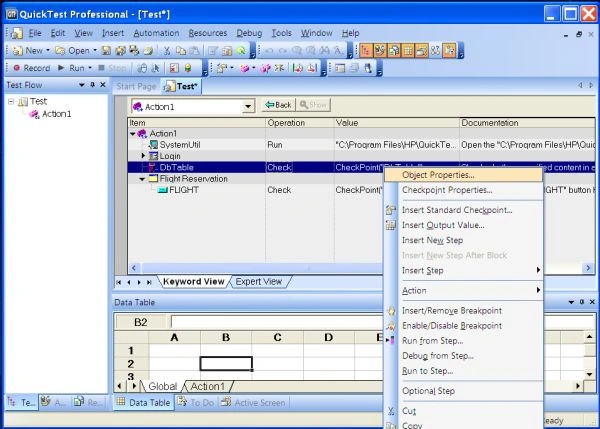
- In the Keyword View, right-click the database object that you want to modify.
- Select Object Properties.
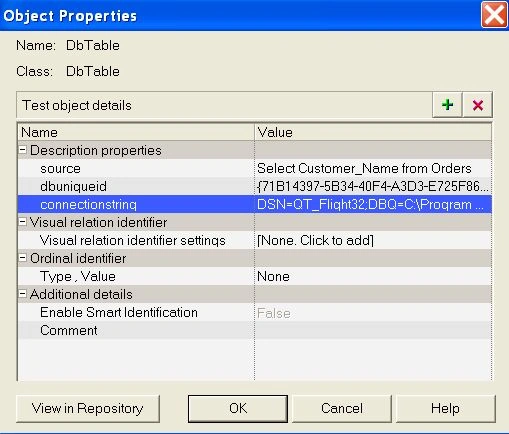
- Modify the SQL and connection string properties as necessary and click OK.
To modify the expected data in a database checkpoint:
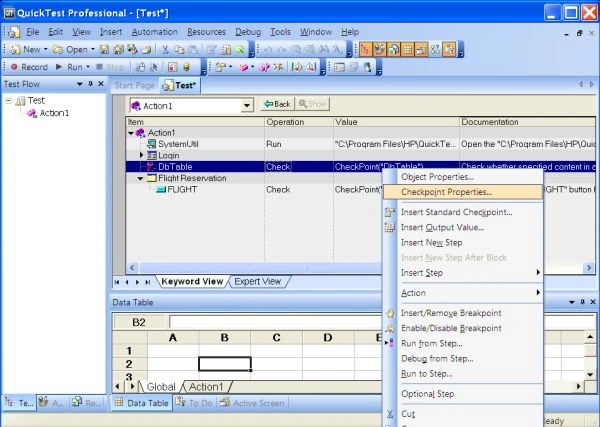
- In the keyword view or Expert view, right-click the database checkpoint that you want to modify.
- Select "Checkpoint Properties", as in:

Join the conversation! Your thoughts help the community grow.