

Executive Summary
Build a production-ready n8n workflow that converts a single news article URL into platform-optimized social posts (LinkedIn, Reddit, X/Twitter) plus an AI-generated image. The 8-node architecture below is cost-aware, robust, and designed for scale:

Workflow Architecture at a Glance
Here's the streamlined, production-ready 8-node workflow :
Manual Trigger → HTTP Request → HTML Parser → OpenAI GPT (LinkedIn)
→ OpenAI GPT (Reddit) → OpenAI GPT (X/Twitter) → OpenAI Image → Output Formatter
This system ensures each article URL becomes a LinkedIn post (200–250 words), Reddit post (300–400 words), and tweet (<280 characters) , all accompanied by a social-optimized AI image .
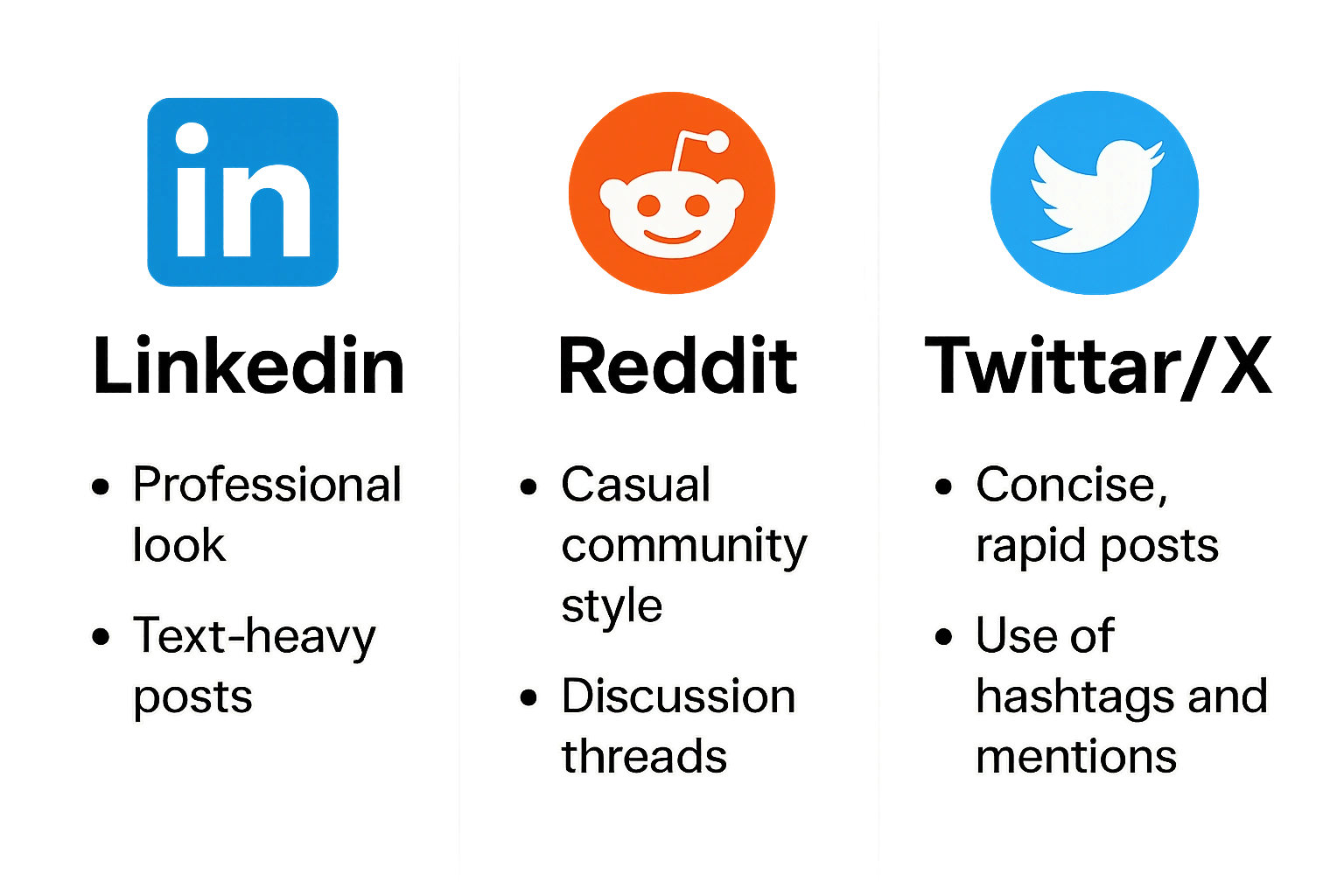
Platform-Specific Optimization
LinkedIn: Insight-driven, short paragraphs, clear call-to-engagement.
Reddit: Contextual, non-promotional, encourages discussion.
Twitter/X: Short, punchy, curiosity-driven.
High-level workflow design
Manual Trigger — user pastes article URL (or webhook/bookmarklet triggers).
HTTP Request — fetch article HTML with safe headers and optional rendering fallback.
HTML Parser — extract title, author, published date, main content (or call an extractor like Mercury/Readability).
OpenAI GPT (LinkedIn) — produce 200–250 word professional post.
OpenAI GPT (Reddit) — produce 300–400 word discussion post with context.
OpenAI GPT (X/Twitter) — produce <280 char viral-optimized tweet.
OpenAI Image — build DALL·E 3 prompt from article and generate image in landscape/1.91:1 for social.
Output Formatter — assemble final JSON with content + image URL, metadata, QA score.
Sample Outputs (toy example using a TechCrunch-style headline)
Input URL: https://www.c-sharpcorner.com/ 2025/09/01/ai-startup-raises-series-b/
Extracted title: AI startup raises $120M to scale privacy-preserving ML
LinkedIn (sample, 220 words):
Companies investing in privacy-preserving ML are betting that trust will be the real competitive edge...
[two short paragraphs with insights and one practical takeaway]
Hashtags:#AI #Privacy #ML
Engagement question: What steps is your org taking to make ML models privacy-aware?
Reddit (sample, 350 words) — summary, bullet points, 3 open questions suitable for r/MachineLearning.
Tweet (sample):
New $120M bet on privacy-first ML — is trust the next moat in AI? 🔐 #AI #Privacy
Image: a clean, blue-toned photo-realistic composition showing abstract neural-network overlays on a city skyline (1200×628 px).
Node 1 — Manual Trigger
Purpose: Accept a news article URL + optional metadata (platform toggles/tone).
n8n config:
Node type:
Manual Trigger(orWebhookfor automation).Inputs:
url(string, required)source(string, optional — e.g., TechCrunch, BBC)force_render(boolean, optional) — if true, use a headless-render servicepreferred_image_style(enum: photographic, illustration, flat, minimal)
Usage: If you want a one-click from the browser, create a Webhook node and a bookmarklet that opens a request.
Fallback: When used as a webhook, validate origin: check headers.referer or HMAC signature.
Validation snippet (Function node style):
// Validate input
const item = items[0].json;
if (!item.url || !/^https?:\/\/.+/i.test(item.url)) {
  throw new Error('Invalid or missing URL in input');
}
return items;
Node 2 — HTTP Request (Fetch HTML)
Purpose: Retrieve raw HTML. Use headers & user-agent; optionally route through a renderer for JS-heavy pages.
n8n config (HTTP Request node):
Method:
GETURL:
{{$json["url"]}}Response Format:
StringTimeout:
150000(150s) — for slow pagesHeaders:
User-Agent: Mozilla/5.0 (compatible; n8n-bot/1.0; +https://yourdomain.example)Accept-Language: en-US,en;q=0.9
Follow Redirects: true
Authentication: none (unless internal)
Query Parameters: none
Options:
If site blocks non-browser UA: set
Accept&User-Agentto a real browser UA.For paywalled/dynamic content: set
force_render=trueand call a headless rendering service (Puppeteer cloud, Rendertron, Browserless). Configure the rendering service URL in credential settings.
JS fallback (Function node to optionally render):
// Example: If response doesn't contain main article markers, call renderer
const html = $json['body'] || '';
if (html.length < 2000 || !/article|<main|schema.org\/Article/i.test(html)) {
  // Call external renderer via HTTP Request node or cloud function
  // Put a flag so we don't loop indefinitely
  return [{ json: { needsRendered: true } }];
}
return [{ json: { html } }];
Error handling:
Retry on 5xx with exponential backoff (2s, 6s, 18s) up to 3 tries.
If the domain blocks requests, return a clear error and suggestion: "Use the browser bookmarklet or pass article text".
Security/legal note: Do not bypass paywalls illegally. Prefer user-provided content copy/paste for subscriber content.
Node 3 — HTML Parser (extract article)
Purpose: Extract: title , author , published_date , lead_image , and main_text .
Two approaches:
n8n Built-in HTML Extract node (fast; CSS selectors).
Function node + Cheerio (fallback for complex pages) — we include both.
A) HTML Extract Node config (preferred)
Mode:
HTMLInput:
{{$node["HTTP Request"].json["body"]}}Fields to extract:
Title: selector
meta[property="og:title"], titleAuthor:
meta[name="author"], .authorDate:
meta[property="article:published_time"], time[datetime]Lead image:
meta[property="og:image"]Main content: selector heuristics like
article, main, .article-body, .post-content
Use
multiplefalse for scalars,multipletrue for paragraphs (then join).
Selectors + Regex fallback:
Title:
document.querySelector('meta[property="og:title"]')?.content || document.titleDate format: parse ISO-like using
new Date().
B) Function node using Cheerio (robust)
If you prefer a code approach (n8n Function node supports cheerio via importing), use this:
const cheerio = require('cheerio'); // available in n8n Function?
// If not, the HTTP Request node can call a cloud function that runs cheerio.
const html = $node['HTTP Request'].json['body'];
const $ = cheerio.load(html);

function meta(name) {
  return $(`meta[name="${name}"]`).attr('content') || $(`meta[property="${name}"]`).attr('content');
}

const title = meta('og:title') || $('title').first().text().trim();
const author = meta('author') || $('[rel=author]').first().text().trim() || $('.author').first().text().trim();
const date = meta('article:published_time') || $('time[datetime]').attr('datetime') || $('meta[name="date"]').attr('content');
const lead_image = meta('og:image') || $('img').first().attr('src');

// Main content heuristics: article > p, .article-body p, .post-content p
let paragraphs = [];
['article', '.article-body', '.post-content', '.entry-content', 'main'].some(sel => {
  const p = $(`${sel} p`).map((i, el) => $(el).text().trim()).get().filter(Boolean);
  if (p.length) { paragraphs = p; return true; }
});
if (!paragraphs.length) {
  // fallback: largest block of text
  const candidates = $('p').map((i, el) => $(el).text().trim()).get();
  paragraphs = candidates.slice(0, 12);
}
const mainText = paragraphs.join('\n\n').trim();

return [{ json: { title, author, date, lead_image, mainText, sourceDomain: new URL($node['HTTP Request'].json.url).hostname } }];
Regex patterns (useful for cleanup):
Remove scripts/styles:
/<script[\s\S]*?>[\s\S]*?<\/script>/giand/<style[\s\S]*?>[\s\S]*?<\/style>/giTrim consecutive whitespace:
/\s{2,}/g→' 'Remove inline ads or "Read more" footers:
/Read more|Subscribe|Sign up|Continue reading/gi
Validation:
Minimum mainText length: 200 chars → else abort with suggestion "Try forced renderer or manual copy".
Node 4 — OpenAI GPT (LinkedIn)
Purpose: Generate 200–250 word professional, thought-leadership LinkedIn post with hashtags and an engagement question.
Authentication: Use n8n OpenAI node credentials (OpenAI API Key). You can use the built-in OpenAI node or an HTTP Request node calling the OpenAI REST API.
Model recommendation:
GPT-4o for best quality & succinctness if budget allows. Otherwise, gpt-3.5-turbo for cost savings. For production, recommend using GPT-4o for LinkedIn only if ROI is justified. (Model availability depends on your OpenAI plan.) n8n Docs+1
Prompt engineering
System prompt (system):
You are a professional communications specialist crafting LinkedIn posts for senior technology audiences. Tone: authoritative, helpful, and concise. Use thought leadership framing and recommend one practical takeaway. Provide 3 relevant hashtags. Include a single engagement question at the end. User prompt (user):
Article title: {{title}}
Source: {{sourceDomain}}
Published: {{date}}
Lead sentence / summary: {{firstParagraph}}
Full text excerpt (for context): {{mainText (first 800 tokens)}}

Instructions:
- Write a LinkedIn post of 200-250 words.
- Use a professional tone and include 2–3 industry insights based on the article content.
- Add exactly 3 hashtags (relevant, no more).
- Finish with a single engagement question (e.g., "What do you think about...?").
- Avoid mentioning "as an AI" or "I as an AI".
- Keep paragraphs short (max 2 sentences each).
Return as JSON with keys: "post_text", "hashtags", "engagement_question".
n8n OpenAI Node config (chat completion):
Resource:
Chat CompletionModel:
gpt-4o(orgpt-3.5-turbo)Messages: JSON array with
role:systemandrole:userabove.Max tokens: 600
Temperature: 0.2 (professional)
Top_p: 0.9
Frequency_penalty: 0.2
Presence_penalty: 0.0
Token optimization strategies:
Send only the first 800–1200 tokens of the article in
usercontext (trim long articles).Provide a short
firstParagraph+ 2–3 bullet key points extracted by parser instead of the full article.
Error handling & retry:
On rate limit (429), implement exponential backoff: wait 2s → 6s → 18s, retry 3 times.
If the model returns content > 250 words, run a quick truncation/rewriter pass to enforce limits.
Fallback: If GPT fails, use a templated filler:
[Title]: short 220-word template based on title and first paragraph... (insert paraphrase)Node 5 — OpenAI GPT (Reddit)
Purpose: Produce a 300–400 word Reddit-friendly post designed to provoke discussion in a relevant subreddit. Include context and discussion prompts.
System prompt:
You are a community manager writing a Reddit post for a tech/business subreddit. Tone: neutral, open-ended, encouraging discussion. Provide background, key points, and 3 discussion prompts. Avoid promotional language and first-person marketing. Target length: 300-400 words. User prompt:
Title: {{title}} — write a Reddit post suitable for r/technology or r/business.
Include:
- A short summary (2-3 sentences)
- 3 evidence-backed talking points (concise)
- Encouraging open-ended questions (3)
Length: 300–400 words.
Return JSON: { "post_body", "discussion_prompts", "suggested_subreddits": ["r/technology"] }
OpenAI Node config:
Model:
gpt-4opreferred orgpt-3.5-turboTemperature: 0.4
Max tokens: 900
Subreddit optimization:
For r/technology => avoid brand names in a promotional tone.
For r/news or specialized subs, adjust tone; the Function node can choose subreddits based on domain/article tags.
Quality checks:
Ensure no calls to action (no "subscribe") and no copyright violations (do not paste long quotes >90 chars from the article).
Check for banned topics and disallowed content.
Node 6 — OpenAI GPT (X/Twitter)
Purpose: Create one X/Twitter post under 280 characters, optimized for virality and engagement (hashtag count 1–3, one emoji optional).
System prompt:
You are a social media copywriter writing X/Twitter posts. Keep it under 280 characters. Emphasize curiosity, numbers, controversy (if safe), or a bold insight. Add 1-3 hashtags and 1 engagement CTA (retweet/comment). No more than one emoji. Keep language punchy and concise. User prompt:
Article title: {{title}}
1–2 sentence hook derived from article.
Write 1 tweet <280 characters including hashtags and emoji.
Return JSON: { "tweet_text" }
OpenAI Node config:
Model:
gpt-3.5-turbois fine for short textTemperature: 0.6
Max tokens: 120
Validation: Character count enforced via a Function node:
const tweet = $json.tweet_text;
if (tweet.length > 280) {
  // Try a shortener prompt or truncate carefully
  // Or request model to rewrite shorter
  throw new Error('Tweet exceeds 280 chars');
}
Fallback: If generation >280, call the same model with instruction: "Rewrite the text to be <=280 chars".
Node 7 — OpenAI Image (DALL·E 3)
Purpose: Generate a social-media-optimized image (landscape, 1200×628 px or aspect ratio 1.91:1) that matches the article's core theme.
Model: dall-e-3 (or gpt-image-1 depending on the API wrapper. DALL·E 3 expects highly detailed prompts — the API will also refine prompts automatically per docs. OpenAI Help Center+1
Prompt generation (Function node):
Build a dynamic prompt using:
title,firstParagraph,main topics,preferred style,target audience.Include composition, style, color palette, avoid protected artists, and exclude logos/brand names.
Example dynamic prompt template:
Create a high-res landscape image (1200x628 px) for a social post about "{{title}}". Visual concept: {{one_line_concept}}.
Elements: modern office skyline, abstract data visualization overlays, diverse professionals (not identifiable), cool blue & teal palette, minimal text overlay space on right.
Style: photo-realistic with subtle graphic overlays, high contrast, clean composition.
Do not include logos, copyrighted characters, or watermarks. No text other than a small unobtrusive watermark area.
n8n OpenAI Image Node config (if using built-in):
Resource:
Image GenerationModel:
dall-e-3(orgpt-image-1depending on n8n)Prompt: the generated prompt above
Size:
1200x628(if allowed) or closest:1024x576/1536x864Format:
pngorjpegNumber of images: 1
Response: image URL (base64 or hosted — store image in S3 or n8n file store)
Image validation & optimization:
If DALL·E returns similar images or unwanted text, instruct the model to "avoid text" and "no small illegible text".
For social: generate at least 2 variations (n=2) and pick the better one by simple heuristics: higher color contrast, faces count not zero if needed, absence of text in image.
Cost control:
Limit image sizes and n to 1 in baseline; increase only for A/B testing.
Node 8 — Output Formatter (assemble final payload)
Purpose: Collate generated content and image URLs; run quick QA & scoring; produce final JSON artifact or trigger posting steps.
Output JSON schema:
{
  "source": "{{sourceDomain}}",
  "article_title": "{{title}}",
  "article_url": "{{url}}",
  "linkedIn": {
    "text": "...",
    "hashtags": ["#...","#..."],
    "engagement_question": "..."
  },
  "reddit": {
    "text": "...",
    "prompts": ["..."],
    "subreddit": "r/technology"
  },
  "x_twitter": {
    "text": "...",
    "char_count": 123
  },
  "image": {
    "url": "...",
    "size": "1200x628",
    "alt_text": "..."
  },
  "quality_score": 0.92,
  "warnings": []
}
Quality scoring algorithm (basic example):
Title presence: +0.1
MainText length >= 300 chars: +0.2
LinkedIn length within 200–250: +0.2
Reddit length within 300–400: +0.2
Tweet ≤ 280: +0.1
Image generated: +0.1
Total max: 1.0. Implement thresholds: >=0.8 = ready; <0.8 = flag for review.
JavaScript snippet to compute quality score:
const liLen = items[0].json.linkedIn.text.length;
const rdLen = items[0].json.reddit.text.length;
const twLen = items[0].json.x_twitter.text.length;
let score = 0;
if (items[0].json.article_title) score += 0.1;
if (items[0].json.mainText && items[0].json.mainText.length >= 300) score += 0.2;
score += (liLen >=200 && liLen <=250) ? 0.2 : Math.max(0, 0.2 - Math.abs(liLen-225)/500);
score += (rdLen >=300 && rdLen <=400) ? 0.2 : Math.max(0, 0.2 - Math.abs(rdLen-350)/1000);
score += (twLen <=280) ? 0.1 : 0;
if (items[0].json.image && items[0].json.image.url) score += 0.2;
return [{ json: { ...items[0].json, quality_score: Number(score.toFixed(2)) } }];
Output actions:
Save as a record in the DB or Google Sheet
Send to Slack/email for review if
quality_score < 0.8Auto-post if
quality_score >= 0.9and auto-posting enabled (requires platform tokens)Complete Node JSON snippets (n8n-compatible examples)
Below are simplified node config snippets (you will adapt ids & credentials in n8n). Use the n8n UI to import or create nodes with the following properties.
HTTP Request node (example export)
{
  "name": "HTTP Request",
  "type": "n8n-nodes-base.httpRequest",
  "parameters": {
    "url": "={{$json[\"url\"]}}",
    "options": {},
    "responseFormat": "string",
    "headerParameters": [
      {
        "name": "User-Agent",
        "value": "Mozilla/5.0 (compatible; n8n-bot/1.0; +https://yourdomain.example)"
      },
      {
        "name": "Accept-Language",
        "value": "en-US,en;q=0.9"
      }
    ],
    "timeout": 150000
  }
}
OpenAI Chat node (LinkedIn) example
{
  "name": "OpenAI (LinkedIn)",
  "type": "n8n-nodes-base.openAi",
  "parameters": {
    "resource": "chat",
    "model": "gpt-4o",
    "options": {
      "temperature": 0.2,
      "max_tokens": 600
    },
    "messages": [
      { "role": "system", "content": "You are a professional communications specialist crafting LinkedIn posts..." },
      { "role": "user", "content": "Article title: {{$json[\"title\"]}} ... Write 200-250 words..." }
    ]
  },
  "credentials": { "openAiApi": "OpenAI API Credential Name" }
}
(Repeat similar nodes for Reddit and X with adjusted prompts and model parameters.)
OpenAI Image node (DALL·E 3)
{
  "name": "OpenAI Image",
  "type": "n8n-nodes-base.openAi",
  "parameters": {
    "resource": "image",
    "operation": "generate",
    "model": "dall-e-3",
    "prompt": "={{$json[\"dalle_prompt\"]}}",
    "size": "1200x628",
    "n": 1
  },
  "credentials": { "openAiApi": "OpenAI API Credential Name" }
}
Note: n8n node names and parameter keys can change with versions; consult n8n docs for exact names. n8n Docs+1
Prompt examples (copy/paste-ready)
LinkedIn (system + user)
System
You are a professional communications specialist crafting LinkedIn posts for senior technology audiences. Tone: authoritative, helpful, and concise. Use thought leadership framing and recommend one practical takeaway. Provide 3 relevant hashtags. Include a single engagement question at the end.
User
Title: {{title}}
Source: {{sourceDomain}}
Date: {{date}}
Summary: {{firstParagraph}}
Full text excerpt (for context): {{trimmedMainText}}
Instructions: Write a LinkedIn post 200–250 words. Use short paragraphs, include exactly 3 hashtags, and end with one engagement question. Return JSON.
Reddit (system + user)
System
You are a community manager writing a Reddit post. Tone neutral and discussion-friendly.
User
Produce 300–400 words: short summary, 3 talking points, and 3 open questions for discussion. Suggest a subreddit.
X/Twitter
System
You are a social copywriter. Keep under 280 chars, punchy, 1–3 hashtags, 1 emoji allowed.
User
Create a viral-optimized tweet based on title + top insight
Web scraping: practical considerations
Headers & rate limits
Use realistic
User-Agent. Respect robots.txt & terms.Rate-limit your HTTP requests (e.g., 1 req/sec) and backoff on 429.
Handling JS-heavy pages/paywalls
Use a render service (Puppeteer/Browserless) for JS sites.
For paywall: prefer user-supplied content (bookmarklet to copy article text) or only summarize metadata to avoid breaking terms.
Extraction fallback
If CSS selectors fail: use heuristics (largest text block).
Use
readabilityorMercury Parserservice for better results — but validate content length.
Regex examples
Strip inline scripts:
html = html.replace(/<script[\s\S]*?>[\s\S]*?<\/script>/gi,'');Extract date ISO:
const dateMatch = html.match(/\d{4}-\d{2}-\d{2}T\d{2}:\d{2}:\d{2}/);
Error Handling & Reliability
Common failure modes & solutions
429 Rate Limit: exponential backoff & queueing.
5xx from target site: retry 3 times, then notify reviewer.
OpenAI timeout: lower
max_tokensor split the task (shorter prompts).Bad scraping: fallback to user copy/paste.
Retry mechanism (pseudocode):
async function retryRequest(fn, retries=3, delay=2000){
  for(let i=0;i<retries;i++){
    try { return await fn(); }
    catch(e){
      if (i===retries-1) throw e;
      await sleep(delay * Math.pow(2, i)); // exponential backoff
    }
  }
}
Logging & Monitoring
Send errors to Sentry/Logstash; store event metadata (URL, node, error, timestamp).
Track OpenAI token usage per run.
Cost Optimization Strategies
Use
gpt-3.5-turbofor X/Twitter and Reddit;gpt-4oonly for LinkedIn if necessary.Trim article input: send headline + first 2–3 paragraphs + 3 bullet keypoints rather than full text.
Limit image generation to 1 image by default; store image for reuse (cache by article URL hash).
Batch processing: schedule high-volume jobs at off-peak times.
Advanced Features (optional)
Webhook / Bookmarklet
Create a bookmarklet that posts the current page URL to an
n8nwebhook.The webhook triggers this workflow with
force_render=falseby default.
Scheduling & batch
Use Cron node to process feeds (RSS) in batches, dedupe by URL hash, and cache results.
Caching
Implement an S3 or Redis cache keyed by article URL. If cached and
<24h, reuse outputs.
Multi-account
Add account selector fields; store multiple platform credentials; rotate posting accounts for scale.
A/B testing
Generate
n=2variants for tweet/linkedin; post variants to segmented audiences; track CTR and engagement.
Testing & Validation
Test URLs
TechCrunch example:
https://c-sharpcorner.com/2024/10/01/example-article(Use a real article for testing)BBC tech:
https://www.bbc.com/news/technology-xxxxxReuters business:
https://www.reuters.com/technology/...
Quality checks
Character counts for each platform
No verbatim long quotes (>90 chars)
Image alt text present
Ensure no PII in generated content
Manual test plan
Paste URL → run workflow.
Inspect extracted fields.
Verify LinkedIn text length & hashtags.
Review Reddit for discussion prompts.
Confirm tweet ≤280 chars.
Check the image visually.
Check quality score; if below threshold, mark for manual review.
Deployment & Monitoring
Deploy n8n on a reliable host (Kubernetes or managed n8n cloud).
Provision concurrency: workers for HTTP and OpenAI nodes.
Rate-limits: implement token accounting; set usage alerts.
Use health checks and restart policies.
Monitoring metrics to expose
Runs per minute
OpenAI tokens consumed per day
Average processing time
Success rate and manual review ratio
Troubleshooting (common issues)
Empty
mainText: increase parser heuristics, use the renderer, or accept manual paste.OpenAI 429: queue and backoff; reduce concurrency & use multiple API keys in rotation.
DALL·E returns text in image: add "no text" in prompt and reject images containing text using OCR check.
Tweet too long: auto-invoke a rewrite prompt with
max_tokenssmall and temperature 0.2.n8n node schema mismatch : update nodes to match current n8n version (n8n changes parameter names).
Cost Analysis (example estimate)
(Estimates illustrative — check OpenAI pricing & your region)
Per article:
GPT-3.5 prompts (short) — ~0.5–1k tokens: low cost (~$0.002–$0.01)
GPT-4o for LinkedIn — higher (depends on OpenAI pricing)
DALL·E 3 image — billed per image generation (varies)
Average total per article: $0.05–$2.50, depending on models and images.
Cost control: use cheaper models for short text, cache images, and only use advanced models on high-value content.
(Always verify with the latest OpenAI pricing.) OpenAI Help Center+1
Maintenance & Scaling
Review Prompts Quarterly — keep scoring thresholds and prompt templates updated.
Monitor OpenAI model changes & n8n node updates.
Implement a rollout plan for model changes (A/B).
Use multi-region deployments and autoscale worker pools for volume bursts.
Join the conversation! Your thoughts help the community grow.