

Introduction
NATS JetStream is a data streaming feature built on top of the core NATS messaging system. It provides enhanced features for building scalable and durable data streaming applications. Here's a step-by-step introduction to how to implement NATS JetStream
Install NATS Server
We have quite different options to install NATS; please follow the few options.
- Docker approach (https://docs.nats.io/running-a-nats-service/introduction/installation#installing-via-docker)
- Download the executable file and run it on the local machine (https://github.com/nats-io/nats-server/releases/)
- Install from Source (go install github.com/nats-io/natscli/nats@latest)
In this article, we are going to look at installing from the source approach. However, the rest options need to be followed the same for further development.
1. Start NATS Server and Enable JetStream Option
- Once you downloaded nats-server-v2.10.7-darwin-arm64.zip, please extract it and execute the "nats-server.exe" in the new command window.
- Please use this command to run the NATS
- nats-server.exe ( which just turns on the NATS without the persistence layer option means without jetstream, however, it has its own NATS streaming concept).

- nats-server -js -m 8080( this option will enable jetstream).
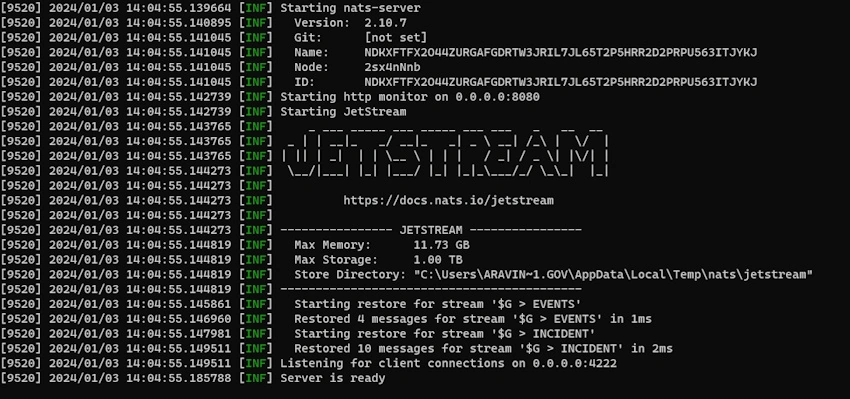
- Assuming you could see the difference between these two start points.
- If there are any changes required in your NATS, please amend those changes in nats-server.conf file.
jetstream: {
  store_dir: "./datastore",<!--Path where you want to store the message-->
  max_memory_store: 1024MB <!--Size of your memory store-->
}
- nats-server.exe ( which just turns on the NATS without the persistence layer option means without jetstream, however, it has its own NATS streaming concept).
2. Connect NATS from Code
func JetStreamInit() (nats.JetStreamContext, error) {
	// Connect to NATS
	log.Printf("Connect to NATS")
	nc, err := nats.Connect(nats.DefaultURL)
	if err != nil {
		return nil, err
	}
    log.Printf("Connected to NATS")
	// Create JetStream Context
	js, err := nc.JetStream(nats.PublishAsyncMaxPending(256))
	if err != nil {
		return nil, err
	}

	// Create a stream if it does not exist
    // please note we have an option to create this in NATS CLI
    // please play with "NATS Cheat" command
	err = CreateStream(js)
	if err != nil {
		return nil, err
	}

	return js, nil
}
3. Create a Stream
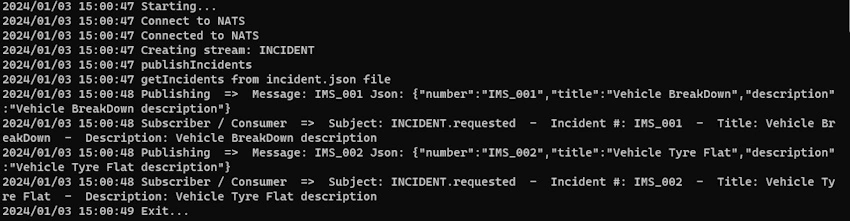
In our proof of concept, Please find our stream and subject name configuration.
Join the conversation! Your thoughts help the community grow.