

Recently, VSTS (Visual Studio Team Services) has announced new navigation-related updates for a modernized and flexible UI.
The new design was inspired by the Fluent design language. You can see the design improvements in the navigation. The goals of the new design language are to be clear, UI-friendly, and faster.
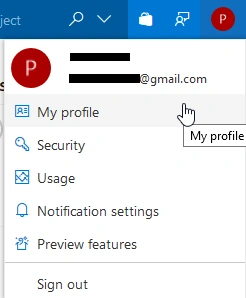
To activate the new navigation in your VSTS account, please select your picture from the top-right and from the menu, select Preview features.
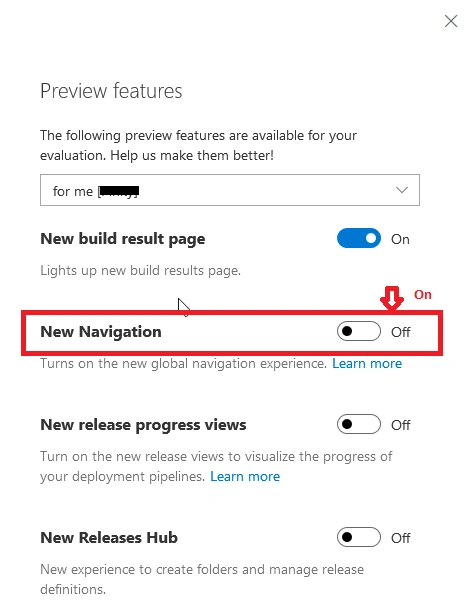
Set New Navigation as shown in the below screen.
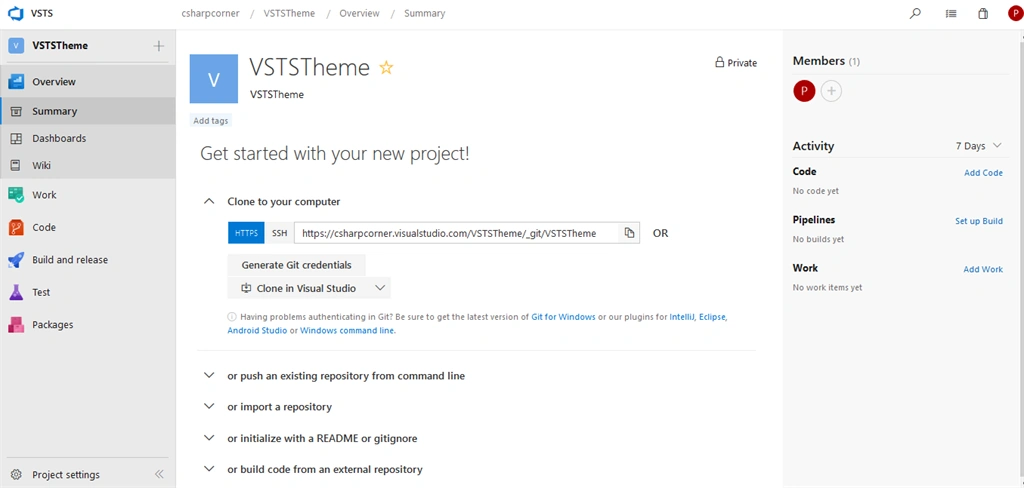
 You can see the entire new navigation for VSTS for selected Project, as shown in the below screen.
Dashboard Homepage
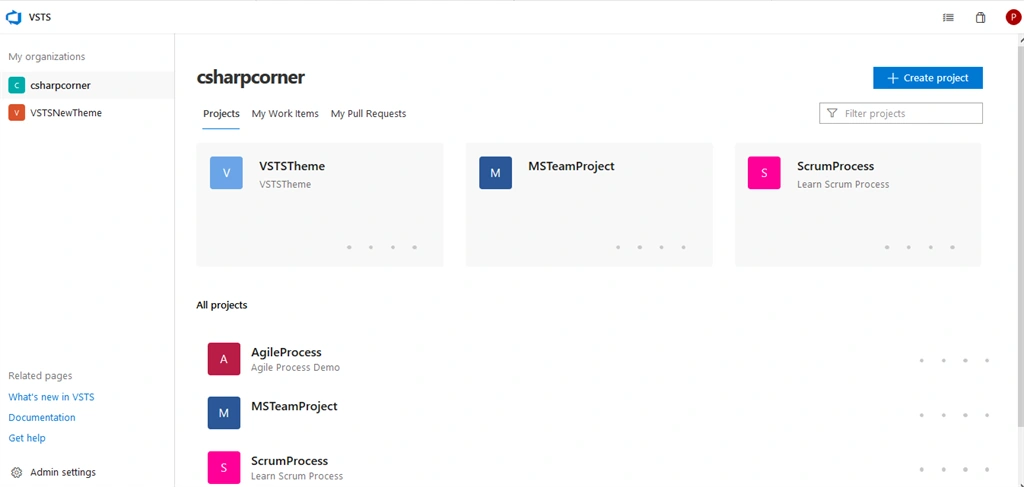
Once you are logged in and navigate to the Project Dashboard, there is a quick access to projects and recent projects to navigate quickly in the Project account. You can quickly search all of your projects and create a new project from this screen.
Project Navigation
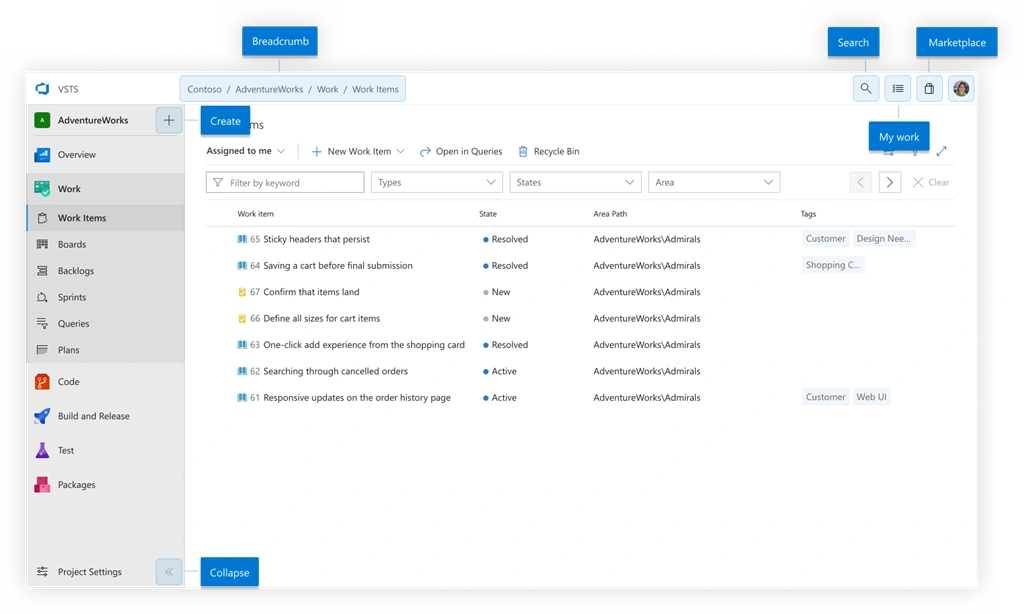
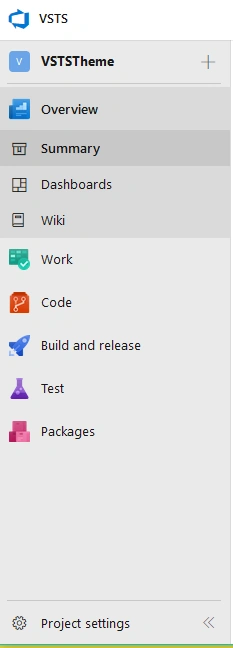
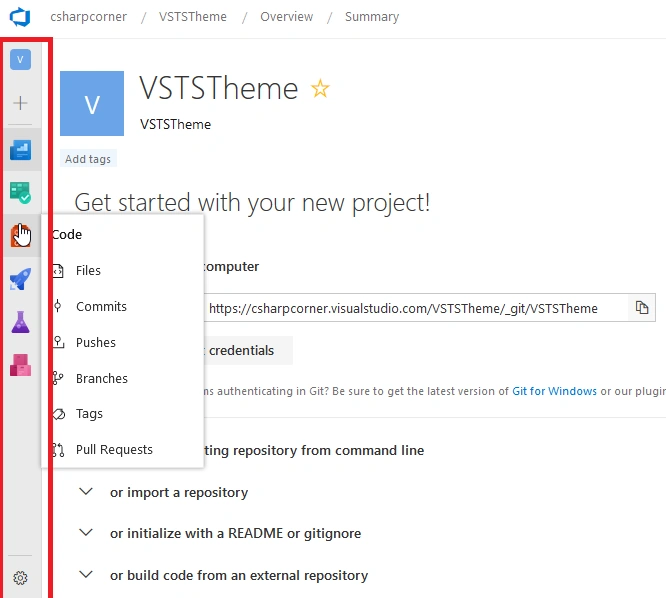
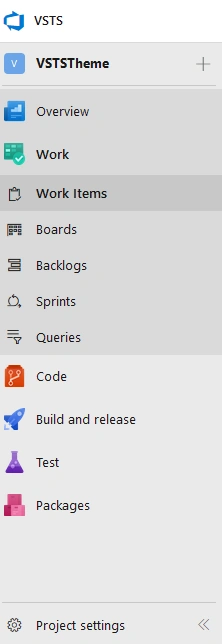
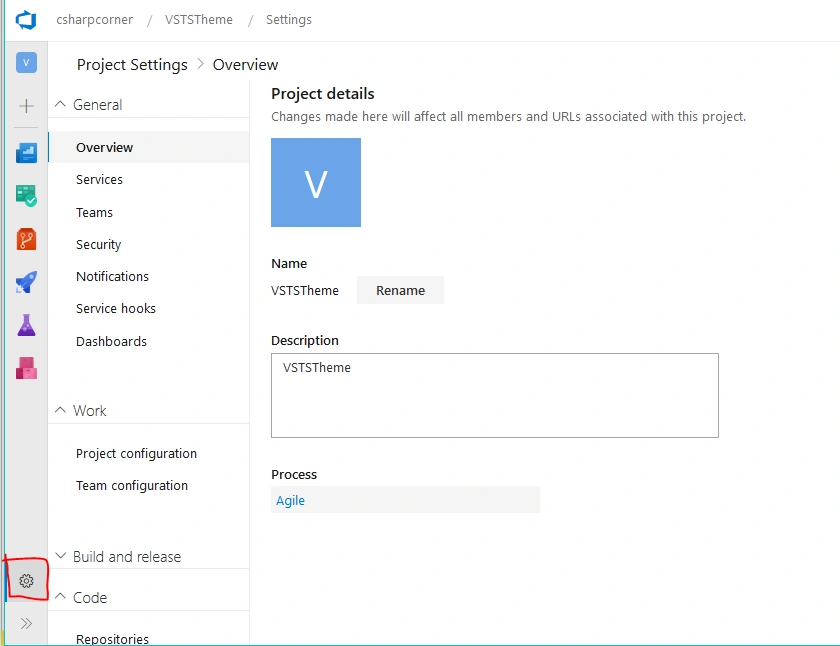
Project Navigation has moved to the left side pane from the top navigation so that there is a better separation between the project and global spaces.
To enhance the way of finding, they have included Service icon with shading highlights alongside the "New Section" icon.
The new design was inspired by the Fluent design language. You can see the design improvements in the navigation. The goals of the new design language are to be clear, UI-friendly, and faster.
To activate the new navigation in your VSTS account, please select your picture from the top-right and from the menu, select Preview features.
Set New Navigation as shown in the below screen.
Dashboard Homepage
Once you are logged in and navigate to the Project Dashboard, there is a quick access to projects and recent projects to navigate quickly in the Project account. You can quickly search all of your projects and create a new project from this screen.
Project Navigation
Project Navigation has moved to the left side pane from the top navigation so that there is a better separation between the project and global spaces.
To enhance the way of finding, they have included Service icon with shading highlights alongside the "New Section" icon.
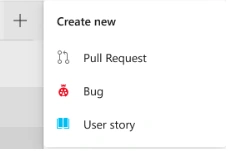
- Create Project - You can create a project quickly from here.
- Breadcrumbs - This shows the hierarchy of the page by displaying the account, project, service, and hub.
- Search - You can search across work items, code or Wiki articles.
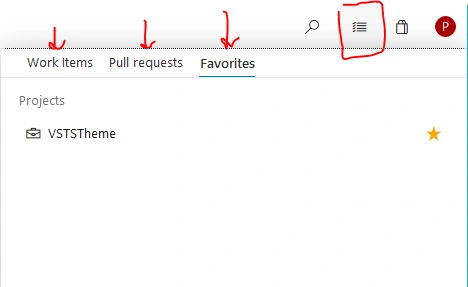
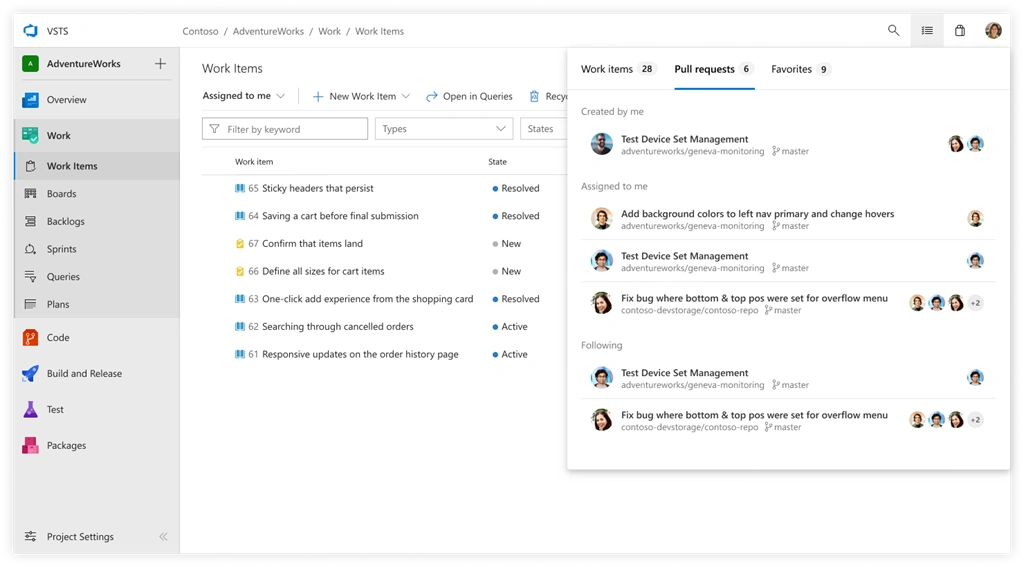
- My Work - You can quickly view your work items and favorites.
- Marketplace - Link to the marketplace to discover the extension.
- User Profile - View My Profile, Settings, and Help section.

Hadshana KamalanathanPosted Aug 26, 2018, 11:38 AM
Nice article , thanks for sharing
Rushi MehtaPosted Aug 24, 2018, 5:29 AM
A fantastic article was written for his updated version of VSTS...
balakrishna maddhurPosted Aug 23, 2018, 11:30 PM
Thank you for the article sir. It is helpful to us.