

UPDATE
According to a Tweet from Colin Blair you can also add the RiaServices.EntityFramework NuGet package to your project to fix this issue.
https://twitter.com/ColinBlair/status/328927765871079426
The problem
The problem can be recreated by the following:
- Ensure your have a primary key defined in your table
- Create a new Silverlight Project, enable RIA services
- On the server side add a new Data Model then rebuild the solution
- Click on "Add" -> "New Item" -> "Domain Service class"
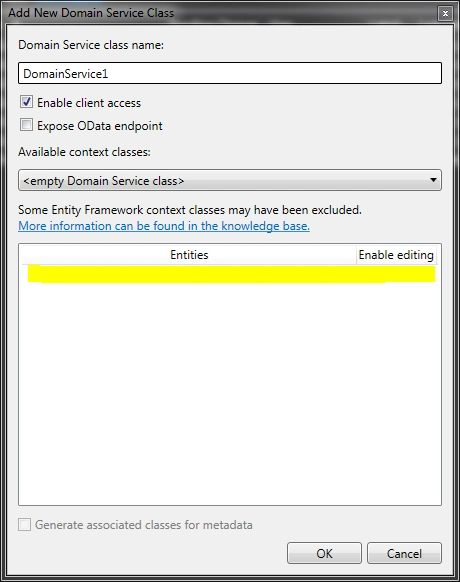
- You see a new "Add Domain Service Class" window but the classes from your model do not show up for use.
The Solution
The Solution is:
- Open your Model (.edmx file) in Model Designer (just double-click)
- Right-click in an empty space within the Model Designer & choose "Properties"
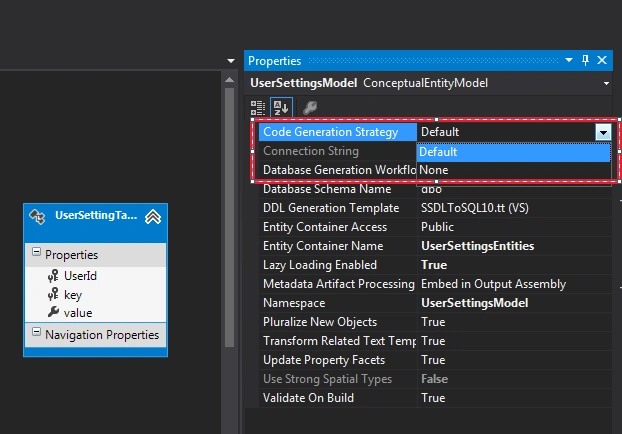
- Change the value of "Code generation strategy" from "None" to "Default"
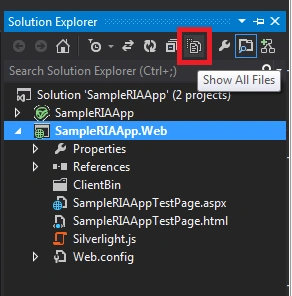
- Select the Server Project Name (for example MyExample.Web) & click on the "Show All files" button on:
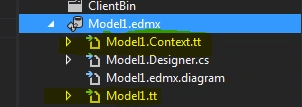
- Expand the "model.edmx" file & locate & delete the 2 .tt files.
- Rebuild the solution
- Now click on "Add" -> "New" -> "Domain Service"
Pooff!! This time you will see the classes available in the Add Domain Service Class window.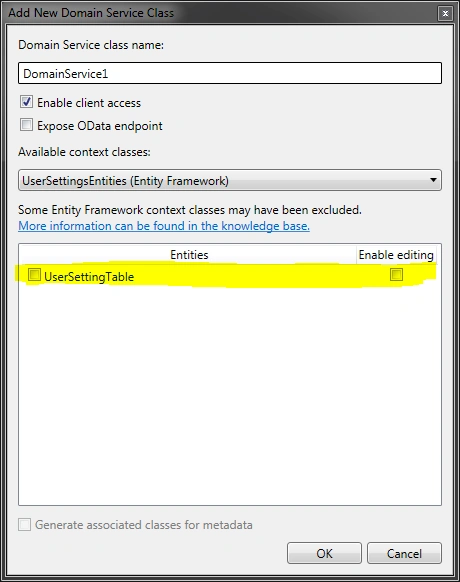
Hope this helps some poor soul out there like me.
Join the conversation! Your thoughts help the community grow.