

Introduction
There is a special class known as the Number class. It is used when we want objects in place of data types.
Number Class in Java
In Java, we need to deal with objects. So we have the Number class in Java. The Number class contains all the wrapper classes in Java. So when we want objects in place of data types in Java, we use the Number class. The java.lang package contains the Number class in Java.
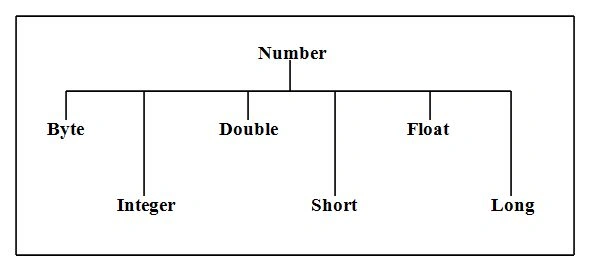
Methods of Number Class
The Number class in Java has many methods. Some of them are explained below.
compareTo( )
Syntax
public int compareTo( NumberSubClass referenceName )
It will return the value zero if the argument is equal to the Integer.
It will return the value minus one if the argument is greater than the Integer.
It will return the value one if the argument is smaller than the Integer. Example
It will return the value minus one if the argument is greater than the Integer.
It will return the value one if the argument is smaller than the Integer.
- package demo;
- public class Demo {
- public staticvoid main(String args[]) {
- Integer a = 7;
- System.out.println(a.compareTo(2));
- System.out.println(a.compareTo(7));
- System.out.println(a.compareTo(9));
- }
- }
Output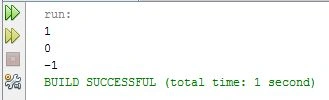
equals( )
It will return the value false if they are unequal.
- package demo;
- publicclass Demo {
- public staticvoid main(String args[]) {
- Integer a = 6;
- Integer b = 9;
- Integer c = 6;
- Short x = 7;
- System.out.println(a.equals(b));
- System.out.println(a.equals(c));
- System.out.println(a.equals(x));
- }
- }
Output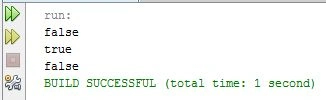
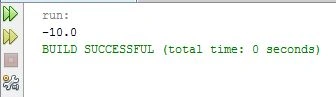
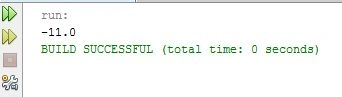
abs( )
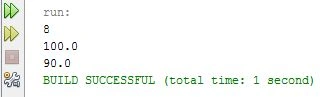
The Absolute value is returned.
Syntax
double abs(double d)
float abs(float f)
int abs(int i)
long abs(long lng)
Example
Join the conversation! Your thoughts help the community grow.