

PnP React Controls
Patterns and Practices (PnP) provides a list of reusable React controls to developers for building solutions such as webparts and extensions using SharePoint Framework.
Refer to this link to get the list of React controls for SPFx.
You will see how to use PnP Map control in SPFx webpart.
PnP Map Control
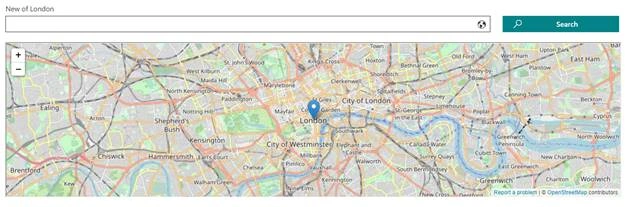
This control renders a map in your solution. The control also has the ability to search for new locations. Refer to this link for more details.
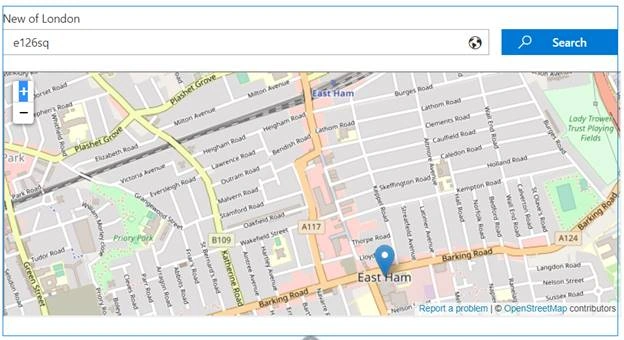
In this article, you will see how to perform the following tasks,
- Prerequisites
- Create SPFx solution
- Implement Map Control solution
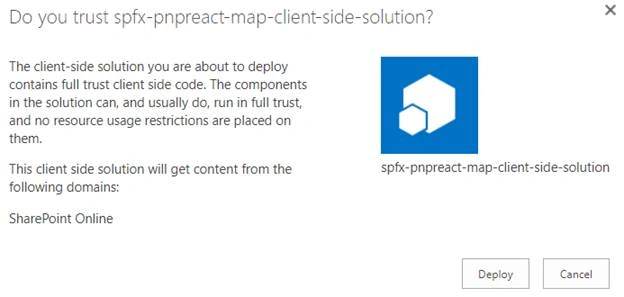
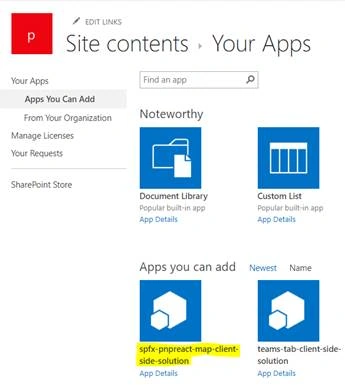
- Deploy the solution
- Test the webpart
Prerequisites
Create SPFx solution
Open Node.js command prompt.
Create a new folder.
>md spfx-pnpreact-map
Navigate to the folder.
> cd spfx-pnpreact-map
Execute the following command to create SPFx webpart.
>yo @microsoft/sharepoint
Enter all the required details to create a new solution as shown below.
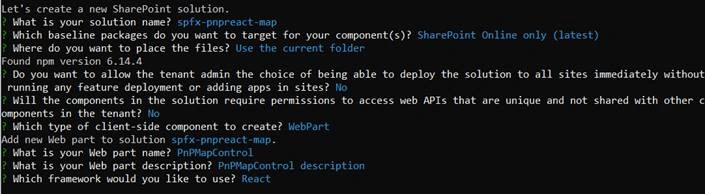
Yeoman generator will perform the scaffolding process and once it is completed, lock down the version of project dependencies by executing the following command.
>npm shrinkwrap
Execute the following command to open the solution in the code editor.
>code .
Implement Map Control solution
Execute the following command to install the PnP React Controls NPM package.
>npm install @pnp/spfx-controls-react --save
Open the component file “src\webparts\pnPMapControl\components\PnPMapControl.tsx” and import the control.
- import { Map, ICoordinates, MapType } from "@pnp/spfx-controls-react/lib/Map";
Update the render method as shown below.
Join the conversation! Your thoughts help the community grow.