

Hello Readers!
In this article I will be discussing an important concern that we all encounter when our carrier is SharePoint. Once we receive an issue from the client that when they are trying to open their files, it is instead being opened in IE and it will ask whether to Save or Cancel and in Google Chrome it will be downloaded to the Download folders.
Sometimes it will be very difficult to explain to the client the SharePoint behavior. Now using this article you will not need to tell them that.
This issue mainly occurs when a user uploads an exe file or setup files or third-party tools that should be opened on a click but it does not. SharePoint however actually offers a way to do it.
Usually we will try with the basics of Advanced Settings of the List and Libraries.
We will try opening them using “Opening Documents in the Browser”. We will use:
- Open in the client application.
- Open in the browser.
- Use the server default (open in the client application).
The preceding options does not help us in opening third-party tools due to SharePoint restrictions but there is a way you can get it removed.
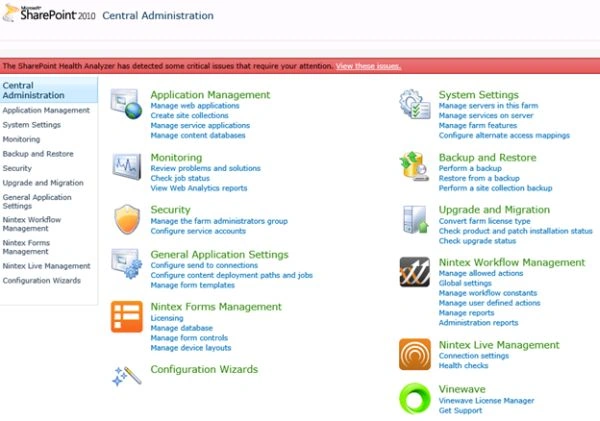
- Open Central Administration of SharePoint Server.
- Click on Application Management.
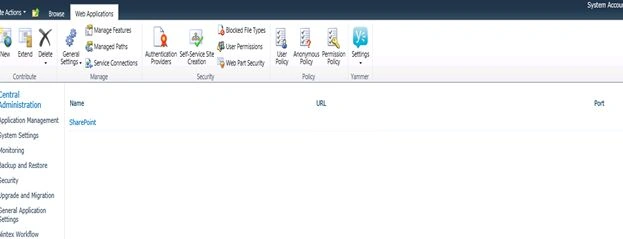
- You will see your web application, select it.
- Click on General Settings.
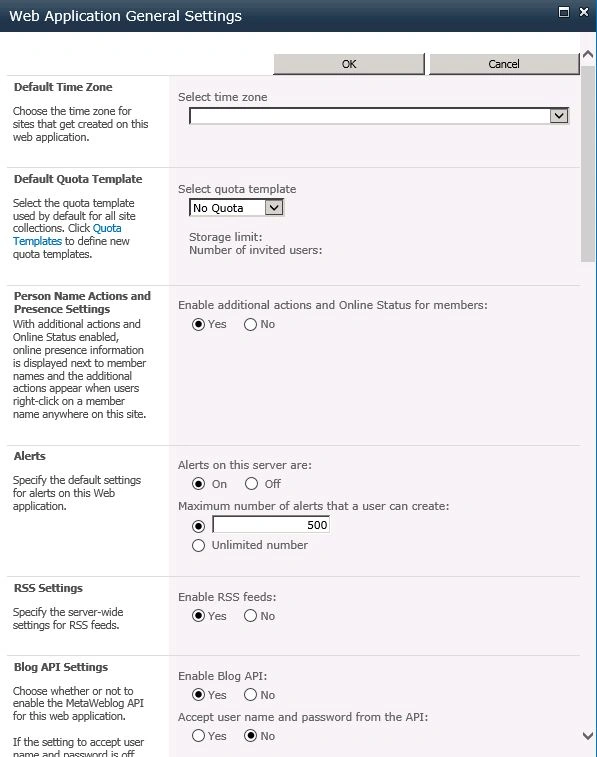
- You will find the dialog box below.
- There will be an option “Browser File Handling”, by default it will have Strict as an option that will not allow control of your settings.
This option doesn't allow you to open files directly from the click event and asks you to download it instead and then do your operations.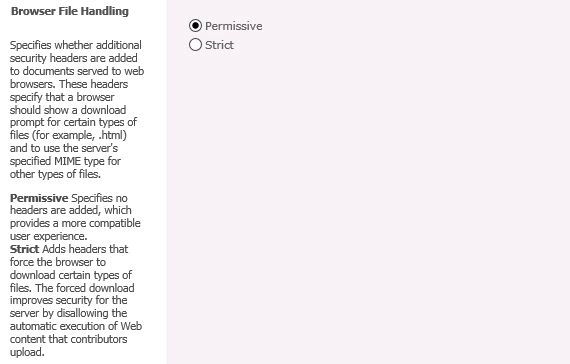
- Now you know what you need to do, Select Permissive.
- Once you select that option you will be allowed to do your activities directly providing a better compatible user experience.
Isn't it helpful, Keep Learning.
Cheers!
Join the conversation! Your thoughts help the community grow.