

Introduction
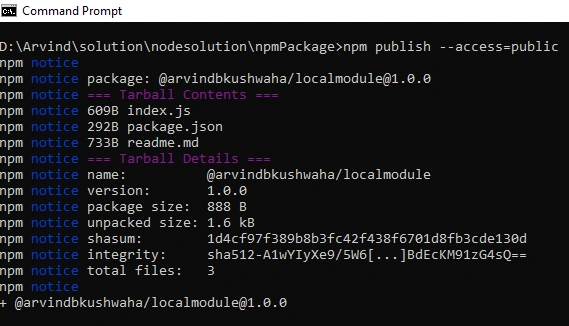
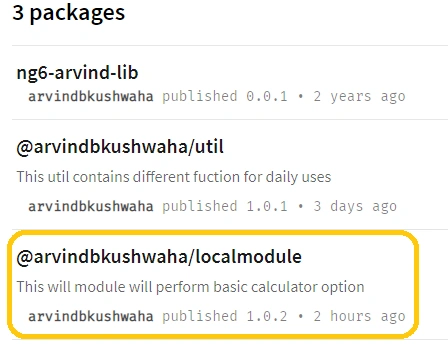
This article will help you to create, publish, and re-publish our own module to NPM(Node package manager) along with readme.md files.
It contains the following parts:
- Create our own module with a readme.md file
- Publish module
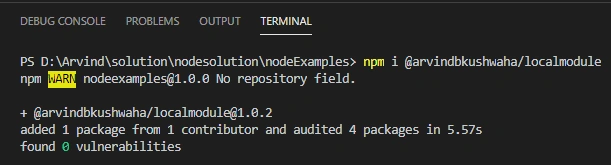
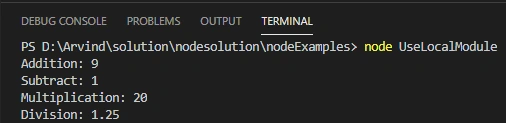
- Use module in our project
- Republish module
Why we publish our own package:
- The package enables the developer to simply use functionalities without handling any complexities.
- It is a great way to demonstrate your JavaScript and programming skills
If you haven't checked my previous article on node Node.js Module With Examples. I recommend you to go through it at least once.
To create and publish a node module, we require node.js. If you haven't installed it then please download and install it from node.js.
Once the installation of node.js completed, please follow the below step to create our own module from scratch or refer to my previous article.
Create our own module
Step 1
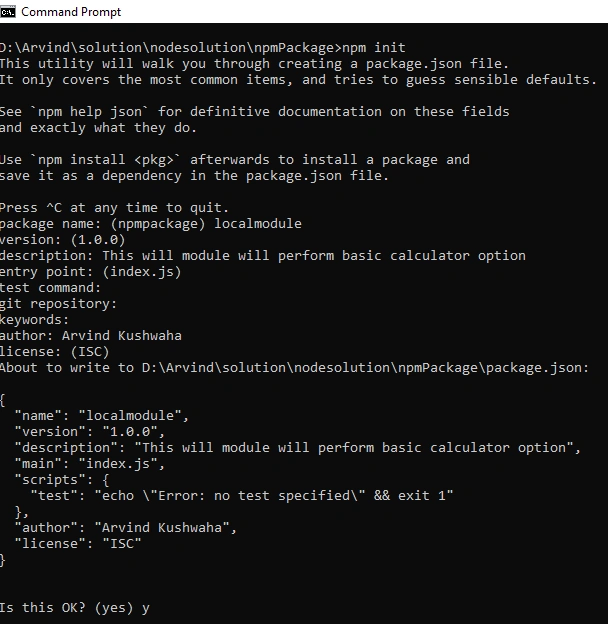
Open the command prompt and type the below command.
- npm init
Step 2
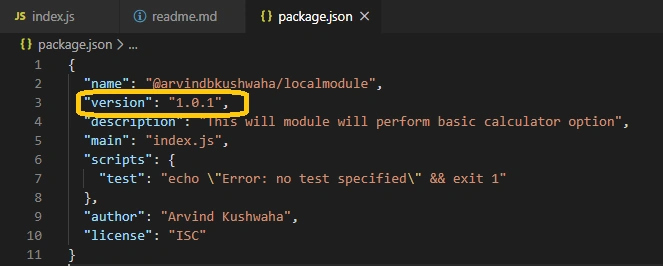
Please answer the following questions to create package.json
Step 3
Now create an index.js file and paste the below code in it.
Type the below command to create a blank index.js file.
- type Nul > index.js
- // create a variable calc that have four function add, subtract, multiply and divide.
- // https://shields.io/ To add sheilds in readme.md
- const calc = {
- // Add the two number
- add: function (num1, num2) {
- return num1 + num2
- },
- // Subtract the two number
- subtract: function (num1, num2) {
- return num1 - num2;
- },
- // multiply the two number
- multiply: function (num1, num2) {
- return num1 * num2;
- },
- // divide the two number
- divide: function (num1, num2) {
- return num1 / num2
- }
- };
- // export the modules to consume on different modules.
- module.exports.calc = calc;
Step 4
This step is purely optional but if added along with our module then it will help others to install and use your module in a better way.
Create a readme.md file on the root folder and paste the below code:
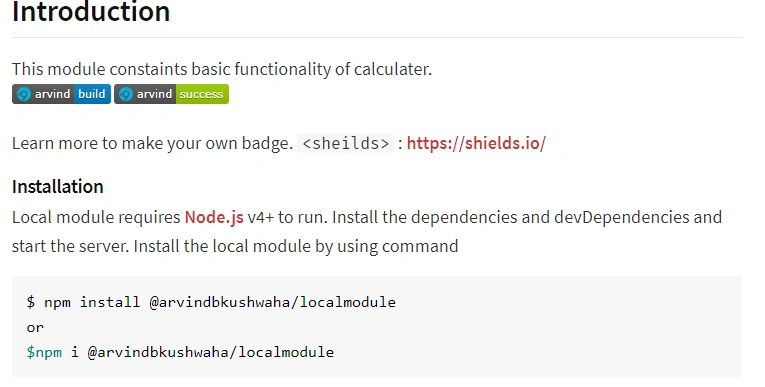
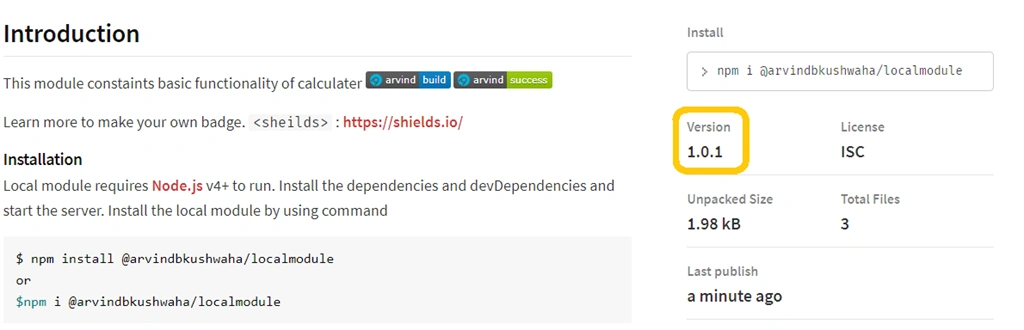
- ## Introduction
- This module constaints basic functionality of calculater.
- ![Arvind build] (https://img.shields.io/badge/arvind-build-blue?style=flat&logo=appveyor)
- ![Arvind success] (https://img.shields.io/badge/arvind-success-green?style=flat&logo=appveyor)
- Learn more to make your own badge.
- `<sheilds>` : <https://shields.io/>
- ### Installation
- Local module requires [Node.js](https://nodejs.org/) v4+ to run.
- Install the dependencies and devDependencies and start the server.
- Install the local module by using command
- ```sh
- $ npm install @arvindbkushwaha/localmodule
- or
- $npm i @arvindbkushwaha/localmodule
- ```
- ## Usage
- First import the module into your application after installation
- ```
- import {calc} from ('./LocalModule.js');
- For Addition
- console.log("Addition:"+calc.add(5,4));
- For Subtraction
- console.log("Addition:"+calc.subtract(5,4));
- For Division
- console.log("Division:"+calc.divide(5,4));
- For Multiply
- console.log("Multiplication:"+calc.multiply(5,4))
- ```
- License
- ----
- MIT
Join the conversation! Your thoughts help the community grow.