
Introduction
This document describes the installation of the Google App Engine Software Development Kit (SDK) on a Microsoft Windows 10 PC and how to deploy a simple “soundexcal” application. The App Engine SDK allows you to run and deploy the application and host a static website on Google App Engine through your local computer. Anyone can create their own project with preferred languages and publish it free of cost through the Google cloud platform.
Registration in Google Cloud Platform Project
Step 1
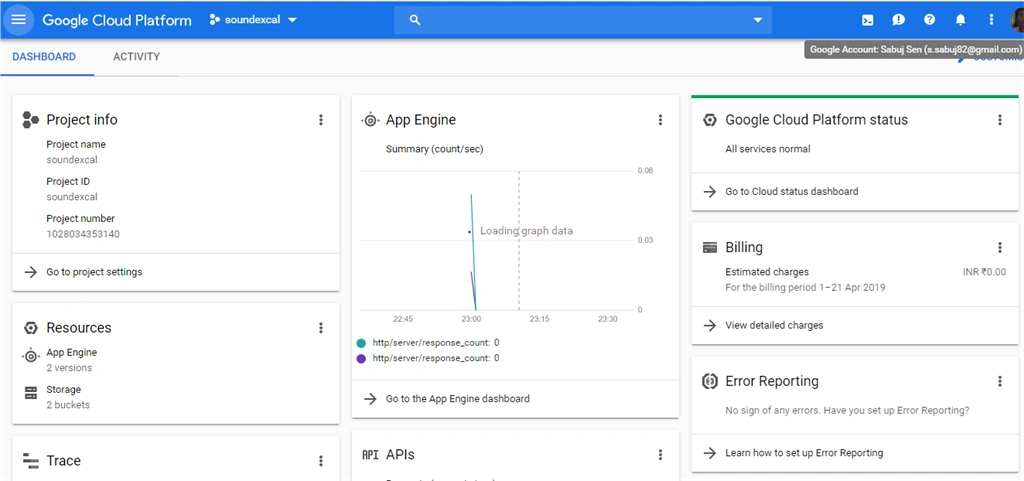
First, go to this link https://console.cloud.google.com for initial registration for the application. Before this, make sure you have a google mail account. To register in the Google cloud I am using [email protected] account.

Figure 1:Google Cloud Platform Creating App
Project Name: soundexcal
Project ID: soundexcal
During the registration process, we need to give the bling information of the user,and they need to pay a minimum of 1 Rs.
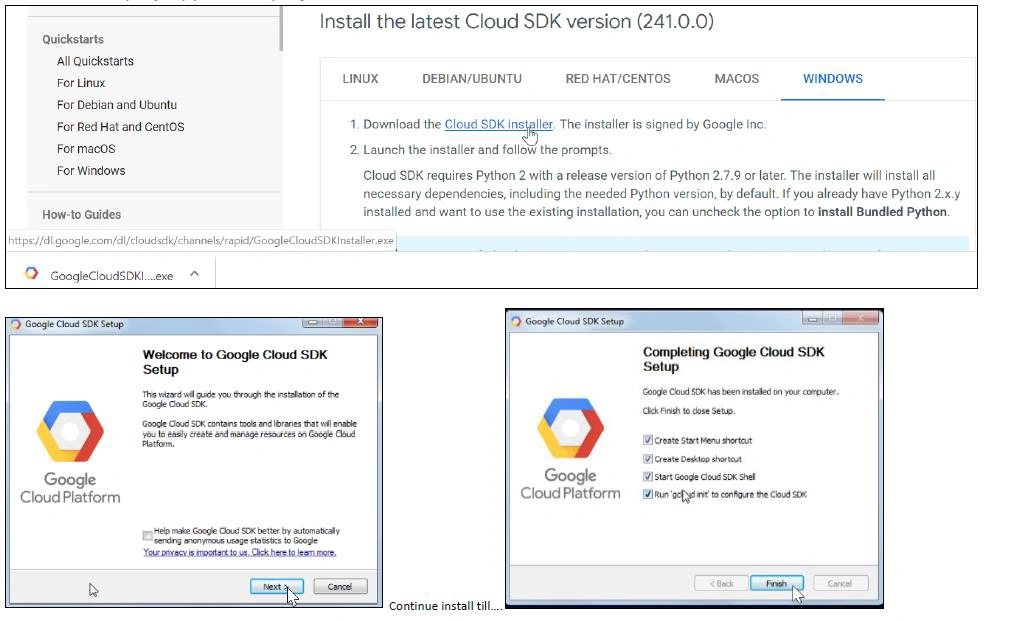
Download and Install Google Cloud SDK
The Cloud SDK is a set of tools for Cloud Platform. It contains gcloud, gsutil, and bq command-line tools, which you can use to access Google Compute Engine, Google Cloud Storage, Google BigQuery, and other products and services from the command line. You can run these tools interactively or in your automated scripts.
Create a sample application that we will deploy into Google Clouds.
- Create a local folder name “soundexcal”.
- Add “app.yaml” file.
- Add “www” folder.
- Under www folder and add my project work.

Figure 3 : Project Structure
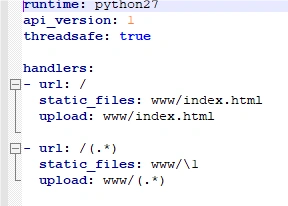
Figure 4: app.yaml File
Project Development
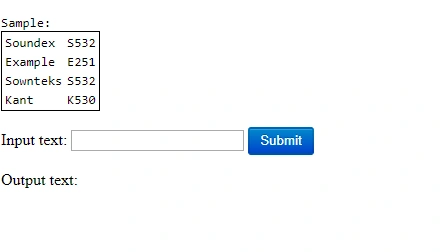
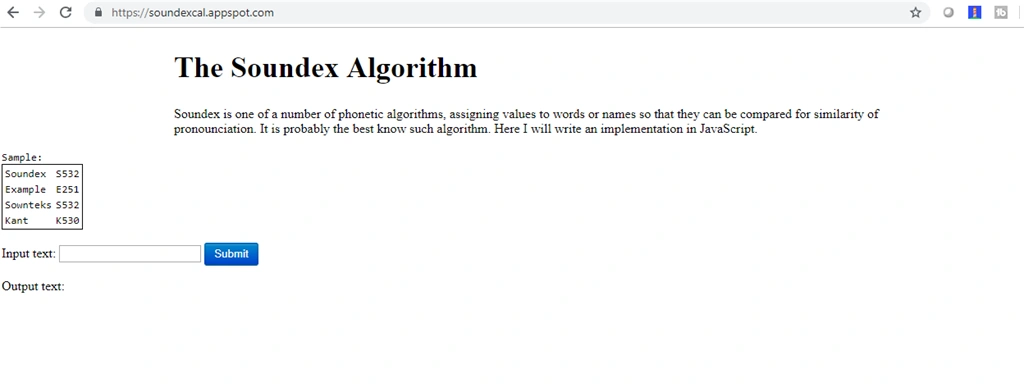
This project is related to Soundex, one of several phonetic algorithms.
Join the conversation! Your thoughts help the community grow.