

Introduction
- CosmosDB supports an SQL grammar for querying the documents.
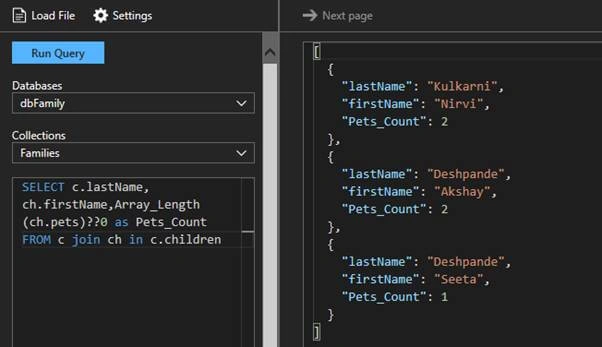
- Familiar SQL syntax like SELECT, FROM, WHERE, JOIN, IN, BETWEEN, ORDER BY
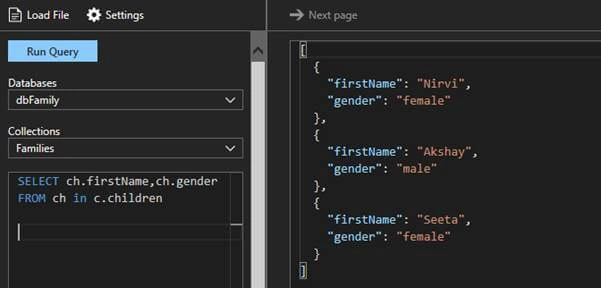
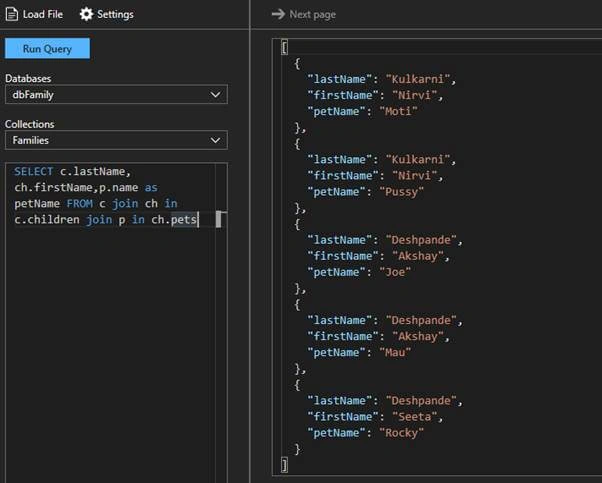
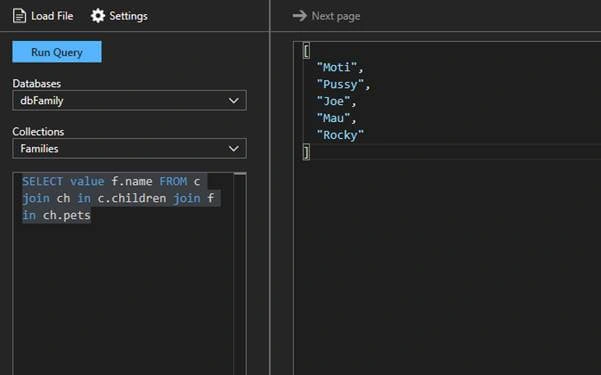
- Iterate nested arrays
- Return documents “as-is” or shape JSON to fit your needs
- Common operators
- Arithmetic operators: +,-,*,/,%
- Bitwise operators: |,&,^,<,>>,>>>(zero-fill right shift)
- Logical operators: AND, OR
- Comparison: =,!=,>,>=,<,<=,<>
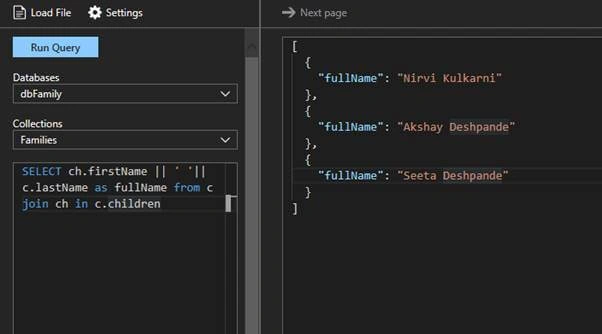
- String operator: ||(concatenate)
- Math
- ABS, CEILING, EXP, FLOOR, LOG, LOG10, POWER, ROUND, SIGN, SQRT, SQUARE, TRUNC, ACOS, ASIN, ATAN, ATN2, COS, COT, DEGREES, PI, RADIANS, SIN, and TAN
- Type Checking
- IS_ARRAY, IS_BOOL, IS_NULL, IS_NUMBER, IS_OBJECT, IS_STRING, IS_DEFINED, and IS_PRIMITIVE
- String functions
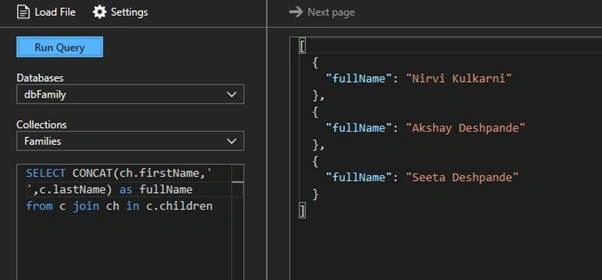
- CONCAT, CONTAINS, ENDSWITH, INDEX_OF, LEFT, LENGTH, LOWER, LTRIM, REPLACE, REPLICATE, REVERSE, RIGHT, RTRIM, STARTSWITH, SUBSTRING, and UPPER
- Array functions
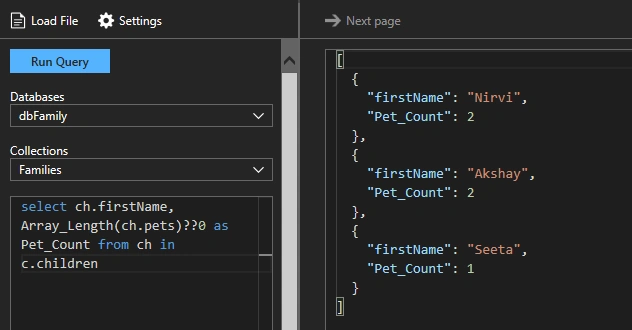
- ARRAY_CONCAT, ARRAY_CONTAINS, ARRAY_LENGTH, and ARRAY_SLICE
How to execute SQL Query?
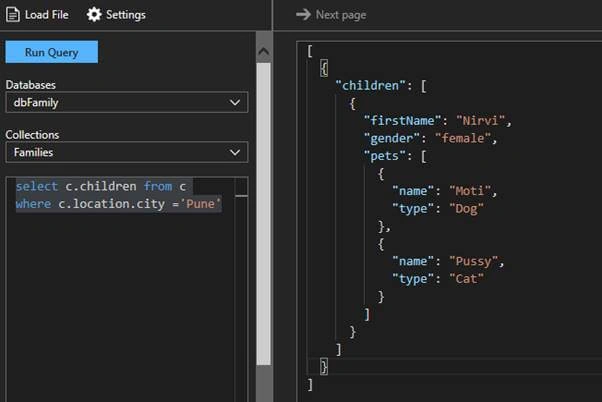
- Click on Query Explorer,
- Select database
- Select collection on which query needs to be executed
- Click on Run Query
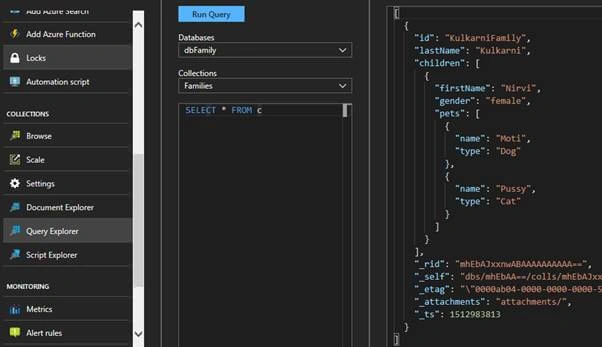
Sample Data
For reference, I have created 2 documents under the Families collection.
Document 1
- {
- "id": "KulkarniFamily",
- "lastName": "Kulkarni",
- "location": {
- "city": "Pune",
- "zipCode": 411014
- },
- "children": [{
- "firstName": "Nirvi",
- "gender": "female",
- "pets": [{
- "name": "Moti",
- "type": "Dog"
- }, {
- "name": "Pussy",
- "type": "Cat"
- }]
- }]
- }
Document 2
Debarshi BanerjeePosted Jun 19, 2019, 11:21 AM
Very well written article Mangesh.
Mike AllenPosted Jan 2, 2018, 2:18 PM
Hi Mangesh, this is a great article. What is the query explorer and where can I get it?