

This is the sixth part of this series. The list of previous articles is given below.
- React Tutorials - Day One - React Introduction
- React Tutorials - Day Two - Environment Setup
- React Tutorials - Day Three - Components
- React Tutorials - Day Four - Props And State
- React Tutorials - Day Five - Router
Today, we will learn about Flux - what is Flux, why we need the Flux concept, how to setup Flux development environment and more about the fFux concept. Let’s start today’s session.
What is Flux?
Flux is a programming architecture and concept where data is flown in a unidirectional way. Flux is not a framework or library, it is just an architecture pattern that was developed by Facebook along with the React View library to manage the data flow into our application. Flux makes it easier to track the changes and bugs during development.
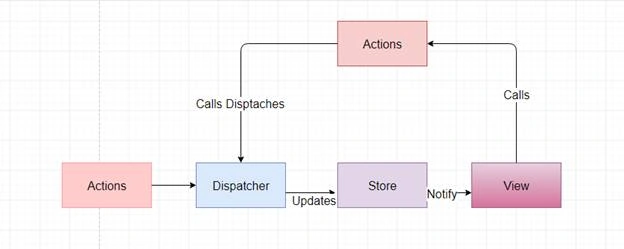
The four pillars of Flux are - Action, Dispatchers, Store, and Component.
- Actions - Actions are sent to dispatchers to start the data flow.
- Dispatcher - Dispatchers are like pub hub; all the data is dispatched to registered callbacks.
- Store - Container for the state and logic; Every store contains particular state and updates it when any change occurs.
- Component - Components receive the data from the stores.
Why do we need Flux ?
Before we start working on any new concept and technology, first of all, we should think why we need this new concept or technology; what type of the drawbacks it is going to remove. Now, let's consider all the above points for Flux and find out the actual requirement of Flux concept in React.
Point 1 - Where the data comes from.
In React applications, data in a component can come from its own property or from the parent component and from the states of the component. So, there can be multiple data sources for a single component that make it difficult to track the data source. Now, Flux is used here to create a single storage of the data.
Point 2 - How to distribute data with other components.
Suppose you are working on a large application where the number of components is hundreds and you want to share the data of one component with another component. So what will you do?
Point 3 - Compare with MVC architecture.
To best describe Flux, we will compare it to one of the most popular client-side architectures - MVC (Model view Controller) .
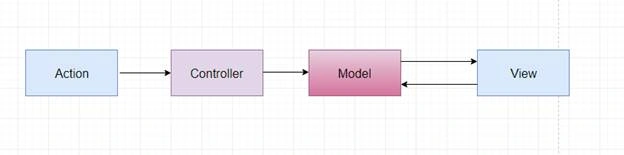
Let’s take a simple example of MVC pattern. In MVC, each View reads the data from Model. When we make any change in Model through View, it will trigger some events in Controller and now the Controller knows how to coordinate these changes of these Models by calling the methods of Model. After making all the changes in Model, it will notify the View to read the new data from Models and re-render the changes. This approach is useful in small scale applications. If we use large amounts of data, then we need another apporach. Let’s take an example where the number of Models, Controllers, and Views is very large.
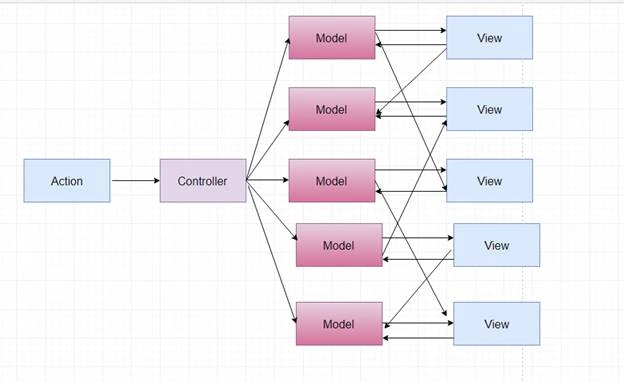
Now we have added 4 new Models and 4 new Views in previous example. You can see that the dependency becomes more complex. When any user interacts with View and updates any data, there are multiple branches associated to a View and for each branch, it will update the corresponding Model and it may be possible that Model will trigger updates in another Models and after the making the changes into Model, it will reflect on Views. In such kind of scenario, it becomes extremely difficult to find out which branch contains bugs in our application and it becomes hard to debug the cascading changes. The final result is an error prone application.
One another problem is that some times our application contain infinite cycle means If you look the above diagram can you tell that there is not any cycle which means where Model changes the View and View again Changes to Models because of a cycle. The main reason behind of all these issues is Flow of the data. In MVC data does not flow in a one way direction. We can solve all the issues by making the data flow in a certain direction.
Now Flux is comes here with a new approach that is one way data flow.
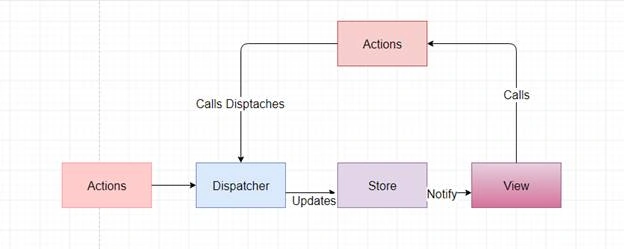
All the users interact with View and View get its data from Store. Store is the just like a container that contains some particular state and logic . When any user makes the changes into View it will trigger a call method to the dispatcher and now the dispatcher makes these changes into particular Stored data and as the Store updates itself it will send the new data to all Views and View re-renders all these changes. Here dispatcher is just like a traffic controller and controls the data flow into our application and Stores are just like the data layer of our application.
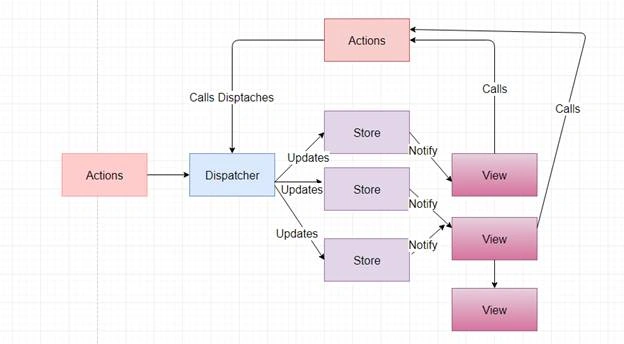
Now we take an example where the number of Store and View is multiple. You can see that data flow is not changed after adding the multiple Views and Store into Application. Whenever a view sends any changes to dispatcher then dispatcher sends these changes to all Stores and it never tells the Store how to makes the updates it only send the changes to Store . Store contains all the business logic for a specific domains and updates only when the data is corresponding their domain and after making all changes it triggers the changes to all Views that are associated with Store and View can re render the all new changes.
Now we can understand that data is flow in one direction only there is not any two way arrow just like MVC pattern. So if any error or bug is occur in application then you don’t need to go through the multiple paths to find out the incorrect logic. I think all above examples are enough to describe how Flux helps React to make a robust and scalable application. Now we will focus on the four pillars of the Flux pattern and read about the each one by one.
Dispatcher
The Dispatcher is like a pub sub that work like a traffic controller and broadcasts the payloads to all the registered callbacks. Dispatcher takes the Actions and dispatches the data to all callbacks. Callbacks are not subscribed to a specific events when new data icomes then dispatcher sends the data to all registered callbacks by using the dispatch method.
Following are the APIs associated with Dispatcher
- Register(function callback) - Register a callback that's invoked with each dispatch data
- Dispatch(object) - Dispatch payloads to all registered callbacks
- isDispatching - Tells if the Dispatcher currently dispatching or not
- unregister(string id) - Unregister a callback
- waitFor(array<string>) - The store waits for the completion of other callbacks before continuing the callback.
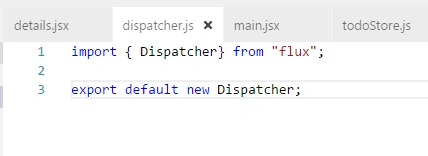
In the above image we created a simple dispatcher and export this dispatcher.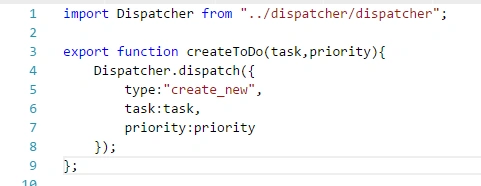
In this image we import the dispatcher into action and use the “dispatch” API of dispatcher and send some payload(data) to all the registered callbacks.
Stores
Store in Flux are just like a data wareshouse that holds all the data for applications and provides this data to all components. In Flux pattern we can have multiple stores and each store contains some specific data.
Let’s take an example of store.
- import {EventEmitter} from "events";
- import Dispatcher from "../dispatcher/dispatcher";
- class TodoStore extends EventEmitter{
- constructor(){
- super();
- this.todoList=[
- {
- id:110,
- text:"Take your breakfast",
- priority:"High"
- },
- {
- id:111,
- text:"Meet Rahul Prajapat",
- priority:"High"
- },
- {
- id:112,
- text:"Read a book",
- priority:"Low"
- },
- {
- id:113,
- text:"Organize your desk",
- priority:"Medium"
- }
- ]
- }
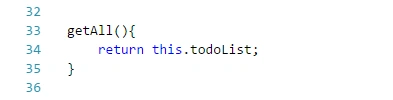
- getAll(){
- return this.todoList;
- }
- addNewItem(task,priority){
- var newid=100+this.todoList.length;
- this.todoList.push({
- id:newid,
- text:task,
- priority:priority
- });
- this.emit('change');
- }
- removeItem(id){
- this.todoList=this.todoList.filter(context=>context.id!=id);
- this.emit('change');
- }
- handleAction(action){
- switch(action.type){
- case "create_new":{
- this.addNewItem(action.task,action.priority);
- }
- case "delete":{
- this.removeItem(action.id);
- }
- }
- }
- }
- const todoObj=new TodoStore();
- Dispatcher.register(todoObj.handleAction.bind(todoObj));
- export default todoObj;
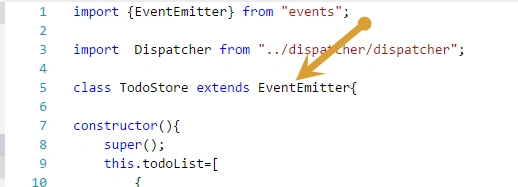
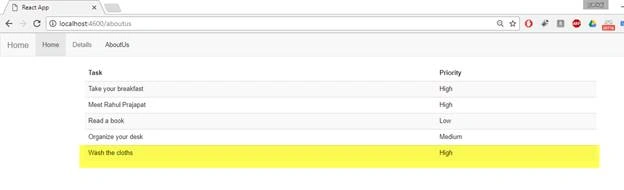
In the above code we insert some initial data into store. In each store there are three important thing that are following .
- Each store must be use the “EventEmitter” class of Node.js because using this eventemitter class we emit the events that are listened to by our component and the components get the updates using these events.
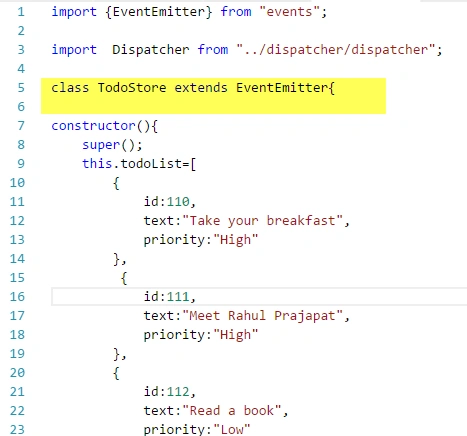
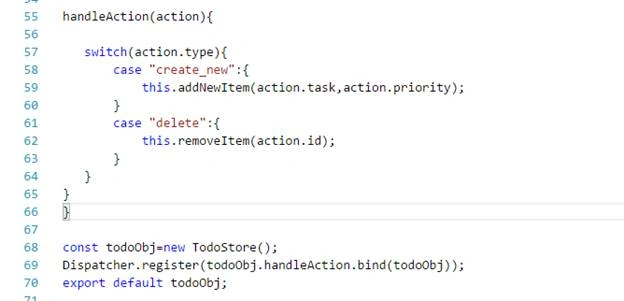
- If we want to get new payloads from dispatcher then we have to register a callback for the dispatcher in our store as below
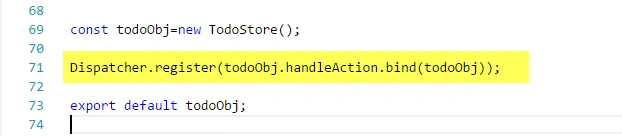
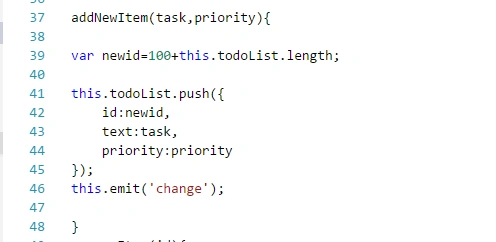
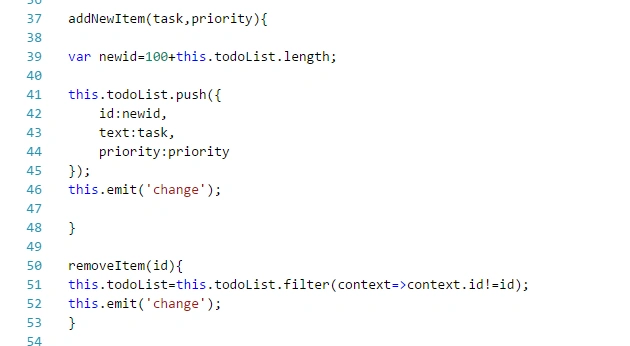
- After making the all required changes into Store we have to emit the events so that all the components can listen to these events and get the new updates.
Components(Views)
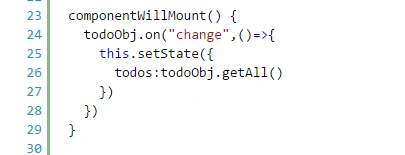
In components we listen for some specific events that are emitted from the stores. Whenever we get any events that means some data into the store has been updated and it gets the new data from the store and updates the states of our components.
Actions
Actions are just collections of methods that are called from the Views and each method dispatches a dispatcher with some data.
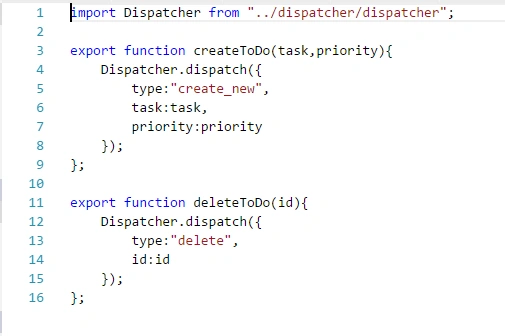
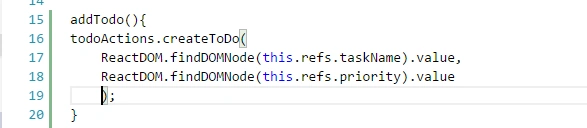
So whenever we invoke any method of an action from view actually it dispatches the dispatcher. Now all the stores that are registered to this dispatcher invoke the callback function and update the store data and emit an event for the views. Now all the components(views) that are listing this event can get the new data from the stores and re render the views.
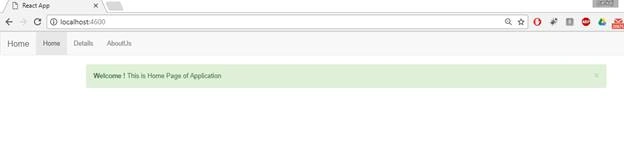
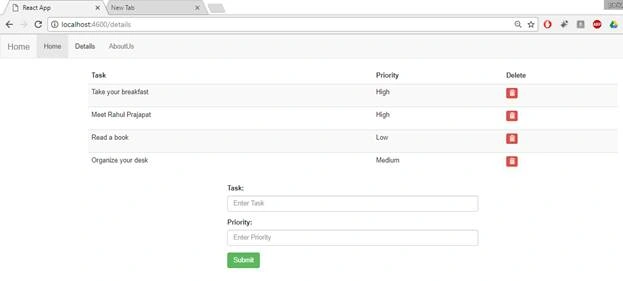
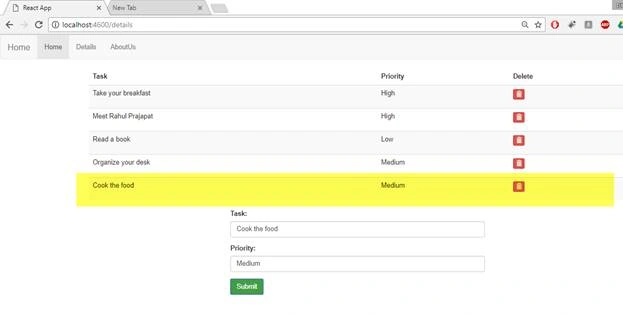
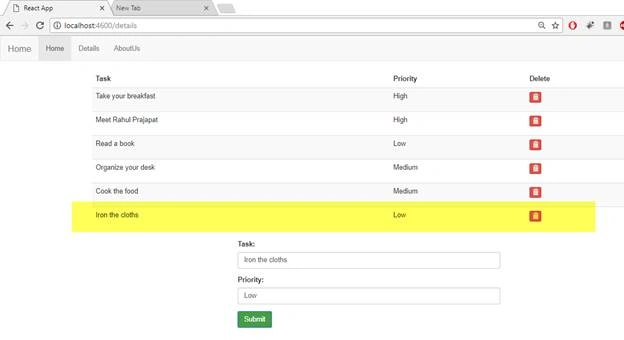
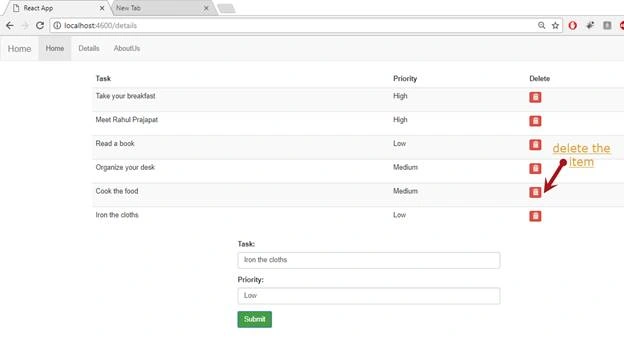
After getting enough theoretical knowledge about the Flux now we'll do something practical with the Flux. Compared to previous articles in this series, I made a lot of changes in the application like using the bootstrap . So first of all update the previous pages as below.
Index.html
- <!DOCTYPE html>
- <html lang = "en">
- <head>
- <meta charset = "UTF-8">
- <title>React App</title>
- <link rel="stylesheet" href="https://maxcdn.bootstrapcdn.com/bootstrap/3.3.7/css/bootstrap.min.css">
- <script src="https://ajax.googleapis.com/ajax/libs/jquery/3.2.1/jquery.min.js"></script>
- <script src="https://maxcdn.bootstrapcdn.com/bootstrap/3.3.7/js/bootstrap.min.js"></script>
- </head>
- <body>
- <div id = "app"></div>
- <script src = "/app/bundle.js"></script>
- </body>
- </html>
Header.jsx
- import React from 'react';
- import { Link } from 'react-router-dom'
- class Header extends React.Component {
- constructor(){
- super();
- }
- render() {
- return (
- <div>
- <nav className="navbar navbar-default">
- <div className="container-fluid">
- <div className="navbar-header">
- <Link className="navbar-brand" to='/' >Home</Link>
- </div>
- <ul className="nav navbar-nav">
- <li className="active"><Link to='/' >Home</Link></li>
- <li><Link to='/details' >Details</Link></li>
- <li><Link to='/aboutus'>AboutUs</Link></li>
- </ul>
- </div>
- </nav>
- </div>
- );
- }
- }
- export default Header;
home.jsx
- import React from 'react';
- class Home extends React.Component {
- constructor(){
- super();
- }
- render() {
- return (
- <div>
- <div className="alert alert-success alert-dismissible fade in" role="alert">
- <button type="button" className="close" data-dismiss="alert" aria-label="Close">
- <span aria-hidden="true">×</span></button>
- <strong>Welcome ! </strong>
- This is Home Page of Application
- </div>
- </div>
- );
- }
- }
- export default Home;
Main.jsx


Hadshana KamalanathanPosted Jul 15, 2018, 12:39 PM
Thank you for sharing
ram jiPosted Jul 30, 2017, 11:18 AM
Failed to load resource: the server responded with a status of 404 (Not Found) bundle.js please how to resolve
Puneet KankarPosted Jul 25, 2017, 12:32 AM
Nice article sir...