

Introduction
This article explains how to retrieve data from Excel using ADO.NET then store it into a dataset stored as DataSets data to be shown in a GridView.
I am showing you it step-by-step:
Step 1: Open Visual Studio and create a new ASP.NET project and create a webform.
Step 2: Now on that webform use one FileUploadControl. Using this we will upload an Excel file from our system. Create one button to upload the data to the server, one label to show you what file's data is showing in the grid view, and use one GridView control in which we will show our Excel sheet's data.
So my design aspx page is like; this you can just copy and paste the aspx page given below:
- <%@ Page Language="C#" AutoEventWireup="true" CodeBehind="ImportExelDataInGridView.aspx.cs" Inherits="ReadDataFromExcel.ImportExelDataInGridView" %>
- <!DOCTYPE html>
- <html xmlns="http://www.w3.org/1999/xhtml">
- <head runat="server">
- <title></title>
- </head>
- <body>
- <form id="form1" runat="server">
- <div>
- Import Excel File:
- <asp:FileUpload ID="FileUpload1" runat="server" />
- <br />
- <br />
- <asp:Button ID="btnUpload" runat="server" OnClick="btnUpload_Click" Text="Upload" />
- <br />
- <br />
- <asp:Label ID="Label1" runat="server"></asp:Label>
- <br />
- <asp:GridView ID="gvExcelFile" runat="server" CellPadding="4" ForeColor="#333333" GridLines="None">
- <AlternatingRowStyle BackColor="White" ForeColor="#284775" />
- <EditRowStyle BackColor="#999999" />
- <FooterStyle BackColor="#5D7B9D" Font-Bold="True" ForeColor="White" />
- <HeaderStyle BackColor="#5D7B9D" Font-Bold="True" ForeColor="White" />
- <PagerStyle BackColor="#284775" ForeColor="White" HorizontalAlign="Center" />
- <RowStyle BackColor="#F7F6F3" ForeColor="#333333" />
- <SelectedRowStyle BackColor="#E2DED6" Font-Bold="True" ForeColor="#333333" />
- <SortedAscendingCellStyle BackColor="#E9E7E2" />
- <SortedAscendingHeaderStyle BackColor="#506C8C" />
- <SortedDescendingCellStyle BackColor="#FFFDF8" />
- <SortedDescendingHeaderStyle BackColor="#6F8DAE" />
- </asp:GridView>
- </div>
- </form>
- </body>
- </html>
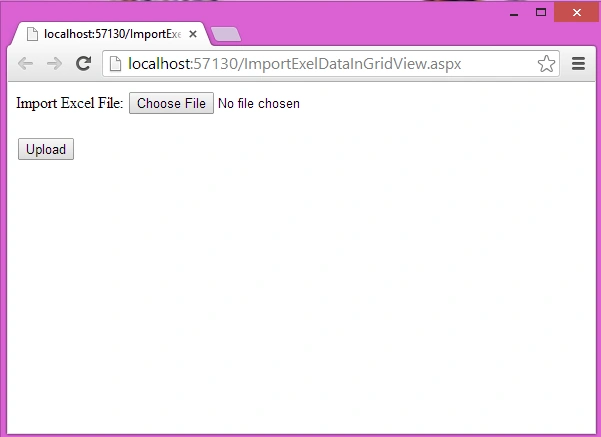
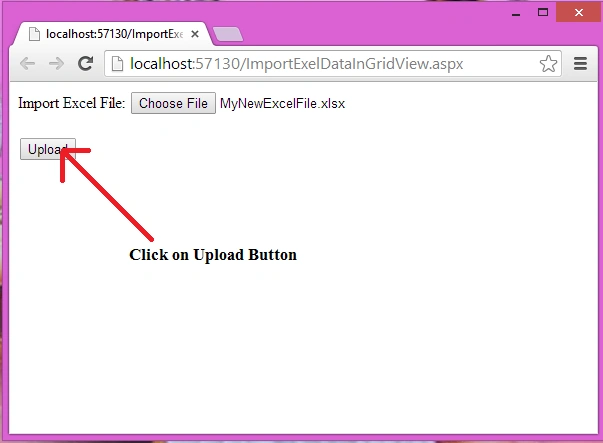
Using the code above you will get output of the page such as the following:



Ashokkumar BPosted Jun 15, 2020, 5:12 AM
Having "The 'Microsoft.ACE.OLEDB.12.0' provider is not registered on the local machine." error. But, same code is working in winforms. How to resolve?
Sreekanth VangaraPosted Aug 20, 2019, 11:33 PM
Will it read Objects in excel ?
Mukund MalpaniPosted Feb 24, 2019, 9:20 PM
String ss1 = ""; string path=""; string connectionString = ""; if (FileUpload1.HasFile) { string fileName = Path.GetFileName(FileUpload1.PostedFile.FileName); string fileExtension = Path.GetExtension(FileUpload1.PostedFile.FileName); string fileLocation = Server.MapPath("~/ProfilePic/" + fileName); FileUpload1.SaveAs(fileLocation); //Check whether file extension is xls or xslx if (fileExtension == ".xls") { connectionString = "Provider=Microsoft.Jet.OLEDB.4.0;Data Source=" + fileLocation + ";Extended Properties=\"Excel 8.0;HDR=Yes;IMEX=2\""; } else if (fileExtension == ".xlsx") { connectionString = "Provider=Microsoft.ACE.OLEDB.12.0;Data Source=" + fileLocation + ";Extended Properties=\"Excel 12.0;HDR=Yes;IMEX=2\""; } //Create OleDB Connection and OleDb Command OleDbConnection con = new OleDbConnection(connectionString); OleDbCommand cmd = new OleDbCommand(); cmd.CommandType = System.Data.CommandType.Text; cmd.Connection = con; OleDbDataAdapter dAdapter = new OleDbDataAdapter(cmd); DataTable dtExcelRecords = new DataTable(); con.Open(); DataTable dtExcelSheetName = con.GetOleDbSchemaTable(OleDbSchemaGuid.Tables, null); string getExcelSheetName = dtExcelSheetName.Rows[0]["Table_Name"].ToString(); cmd.CommandText = "SELECT * FROM [" + getExcelSheetName + "]"; dAdapter.SelectCommand = cmd; dAdapter.Fill(dtExcelRecords); con.Close(); GridView1.DataSource = dtExcelRecords; TemplateField tfield = new TemplateField(); tfield = new TemplateField(); tfield.HeaderText = "View"; GridView1.Columns.Add(tfield); GridView1.DataBind(); }
zeenat aliPosted Mar 30, 2018, 7:45 AM
I have multiple sheets in my Excel Workbook. I want to get the selected sheet in my Gridview. How do I do that ?
yashu vPosted Aug 1, 2017, 2:47 AM
How to add pagination to the above code.
Purnima SainiPosted Jul 16, 2017, 10:33 AM
Thank you .. Your code helps me alot and its the best code i have found on net.. i have searched the code for excel on youtube and so many websites but those are not working.. your code helps me alot..
Bhupendra GuptaPosted Jul 1, 2017, 7:37 AM
I want to in this gridview show how the Excel sheet name fornt of data
Shervin CyrilPosted Nov 22, 2015, 12:00 PM
tqu bro..Your codes are working & usefull...:)
Tahir AzizPosted Nov 17, 2015, 5:10 AM
include using system.io; for path error #Vignesh Madeshwaram
Vignesh MadeshwaranPosted Sep 9, 2015, 6:38 AM
getting error in path help me
kshitija mahamuniPosted May 4, 2015, 3:10 AM
getting an error near 'path ' does not exist in the current context
waqas qaziPosted Feb 23, 2015, 5:40 AM
how to define my columns header text programatically when there is no column header text in excel file on data is present to import