

Reducing Azure cloud costs is one of the most searched and most misunderstood challenges among CTOs, architects, startup founders, and IT leaders today. Organizations migrate to Azure expecting immediate savings, better scalability, and operational efficiency. What many experience instead is a steadily increasing monthly bill that feels disconnected from real usage and business value.
The issue is not that Azure is inherently expensive. The issue is that most Azure environments are deployed without a cost first mindset, without governance, and without continuous optimization. Once inefficient architecture is deployed, it silently accumulates waste month after month.
Industry data consistently shows that organizations waste close to 30 percent of their cloud spending due to over provisioning, idle resources, poor licensing decisions, and lack of visibility. This article explains how to reduce Azure costs in a practical and repeatable way, based on real production environments rather than theory.
Companies waste 35% to 56% of their cloud budget.
Why Azure Costs Increase Even When Usage Does Not
Azure pricing is consumption based, but many teams treat it like fixed infrastructure. Virtual machines are sized for peak traffic that rarely occurs. Development and testing environments run around the clock. Premium SKUs are selected by default without understanding actual workload requirements. Data is hosted in high cost regions without compliance or latency justification. Windows and SQL licenses are paid for twice, once on premises and once in the cloud.
Azure does exactly what it is configured to do. If environments are inefficiently designed, Azure billing simply reflects that inefficiency.
Real Azure Cost Reduction Results From Production Environments
In real world scenarios, Azure cost optimization delivers measurable results.
In one production system supporting a large developer platform, annual hosting costs were reduced from more than 120,000 dollars to under 35,000 dollars after migrating to Azure and redesigning workloads using right sizing, autoscaling, and cost governance.
In another case, a small business operating close to 20 licensed virtual machines consolidated workloads down to six optimized VMs. That single change reduced Azure costs by more than 60 percent without impacting performance or reliability.
At enterprise scale, cost leaks are often hidden in plain sight. Applications requiring minimal memory were running on 16 GB virtual machines. Storage was hosted in premium regions without business justification. Bulk email workloads relied on expensive third party services while cheaper native options were available. Addressing these issues resulted in over 40 percent cost reduction.
Azure savings are not accidental. They are architectural.
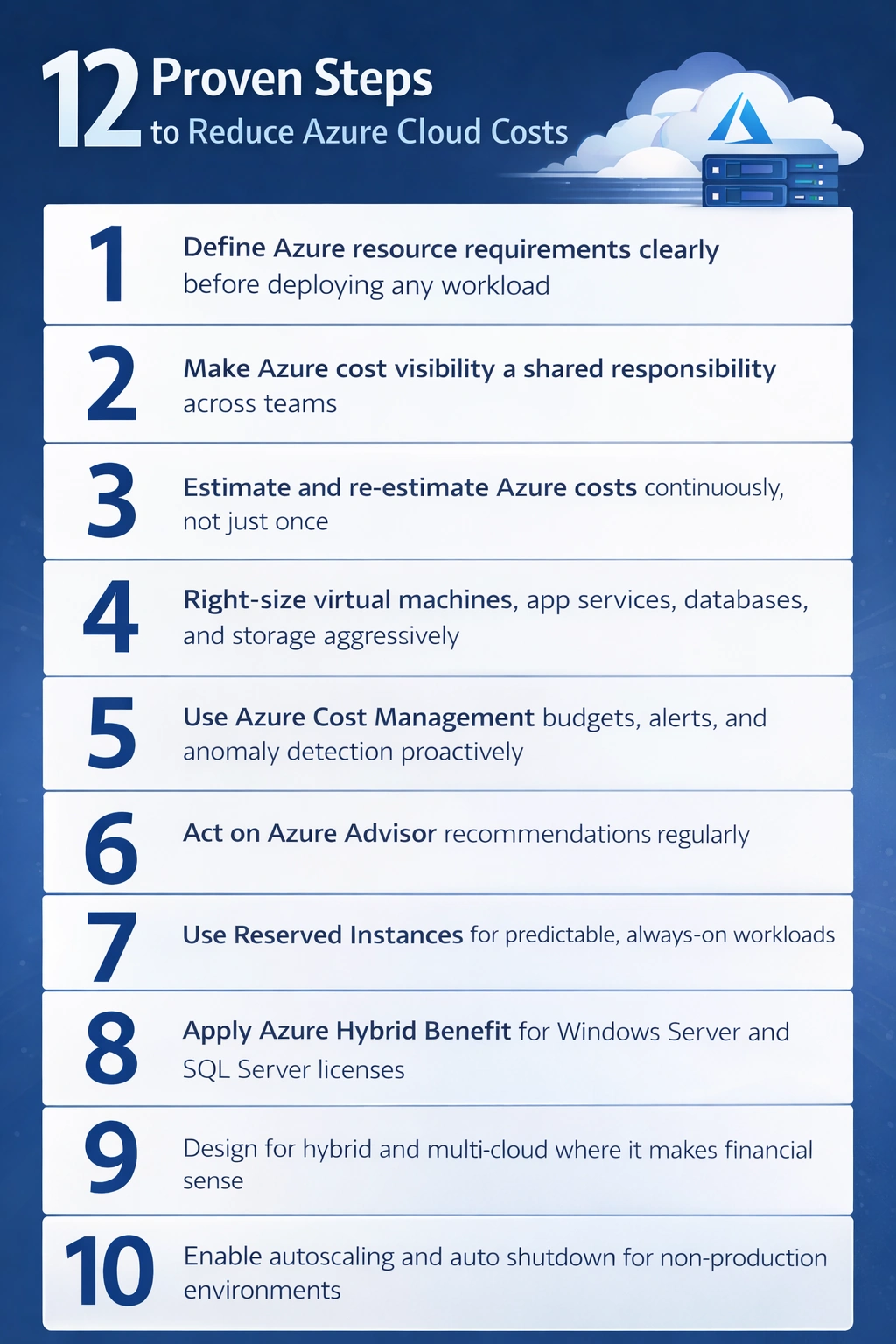
Step 1 Define Azure Resource Requirements With Cost as a Constraint
Most Azure cost problems begin before the first resource is deployed. Teams often migrate on premises workloads as they are, assuming cloud elasticity will compensate for inefficiencies later. That approach guarantees waste.
Every Azure workload should explicitly define expected traffic patterns, uptime requirements, scaling behavior, compliance constraints, data locality, and performance thresholds. Business stakeholders, architects, DevOps teams, and finance must agree on these assumptions early. When requirements are vague, over provisioning becomes the default.
Step 2 Make Azure Cost Visibility a Shared Responsibility
Azure cost optimization fails when only finance sees the bill. Teams must have visibility into their own consumption.
Effective organizations use Azure tags, role based access control, cost allocation by team or project, and regular cost reviews tied to accountability. When engineers see the financial impact of their architectural decisions, behavior changes naturally.
Peer reviews of Azure environments are especially effective. An external perspective often uncovers inefficiencies internal teams overlook because they have become normalized over time.
This is where Mindcracker Inc provides immediate value. Independent Azure cost audits frequently identify unused resources, licensing inefficiencies, and architectural gaps that internal teams miss.
https://www.mindcracker.com/contact-us
Step 3 Estimate Azure Costs Continuously Not Once
Azure Pricing Calculator and Azure Cost Management tools should be used continuously, not just during initial planning. Usage patterns change, pricing models evolve, and workloads grow in unexpected ways.
Organizations that revisit cost estimates quarterly consistently spend less than those that estimate once and move on.
Step 4 Right Size Azure Resources Aggressively
Right sizing delivers the fastest Azure savings.
Virtual machines, App Services, databases, and storage accounts are frequently oversized. Start with the smallest viable configuration, monitor performance metrics, and scale only when data justifies it.
Spot virtual machines are also underutilized. For batch jobs, background processing, analytics workloads, and non critical environments, Spot instances can dramatically reduce compute costs with acceptable risk.
Step 5 Use Azure Cost Management Proactively
Azure Cost Management should be treated as an operational tool, not just an accounting report.
Budgets, alerts, and anomaly detection help teams catch cost spikes early. Cost analysis by resource group and service exposes inefficient patterns before they become expensive habits. If cost issues are discovered only during month end reconciliation, optimization is already late.
Step 6 Act on Azure Advisor Recommendations
Azure Advisor analyzes real usage data and highlights idle resources, underutilized virtual machines, and right sizing opportunities.
Teams that review Azure Advisor monthly consistently reduce waste without major architectural changes.
Step 7 Use Reserved Instances for Predictable Workloads
For workloads that run continuously, Reserved Instances are one of the biggest cost levers Azure offers. Committing to one or three years can reduce compute costs by up to 72 percent.
Production databases, core APIs, and always on services benefit the most. The key is reserving only stable workloads with predictable demand.
Step 8 Apply Azure Hybrid Benefit Correctly
Many organizations unknowingly pay twice for Windows Server and SQL Server licenses. Azure Hybrid Benefit allows reuse of existing licenses, significantly reducing costs for license heavy workloads.
This requires proper license tracking and compliance awareness, which many teams lack internally.
Step 9 Design for Hybrid and Multi Cloud Where Cost Makes Sense
Azure does not need to host every workload. Some services are cheaper or better suited outside Azure, such as CDN providers, email delivery platforms, or specialized analytics services.
Azure excels in identity, enterprise integration, and platform services. Strategic placement of workloads beats blind consolidation.
Step 10 Automate Autoscaling and Auto Shutdown
Development and testing environments are one of the largest sources of Azure waste. If an environment does not need to run continuously, it should not.
Autoscaling and scheduled shutdown policies often reduce non production costs by 30 to 60 percent with zero impact on developer productivity.
How Mindcracker Inc Helps Organizations Reduce Azure Costs Long Term
Azure cost optimization is not a one time cleanup exercise. It is an operating model.
Mindcracker Inc works with organizations to assess Azure readiness, audit existing environments, redesign architectures using Azure Well Architected Framework principles, implement cost governance, and continuously optimize workloads as usage evolves.
If your Azure bill feels higher than it should be, it probably is.
https://www.mindcracker.com/contact-us
Final Thoughts
Azure can significantly reduce IT costs, but only when approached deliberately. Organizations that treat the cloud as a strategic platform rather than rented infrastructure consistently outperform peers on cost, scalability, and reliability.
Cost optimization is not a one time task. It is an ongoing discipline. The sooner it becomes part of your Azure operating model, the faster the savings compound.
Join the conversation! Your thoughts help the community grow.