

Welcome to an article on how to use Regular Expression in SharePoint 2013 and Office 365 using Nintex Workflows. This article will display the action “Regular Expression” so that all my developer friends don’t have to spend much time and effort while using this function in their projects.
This action assists you do multiple actions as replace, match, split and extract. Let’s see the implementation of this functionality.
- Create a list, Dev Testing.
- Click on the List tab on the Top ribbon and click on Nintex Workflow.
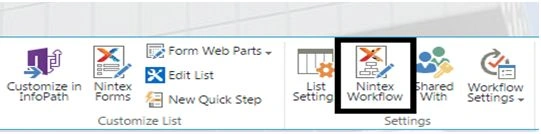
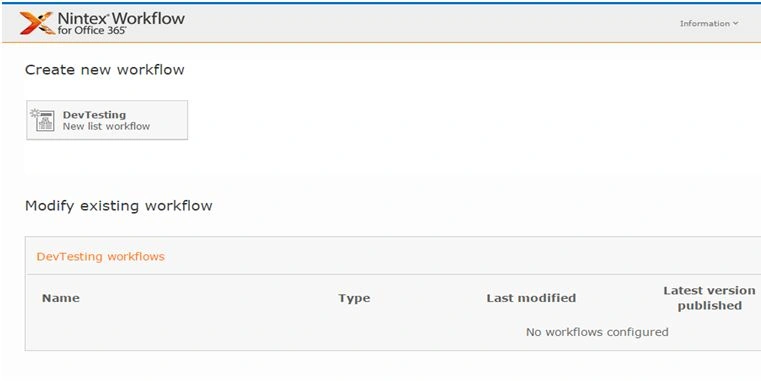
- You will see the following screen, to create a new workflow.
- Click on “Create new workflow”.
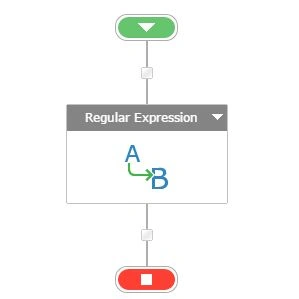
- You will come to the design phase of the Nintex workflows.
- Add the action, “Regular Expression” either by right clicks on the workflow or by dragging and dropping from the left toolbox.
- Now let’s configure it.
- When you double click on the action the following screen opens up.
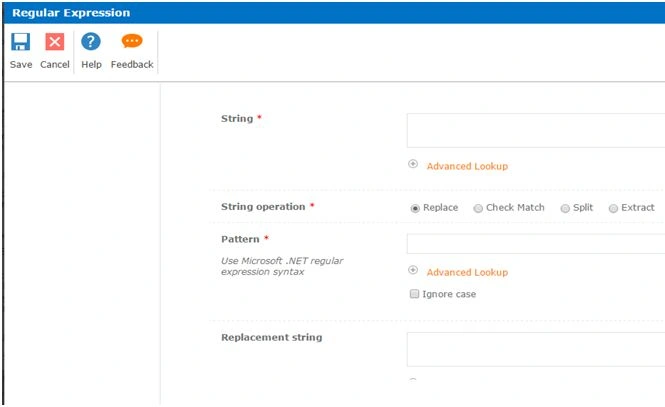
Configure:
- String: Provide the string.
- String operation: Choose one among the following operations.
- Replace: You can either choose replace.
- Check Match: or you can check the match
- Split: or split the string.
- Extract: or extract the string
- Pattern: You can provide a pattern as Use Microsoft .NET regular expression syntax to configure the workflow.
- Replacement String: Mention the replacement string here which you want to replace.
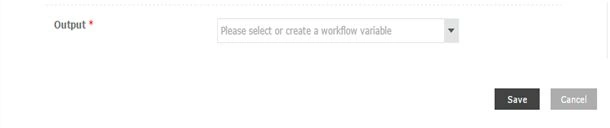
- Output: The output will be stored in a variable by the workflow.
- Now we have configured our workflow, let’s go and publish it to use it.
- Click on Publish on the left corner of the ribbon of Nintex Designer.

- You will see the screen below.

- Give your workflow a name.
- Description
- Choose your task list where it should store the tasks, It will be Workflow Tasks by default.
- Choose your history list where it should store the history logs, It will be Workflow History by default.
- Start Options:
- You can either start your workflow manually.
- Or you can start your workflow automatically when an item is created
- Or you can start your workflow automatically when an item is modified. - Click on Publish
- Your workflow will get published.
We will see more new articles on the actions of Nintex Workflows in the other parts of the article. Till then, keep learning!
Nanddeep NachanPosted Jan 30, 2016, 8:46 AM
Nice share
Santhakumar MunuswamyPosted Jan 30, 2016, 2:20 AM
Thanks for nice share