

Remove an Item in LightSwitch Visual Studio 2012
This article describes how to remove an item using Light Switch in Visual Studio 2012.
Procedure for removing an item
Step 1
Open the Solution Explorer.

Step 2
In Solution Explorer, right-click to open the HTML client screen.

Step 3
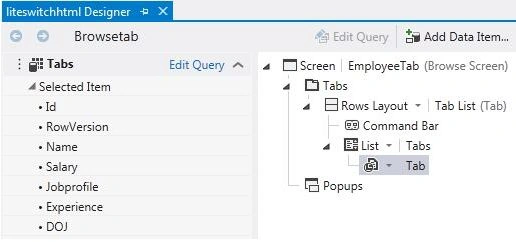
The Screen Designer appears.
Step 4
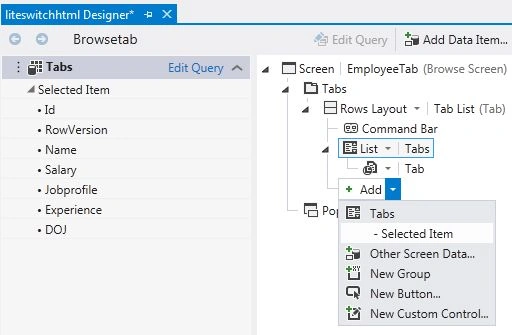
In the Screen Designer, choose "Add List".
Step 5
In the Screen Designer the drop down list appears.
Step 6
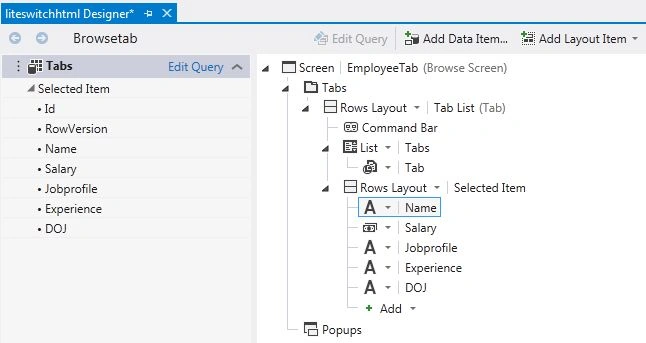
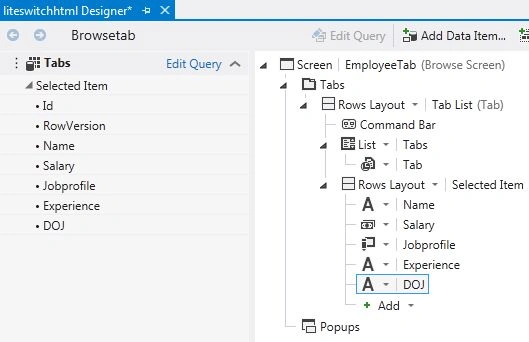
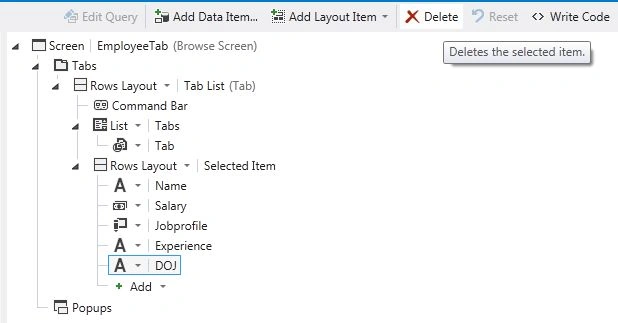
In the Screen Designer, click on an item that you want to remove (for example: DOJ).
Step 7
In the Screen Designer toolbar, click on "Delete".
Step 8
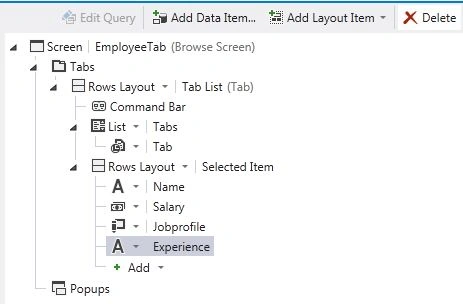
The DOJ item is removed from the list.
Join the conversation! Your thoughts help the community grow.